
Written by: Matt Beucler, CEO, Plura AI
Updated September 3, 2026
Key Takeaways
- AI receptionists answer instantly 24/7 at a fraction of the cost of a full-time human hire, which fits high-volume and after-hours coverage.
- Human receptionists excel at empathy and complex conversations, especially in sensitive, emotional, or high-stakes situations.
- Businesses using AI can reduce receptionist labor costs by 50-70% and eliminate missed calls, with Plura AI showing a 30-day ROI of $45,600 for a 15-agent operation.3
- Scalability is a major advantage for AI. AI agents handle unlimited simultaneous calls and scale instantly, while human staffing requires proportional hiring and weeks of training.
- The rest of this guide compares costs, response times, empathy, scalability, and hybrid setups so you can choose the right mix for your business.
Cost Comparison: AI Receptionist vs Human Receptionist
According to BLS data (May 2024), the median hourly wage for U.S. receptionists is $17.90, with the middle 80% earning between $13.60 and $23.49 per hour. That puts a typical full-time receptionist at roughly $15 to $25 per hour before benefits and overhead, though actual wages vary by location and experience. Taxes and benefits add roughly 25-30% to a receptionist’s base salary. This increase brings the fully loaded annual cost, including salary, taxes, benefits, and often hiring and equipment costs, to about $40,000-$60,000 or more per hire, with many sources citing totals of $42,000-$69,000 or higher depending on location and benefits package. Contact centers allocate 60 to 70% of operating costs to agent labor, and contact center agent turnover is cited as 35–45% annually, with front-desk turnover at 30–50%, so leaders face constant rehiring and retraining cycles that consume budget and management time.
AI receptionist services typically cost $50 to $300 per month for basic virtual receptionist tools. Business-grade AI voice agents with full conversation memory, CRM integration, and appointment booking run higher. Plura AI’s pricing is transparent and published. The ROI math is direct. Plura’s ROI calculator shows 15 human agents at $20 per hour with 25% benefits overhead and 40% talk utilization cost $60,000 per month. Six Plura agents handling the same 2,400 hours at 100% talk utilization cost $14,400 per month, which yields a 30-day ROI of $45,600 and a 12-month ROI of $547,200.
For businesses asking about monthly AI receptionist costs, basic tools run $50 to $300 per month. Business-grade AI receptionists that handle calls, qualify leads, book appointments, and integrate with CRM can range from under $500 to $2,000 or more per month depending on call volume and features. Compare plans and rates side by side.
| Factor | AI Receptionist | Human Receptionist |
|---|---|---|
| Monthly cost | Varies by plan; business-grade typically $500 to $2,000+ (per plura.ai/pricing) | A full-time, in-house human receptionist typically costs about $3,500–$5,750 per month all-in (salary plus benefits, taxes, and PTO), with some estimates reaching $5,000+ per month (per VoiceCharm) |
| Availability | 24/7/365 | Business hours only |
| Response time | Under 5 seconds (per plura.ai/ai-voice-demo) | Industry average 47+ hours for first contact (per Plura’s speed-to-lead glossary) |
| Call handling | Unlimited simultaneous calls | One call at a time |
| Turnover | 0% | Contact center agent turnover is cited as 35–45% annually, with front-desk turnover at 30–50% (per Plura’s AI contact centers guide) |
Walk through a cost comparison for your call volume with a live Plura demo.
Availability and Response Time: The Cost of Missed Calls
Human receptionists work business hours. They take breaks, sick days, and vacation. When unavailable, calls go to voicemail, and in appointment-based industries, missed calls become missed revenue. Harvard Business Review research found that companies responding within five minutes are 100 times more likely to connect with a prospect than those waiting 30 minutes. Lead conversion rates drop 10x after the first five minutes.
An AI receptionist answers on the first ring, 24/7. Plura answers in under 5 seconds to first contact, so callers never experience hold times or voicemail. Because calls are never missed, there is no missed-call recovery to manage. For after-hours coverage, weekend shifts, and holiday staffing, AI receptionists close the coverage gap entirely. Experience the response time difference at Plura’s AI voice demo.
Empathy and Handling Complex Calls: Matching Channel to Caller
Many leaders worry about empathy when they evaluate AI receptionists. Human receptionists excel at reading emotion, calming upset callers, and navigating sensitive situations. For calls involving grief, serious illness, legal distress, or high-stakes financial decisions, a human receptionist often fits better.
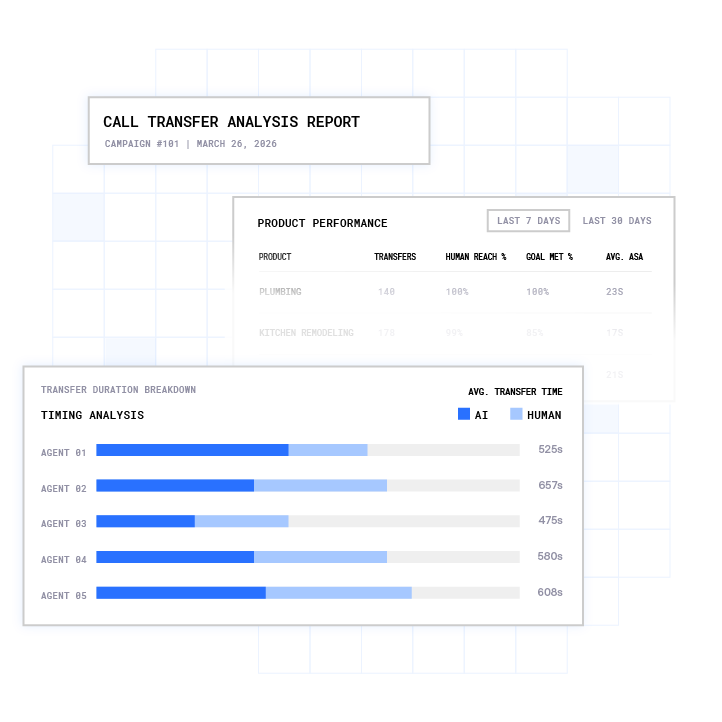
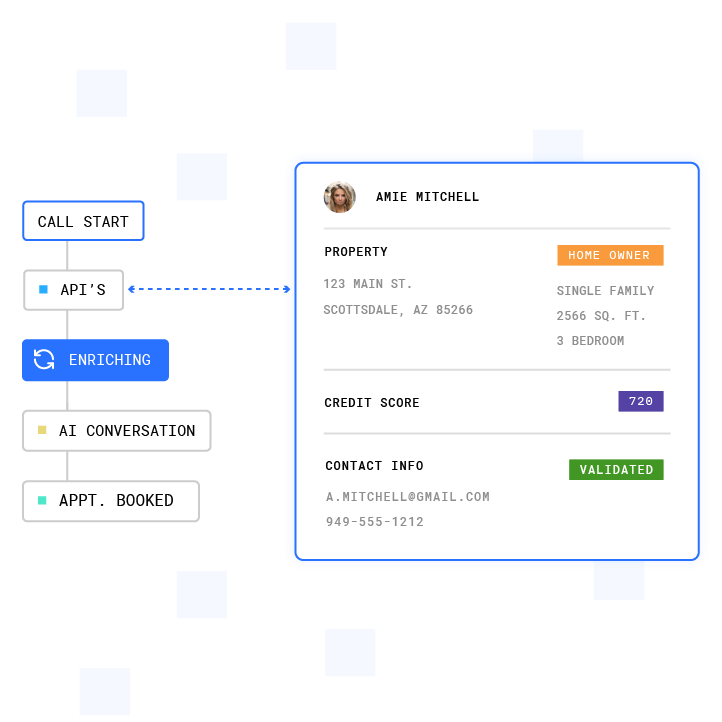
Modern AI receptionists handle routine and moderately complex calls well. Typical use cases include appointment scheduling, FAQs, hours and directions, intake qualification, and after-hours emergency routing. Plura agents hold natural, memory-driven conversations, qualify leads from 30+ data sources (ad scripts reference 50-plus), and book appointments directly into your calendar. When a call exceeds the AI’s defined guardrails, Plura warm-transfers to a human agent with full conversation context. The caller does not repeat themselves, and the human picks up knowing exactly what was discussed.
AI receptionists should escalate when a caller expresses distress, requests legal or medical advice, asks for a specific person repeatedly, or when the conversation falls outside defined workflows. Plura’s no-code workflow builder lets you set explicit escalation rules so the AI recognizes when to route to a human smoothly.
Scalability and Call Volume: Handling Spikes Without Hiring Sprees
Human receptionists handle one call at a time. When call volume spikes during a lunch rush at a dental office, storm season for a home services company, or open enrollment for an insurance agency, callers hit hold music or voicemail. Scaling human coverage means hiring proportional headcount, with 2 to 6 weeks of training per new hire and zero productivity during ramp.
AI receptionists scale instantly. Plura agents run at 100% talk utilization versus 40% for human agents and can scale from 4 to 400 agents overnight with no additional hiring or training. Peak season becomes a configuration change instead of a staffing crisis.
Industry-Specific Reception Strategies
The right mix of AI and human reception varies by industry. Different verticals feel the tradeoffs between cost, empathy, and availability in different ways.
Dental and veterinary practices: Calls are appointment-driven with high no-show sensitivity. AI receptionists handle booking, reminders, and FAQs 24/7. Plura’s healthcare deployments show up to 40% improvement in no-shows. Human receptionists remain valuable for anxious pet owners and complex treatment discussions.
Home services: Missed calls are missed jobs. An AI answering service for home services books jobs, sends confirmations, and logs everything to your CRM while your team works in the field. After-hours call answering captures emergency calls that might otherwise go to voicemail or to a competitor on Google Maps.
Medical practices: HIPAA is a significant consideration for any medical practice evaluating AI tools. Plura is built on SOC 2 and HIPAA-aligned infrastructure with end-to-end encryption and audit logging.1 AI handles appointment scheduling, prescription refill requests, and intake qualification. Human receptionists handle sensitive patient conversations and complex billing questions. Leaders should consult qualified counsel regarding their practice’s specific obligations under HIPAA (45 CFR Parts 160, 162, 164).2

Legal firms: Intake qualification and consultation scheduling fit AI well. Plura agents conduct intake interviews, capture personally identifiable information (PII) with field-level redaction, and route valid cases to U.S. counsel. Human receptionists handle emotionally charged client conversations and privileged communications.
The Hybrid Model: How to Combine AI and Human Receptionists
High-performing businesses increasingly route calls intelligently between AI and humans instead of choosing one or the other. The hybrid playbook works as follows:
- AI handles first touch. Every call is answered instantly by AI, which greets the caller, identifies the reason for the call, and gathers basic information.
- AI qualifies and routes. Routine requests such as appointments, hours, and FAQs are resolved entirely by AI. Complex or high-value calls are warm-transferred to a human with full context.
- AI covers after-hours. When your human receptionist goes home, AI takes over, booking appointments, capturing leads, and handling emergencies.
- Humans handle high-complexity conversations. Calls involving emotional distress, legal matters, complex billing, or high-value negotiations route to humans.
- Set escalation rules. In Plura’s no-code workflow builder, you define exactly when AI transfers to a human by caller sentiment, keyword detection, or explicit caller request.
Plura supports hybrid workflows natively with warm transfers and shared context. The AI and your human team see the same conversation history, so callers never repeat themselves.
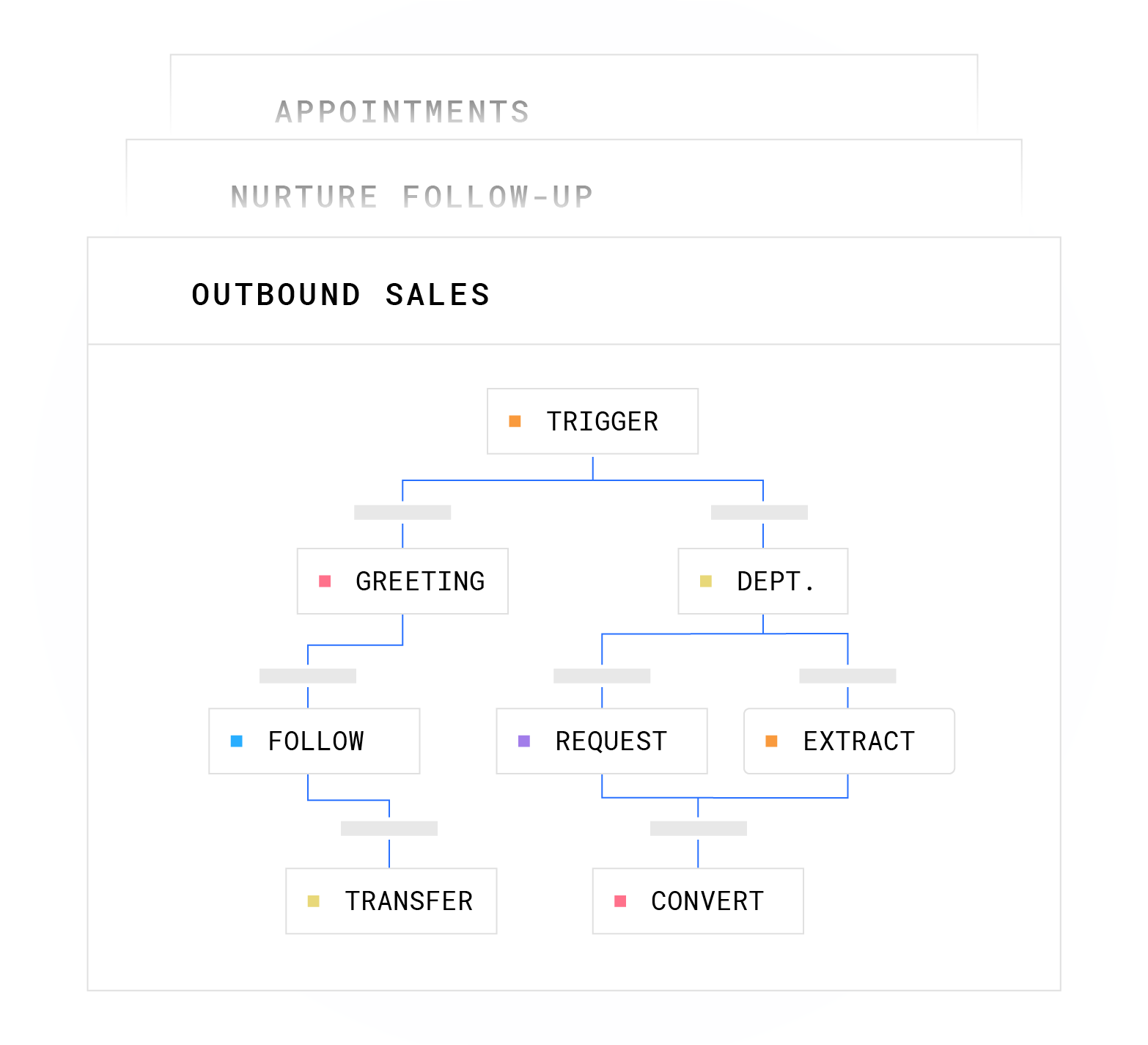
See the hybrid model in action for your team with a guided Plura walkthrough.
Decision Framework: When to Use AI, Humans, or Both
Choose an AI receptionist if you:
- Receive more than 20 calls per day
- Miss calls during peak hours or after business close
- Need 24/7 coverage but cannot justify the cost of overnight staffing
- Want to reduce receptionist labor costs by 50 to 70%
- Experience high front-desk turnover (see the turnover statistics above)
- Need to scale call handling during peak seasons without hiring
Choose a human receptionist if you:
- Handle fewer than 5 to 10 calls per day where AI ROI does not justify the build
- Manage highly sensitive, emotional, or legally complex conversations as the norm
- Require in-person front-desk duties such as check-in, mail, and visitor management
- Have a receptionist whose value extends beyond phone handling into administrative work
Choose a hybrid model if you:
- Have moderate to high call volume with a mix of routine and complex calls
- Need after-hours coverage but want humans for sensitive conversations
- Want to reduce costs while keeping your front-desk team
- Operate a multi-location business that needs consistent call handling across sites
Run your numbers through Plura’s ROI calculator to check your ROI in real time before making the decision.
Conclusion: Turning Call Volume into Business Intelligence
The AI receptionist vs human receptionist decision centers on call volume, conversation complexity, and budget. If you miss calls, struggle with after-hours coverage, or carry the overhead of a full-time front-desk hire, an AI receptionist delivers 24/7 coverage at a fraction of the cost. If your calls are predominantly sensitive or emotionally complex, a human receptionist remains essential.
For many businesses, a hybrid model delivers the strongest results. AI handles routine and after-hours calls, humans handle complex conversations, and the whole system works together with shared context. Compare plans and rates side by side, and run your numbers through Plura’s ROI calculator to see the impact on your budget.
Get a live walkthrough of Plura’s AI receptionist and design the right mix of AI and human reception for your business.
FAQ: AI Receptionist vs Human Receptionist
Are receptionists being replaced by AI?
AI receptionists are replacing the function of answering routine calls, booking appointments, and qualifying leads, not the entire role. The California Policy Lab’s AI-Unemployment Tracker classifies customer service representatives as a high-AI-exposure occupation, meaning such roles are among the most susceptible to AI-related disruption. However, the same research from the California Policy Lab’s June 2026 report shows no evidence of a surge in AI-related layoffs since ChatGPT’s release, and the proportion of unemployment insurance claims from AI-exposed workers has not seen a statistically significant increase relative to pre-pandemic levels statewide. The more common pattern is augmentation, where businesses deploy AI for after-hours and overflow coverage while keeping human receptionists for complex and in-person work.
Can an AI receptionist handle complex calls?
Modern AI receptionists handle routine and moderately complex calls well, including appointment scheduling, FAQs, intake qualification, and after-hours routing. For calls involving emotional distress, legal matters, or high-stakes negotiations, AI should escalate to a human. Plura does this automatically with warm transfers and full conversation context, so the human agent picks up knowing exactly what was discussed without the caller repeating themselves.
What are the downsides of an AI receptionist?
AI lacks genuine empathy for emotionally charged situations, cannot perform in-person front-desk duties, and requires clear workflow design to handle edge cases effectively. Some callers prefer speaking to a human, particularly in healthcare, legal, and financial contexts. A practical approach uses a hybrid model that routes complex calls to humans while AI handles routine volume, after-hours calls, and overflow during peak periods.
How much does an AI receptionist cost per month?
As detailed in the cost comparison above, basic tools typically run $50 to $300 per month, while business-grade solutions range from about $500 to $2,000+ depending on call volume and features. The ROI calculator can show you the specific figure for your volume and staffing mix.
How do I set up a hybrid AI and human receptionist system?
Start by defining which call types AI handles, such as routine requests, after-hours calls, and overflow, and which route to humans, such as complex, emotional, or high-value conversations. Configure your AI receptionist with routing rules based on caller sentiment, keyword detection, or explicit caller requests. Plura supports hybrid workflows natively with warm transfers and a shared conversation database, so both the AI and your human team see the same call history. The no-code workflow builder lets you adjust routing rules without engineering support. See the full workflow in action at Plura’s AI voice demo.
Is an AI receptionist worth it?
Plura reports 3× average ROI in 90 days for its customers, based on its calculator data.3 The break-even point depends on your current call volume, labor cost, and how many calls you currently miss. Run your specific numbers through Plura’s ROI calculator at plura.ai/calculator to get a figure based on your actual inputs rather than industry averages.
1 Plura AI maintains SOC 2, HIPAA, ISO, and GDPR posture as part of its platform infrastructure. References to compliance frameworks in this article describe Plura’s platform capabilities and do not constitute a guarantee that any customer using Plura will themselves be compliant with applicable laws or standards. Customers remain solely responsible for their own regulatory obligations, certifications, consent management, recordkeeping, and the claims they make to their own end users. Consult qualified legal counsel for guidance specific to your use case.
2 This article describes regulatory frameworks at a general level and does not constitute legal advice. Laws and regulations vary by jurisdiction, change over time, and apply differently depending on facts and circumstances. Readers should consult qualified legal counsel before making compliance decisions.
3 Performance figures, customer outcomes, and industry statistics referenced in this article are drawn from cited third-party sources or Plura customer case studies. Individual results vary based on implementation, use case, industry, audience, and execution. Past or aggregate performance is not a guarantee of future results.
This article is provided for informational purposes only and reflects Plura AI’s understanding at the time of publication. Product capabilities, integrations, and specifications are subject to change. For the most current information, visit plura.ai.
This article was produced with the assistance of AI tools and reviewed by Plura AI prior to publication.