

Written by: Matt Beucler, CEO, Plura AI
Key Takeaways
- Automated order status updates cut WISMO tickets and support costs by sending proactive, real-time notifications across email, SMS, and voice.
- Automation scales reliably as order volume grows and keeps customers informed, which supports higher satisfaction and repeat purchases.
- A single source of truth for order data prevents conflicting updates, and platform tools like Shopify Flow or WooCommerce emails handle core email notifications.
- Dedicated workflows for delays, cancellations, and back-in-stock events keep exception messages clear and reduce escalations to support.
- High-volume operations gain from AI-powered platforms like Plura AI that manage complex, multi-channel order conversations in one place.
Why Manual Order Status Updates Reduce Revenue
Manual order status updates consume staff hours and create bottlenecks as order volume grows. Customers who do not receive timely information open support tickets, call your support line, or leave negative reviews. The volume compounds as orders increase, and the cost compounds with it.
Automated order status updates address this directly by reducing WISMO tickets and support workload. Proactive updates improve customer satisfaction and support higher repeat purchase rates. The operational case is straightforward.
The channel mix matters as much as timing. Customers expect updates on their preferred channel, including SMS and voice, not only email. An AI contact center provides 24/7/365 availability compared to business-hours coverage for traditional operations and avoids turnover-driven gaps in service. For order communications, that reliability translates into consistent, on-time notifications regardless of staffing conditions.
Speed is a core driver of customer behavior. Organizations deploying AI for speed to lead see response times drop from hours to seconds and connection rates increase by 3x to 5x.1 The same pattern applies to order communications. Customers who receive an update within seconds are less likely to contact support than customers who wait hours.
See how Plura AI reduces WISMO tickets in a live demo and review real order status automation workflows.
Step 1: Choose a Single Source of Truth for Order Data
Start by identifying which system holds the authoritative order status data. A single source of truth prevents conflicting updates from reaching customers across channels.
| Source of Truth | Best For | Trade-Offs |
|---|---|---|
| E-commerce platform (Shopify, WooCommerce) | Small to mid-volume stores | Limited to platform-native statuses, no carrier tracking data |
| Order Management System (OMS) | Multi-channel sellers | Requires integration setup and adds complexity |
| Warehouse Management System (WMS) | High-volume, fulfillment-heavy operations | Most accurate for inventory and fulfillment, hardest to integrate |
| Shipping carrier (UPS, FedEx, USPS) | Post-shipment tracking | Covers only the shipping stage, no pre-shipment status |
Once you have a clear source of truth, you can configure automation in each platform that reads from that system and keeps messaging consistent.
Step 2: Automate Order Status Updates in Shopify
Shopify’s native notification system covers order confirmations, shipping updates, and delivery notifications. You configure these from the Shipping and delivery page in the Shopify admin. For more complex workflows, Shopify Flow acts as the automation layer and lets merchants build sequences of actions from triggers, conditions, and actions.
- Install the free Shopify Flow app from the Shopify App Store.
- Open Shopify Flow from the Shopify admin and create a new workflow.
- Set a trigger such as “Order fulfilled.”
- Add conditions such as “Tracking company is not empty.”
- Set actions such as sending an email notification, adding a tag, or sending a webhook to an external system.
Shopify Flow handles in-platform and email automation natively. SMS and voice updates require third-party apps or integrations connected through Zapier, Make, or a dedicated platform.
Step 3: Automate Order Status Updates in WooCommerce
WooCommerce provides built-in transactional emails tied to order states such as processing, completed, canceled, refunded, and failed. Configuration lives at WooCommerce > Settings > Emails, where merchants enable or disable notifications, edit content, set recipients, and customize sender identity.
WooCommerce core focuses on email. SMS and voice notifications require extensions or external integrations. For custom integrations with external systems, the WooCommerce REST API provides a programmatic path, though implementation typically sits outside standard merchant workflows.
Step 4: Automate Order Status Updates with Zapier or Make
Integration platforms connect your e-commerce platform to email, SMS, and other channels using event-based webhooks, which are HTTP payloads sent between apps when a specific event occurs. Zapier and Make are widely used options for no-code cross-platform automation.
A representative workflow looks like this:
- Trigger: Order status changes to “Shipped” in Shopify.
- Action: Send an SMS through an SMS gateway or AI SMS platform.
- Action: Add a row to Google Sheets for internal tracking.
These platforms handle simple trigger-action automation effectively, but they lack the conversational AI and cross-channel context memory needed for complex customer interactions or proactive exception handling. Operations that need those capabilities typically add a dedicated AI platform on top of these basic flows.
Step 5: Build Automated Workflows for Delayed Orders and Exceptions
Exception handling works best as its own workflow layer. Separate each failure mode into a specific notification workflow instead of routing all exceptions through one generic alert. When detailed information is unavailable, send a short acknowledgment and a clear promise of follow-up.
- Delay alert: Trigger when carrier tracking shows no scan for 48 hours. Action: send an SMS or email with the updated estimated delivery date and a tracking link. Example message: “Your order is delayed. New estimated delivery: [date]. Track here: [link].”
- Cancellation confirmation: Trigger when order status changes to “Canceled.” Action: send an email or SMS with refund details and the expected timeline.
- Back-in-stock notification: Trigger when inventory updates for a previously out-of-stock item. Action: notify customers on the waitlist.
Each exception message should explain what happened and what happens next. Clear communication reduces support tickets and negative reviews.
Step 6: Write Effective Messages and Choose the Right Timing
Order status messages should always include the order number, a tracking link, the expected delivery date, and a clear call to action. Send notifications at each status change to keep customers informed without creating notification fatigue.
For SMS, keep messages concise at roughly 160 characters or fewer and include a clear call to action. Always provide an opt-out mechanism. Consult your legal counsel regarding any TCPA and DNC considerations for SMS communications.3
For email, use dynamic tags for personalization, include an order summary, and make tracking links prominent. WooCommerce email settings support placeholders such as {order_number} and {order_date} for this purpose.
Comparing Tools for Order Status Automation
| Approach | Typical Cost | Complexity | Best For |
|---|---|---|---|
| Built-in platform tools (Shopify Flow, WooCommerce emails) | Included with platform | Low | Basic email notifications |
| Integration platforms (Zapier, Make) | $9-$600/month, with entry-level paid plans starting at $19.99/month for Zapier and $9/month for Make | Medium | Connecting multiple apps, simple SMS |
| Custom API development | High (developer hours) | High | Fully customized workflows |
| AI-powered platforms (Plura AI) | Subscription-based | Low (managed) | High-volume, multi-channel, conversational updates |
Built-in tools are free and handle email and platform-native events. Integration platforms like Zapier and Make add SMS connectivity but do not maintain conversational context across channels. Custom API development offers full control but requires ongoing engineering maintenance. AI-powered platforms combine automation with natural language understanding to support proactive, two-way customer communication at scale.
Review Plura’s plans and rates to align subscription tiers with your order volume and channel mix.
How Plura AI Handles Order Status Automation
Plura AI’s AI customer service texting supports high-volume e-commerce operations that need more than basic trigger-action SMS. The platform sends proactive order status updates via SMS when order status changes. It answers customer order questions 24/7 with conversational AI and escalates to human agents with full conversation context when needed. It also integrates with your CRM and other systems through Plura’s integrations directory, which covers 50+ tools across CRMs, calendars, payment processors, and more.
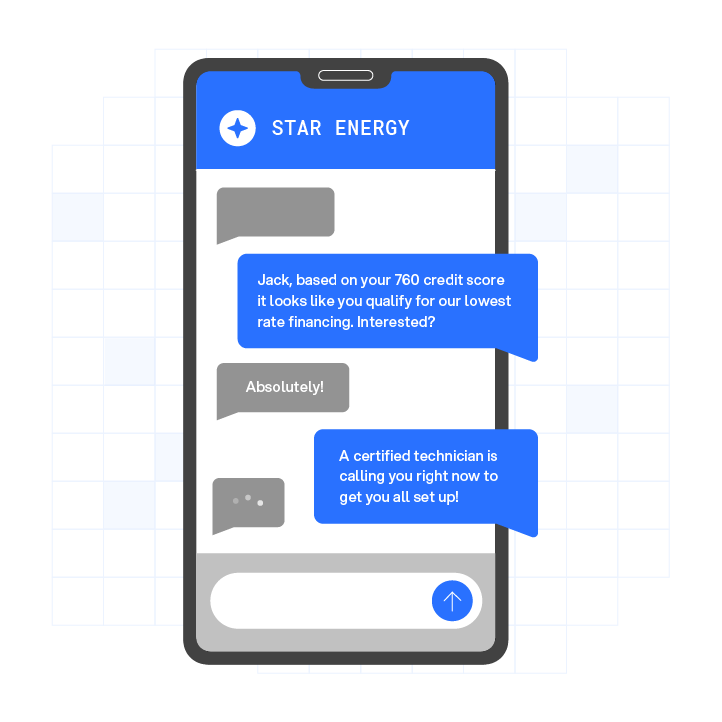
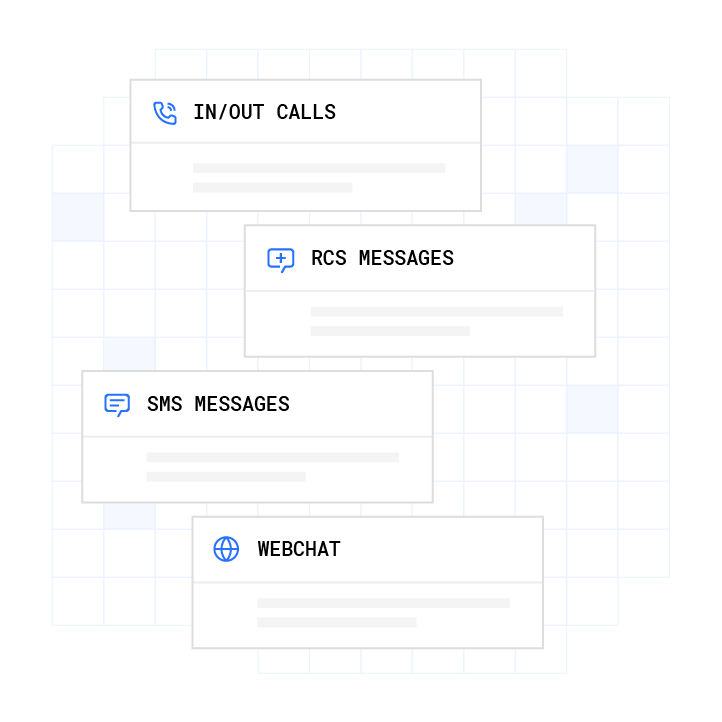
The Stateful Conversation Database is a key differentiator from simple trigger-action tools. Every interaction across voice, SMS, RCS (Rich Communication Services), and webchat ties to the same customer token. A customer who texts about an order can receive a voice follow-up without repeating themselves, because both channels read from the same conversation history. Plura provides a 99.9% uptime SLA with automatic failover, so order status communications continue running during traffic spikes.
Plura supports TCPA compliance and DNC compliance and is SOC 2 certified.2 Customers remain responsible for their own regulatory obligations. Plura provides infrastructure and compliance-support features. Consult qualified legal counsel regarding your specific obligations under applicable laws.

Watch Plura handle order status exceptions in real time and evaluate the full workflow for your operation.
Frequently Asked Questions
How can I automate order status SMS alerts?
Connect your e-commerce platform to an SMS gateway using an integration platform like Zapier or Make. Set a trigger for each order status change and an action to send an SMS with the relevant details. High-volume operations that need two-way conversational SMS with automatic exception handling and cross-channel context typically use an AI-powered platform like Plura AI. Always consult legal counsel regarding TCPA and DNC considerations before launching SMS campaigns.3
What are the best tools for order status automation?
The right tool depends on your order volume and the channels you need to support. Built-in platform tools like Shopify Flow and WooCommerce email settings handle basic email notifications at no additional cost. Zapier and Make add cross-platform connectivity and simple SMS at a monthly subscription cost. High-volume or multi-channel operations that require conversational AI and proactive exception handling often use Plura AI, which includes managed onboarding and a no-code workflow builder.
How do I handle delayed order notifications automatically?
Create a dedicated workflow for delay exceptions, separate from your standard status-change notifications. A common trigger is carrier tracking that shows no scan for 48 or more hours. The action sends an SMS or email with the new estimated delivery date and a tracking link. The message should explain what happened and what the customer can expect next. Plura AI can detect delays proactively and notify customers before they submit a support inquiry, which reduces WISMO ticket volume.
Can I automate order status updates in Shopify?
Shopify’s built-in notification settings cover email for standard order lifecycle events. Shopify Flow adds conditional logic and multi-step workflows for more complex scenarios. For SMS or voice updates, connect Shopify to an SMS platform through Zapier, Make, or a dedicated solution like Plura AI. Shopify Flow does not natively support SMS or voice channels.
What is the difference between built-in and third-party automation for order status?
Built-in tools like Shopify Flow and WooCommerce email settings are free, native, and low-complexity, and they focus on email and platform-native events. Third-party integration platforms like Zapier and Make connect multiple apps and add SMS capability, but require setup and do not maintain conversational context across channels. AI-powered platforms like Plura AI add natural language understanding, proactive exception handling, and a stateful conversation layer that holds context across SMS, voice, RCS, and webchat in a single database.
Conclusion: Move from Manual Updates to Scalable Automation
The path from manual order updates to full automation follows a clear sequence. Choose a single source of truth, configure built-in platform tools for email, connect additional channels through Zapier or Make, build dedicated exception workflows for delays and cancellations, and add an AI-powered platform as order volume and channel complexity grow.
Manual processes do not scale as order counts and channels expand. Customers expect real-time updates on their preferred channel, and each communication gap creates a support ticket, a phone call, or a lost repeat customer. Automated order status updates across email, SMS, and voice now function as a standard operating requirement for modern e-commerce.
Operations handling high order volumes across multiple channels can use Plura AI to combine AI-powered SMS and voice with CRM integration and a no-code workflow builder. Plura also supports compliance with TCPA, DNC, and SOC 2 standards.2 The platform’s Stateful Conversation Database keeps every customer interaction continuous across channels.
Schedule a demo to see the full order status automation workflow and measure the impact on WISMO tickets and customer satisfaction.
1 Performance figures, customer outcomes, and industry statistics referenced in this article are drawn from cited third-party sources or Plura customer case studies. Individual results vary based on implementation, use case, industry, audience, and execution. Past or aggregate performance is not a guarantee of future results.
2 Plura AI maintains SOC 2, HIPAA, ISO, and GDPR posture as part of its platform infrastructure. References to compliance frameworks in this article describe Plura’s platform capabilities and do not constitute a guarantee that any customer using Plura will themselves be compliant with applicable laws or standards. Customers remain solely responsible for their own regulatory obligations, certifications, consent management, recordkeeping, and the claims they make to their own end users. Consult qualified legal counsel for guidance specific to your use case.
3 This article describes regulatory frameworks at a general level and does not constitute legal advice. Laws and regulations vary by jurisdiction, change over time, and apply differently depending on facts and circumstances. Readers should consult qualified legal counsel before making compliance decisions.
This article is provided for informational purposes only and reflects Plura AI’s understanding at the time of publication. Product capabilities, integrations, and specifications are subject to change. For the most current information, visit plura.ai.
This article was produced with the assistance of AI tools and reviewed by Plura AI prior to publication.