

Written by: Matt Beucler, CEO, Plura AI
Key Takeaways
- Rules-based lead scoring automation assigns fixed points to prospects based on explicit fit criteria and implicit behaviors, then routes leads once they hit a qualification threshold.
- Manual lead qualification creates bottlenecks in high-volume B2B environments, and automation removes human sorting while keeping response times consistent as volume grows.
- A two-dimension scoring model evaluates explicit criteria such as job title, company size, and industry, plus implicit behaviors such as demo requests and pricing page visits, to qualify leads accurately.
- The seven-step implementation process covers building a scoring matrix, configuring CRM rules, setting tiered triggers, implementing negative scoring, establishing routing workflows, conducting quarterly reviews, and layering real-time enrichment.
- Plura AI accelerates outreach on scored leads by routing them into automated voice, SMS, RCS, and webchat conversations in under five seconds, and you can see that flow in a live demo.
The Execution Challenge of Manual Lead Qualification
Manual lead qualification slows revenue teams in high-volume B2B and regulated environments. Reps sort leads by gut feel, response times stretch into hours, and low-fit prospects consume capacity that should go to buyers. 53% of respondents said finding quality leads is a top quota challenge, and Harvard Business Review research shows companies responding to leads within one hour are seven times more likely to have meaningful conversations with decision-makers than those responding even an hour later.3
Automation removes the human sorting step entirely. A rules engine accumulates points as leads take actions or match fit criteria, then fires routing logic the moment a threshold is crossed. This approach keeps qualification speed consistent regardless of lead volume, time zone, or rep availability.
Confirm three baseline systems before you build. You need a CRM with workflow automation capability such as HubSpot, Salesforce, or Zoho.4 basic contact data including job title, company size, and industry, and engagement tracking for email opens, page visits, and form submissions.
Two-Dimension Scoring Model for Fit and Intent
A rules-based model scores leads on two independent axes: explicit fit, which covers who the lead is, and implicit behavior, which covers what the lead does. Explicit criteria reflect your ideal customer profile, while implicit criteria reflect purchase intent. Traditional lead scoring assigns fixed points to each criterion, such as five points for a matching job title and ten points for a form submission, then sums them into a single score.
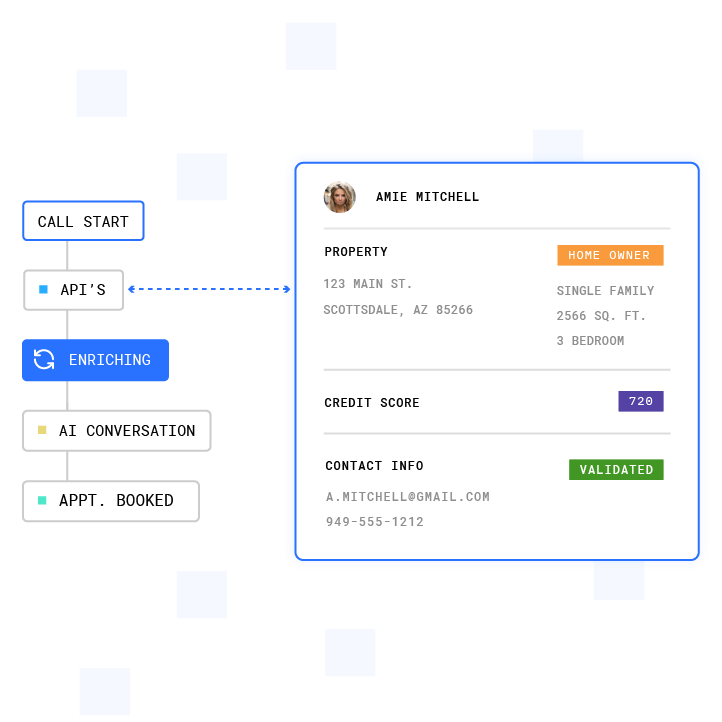
The table below provides a copy-paste-ready starting matrix. Adjust point values to reflect your own conversion data.
| Dimension | Criterion | Points | Notes |
|---|---|---|---|
| Explicit (Fit) | Decision-maker title (VP, Director, C-suite) | +20 | Match against your ICP title list |
| Explicit (Fit) | Company size in target range (e.g., 50-500 employees) | +15 | Adjust band to your ACV sweet spot |
| Explicit (Fit) | Target industry vertical | +15 | Use SIC or NAICS codes for precision |
| Explicit (Fit) | Business email domain (not free/personal) | +10 | Free domains score zero or negative |
| Implicit (Behavior) | Demo request form submission | +25 | Demo requests convert at ~60% |
| Implicit (Behavior) | Pricing page visit | +20 | Form conversion rates on pricing pages are typically around 1-2% |
| Implicit (Behavior) | Case study or ROI content download | +15 | High-intent research behavior |
| Implicit (Behavior) | Email open (single) | +5 | Low-weight, combine with clicks |
| Negative | Competitor employee domain | -20 | Competitor domain is a hard disqualifier |
| Negative | Personal or free email domain (B2B context) | -25 | Personal or free email domains often indicate lower lead quality but should not be automatically discarded |
| Negative | Email unsubscribe | -25 | Active disengagement signal |
| Negative | No activity for 90+ days | -10 | Inactivity decay prevents score drift |
Step-by-Step Implementation
Step 1: Build the Scoring Matrix
Start with your last 12 months of closed-won and closed-lost data to establish a baseline. Within that dataset, identify which job titles, company sizes, industries, and behaviors appeared most frequently in won deals, because those patterns reveal your actual ideal customer profile. Assign higher point values to criteria that correlate with closed-won outcomes, and keep low or zero points on criteria that rarely appear in wins. A well-calibrated model typically captures the top 15–20% of leads and produces an MQL-to-SQL acceptance rate above 60% on a 100-point scale. Set your initial MQL threshold between 50 and 75 points, then adjust after 30 days of live data.
Step 2: Configure Rules in the CRM
In HubSpot, Salesforce, or Zoho, create a score property and build individual rules for each criterion in your matrix. Map explicit criteria to contact or company properties so the model reads firmographic fit directly from the record. Map implicit criteria to activity records such as page views, form submissions, and email events so behavior updates scores in real time. HubSpot’s lead scoring tool supports both adding and subtracting points for property or event rules, including negative scoring for unsubscribes or contacts outside your operating regions. Test each rule individually before you activate the full model.
Step 3: Set Automation Triggers by Score Tier
Define three score tiers and attach a workflow action to each threshold crossing. A lead crossing 75 points triggers an immediate sales alert and moves into a hot queue. A lead crossing 50 points enters a nurture sequence that keeps engagement warm until intent increases. A lead below 25 points routes to low-touch programs or holds for re-engagement. Triggers should fire in real time, not on a batch schedule, so response speed matches the lead’s intent window.
Step 4: Implement Negative Scoring
Negative scoring is frequently overlooked in initial models, but it is essential for maintaining score accuracy over time because ignoring disqualifying signals causes scores to drift upward regardless of actual fit. Build at minimum four negative rules from day one: competitor domain, personal email domain, email unsubscribe, and 90-day inactivity. Add score decay for leads with no new activity so older engagement does not keep them in the hot tier indefinitely.
Step 5: Establish Tiered Hot/Warm/Cold Routing
Assign each tier a named routing action so the CRM workflow knows exactly what to do at each threshold. Hot leads at 75 points or higher go directly to a senior rep with a task due within 15 minutes. Warm leads between 50 and 74 points enter an automated nurture sequence with a rep follow-up task due within 24 hours. Cold leads below 50 points stay in marketing automation until they re-engage or decay out. Teams that route scored leads promptly achieve better conversion rates than those using manual routing, but that performance depends on keeping the scoring model accurate over time.
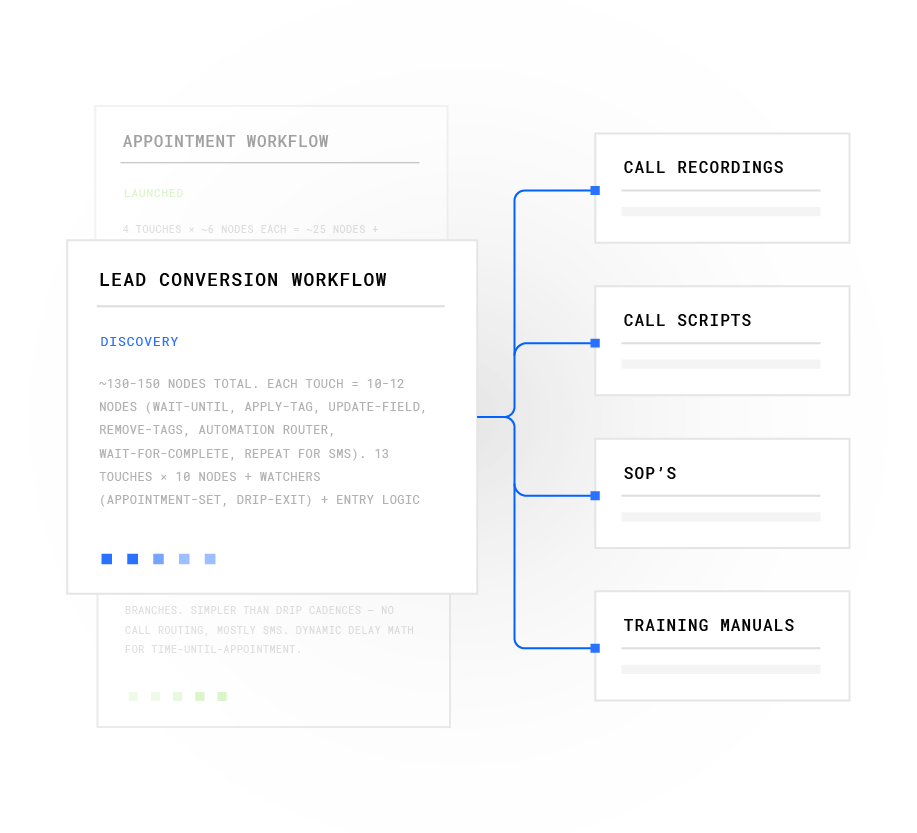
Step 6: Create the Quarterly Review Checklist
Treat scoring systems as living models, not set-and-forget configurations, because outdated rules continue running indefinitely without adjustment. Run this checklist every 90 days so routing logic stays aligned with actual conversion patterns.
- Compare closed-won versus closed-lost patterns by score band.
- Check MQL-to-opportunity conversion rate and flag bands that fall below expected levels.
- Review MQL volume against sales capacity and flag gaps where capacity is underused.
- Audit negative scoring rules to confirm disqualifiers still improve win rates.
- Recalibrate decay rates if behavioral signals are over-weighting or under-weighting recent activity.
- Gather rep feedback on lead quality and adjust thresholds accordingly.
Treat scoring weights as hypotheses that require adjustment if Tier A accounts fail to close at roughly twice the baseline rate.
Step 7: Layer Real-Time Enrichment (Advanced)
A leading 2026 RevOps pattern is event-based, just-in-time enrichment at defined funnel trigger points rather than blanket monthly batch refreshes. Trigger enrichment at MQL creation, pre-rep assignment, and score-threshold crossings so records stay current at the moments that matter. Real-time enrichment appends seniority, company headcount, tech stack, and recent funding data within seconds of a form submission, which gives the scoring model complete context before the routing decision fires. B2B contact databases lose approximately 2.1% of their accuracy monthly, compounding to roughly 22.5% annually, so trigger-based enrichment becomes a cost-effective alternative to continuous batch updates.
Calculate your ROI in real time with Plura’s scoring impact calculator.
Workflow Triggers by Score Tier
| Score Tier | Threshold | Automated Action | SLA |
|---|---|---|---|
| Hot | 75+ points | Notify senior rep, create high-priority task, log to hot pipeline stage | Rep follow-up within 15 minutes |
| Warm | 50-74 points | Enroll in nurture sequence, create standard task, assign to SDR queue | Rep follow-up within 24 hours |
| Cold | 25-49 points | Enroll in low-touch email sequence, hold for re-engagement trigger | No rep action until score rises |
| Disqualified | Below 25 or negative trigger | Remove from active sequences, flag for review, suppress from outbound | Quarterly audit for re-qualification |
Common Challenges and Troubleshooting
False positives. High-scoring leads that do not convert usually indicate over-weighted behavioral criteria. A B2B company that assigned +50 points to webinar attendance inflated scores for academic researchers with no purchase intent, and auditing the correlation between criteria and actual conversion outcomes corrected the model. Audit your top 20 non-converting MQLs each quarter and identify which criteria they share so you can lower weights that do not correlate with revenue.
Stale data. As noted earlier, database accuracy degrades by about 22.5% per year. Implement score decay rules and trigger enrichment at key funnel handoffs to keep scored records current. Leads that have not been enriched in 90 days or more should be flagged for re-verification before rep assignment.
Review fatigue. Quarterly reviews lose traction when they lack a fixed owner and a defined output. Assign a single RevOps owner to each review cycle, use a shared dashboard that surfaces conversion rates by score band, and limit each review to the six-item checklist above. Avoid constant changes that compromise reliable measurement, and separate weekly monitoring from quarterly recalibration.
Measuring Success
Three metrics determine whether the model is working. First, lead response time, which measures the gap between a lead crossing the hot threshold and a rep making first contact. Second, contact rate, which tracks the percentage of hot leads that result in a live conversation within the SLA window. Third, MQL-to-opportunity conversion rate, which measures the share of scored MQLs that sales accepts and advances. If MQL-to-opportunity conversion is lower than expected, the scoring threshold may be too low, and if MQL volume is insufficient despite available sales capacity, the threshold may be too high.
See how faster lead response impacts your pipeline with Plura’s ROI calculator.
Advanced Considerations for High-Volume Teams
Once the rules-based model is stable, two extensions increase its accuracy and reach. The first is a blended scoring model that combines firmographic fit, behavioral engagement, and third-party intent signals. A blended model prevents high-fit low-intent leads from flooding rep queues and stops behavioral signals from over-scoring low-fit accounts. The second is cross-channel orchestration, which routes scored leads not just to a CRM task but to an automated outreach sequence across voice, SMS, RCS, and webchat at the same time. When a lead crosses the hot threshold, the first contact should happen in under five minutes, and Plura AI’s AI agents contact leads in under five seconds across all four channels, with a shared stateful conversation database that carries context from the scoring model into the live conversation.

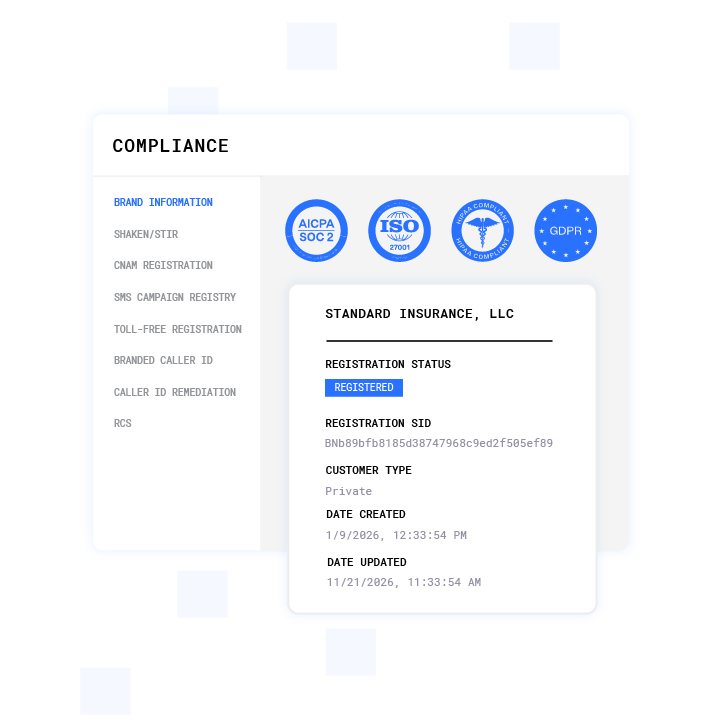
For regulated environments, the outreach layer that executes on scored leads carries its own compliance requirements. Plura supports compliance workflows including TCPA compliance, DNC compliance, HIPAA, SOC 2, ISO certification, GDPR, and SHAKEN/STIR caller ID verification.1 Customers are responsible for their own regulatory obligations, and Plura provides the infrastructure that supports compliance workflows. Consult qualified counsel regarding your organization’s specific obligations under applicable regulations.
Watch scored leads convert in real time across voice, SMS, RCS, and webchat, and schedule your demo.
Frequently Asked Questions
How long does it take to build and activate a rules-based lead scoring model?
A basic model covering six to ten criteria can be configured in a CRM like HubSpot or Salesforce in one to two days, assuming contact and engagement data is already flowing into the system. The more time-consuming step is pulling historical closed-won and closed-lost data to calibrate point values before go-live. Plan for one to two weeks from kickoff to a live, tested model. Complex multi-product or multi-segment models with separate scoring tracks per business unit typically take four to six weeks.
What CRM and data prerequisites are required before implementing lead scoring automation?
Three prerequisites matter most. First, a CRM with native workflow automation, such as HubSpot, Salesforce, or Zoho. Second, consistent contact data fields, specifically job title, company size, and industry, populated on at least 70% of records. Third, behavioral tracking connected to the CRM, meaning website page views, form submissions, and email engagement events are being logged as activity records against contact records. Without behavioral data flowing into the CRM, implicit scoring rules have nothing to fire on. Data quality remediation, including deduplication and field standardization, should happen before the scoring model goes live, not after.
How do you prevent lead scores from becoming inaccurate over time?
Three mechanisms keep scores current. Score decay rules automatically reduce points for leads with no recent activity when no new engagement is recorded. Negative scoring rules deduct points for disqualifying signals like unsubscribes, competitor domains, and 90-day inactivity. Quarterly model reviews compare closed-won versus closed-lost patterns by score band and recalibrate point values and thresholds based on actual revenue outcomes. Skipping any of these three mechanisms causes scores to drift upward over time and inflates the MQL pool with leads that no longer reflect current intent.
What is the difference between rules-based lead scoring and AI lead scoring?
Rules-based lead scoring assigns fixed, predetermined points to specific criteria and fires routing logic when a threshold is crossed. It is transparent, auditable, and fast to configure. AI lead scoring analyzes historical conversion patterns across hundreds of variables simultaneously and updates scores continuously as new behavioral data arrives. The practical difference for most RevOps teams is that rules-based models are easier to explain to sales, easier to audit for compliance purposes, and faster to deploy. AI scoring can produce higher accuracy at scale but requires clean historical data and ongoing model governance. Many high-volume operators run a rules-based model first, then layer AI scoring on top once the baseline data quality and review cadence are established.
How does lead scoring connect to outreach compliance in regulated industries?
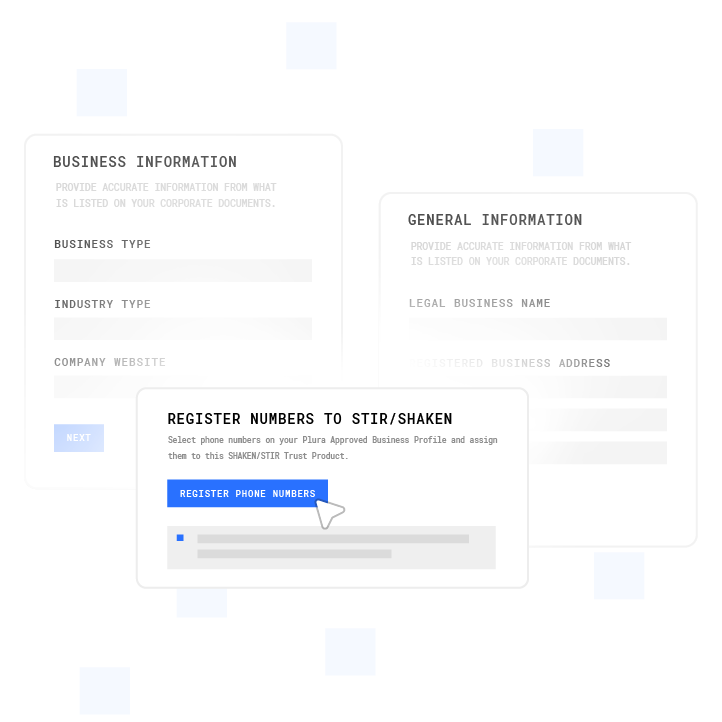
Lead scoring determines which leads to contact and when. The outreach layer that acts on those scores carries its own regulatory considerations, including rules around consent, calling windows, and do-not-contact lists under frameworks such as TCPA and DNC. Organizations in healthcare, financial services, insurance, and legal should ensure that any automated outreach triggered by a score threshold is connected to a compliance infrastructure that checks consent records, suppresses contacts on applicable DNC lists, and enforces state-specific calling-window restrictions before each contact attempt. Consult qualified legal counsel regarding your organization’s specific obligations. Plura supports compliance workflows including real-time DNC scrubbing, TCPA consent logging, SHAKEN/STIR caller ID verification, and HIPAA-aligned data handling, but customers remain responsible for their own regulatory compliance posture.2
Conclusion
A rules-based lead scoring automation system removes the manual sorting bottleneck by assigning fixed points to explicit fit and implicit behavior signals, accumulating those points automatically in the CRM, and routing leads to the right action the moment a threshold is crossed. The seven-step process above, from building the scoring matrix through establishing a quarterly review cadence, gives marketing ops, sales ops, and RevOps teams a repeatable framework that scales with lead volume without adding headcount.
The scoring model determines who to contact, and the outreach layer determines how fast and on which channels. With response times under five seconds across voice, SMS, RCS, and webchat on 100% U.S. infrastructure, Plura carries the lead’s scoring context into every live interaction through a stateful conversation database. For high-volume operators in regulated verticals, Plura supports compliance workflows including TCPA compliance, DNC compliance, HIPAA, SOC 2, ISO certification, GDPR, and SHAKEN/STIR caller ID verification across all four channels from a single stack.
Quantify the impact of faster scoring and outreach with Plura’s ROI calculator.
1 Plura AI maintains SOC 2, HIPAA, ISO, and GDPR posture as part of its platform infrastructure. References to compliance frameworks in this article describe Plura’s platform capabilities and do not constitute a guarantee that any customer using Plura will themselves be compliant with applicable laws or standards. Customers remain solely responsible for their own regulatory obligations, certifications, consent management, recordkeeping, and the claims they make to their own end users. Consult qualified legal counsel for guidance specific to your use case.
2 This article describes regulatory frameworks at a general level and does not constitute legal advice. Laws and regulations vary by jurisdiction, change over time, and apply differently depending on facts and circumstances. Readers should consult qualified legal counsel before making compliance decisions.
3 Performance figures, customer outcomes, and industry statistics referenced in this article are drawn from cited third-party sources or Plura customer case studies. Individual results vary based on implementation, use case, industry, audience, and execution. Past or aggregate performance is not a guarantee of future results.
4 References to third-party products, services, companies, or research are made for informational and comparative purposes only. Plura AI is not affiliated with, endorsed by, or sponsored by any third party named in this article unless explicitly stated. Trademarks and product names referenced remain the property of their respective owners.
This article is provided for informational purposes only and reflects Plura AI’s understanding at the time of publication. Product capabilities, integrations, and specifications are subject to change. For the most current information, visit plura.ai.
This article was produced with the assistance of AI tools and reviewed by Plura AI prior to publication.