
Written by: Matt Beucler, CEO, Plura AI
Key Takeaways
- Agency lead response automation replaces manual follow-up with instant AI responses across SMS, voice, and webchat, cutting response times from hours to seconds.
- Agencies using automation can scale from 5–8 clients per account manager to 15–20 while lifting profit margins from 15–25% to 35–50%.
- The 7-step workflow covers instant capture, multi-channel response, AI qualification, smart routing, human SLA enforcement, automated follow-up, and continuous measurement.
- Compliance with TCPA, DNC, and consent rules matters at scale, and platforms with real-time scrubbing and audit-ready logs help reduce regulatory risk.1,2
- Plura AI delivers an integrated AI voice, SMS, and webchat platform agencies use to run this playbook at scale, and you can book a demo to see it in action.
Why Fast Lead Response Transforms Agency Economics
The average B2B lead response time remains over 40 hours, while contacting a lead within five minutes makes a business up to 100 times more likely to connect than waiting longer. A 60-second response lifts conversions by 391% compared to waiting 24 hours.3
For agencies, the cost of slow response compounds across every client account at once. Agency teams spend 40% of their time on operational tasks like lead follow-up rather than strategy, and quality declines past 5–8 clients per account manager.3 Manual lead contact often takes 1–4 hours per lead. Agencies start to look like staffing firms that also do marketing, with profit margins stuck at the industry baseline of 15–25%.
Automated lead response changes that math. Agencies using automation handle 15–20 clients per account manager and achieve profit margins of 35–50%.3 Those gains come from faster response, less manual work, and more consistent conversion across every client.
What Agency Lead Response Automation Covers
Agency lead response automation covers the full sequence from lead capture to qualified handoff. It includes instant capture from all inbound channels, multi-channel outreach via AI SMS, AI voice agent, and AI webchat, CRM sync without manual entry, internal rep alerts, and AI-driven qualification before any human time is spent.
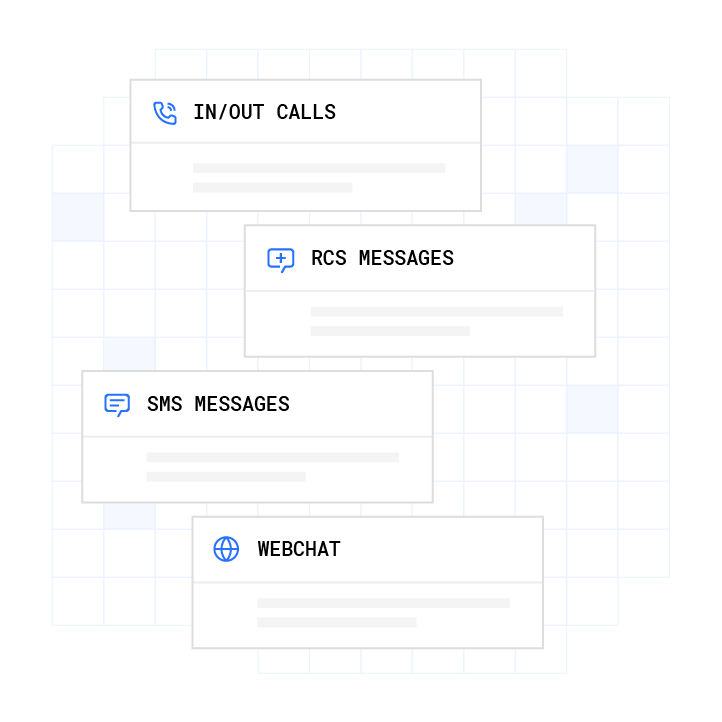
The distinction that matters operationally is simple. This is a system that moves the lead to a meaningful next step within seconds, whether that is a qualifying question, a booked meeting, or a live transfer to a human rep. It does more than send a generic message that promises a later response. Eighty-eight percent of outbound effort goes unanswered without a structured response system. Agencies that automate response gain a measurable competitive edge on every client account they manage.
How to Automate Lead Response for Your Agency: The 7-Step Workflow
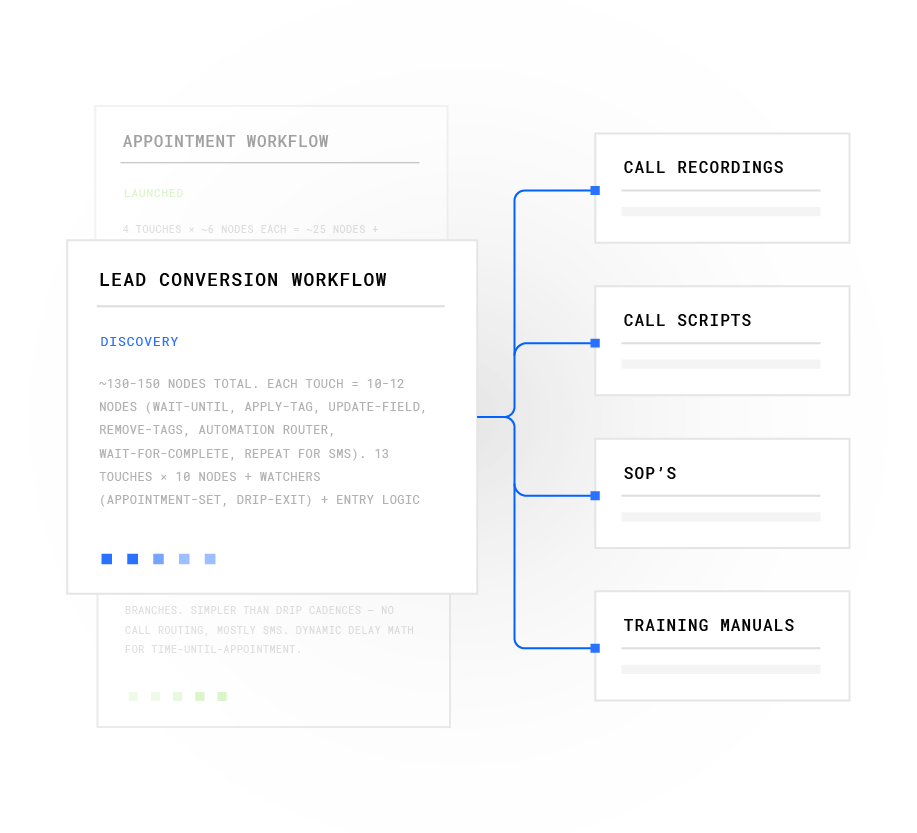
This workflow gives your team a repeatable backbone for agency lead response automation. Each step has a clear objective, specific actions, and decision criteria. Implement them in sequence.
-
Capture Every Lead Instantly
Objective: Ensure no lead goes unrecorded across any client account. To achieve this, connect all lead sources, including web forms, inbound calls, chat, and social, to a central system. Use webhooks or native integrations to push leads to a CRM or automation platform in real time so they never sit in an inbox. Choose a system that handles multiple channels simultaneously and supports per-client tagging from the moment of capture. Companies with a documented, structured lead management process achieve 33% higher conversion rates than those with informal processes.
Send an Instant Multi-Channel Response
Objective: Respond within seconds across SMS, voice, and webchat. Configure automated responses that trigger as soon as the system records a new lead. Use AI to personalize the first message based on the lead source, page visited, or form fields submitted. The 60-second response threshold is the point below which the prospect is still in the same emotional state they were in when they submitted the form. Above 60 seconds, attention drifts and competitors gain ground. Aim for speed and relevance so the first touch feels like a real conversation, not a generic acknowledgment.
Qualify Leads with AI
Objective: Automatically score and qualify leads based on intent and fit before any human time is spent. Use AI lead scoring to prioritize high-intent leads and integrate with data enrichment to gather firmographic and behavioral signals in real time. Define qualification criteria per client and adjust scoring models based on conversion data. A legal marketing firm using AI qualification found 23% of engaged leads lacked sufficient case value, adjusted its criteria, and reduced wasted attorney time by 31%. Per-client qualification rules matter at agency scale.
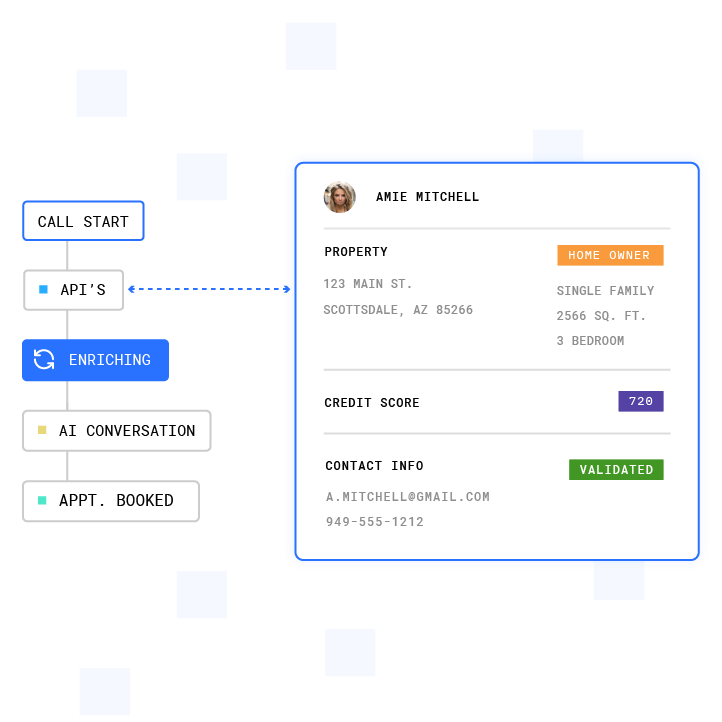
Plura Lead Intelligence enriches customer data with AI-powered insights, validation, and lead qualification to improve conversion performance. Route Leads to the Right Rep or Queue
Objective: Ensure qualified leads reach the right human or AI agent without manual triage. Set up routing rules based on lead score, source, client account, or product interest so each lead follows a predictable path. Use round-robin or skill-based routing for human reps. For high-volume client accounts, consider AI agents that handle initial conversations and warm-transfer to humans only when a qualification gate is met. Organizations with automated lead routing reduce average response time by 72% and increase rep productivity by 35% compared to manual distribution.
Enforce a Human SLA for Hot Leads
Objective: Guarantee that hot leads receive a human call within a defined window. Set up alerts and escalations so that leads meeting the hot threshold trigger immediate rep notification across SMS, email, and Slack simultaneously. Define what constitutes a hot lead per client, set SLAs per client account, and build escalation logic for when a rep does not act within the window. One in four leads is routed incorrectly, meaning delay and misrouting often share the same root cause. Fixing routing logic upstream of the rep usually delivers the largest SLA gains.
Follow Up Automatically
Objective: Nurture leads that do not convert on first contact. Create automated SMS and email sequences that continue the conversation and move leads toward a booked meeting. Use AI to personalize follow-up based on prior conversation context so each touch feels relevant. Ninety-three percent of all leads that ever convert are reached by the sixth call attempt, and past the seventh attempt, leads are 45% less likely to convert. Build stop logic into every sequence so the system knows when to pause automation and route to a human for relationship-based outreach.
Measure and Optimize
Objective: Track response time, contact rate, conversion rate, and ROI per client account. Use dashboards to monitor per-client performance and run A/B tests on messaging. Track average, median, and P90 response time, because averages hide wide performance gaps, and a team with a 6-minute average can still have 20% of leads waiting 45 minutes or longer. Use these insights to refine workflows and generate client-ready proof-of-performance reports automatically.
Best Tools for Agency Lead Response Automation
Agencies typically choose between CRM-native automation, standalone automation platforms, or integrated AI communication platforms. The right architecture depends on lead volume, technical resources, and whether the agency needs multi-tenant compliance out of the box. The table below compares common options across cost, feature set, and agency fit so you can see where each tool lands before deciding.
Tool Best For Key Features Agency Fit GoHighLevel4 Agencies managing many small client accounts CRM plus workflow automation, agency pricing tiers at $97, $297, and $497 per month, white-label options, Workflow Premium Features billed at $0.01 per execution Strong for all-in-one agency operations, workflow execution costs scale with volume HubSpot4 Mid-market agencies with existing HubSpot ecosystem Free CRM, Marketing Hub Professional from $890 per month as of July 2026, seat-based pricing with additional Marketing Pro Core Seats at $45 per month Strong for inbound marketing agencies, workflow automation requires Professional tier or above Zapier / Make4 Lightweight integrations and simple routing Zapier: 9,000+ connectors, task-based billing from $19.99 per month; Make: visual canvas, credit-based billing from $9 per month for 10,000 operations Good for prototyping and simple flows, per-task billing on Zapier scales poorly at high lead volume n8n Technical teams needing self-hosting or high volume Execution-based billing per workflow run, self-hosted Community Edition free with unlimited executions, AI nodes for LangChain integration Strong for agencies with engineering resources, self-hosting requires infrastructure maintenance Plura AI provides an integrated alternative with AI voice, AI SMS, and AI webchat on a single platform with a shared stateful conversation database, built-in compliance support, and integrations with GoHighLevel, HubSpot, Make, Zapier, Salesforce, and more than 50 other tools. The platform is purpose-built for high-volume operators and removes the need to stitch together point tools.
Lead Response Automation Workflow: Per-Client Setup for Agencies
Multi-client agency deployments work best on a workflow skeleton that stays consistent across accounts but allows customization per client. Use separate pipelines, tags, or sub-accounts per client to keep lead data isolated. Set up per-client reporting dashboards so account managers can pull client-ready performance data without manual compilation.
Standardize the automation logic, including capture trigger, instant response, qualification criteria, routing rules, follow-up cadence, and SLA thresholds. Customize the variables, including qualification scoring weights, messaging tone, response channel priority, and escalation contacts. Plura’s platform supports multi-tenant setups with centralized dashboards, enabling account managers to handle the 15–20 client capacity mentioned earlier.
Compliance: TCPA, DNC, and Consent Management
Agencies that automate lead response across multiple client accounts operate under compliance obligations that grow with scale. The Telephone Consumer Protection Act (47 U.S.C. § 227) describes rules for automated calls and texts to U.S. phone numbers.1,2 The National Do Not Call Registry, maintained by the FTC, requires list scrubbing at least every 31 days. The FCC confirmed in February 2024 that AI-generated voices qualify as “artificial or prerecorded voice” under the TCPA, applying the same consent standards as traditional robocalls. Agencies should consult qualified counsel on their specific obligations under these frameworks.
TCPA violations can cost $500 to $1,500 per text or call, and DNC violations can reach $43,792 per call under the FTC’s adjusted penalty schedule. At agency volume, across multiple client accounts, unmanaged compliance exposure compounds rapidly.
Plura supports compliance through real-time DNC scrubbing before every outbound contact, immutable consent logging with timestamps, quiet-hours enforcement via time-zone detection, and audit-ready exports on demand. These capabilities support an agency’s compliance processes and do not replace the agency’s own legal obligations or those of its clients. Agencies remain responsible for obtaining proper consent, maintaining accurate records, and consulting qualified counsel on their specific regulatory posture.

Plura’s FCC-licensed AI communications platform simplifies compliant business registration and phone number provisioning for AI Voice, SMS, RCS, and Webchat workflows. 10DLC, or Application-to-Person messaging, registration applies to business SMS campaigns sent at volume.1,2 Agencies running SMS outreach across multiple client accounts typically need separate campaign registrations per client. Plura’s platform supports 10DLC-registered phone numbers with TCPA consent management built into the SMS workflow. Automation involves both regulatory judgment and operational judgment, so teams need to balance compliance, performance, and customer experience together.
Balancing Automation with Human Touch
Over-automation is a documented failure mode. Eighty-five percent of B2B marketers report difficulty fully leveraging their automation platforms, and the most common mistake involves removing human judgment from interactions that require it.
Use AI for initial qualification, routine follow-up, and after-hours coverage. Escalate to humans for complex negotiations, high-value deals, sensitive conversations, and any interaction where the AI reaches the boundary of its defined workflow. Plura’s AI voice agents warm-transfer to human reps with full conversation context so the rep picks up where the AI left off without asking the prospect to repeat themselves.
A practical rule keeps teams grounded. Automate the first five to seven touches and the administrative work. Keep humans on the conversations that close deals.
Measuring Success: Key Metrics
Track these metrics per client account to prove value and identify optimization opportunities. Response time drives contact rate, which feeds qualification rate, which ultimately determines conversion rate. Cost per qualified lead and ROI per client account connect the funnel back to profitability.
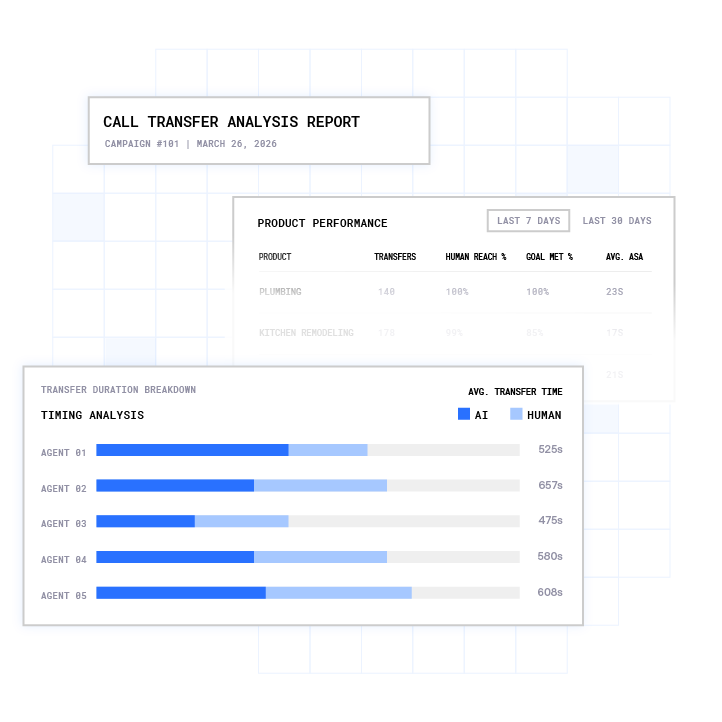
Plura Conversation Intelligence gives businesses AI-powered analytics, call transfer tracking, and customer interaction insights across every conversation. - Response time in seconds from lead capture to first contact
- Contact rate, or the percentage of leads reached on first attempt
- Qualification rate, or the percentage of contacted leads that meet client criteria
- Conversion rate from lead to booked meeting or closed deal
- Cost per qualified lead
- ROI per client account
Plura’s Conversation Intelligence generates client-ready reports automatically from every interaction across voice, SMS, and webchat. Use the ROI calculator to model cost savings scenarios before and after automation deployment.
Common Challenges and Troubleshooting
The most common implementation failures in agency lead response automation share a pattern. Teams automated the process before they fixed it. Automation scales broken processes rather than fixing them.
- Slow response times after automation: This usually comes from sync delays between the lead capture system and the CRM or routing rules that require a human decision before the lead moves. Audit the routing graph before coaching reps.
- Poor lead quality reaching reps: Qualification criteria may be too loose or scoring weights may not match actual conversion data. Review closed deals and adjust the model.
- Integration failures: Missing field mappings between the form and CRM or webhook timeouts during traffic spikes often sit at the root. Build a fallback queue for leads that fail routing rules so no lead disappears silently.
- Compliance gaps: Consent language on intake forms may predate regulatory updates, or opt-out processing may run in batches instead of real time. Sync opt-outs across all systems before launching new campaigns.
- Over-automation complaints: Prospects may receive too many touches or generic messages. Build stop logic into every sequence and test templates for tone before deploying at scale.
Advanced Considerations and Next Steps
Agencies that have implemented the seven-step workflow and stabilized per-client performance can move to advanced capabilities. These include cross-channel orchestration, where a single lead record updates across voice, SMS, and webchat in real time, AI-powered lead scoring that adjusts weights dynamically based on conversion outcomes, AI predictive dialing for outbound follow-up campaigns, and conversation intelligence that surfaces objection patterns and winning script variations across all client accounts.
The compounding advantage of a stateful conversation database grows with every interaction. An AI agent that remembers a prior conversation, a prior offer, and a prior objection performs better in month six than in month one. That advantage becomes an operational moat when agencies move from point tools to an integrated platform.
Frequently Asked Questions
How long does it take to implement agency lead response automation?
Implementation timelines vary by complexity. A simple inbound qualification flow that connects one lead source to a CRM with automated SMS response is typically built in days. A complex multi-client setup with per-client qualification criteria, custom routing rules, and compliance workflows usually runs closer to four to eight weeks. Plura’s onboarding includes a discovery audit of the agency’s current lead economics, an overnight build of a conversation mockup, iterative refinement, and a pilot test on a subset of real leads before full deployment. Annual contracts include a 90-day opt-out window if the deployment is not delivering.
What are the prerequisites for automating lead response?
A central CRM or lead database forms the core requirement. Beyond that, agencies need defined lead sources with reliable capture mechanisms such as forms, call tracking, and chat. Clear qualification criteria per client and consent management processes should be in place before automation goes live. Agencies also benefit from a working understanding of speed-to-lead fundamentals and defined SLAs per client before configuring routing rules. Automating without defined criteria produces fast delivery of unqualified leads, which erodes rep trust in the system.
How much does agency lead response automation cost?
Costs vary significantly by platform and capability tier. Capable AI lead response platforms that include CRM integration, chat, and email automation typically range from $200 to $800 per month for smaller operations. Enterprise solutions with multi-channel AI, compliance support, and conversation intelligence range from $1,500 to $5,000 monthly. Plura AI’s pricing starts at $7,500 per month for the Multi plan, with a 90-day opt-out window on annual contracts. The relevant comparison is total cost against the alternative. One SDR at $55,000 per year base salary spends roughly 40% of their time on initial response and qualification tasks that automation can handle.
What are the compliance risks with automated lead response?
The primary regulatory frameworks that describe automated lead response in the U.S. include the Telephone Consumer Protection Act (47 U.S.C. § 227), the FTC’s Telemarketing Sales Rule, and the National Do Not Call Registry. The penalties and FCC guidance appear in the compliance section above. Agencies should consult qualified counsel on their specific obligations before deploying automated outreach across client accounts. Plura’s compliance engine supports real-time DNC scrubbing, immutable consent logging, quiet-hours enforcement, and audit-ready exports to support an agency’s compliance processes.
How does agency lead response automation integrate with existing tools?
Plura integrates with more than 50 tools across CRMs including HubSpot, Salesforce, and Zoho, calendars including Google Calendar, Calendly, and Cal.com, attribution platforms including Ringba and Retreaver, and automation tools including GoHighLevel, Make, and Zapier. The platform also connects with data enrichment providers, document signers, and payment processors. Every integration passes lead data and conversation context through Plura’s stateful conversation database so the CRM record reflects what was said on every channel. The full integration directory is available on the integrations page.
Conclusion
Manual lead response costs agencies revenue on two fronts at once. Leads go cold before a human reaches them, and account managers hit a capacity ceiling at 5–8 clients before quality declines. Agency lead response automation, implemented through the seven-step workflow above, addresses both problems. Response time drops from hours to seconds, and account manager capacity expands toward the 15–20 client range discussed earlier. Profit margins move from the 15–25% industry baseline toward the higher range achieved by automated agencies.
The workflow functions as the operator’s manual. The platform that runs it determines whether the gains are real or theoretical. Plura AI is built for agencies running lead operations at scale, with AI voice, AI SMS, and AI webchat on a single stateful platform, compliance support, conversation intelligence, and integrations with the tools agencies already use.
1 Plura AI maintains SOC 2, HIPAA, ISO, and GDPR posture as part of its platform infrastructure. References to compliance frameworks in this article describe Plura’s platform capabilities and do not constitute a guarantee that any customer using Plura will themselves be compliant with applicable laws or standards. Customers remain solely responsible for their own regulatory obligations, certifications, consent management, recordkeeping, and the claims they make to their own end users. Consult qualified legal counsel for guidance specific to your use case.
2 This article describes regulatory frameworks at a general level and does not constitute legal advice. Laws and regulations vary by jurisdiction, change over time, and apply differently depending on facts and circumstances. Readers should consult qualified legal counsel before making compliance decisions.
3 Performance figures, customer outcomes, and industry statistics referenced in this article are drawn from cited third-party sources or Plura customer case studies. Individual results vary based on implementation, use case, industry, audience, and execution. Past or aggregate performance is not a guarantee of future results.
4 References to third-party products, services, companies, or research are made for informational and comparative purposes only. Plura AI is not affiliated with, endorsed by, or sponsored by any third party named in this article unless explicitly stated. Trademarks and product names referenced remain the property of their respective owners.
This article is provided for informational purposes only and reflects Plura AI’s understanding at the time of publication. Product capabilities, integrations, and specifications are subject to change. For the most current information, visit plura.ai.
This article was produced with the assistance of AI tools and reviewed by Plura AI prior to publication.