
Written by: Matt Beucler, CEO, Plura AI
Key Takeaways
- Manual CRM logging after every call wastes hours each week and creates compliance and data risks at scale.
- Plura AI removes post-call admin work by syncing leads automatically, logging calls in real time, and pushing AI transcriptions and summaries into Salesforce, HubSpot, or Zoho.
- Carrier-level controls support TCPA and DNC compliance checks before every dial, with real-time suppression and audit-ready records across all channels.2
- Stateful conversation memory keeps full context available even when contacts switch between voice, SMS, RCS, or webchat.
- Teams ready to remove manual CRM work and accelerate pipeline can book a live demo with Plura AI to see the integration in action.
Why AI Power Dialer CRM Integration Matters for High-Volume Teams
Manual CRM entry after every call is one of the most expensive habits in outbound operations. Sales reps spend an average of 5.5 hours per week on manual CRM logging and updates.3 Salesforce reports show sales professionals spend only 28 to 30% of their week on actual selling activities. The gap between dialing and closing fills with admin work that produces no revenue.
The problem compounds at scale. A team running 500 dials per day without automated logging accumulates hours of post-call data entry, creates inconsistent CRM records, and increases exposure to TCPA (Telephone Consumer Protection Act) and DNC (Do Not Call) risk when suppression lists fall out of sync. Most AI predictive dialer platforms address part of this through third-party wrappers. They rarely enforce controls at the carrier level or maintain stateful memory across every channel.
Plura AI is built differently. As an FCC-licensed carrier, Plura runs DNC and TCPA checks before the call originates, not after. The seven-step workflow below shows how a production-grade CRM integration operates end to end.
Readiness Checklist Before Configuring Plura
Confirm these items before you configure the integration:
- An active Plura account with the AI Predictive Dialer enabled
- CRM admin access to Salesforce, HubSpot, or Zoho with API credentials
- A verified contact list scrubbed against the National DNC Registry within the past 31 days
- Documented prior express written consent records for each contact in the dial list
- Time-zone data mapped to each contact record for calling-hour enforcement
- A designated workflow owner who will manage disposition codes and trigger logic
Step 1: Automated Contact Sync and Lead Import
The integration starts with bidirectional contact sync. Plura connects to Salesforce, HubSpot, or Zoho through native APIs and pulls contact records into the dialer queue without manual list exports. When a new lead enters the CRM, it appears in the dial queue within seconds. Organizations deploying AI for speed to lead see response times drop from hours to seconds and connection rates increase by 3x to 5x.3
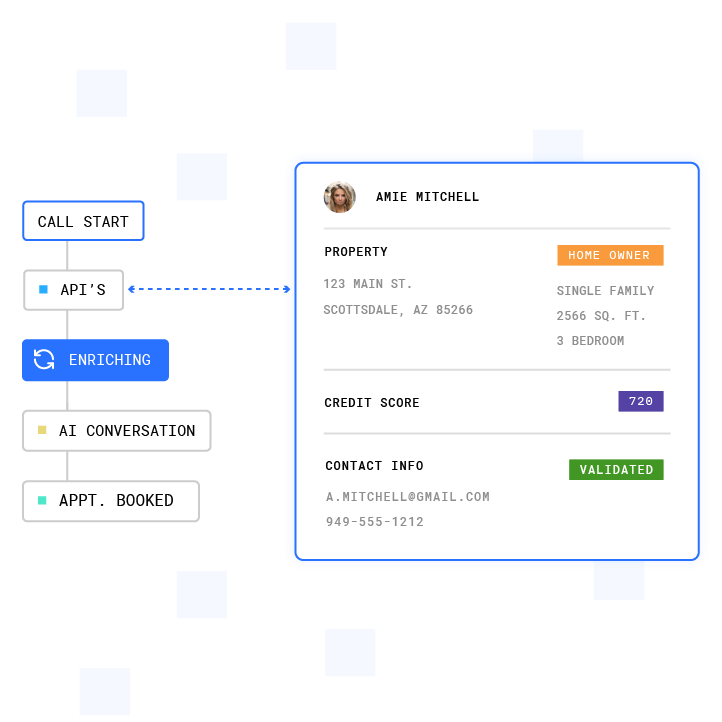
That speed advantage compounds when the AI agent enters each call already informed. Plura’s integrations layer reads pre-call context from the CRM record, including contact identity, historical interactions, current opportunity stage, and consent status. The AI agent starts each call with full context rather than a blank slate. Pre-call context passed from CRM to AI voice agents enables personalized conversations rather than generic ones.
Step 2: Real-Time Call Logging and Disposition Automation
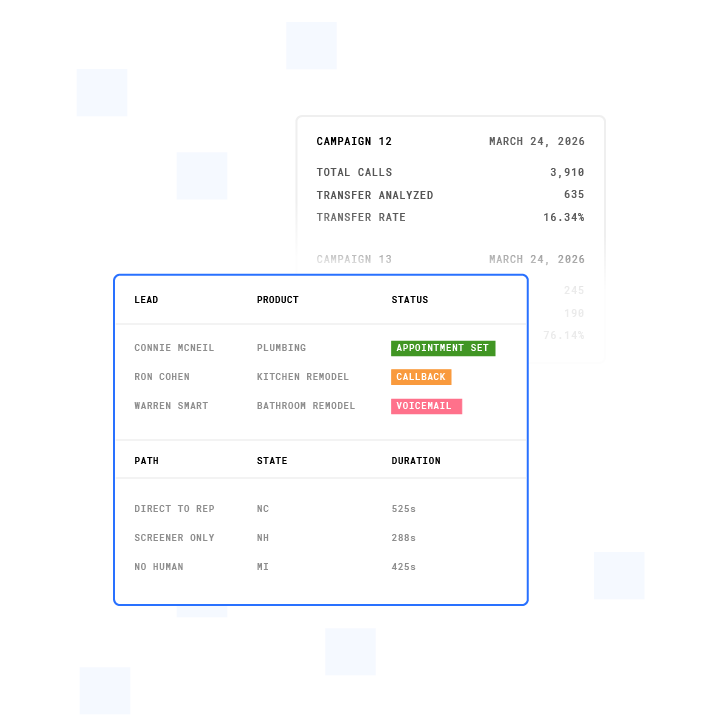
Every call Plura places is logged to the CRM record as soon as it ends. The log includes call duration, outcome disposition, recording URL, and operational metadata. No rep input is required. The platform detects call completion, matches the correct contact or account, and writes a structured activity record in real time, which enables downstream workflow triggers such as auto-creating follow-up tasks or updating deal stages based on call disposition.
For Salesforce deployments, Plura writes to Task records and uses custom objects for transcripts, recordings, and sentiment data. For HubSpot, the integration writes to Engagement (Call) records with custom properties such as outcome, disposition, recording URL, transcript summary, and sentiment score. Zoho receives Activity records with custom activity types mapped to qualification outcomes.
Step 3: AI Transcription and Summary Push into CRM
After each call, Plura generates a full transcript and structured summary, then pushes both to the CRM record. The summary captures intent signals, objections, qualification status, and next-action commitments in structured fields, not free-text notes. AI-powered call summaries, full transcriptions, sentiment analysis, and automatic logging can save reps 10 to 15 minutes per call on manual note-taking.3
Structured field writes matter because free-text notes cannot trigger CRM workflows or feed reporting dashboards. When Plura writes disposition codes, budget signals, and qualification flags to queryable CRM fields, those values become actionable data for the next step.
Step 4: Workflow Triggers for Follow-Ups and Nurture
Disposition codes written by Plura fire CRM workflow rules automatically. A disposition of “qualified” can enroll the contact in a nurture sequence, assign the deal to a senior rep, and send a Slack alert, all without human intervention. A disposition of “voicemail left” can schedule a follow-up SMS through Plura’s AI SMS channel at a time-zone-appropriate hour. A disposition of “do not call” suppresses the contact across all channels immediately.
Deep integration enables disposition-driven workflows that automatically enroll contacts in nurture sequences, update lead scores, or suppress future dials based on outcomes. This is the layer where dialer data and CRM pipeline data merge into a single operational picture.
Step 5: TCPA and DNC Controls at the Carrier Layer
Most power dialer platforms attach compliance controls to the software layer after the call originates. Plura runs DNC and TCPA checks at the carrier layer before the call is placed. Every outbound contact is checked against federal and state DNC registries in real time at the moment of dial initiation, not only at list import. DNC checking at dial initiation via real-time API queries helps prevent dialing numbers added to the registry after initial scrubbing.

Plura also integrates with The Blacklist Alliance’s TCPA Litigation Firewall for real-time litigation risk screening.4 Consent records are timestamped, immutable, and exportable for audits. Quiet-hours rules apply automatically through time-zone detection on the contact record. The compliance dashboard exports audit-ready reports in one click.
The FCC’s February 2024 Declaratory Ruling (FCC-24-17) described AI-generated voices as artificial or prerecorded voices under the TCPA, which aligns them with traditional robocalls for consent analysis.2 Plura’s carrier-level architecture is designed to support operators working within this framework. Operators remain responsible for their own compliance obligations and should consult qualified counsel regarding their specific programs.
Step 6: Cross-Channel Stateful Memory for Every Contact
Plura’s Stateful Conversation Database keys every interaction to a customer token, whether the contact came through voice, AI SMS, RCS, or AI webchat. When a rep or AI agent picks up a call, the full history of every prior touchpoint is already loaded, including offers made, objections raised, and qualification status from previous sessions.
Teams using memory-first AI agents report 20 to 40% improvements in follow-up conversion rates when agents can reference specific customer details from prior interactions.3 Maintaining context when a customer switches channels remains a challenge for many companies. Plura’s unified memory layer addresses this gap by design, not by a patchwork of separate integrations.
Consent status also lives in the shared record, so an opt-out on one channel suppresses the contact across all channels immediately, with no manual sync required.
Step 7: Analytics That Combine Dialer and CRM Data
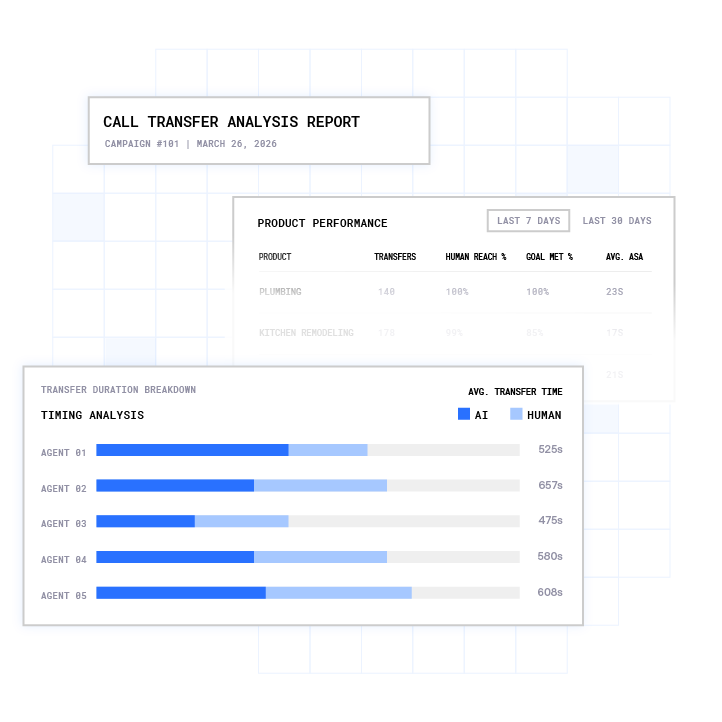
Plura’s conversation intelligence layer surfaces patterns across the full dataset. Teams see which scripts close, which objections recur, which contact times produce the highest connect rates, and which disposition codes correlate with closed revenue. These signals feed back into the no-code workflow builder so operators can adjust dial pacing, follow-up cadences, and qualification gates without engineering work.
Teams that connect AI power dialers with their CRM systems see gains in daily calls, live conversations, and reduced after-call work time. The analytics layer turns those gains into compounding improvements instead of one-time wins.
Compliance Checklist for AI Power Dialer Programs
Before going live with an AI power dialer CRM integration, verify each of the following items:
- Contact list scrubbed against the National DNC Registry within the past 31 days
- State DNC registries checked for all applicable states
- Internal company DNC list maintained and synced across all systems in real time
- Prior express written consent records documented per contact, per seller, with timestamp and disclosure language
- Time-zone detection configured for calling-hour enforcement on every dial
- AI disclosure language included at the start of every outbound call
- Opt-out detection active during live calls with immediate suppression across all channels
- Consent and call records retained per applicable retention requirements
- SHAKEN/STIR caller ID verification active on all outbound voice traffic
- Audit-ready export available from the compliance dashboard
This checklist covers the technical controls Plura supports. However, compliance obligations vary by industry, state, and call program design. Operators should consult qualified legal counsel to confirm their specific program meets applicable TCPA, DNC, and state-law requirements.
Integration Quality Comparison for Salesforce, HubSpot, and Zoho
The table below describes how Plura’s integration layer operates across the three major CRM platforms. Integration depth varies by platform based on native API capabilities.
| Platform | Carrier-Level Compliance Support | Stateful Cross-Channel Memory | Real-Time Bidirectional Sync |
|---|---|---|---|
| Salesforce | Carrier-level enforcement (see Step 5); consent records written to custom AI_Call__c objects with External_Id__c dedupe key | Full cross-channel history injected via Plura’s Stateful Conversation Database; Salesforce stores transcript and sentiment objects per call | Native API sync; call outcomes, transcripts, dispositions, and recordings written to Task and custom objects within seconds of call completion |
| HubSpot | Carrier-level enforcement (see Step 5); consent status synced to HubSpot contact properties in real time | Full cross-channel history available via Plura’s Stateful Conversation Database; HubSpot Engagement records updated with AI summary and sentiment score | Native API sync; ai_call_outcome, ai_call_disposition, ai_call_recording_url, ai_call_transcript_summary, and ai_call_sentiment_score written to Engagement records at call end |
| Zoho | Carrier-level enforcement (see Step 5); suppression flags synced to Zoho contact records | Full cross-channel history available via Plura’s Stateful Conversation Database; Zoho Activity records updated with qualification outcome and next-action fields | Native API sync; Activity records with custom types such as AI_Call_Qualified or AI_Call_Callback_Scheduled written at call end with Lead Prospect Stage updates |
Full integration documentation is available at plura.ai/integrations.
Frequently Asked Questions
What makes Plura AI’s power dialer CRM integration different from third-party wrapper platforms?
Most AI power dialer platforms are built on top of third-party CPaaS (Communications Platform as a Service) providers such as Twilio.4 They rent the carrier layer, so branded caller ID, DNC scrubbing, and TCPA controls sit outside the platform and are attached later. Plura owns its FCC-licensed carrier stack. Voice originates on Plura’s domestic infrastructure, carrier-level checks run before the call is placed, and SHAKEN/STIR caller ID verification runs on every outbound call. The CRM integration inherits those carrier-layer controls automatically, so operators do not need a separate compliance tool or middleware layer.
How does stateful memory work across voice, SMS, and other channels in the CRM integration?
The Stateful Conversation Database described in Step 6 uses a customer token, such as a phone number, email, or CRM contact ID, as the unifying key. Every channel, including voice, AI SMS, RCS, and AI webchat, reads from and writes to this shared record. When a contact who received an SMS at 9 a.m. calls in at noon, the AI agent already has the full context of that earlier exchange, including what was offered, what was declined, and what qualification signals were captured. The CRM record reflects the same unified history, which reduces repeat explanations and duplicate qualification work.
How long does it take to go live with Plura’s AI power dialer CRM integration?
A standard integration connecting Plura’s AI Predictive Dialer to Salesforce, HubSpot, or Zoho typically goes live within days for straightforward qualification and logging workflows. More complex deployments that use custom objects, multi-step disposition triggers, and cross-channel workflow automation usually run closer to one to two weeks, depending on the CRM configuration and the number of workflow rules mapped. Plura’s onboarding sequence includes a discovery audit, a workflow mockup review, a pilot test on a subset of real calls, and a full go-live. Annual contracts include a 90-day opt-out window if the deployment is not delivering.
What CRM data does Plura write back after each call?
After each call, Plura writes structured data to the CRM record. The write includes outcome disposition code mapped to CRM picklists, disposition reason, next-action flag, call recording URL, full AI-generated transcript, sentiment score, extracted qualification fields such as budget and timeline signals, and operational metadata including call duration and time-zone enforcement log. For Salesforce, this data populates Task records and custom objects. For HubSpot, it writes to Engagement records with custom properties. For Zoho, it creates Activity records with custom activity types. All writes are bidirectional and real time, with no manual rep input required.
How does Plura handle opt-outs and DNC suppression across channels?
Plura’s compliance engine detects opt-out expressions during live calls using natural language detection and pushes the revocation to the consent registry, all suppression lists, and the connected CRM within the same session. The suppression propagates across all channels at once, so a contact who opts out during a voice call is also suppressed from AI SMS, RCS, and AI webchat outreach without a separate manual step. The consent record is timestamped and immutable, and the compliance dashboard exports audit-ready suppression logs on demand. Operators should consult qualified legal counsel regarding their specific opt-out handling obligations under applicable federal and state law.
Conclusion: Turn Every Call into Measurable Pipeline
Manual CRM work after every call is not a minor inefficiency. At high volume, it becomes a structural drag on pipeline velocity, a source of data inconsistency, and a growing compliance exposure. An AI power dialer CRM integration that automates lead sync, real-time logging, transcription push, disposition triggers, and cross-channel memory converts every call into a structured data event that drives the next action automatically.
Plura AI delivers this integration from an FCC-licensed carrier stack, with carrier-level checks that support DNC and TCPA compliance before the call originates, SHAKEN/STIR caller ID verification on every outbound call, and stateful memory across voice, AI SMS, RCS, and AI webchat. The result is a dialer and CRM that operate as a single system rather than two tools exchanging data through middleware.
Run your numbers through Plura’s calculator to see your ROI in real time.
Compare plans and rates at plura.ai/pricing.
Book a live demo with Plura to see the full integration in a working environment.
1 Plura AI maintains SOC 2, HIPAA, ISO, and GDPR posture as part of its platform infrastructure. References to compliance frameworks in this article describe Plura’s platform capabilities and do not constitute a guarantee that any customer using Plura will themselves be compliant with applicable laws or standards. Customers remain solely responsible for their own regulatory obligations, certifications, consent management, recordkeeping, and the claims they make to their own end users. Consult qualified legal counsel for guidance specific to your use case.
2 This article describes regulatory frameworks at a general level and does not constitute legal advice. Laws and regulations vary by jurisdiction, change over time, and apply differently depending on facts and circumstances. Readers should consult qualified legal counsel before making compliance decisions.
3 Performance figures, customer outcomes, and industry statistics referenced in this article are drawn from cited third-party sources or Plura customer case studies. Individual results vary based on implementation, use case, industry, audience, and execution. Past or aggregate performance is not a guarantee of future results.
4 References to third-party products, services, companies, or research are made for informational and comparative purposes only. Plura AI is not affiliated with, endorsed by, or sponsored by any third party named in this article unless explicitly stated. Trademarks and product names referenced remain the property of their respective owners.
This article is provided for informational purposes only and reflects Plura AI’s understanding at the time of publication. Product capabilities, integrations, and specifications are subject to change. For the most current information, visit plura.ai.
This article was produced with the assistance of AI tools and reviewed by Plura AI prior to publication.