
Written by: Matt Beucler, CEO, Plura AI
Updated September 2026
Key Takeaways
- AI predictive dialer integration automates lead ingestion, compliance screening, predictive pacing, and CRM write-back to remove manual dialing and dual data entry.
- Production deployments benefit from TCPA, DNC, and STIR/SHAKEN controls at the infrastructure layer before calls leave the network, which helps reduce exposure to $500–$1,500 per-violation penalties.2
- Native Salesforce, HubSpot, and GoHighLevel integrations depend on correct OAuth or Private App setup, field-level permissions, and idempotency keys to avoid duplicate records and API quota issues.
- Measurable ROI comes from 100× faster speed-to-lead, 2–3× higher connect rates, and 10× lower cost per call compared with manual dialing.3
- Plura AI is the only platform in this comparison that operates as its own FCC-licensed carrier, delivering branded caller ID, real-time compliance, and native CRM integrations in one stack.
How AI Predictive Dialer Integration Works in Production
A production-grade AI predictive dialer integration runs through six sequential stages. Each stage must function correctly for the next to stay reliable.
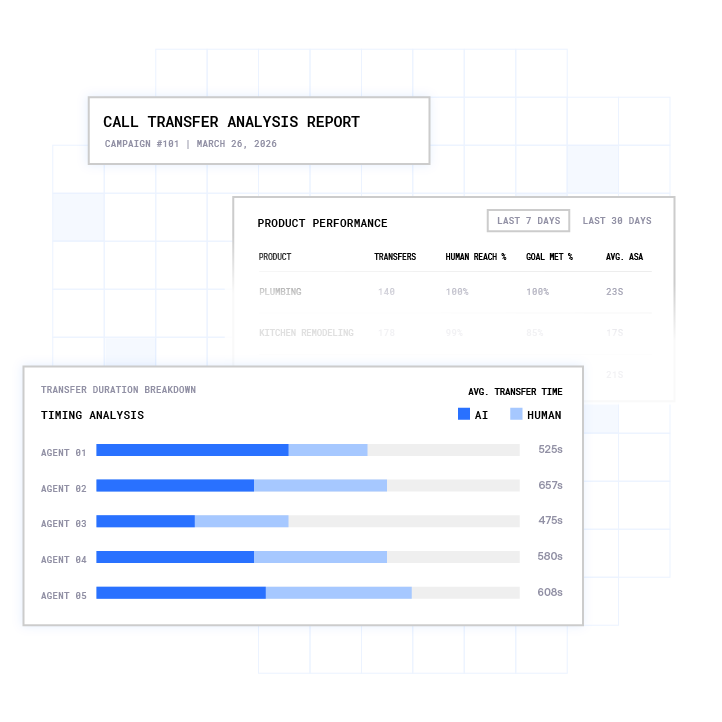
- Lead ingestion: The dialer pulls records from your CRM via API or accepts list uploads. It then enriches them with contact data from third-party sources in real time before the first dial attempt.
- Compliance screening: Every number is checked against federal and state Do Not Call (DNC) registries, internal suppression lists, and Telephone Consumer Protection Act (TCPA) consent records before dial. This check runs synchronously at dial time rather than as a batch job.
- Predictive pacing: The system uses historical answer rates, agent availability, and call duration data to dial multiple numbers ahead of time. It connects only live answers to available agents. The Federal Trade Commission’s (FTC) Telemarketing Sales Rule (TSR) caps abandoned calls at 3% of answered calls per campaign per 30-day period, which constrains how aggressively the dialer can pace.
- Answering machine detection: AI distinguishes live humans from voicemail greetings in under a second. It then routes to voicemail drop or live connection without the pause that signals a robocall.
- Live call handling: The agent speaks with the prospect while the dialer logs the call in real time. Context from prior interactions, including SMS threads and previous calls, appears on screen when the platform maintains a stateful conversation database.
- CRM write-back: Call outcomes, recordings, dispositions, and notes sync to the CRM record via API or webhook. These updates trigger follow-up workflows automatically when the call ends.
Step-by-Step Integration by CRM
Salesforce Integration
Salesforce integration for an AI predictive dialer uses an API-led approach. The dialer authenticates server-to-server through a Connected App with OAuth or JWT Bearer flow. It generates an assertion with the client ID as issuer, the Salesforce username as subject, and audience https://login.salesforce.com, then posts to the OAuth token endpoint to retrieve an access token and instance URL.
During a live call, the dialer performs a SOQL lookup by phone number against the Lead or Contact object. It matches either the Phone or MobilePhone field. Post-call, outcomes are logged as a Task with Type='Call'. The integration uses the composite API to insert the task and update the lead status in a single round trip, which reduces API quota consumption.
Salesforce orgs receive 15,000 to 100,000 API calls per 24 hours depending on edition. Monitor the Sforce-Limit-Info response header on every request. JWT tokens last approximately 30 minutes. Cache and refresh them proactively on a schedule rather than per call to avoid burning quota on re-authentication.
HubSpot Integration
HubSpot legacy API keys were sunset in November 2022. Current integrations use a Private App access token for single-portal deployments or OAuth for multi-tenant setups. Create a Private App in HubSpot Settings, grant read and write scopes for contacts, calls, and timeline events, then copy the access token into your dialer integration configuration.
During a live call, look up the contact via POST /crm/v3/objects/contacts/search by phone number. Post-call, log the call engagement via POST /crm/v3/objects/calls with properties including hs_call_title, hs_call_body, hs_call_duration, hs_call_recording_url, hs_call_status, and hs_timestamp. Associate the call to the contact using association type 194. Without this association, the call will not appear on the contact timeline.
Configure webhook triggers for post-call workflows inside the same Private App under the Webhooks tab. You can also use a HubSpot Workflow with a “Send webhook” action that points at your dialer inbound URL.
GoHighLevel Integration
GoHighLevel (GHL) integration runs through Plura’s native automation layer and Zapier or Make connectors. The integration covers contact creation and update, call logging to the conversation timeline, and workflow triggers on call outcomes.
Because GHL functions as both a CRM and a workflow engine, post-call triggers can enroll contacts in nurture sequences, assign pipeline stages, or fire SMS follow-ups without extra middleware. Plura’s CRM integration directory outlines the full GoHighLevel connection path.
Compliance Considerations: TCPA, DNC, and STIR/SHAKEN
Compliance features work best at the infrastructure layer rather than as CRM workflow rules. A workflow rule can be misconfigured, bypassed, or unavailable at discovery. Infrastructure-level enforcement runs before the call leaves the network.
 1
1The regulatory framework governing AI predictive dialer integration in the United States includes several overlapping layers.2 The FCC’s February 2024 Declaratory Ruling classified AI-generated voices as “artificial” under 47 U.S.C. § 227(b)(1)(B), which places AI-voiced outbound calls under the same consent framework as traditional robocalls. The FCC’s one-to-one consent rule, effective January 27, 2025, requires prior express written consent to be given to each seller individually and by name, closing the lead-generator loophole where a single bundled form covered multiple sellers.
TCPA statutory damages are $500 to $1,500 per violation, with no cap on aggregate damages in a class action. The FTC’s TSR limits abandoned calls to 3% of answered calls per campaign per 30-day period. STIR/SHAKEN (Secure Telephone Identity Revisited / Signature-based Handling of Asserted information using toKENs) attestation is required by U.S. carriers on all outbound calls; calls without proper attestation are answered at less than 15% of the rate of attested calls as of 2026.
State-level rules add further layers. Florida’s Telephone Solicitation Act (FTSA) requires prior express written consent for certain sales calls and texts to Florida residents. Oklahoma, Connecticut, and Washington impose independent calling-hour restrictions and private rights of action. Operators should consult qualified legal counsel on the specific state rules that apply to their campaigns.
Plura’s compliance framework includes real-time DNC scrubbing before every dial, immutable TCPA consent logging with timestamps, automated quiet-hours enforcement through time-zone detection, and STIR/SHAKEN authentication on every outbound call. Plura also integrates with Blacklist Alliance for real-time TCPA litigator and DNC screening across outbound contacts. These capabilities support operators in building their own compliance posture. Customers remain responsible for their own regulatory obligations and consent documentation.
Benefits of AI Predictive Dialer Integration
The ROI case for AI predictive dialer integration rests on four measurable levers.
Speed-to-lead: Harvard Business Review research found that companies responding within five minutes are 100 times more likely to connect with a prospect than those waiting 30 minutes.3 Leads contacted within one minute are 391% more likely to convert than those contacted after 24 hours. An AI predictive dialer removes the queue between lead capture and first dial, which directly feeds into agent utilization.
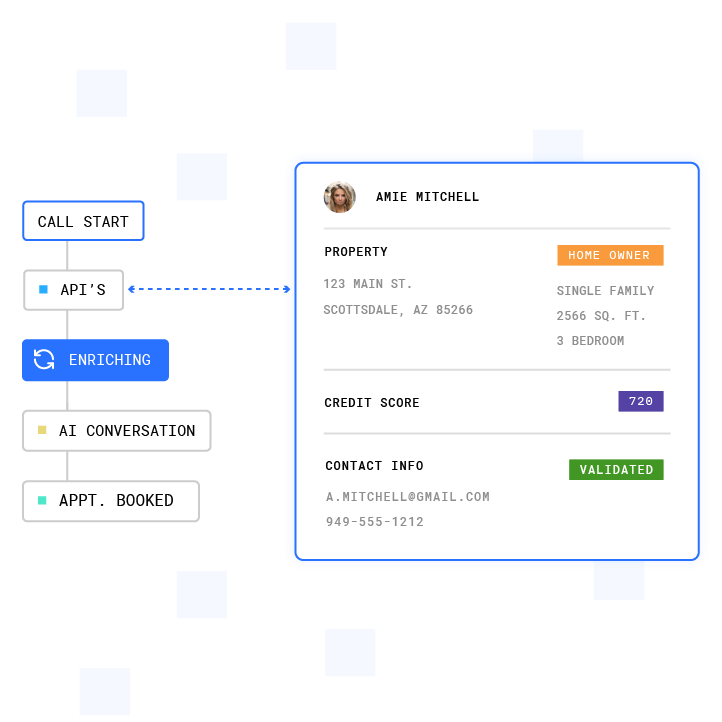
Agent utilization: Human SDR teams average a 47-hour lead response time. Manual dialing, voicemail, and idle wait time consume the majority of a rep’s shift. Predictive dialers push talk time from roughly 40% toward 100% by eliminating non-talk time between connections.
Connect rates: Research from Tendril shows AI dialers boost outbound calls and conversations up to 10 times more than manual dialing. Solar and home services operators using Plura’s AI Lead Intelligence with property data and energy usage estimates have achieved 2x to 3x improvements in appointment set rates.
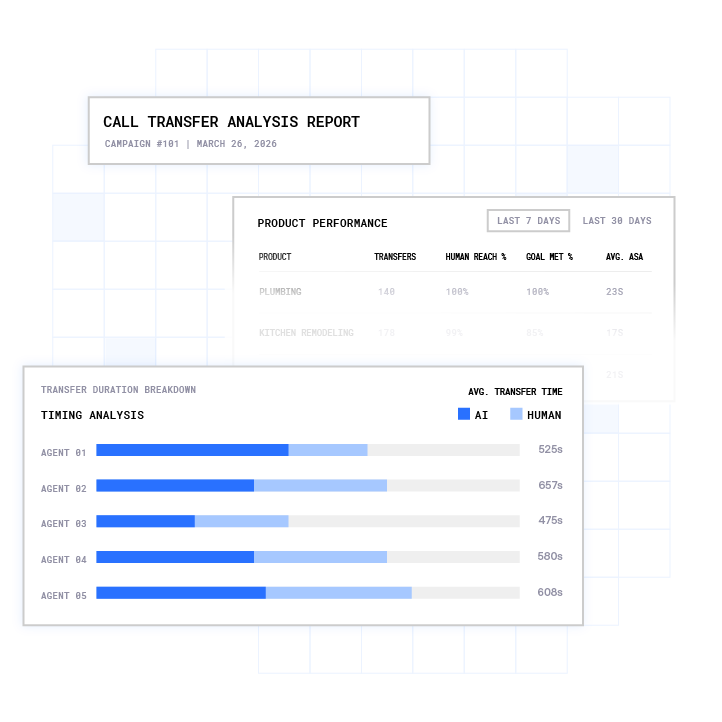
Cost per call: AI-handled calls cost $0.30 to $0.50 each. Human-handled calls cost $6 to $12 each. At scale, that gap compounds into the TCO difference between a $700,000 annual platform cost and a $7 million traditional contact-center cost structure.
Run your numbers through Plura’s ROI calculator to check your cost savings in real time.
Common Integration Challenges and Troubleshooting
Most AI predictive dialer integration projects stall on the same five failure modes. Each has a documented fix.
- Data sync errors and duplicate records: Retried webhooks and slightly different phone number formats create duplicate CRM contacts. Use an idempotency key, such as the call ID, stored with a unique constraint in your database. Normalize all phone numbers to E.164 format before any CRM lookup or write.
- Latency on live CRM reads: A voice agent to CRM lookup can clock 410 ms at p50 and 1,240 ms at p95 under real call traffic. Set a 5-second timeout budget on every live CRM read. Pre-load a spoken fallback line so the caller never hears dead air while the system waits for data.
- API rate limits and token expiry: Salesforce JWT tokens expire approximately every 30 minutes. Cache OAuth tokens and refresh them on a schedule in the background. Monitor the
Sforce-Limit-Infoheader on every Salesforce API response to track remaining quota before hitting the daily call ceiling described in the Salesforce integration section. - Call logging failures: HubSpot call engagements that are not associated to a contact using association type 194 will not appear on the contact timeline. Verify association type IDs and field-level permissions on the API user before going live. Salesforce requires explicit field-level permissions on the service user, in addition to object permissions.
- Abandoned-call violations: Aggressive predictive pacing that exceeds the FTC’s abandoned-call threshold discussed above exposes operators to significant per-violation penalties. Keep pacing conservative, monitor abandoned-call rates per campaign per 30-day period, and build alerting that triggers before the threshold is approached.
How to Choose the Right AI Predictive Dialer for Your CRM
The selection criteria that matter most for operations leaders are CRM integration depth, compliance enforcement at the infrastructure layer, and carrier ownership. The following comparison covers three platforms across these criteria and highlights where each platform’s architecture creates operational trade-offs.
PowerDialer.ai offers native Salesforce, HubSpot, and GoHighLevel integrations, AI-powered predictive pacing, voicemail detection, STIR/SHAKEN attestation, real-time DNC scrubbing, and TCPA consent logging.4 It operates as a general-purpose dialer with broad CRM connectivity. It does not hold an FCC carrier license.
Mojo Dialer is purpose-built for real estate prospecting with deep integrations to BoomTown, Real Geeks, and Follow Up Boss.4 Connecting Mojo to Salesforce or HubSpot requires Zapier or API Nation middleware, which introduces sync lag and additional cost. Mojo uses parallel dialing rather than AI-powered predictive pacing. Its analytics focus on disposition-based reporting with no conversation intelligence layer. Mojo Caller ID carries STIR/SHAKEN Attestation Level A certification, and DNC scrubbing against the federal registry is included.
Plura AI is the only platform in this comparison that operates as its own FCC-licensed carrier. That distinction matters operationally. Branded caller ID is issued at the carrier level rather than through a reseller. STIR/SHAKEN authentication runs on every outbound call at origination. Compliance controls, including real-time DNC scrubbing, TCPA consent logging, and automated quiet-hours enforcement, are enforced before the call leaves the network.
Plura’s AI Predictive Dialer includes list management, dynamic pacing, timezone logic, answer rate optimization, and compliance controls in a single platform. It offers native Salesforce, HubSpot, and GoHighLevel integrations with no middleware required. The platform’s Stateful Conversation Database holds context across voice, SMS, RCS, and webchat. An agent that texted a lead at 9 a.m. picks up the call at noon already knowing what was said. Plura also includes AI-powered predictive pacing, a capability that Synthflow and similar API-wrapper platforms lack.
Book a live demo with Plura to see the integration architecture in action.
Conclusion: Making the Integration Decision
AI predictive dialer integration is an architecture decision that affects speed-to-lead, agent utilization, compliance posture, and data integrity across every campaign you run. The right platform enforces compliance at the infrastructure layer, syncs bidirectionally with your CRM, and scales from 4 to 400 agents without re-architecture. A poor fit produces duplicate records, abandoned-call violations, and a dialer your reps stop using by Friday.
The differentiator that separates Plura from Twilio-based API resellers and general-purpose dialers is carrier ownership. Every compliance control, every branded caller ID, and every STIR/SHAKEN attestation runs on Plura’s own FCC-licensed infrastructure rather than a third-party CPaaS. That layer is where integration reliability and compliance posture are actually determined.
Compare plans and rates side by side on Plura’s pricing page.
Frequently Asked Questions
What is the difference between an AI predictive dialer and a power dialer?
A power dialer places one call at a time per agent and moves to the next number only after the current call ends or goes unanswered. It removes manual dialing but does not predict agent availability or pace calls ahead of time. An AI predictive dialer uses historical answer rates, agent availability, and call duration data to dial multiple numbers simultaneously. It connects only live answers to available agents. The result is higher talk time per agent per hour, and the system must manage abandoned-call rates within the FTC’s 3% TSR threshold. AI predictive dialers also layer voicemail detection, answering machine detection, and compliance screening into the pacing engine. Power dialers typically handle these functions separately or not at all.
How long does it take to integrate an AI predictive dialer with a CRM like Salesforce or HubSpot?
A basic HubSpot integration using a Private App token for simple contact lookup and call logging can be configured in under an hour when the source data is clean and well documented and mapping decisions are made in advance. Otherwise, typical single-system integrations take four to six weeks.
A production-grade integration covering authentication, field mapping, idempotency handling, fallback logic, and post-call workflow triggers typically runs 20 to 40 hours of engineering time per CRM. Salesforce integrations tend toward the higher end of that range because of Connected App configuration, JWT Bearer flow setup, composite API optimization, and field-level permission validation. GoHighLevel integrations through Plura’s native automation layer move faster because the middleware layer is pre-built. The timeline also depends on post-call workflow complexity and whether you need bidirectional sync or one-way write-back.
What compliance features should an AI predictive dialer enforce at the infrastructure layer?
Key compliance features at the infrastructure layer include real-time DNC scrubbing against federal and state registries before every dial, TCPA consent record storage with timestamps and per-number audit trails, automated quiet-hours enforcement based on the called party’s time zone, STIR/SHAKEN attestation on every outbound call, and abandoned-call rate monitoring per campaign per 30-day period. Opt-out processing should propagate immediately across all outbound systems rather than through an overnight batch job.
The FCC’s 2024 clarification reinforced that consumers can revoke consent through any reasonable means and that businesses must honor revocation promptly. Operators should consult qualified legal counsel on their specific obligations under TCPA, applicable state laws, and the FTC’s Telemarketing Sales Rule.
Why does FCC carrier licensing matter for AI predictive dialer integration?
Most AI predictive dialer platforms are built on top of third-party Communications Platform as a Service (CPaaS) providers like Twilio. They rent the carrier layer, which limits their ability to issue branded caller ID under their own identity, enforce compliance controls before the call leaves the network, or manage caller ID reputation directly. An FCC-licensed carrier like Plura originates voice traffic on its own infrastructure, issues branded caller ID directly, runs STIR/SHAKEN authentication at origination, and enforces DNC scrubbing and TCPA consent checks before the call is placed. That distinction affects pickup rates, compliance posture, and the ability to remediate spam labels at the carrier level rather than through a third-party reseller process.
What are the most common reasons AI predictive dialer integration projects fail to reach production?
Enterprise voice AI deployments stall most often because the surrounding integration infrastructure is not ready for production volume. The most common failure modes include API authentication issues such as expired OAuth tokens and misconfigured Connected Apps, duplicate CRM records from retried webhooks without idempotency keys, latency on live CRM reads that exceeds the 5-second budget and causes dead air on live calls, call logging failures from missing association type IDs or insufficient field-level permissions on the API user, and abandoned-call rate violations from overly aggressive predictive pacing.
A secondary failure mode is compliance enforcement at the CRM workflow layer rather than the infrastructure layer, which creates gaps when workflows are misconfigured or bypassed. Starting with a conservative pacing configuration, validating field-level permissions before go-live, and building idempotency into every webhook receiver removes the majority of these failure modes before they reach production.
1 Plura AI maintains SOC 2, HIPAA, ISO, and GDPR posture as part of its platform infrastructure. References to compliance frameworks in this article describe Plura’s platform capabilities and do not constitute a guarantee that any customer using Plura will themselves be compliant with applicable laws or standards. Customers remain solely responsible for their own regulatory obligations, certifications, consent management, recordkeeping, and the claims they make to their own end users. Consult qualified legal counsel for guidance specific to your use case.
2 This article describes regulatory frameworks at a general level and does not constitute legal advice. Laws and regulations vary by jurisdiction, change over time, and apply differently depending on facts and circumstances. Readers should consult qualified legal counsel before making compliance decisions.
3 Performance figures, customer outcomes, and industry statistics referenced in this article are drawn from cited third-party sources or Plura customer case studies. Individual results vary based on implementation, use case, industry, audience, and execution. Past or aggregate performance is not a guarantee of future results.
4 References to third-party products, services, companies, or research are made for informational and comparative purposes only. Plura AI is not affiliated with, endorsed by, or sponsored by any third party named in this article unless explicitly stated. Trademarks and product names referenced remain the property of their respective owners.
This article is provided for informational purposes only and reflects Plura AI’s understanding at the time of publication. Product capabilities, integrations, and specifications are subject to change. For the most current information, visit plura.ai.
This article was produced with the assistance of AI tools and reviewed by Plura AI prior to publication.