
Written by: Matt Beucler, CEO, Plura AI
Key Takeaways
- After-hours missed calls create direct revenue loss for U.S. small businesses, with many callers hiring the first company that answers.
- Three main models exist for after-hours coverage: live virtual receptionists, AI receptionists, and hybrid AI-plus-human services.
- AI receptionists usually deliver the strongest value for small businesses, with far lower per-minute costs than live services and no after-hours surcharges.
- Critical evaluation points include emergency dispatch, CRM integration, bilingual coverage, appointment scheduling, and missed-call recovery.
- Plura AI provides an FCC-licensed AI receptionist with stateful conversation memory across voice, SMS, RCS, and webchat, and you can see it in a live demo handling your after-hours calls.
The Real Cost of Missed After-Hours Calls
A missed call after hours usually becomes a win for your competitor. Ruby Receptionists’ 2024 audit of 8,000+ businesses found that 62% of after-hours calls to small businesses go unanswered.3 Of those who reach voicemail, 85% hang up without leaving a message. When callers do reach a live person, 78% hire the first business that answers their call.
The financial exposure compounds quickly. SchedulingKit’s analysis of 30+ data sources estimates that missed calls cost U.S. small businesses over $81 billion annually.3 For home services businesses, the average missed call represents roughly $1,200 in customer lifetime value. This guide compares the three main after-hours call answering models with transparent pricing and a clear decision framework so you can match coverage to your revenue risk.
Three After-Hours Answering Models You Can Actually Use
After-hours call answering falls into three practical categories: live virtual receptionists, AI receptionists, and hybrid models. Each approach solves the missed-call problem differently, with trade-offs in cost, response time, and capabilities.
Live Virtual Receptionists: Human Touch at a Premium
Live virtual receptionist services route forwarded calls to human agents who follow your scripts. Human agents can handle nuanced conversations, show empathy, and navigate situations that fall outside a defined flow. The trade-off is cost and limited scalability.
Ruby’s entry plan runs $245/month for 50 minutes of live answering, with overage billed at bundle rates.4 Smith.ai’s human-answered plan starts at $285/month, with per-call billing around $9.75 per call.4 After-hours and 24/7 coverage usually adds a 20% to 40% premium on top of base plan rates, and Moneypenny often includes setup fees up to $1,000.
Live services fit high-stakes industries such as legal and medical practices that have low call volume and complex intake. In those environments, human judgment on each call can justify the higher spend.
AI Receptionists: Instant, Affordable, Always On
AI receptionists use voice agents to answer on the first ring, around the clock. They handle FAQs, qualify leads, book appointments, and route urgent calls based on rules you define. The marginal cost of each AI-answered call stays very low, which is why AI virtual receptionist plans typically include 24/7 coverage, simultaneous calls, and after-hours answering in the base price.
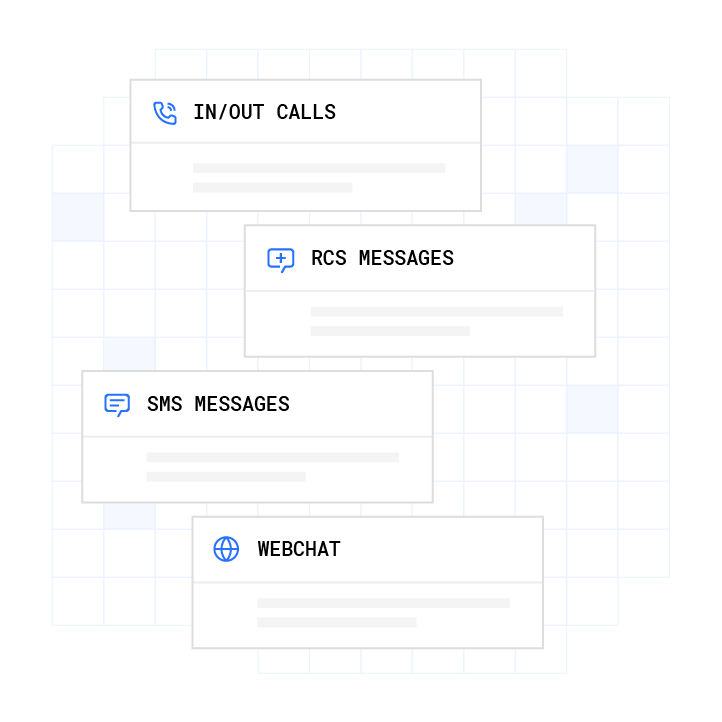
Plura AI operates as an FCC-licensed carrier, so its AI voice agents run on owned U.S. infrastructure, not a third-party CPaaS layer. Plura’s subscription plans start at $2,500/month, with AI talk time billed separately at $14–$16 per hour. The platform supports stateful conversation memory across voice, SMS, RCS, and webchat, so context from a prior interaction carries into the next one. Plura supports voice, SMS, RCS, and webchat natively in a unified platform, while many AI voice competitors focus on voice only.
AI receptionists work well for most small businesses with predictable call types, including home services, dental practices, legal intake, and appointment-based operations. Performance depends on setup quality, so scripts, FAQs, and escalation rules need careful configuration.
See how an AI voice agent handles your after-hours calls in a live Plura demo.
Hybrid Models: AI Screening With Human Backup
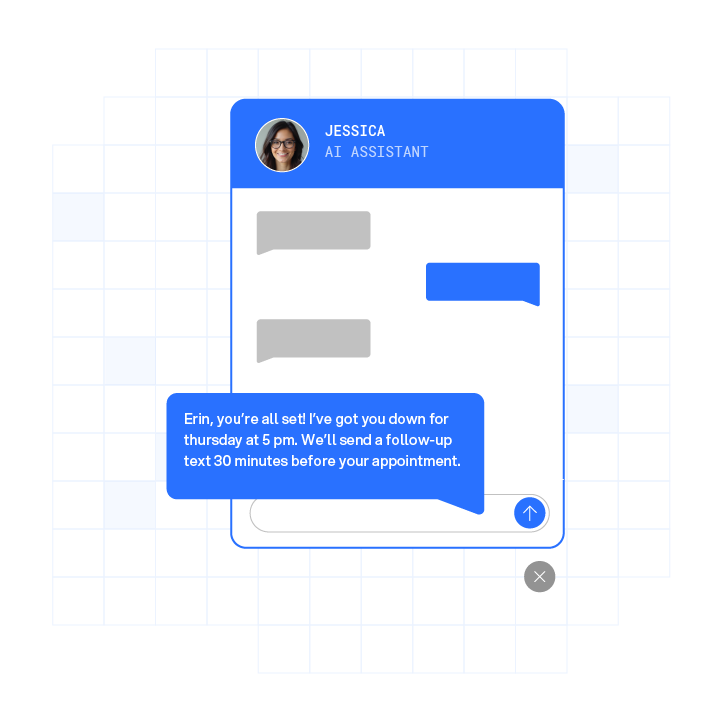
Hybrid models use AI for initial screening and routine calls, then escalate complex or high-priority calls to live agents. Smith.ai offers a hybrid AI-plus-human plan. Smith.ai’s AI plan runs $97.50/month for 30 calls, while the human-answered plan starts at $285/month.
Hybrid AI-plus-human answering services typically cost $200 to $800 per month, combining an AI base with per-minute human escalation. These models cost more than pure AI and still depend on human availability for escalated calls. They fit high-volume or high-stakes operations in medical, legal, and property management that need human backup for genuine emergencies.
Transparent Pricing Comparison: What Answering Services Actually Charge
Answering service pricing often hides behind “get a quote” forms, which makes budgeting difficult. The table below publishes verified rates from multiple providers so you can compare real numbers. AI services usually run 7 to 14 times cheaper per minute than human-staffed services, and after-hours and 24/7 live answering plans often cost 20% to 40% more than business-hours-only plans.
| Provider | Model | Published Starting Price | Pricing Model |
|---|---|---|---|
| Plura AI | AI Receptionist | From $2,500/month (AI talk time billed at $14–$16/hour) | Subscription + per-hour |
| Smith.ai | Live + AI Hybrid | ~$97.50/month (30 calls, AI); ~$285/month (human) | Per-call |
| Ruby | Live Receptionist | $250/month (50 minutes) | Per-minute bundle |
| Moneypenny | Live Receptionist | Custom quote (setup fees up to $1,000) | Per-minute |
| GoodCall | AI Receptionist | $79/month (100 unique callers) | Per-unique-caller |
| Dialzara | AI Receptionist | $29/month (60 minutes) | Per-minute |
Hidden costs appear frequently in live plans. A plan quoted at $300/month can exceed $500 once after-hours premiums and add-ons stack up, including setup fees of $50 to $500, overage rates 20% to 50% above bundled minutes, bilingual surcharges of 10% to 20%, and compliance handling surcharges of 15% to 25% for healthcare and legal. AI services usually include after-hours coverage, simultaneous calls, and bilingual support in the flat rate.
Decision Framework: Match Model to Call Volume, Risk, and Budget
Three variables drive the right model choice: call volume, industry risk profile, and monthly budget. Use the table below as a starting point, then apply the industry-specific notes that follow.
| After-Hours Call Volume (per week) | Recommended Model | Why | Estimated Monthly Cost |
|---|---|---|---|
| Under 20 calls | AI Receptionist (e.g., Plura AI) | Most cost-effective, instant response, no after-hours surcharge | $50-$300 |
| 20-100 calls | AI Receptionist or Hybrid | AI handles volume, hybrid adds human backup for complex calls | $100-$500 |
| 100+ calls or high-stakes industry | Hybrid or Live | Human escalation for emergencies, AI for routine intake | $500-$2,000+ |
Industry notes:
- Home services (HVAC, plumbing, electrical): Emergency dispatch is the critical capability. An AI receptionist with configured escalation rules routes urgent calls to on-call technicians via phone bridge or SMS. Forty-three percent of calls to small businesses arrive outside standard business hours, and in home services a single missed emergency call can mean $1,000 or more lost to a competitor who answered. Plura’s after-hours call answering for home services handles booking, confirmation, and CRM logging while the technician stays on the job.
- Healthcare (dental, medical practices): Practices that handle protected health information often review whether a provider executes a Business Associate Agreement (BAA) and supports HIPAA-aligned data handling. Plura supports HIPAA compliance infrastructure. Consult qualified counsel on your specific obligations under 45 CFR Parts 160 and 164.2
- Legal services: Intake complexity often supports a hybrid or live model for initial qualification, while AI handles after-hours lead capture and consultation scheduling. Legal services can lose an estimated $1,277,500 annually from one missed call per day at a 38% miss rate.
Key Features to Prioritize in an Answering Service
Specific capabilities determine whether an after-hours answering service actually protects revenue or simply records messages.
- Emergency dispatch: The system should detect urgent keywords or intent and route to an on-call contact via phone bridge or SMS within a defined window. AI receptionists surface emergencies; they do not resolve them, so verify human follow-up on every emergency call.
- CRM integration: Every handled call should log automatically to your CRM with a transcript and caller details. Plura’s CRM integration covers HubSpot, Salesforce, Zoho, and 50+ tools, so teams avoid manual call data entry.
- Bilingual support: English and Spanish coverage now functions as a baseline requirement for many U.S. home services and healthcare markets. Leading AI platforms support 25 to 50 or more languages with automatic language detection.
- Appointment scheduling: A service that only takes a message performs differently from one that books the appointment on the spot. Most callers skip voicemail and dial the next business on the list. Booking on the first call keeps that revenue with your team.
- Missed-call recovery: Plura’s missed-call recovery follows up via SMS after a missed call and re-engages leads before they reach a competitor.
How Businesses Use After-Hours Coverage in Practice
Owners on r/smallbusiness and home services forums often describe long hold times with live services and frustration when per-minute overage charges double the first month’s bill. Many start with a live answering service for the human touch, then move to AI or hybrid models once they see the overage math.
For a home service business, a customer acquired through a first successful call can be worth three to eight times the initial transaction value over their lifetime, including referrals, repeat bookings, and maintenance agreements. That lifetime value makes answer rate more important than the difference between a $250/month live plan and a $100/month AI plan.
Plura is noted for reliability and 100% U.S. infrastructure, which matters for businesses in regulated industries that evaluate vendor data handling posture under the FCC’s Notice of Proposed Rulemaking (CG Docket No. 26-52) and state onshoring laws in New York, New Jersey, Connecticut, Missouri, and Florida.2
How to Set Up an After-Hours Answering Service
Setup follows a consistent sequence across AI, live, and hybrid models. Most AI answering services can be configured in under an hour, while live answering services typically require 3 to 5 business days for script development and agent training.
- Assess call volume and after-hours patterns: Pull 30 days of call data from your phone system or a tool like CallRail. Identify how many calls arrive after 5 PM, on weekends, and on holidays. This number drives your model and budget decision.
- Choose a model using the framework above: Match call volume, industry, and budget to the decision table. Most small businesses under 100 after-hours calls per week benefit from an AI receptionist.
- Set up call forwarding: Configure your existing business number to forward to the answering service during defined after-hours windows. Most setups preserve your existing number.
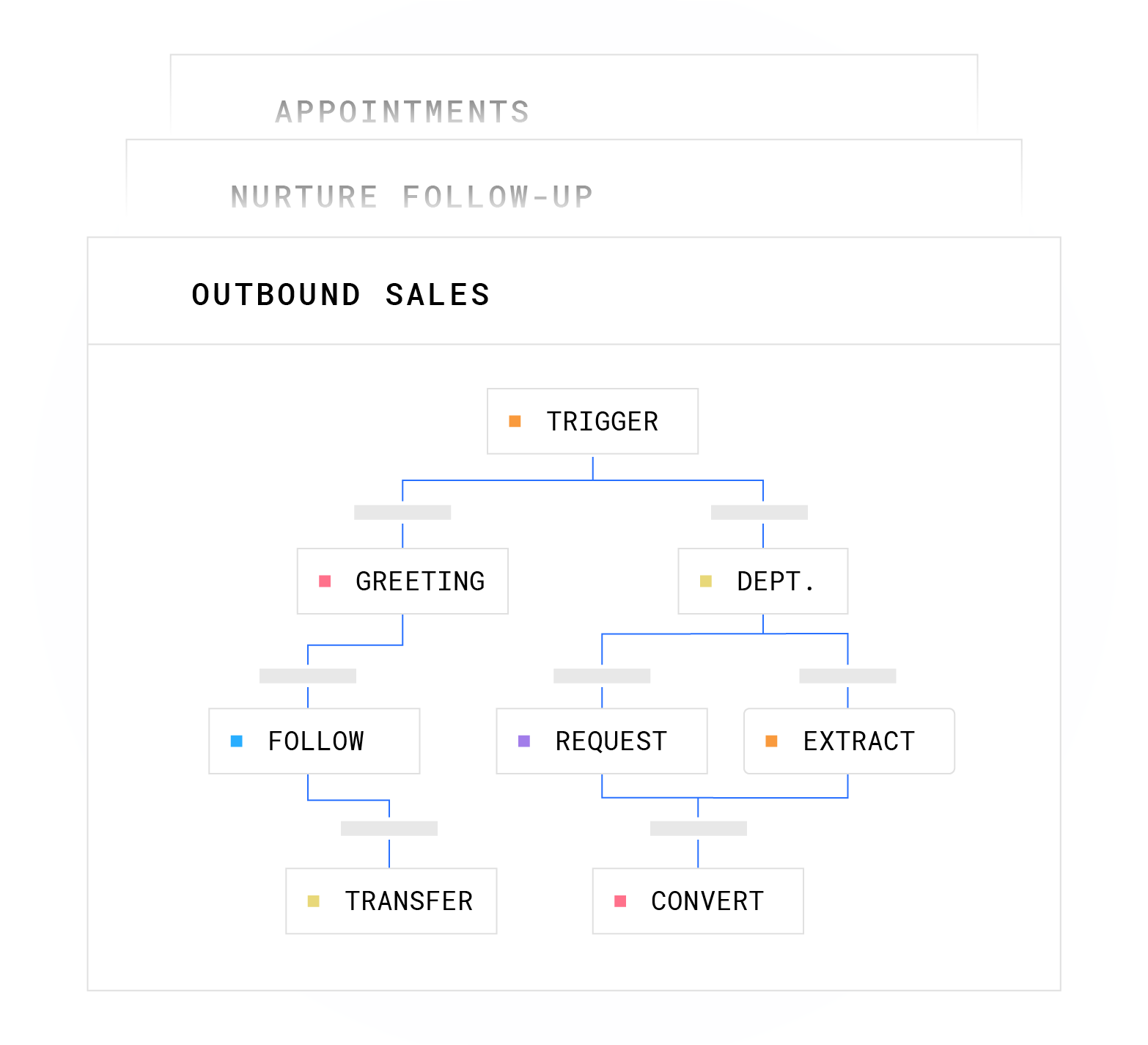
- Configure greeting and scripts: Define your greeting, FAQ answers, escalation rules, and on-call contacts. For AI deployments, this step has the highest impact on performance. Standard AI-driven platform deployments take 3 to 5 days, with scripts, integrations, and escalation rules configured during onboarding.
- Integrate with your CRM: Connect the answering service to your calendar and CRM so bookings and call logs flow automatically. Plura’s integrations cover Google Calendar, Calendly, HubSpot, Salesforce, ServiceTitan, Jobber, and Housecall Pro, among others.
- Test and monitor: Most businesses adjust their call flow two or three times in the first month before it runs smoothly. Review transcripts weekly and tune escalation rules based on actual call patterns. Plura can be live in days using its no-code workflow builder, with continuous iteration after launch.
Frequently Asked Questions
How much does an answering service charge?
Live virtual receptionist services typically cost $150 to $400 per month for 30 to 100 minutes of live answering, with overage rates of $1 to $3 per minute and after-hours surcharges of 20% to 40% on top. AI receptionist services usually run $29 to $300 per month as flat subscriptions with no after-hours premium. Hybrid models often fall in the $200 to $800 per month range. The real monthly cost of a live plan often lands 30% to 50% above the base rate once overages, rounding, and surcharges apply.
Is there a free answering service?
No fully featured free answering service currently exists for small businesses. Some providers offer free trials of 7 to 14 days. ServiceAgent provides a platform with no monthly base fee, charging per call handled and per transaction processed, which functions as a usage-only model instead of a traditional subscription. Many businesses with consistent after-hours call volume find that even a $30 to $100 per month AI plan pays for itself with the first captured booking.
What is the best answering service?
The right answering service depends on call volume, industry, and budget. For most small businesses with predictable call types, an AI receptionist combines 24/7 availability, instant response, and cost control. For high-stakes industries with complex intake and low call volume, a live or hybrid service can justify the higher cost. Plura AI is a strong option for businesses that need an FCC-licensed AI voice agent with stateful conversation memory and CRM integration.
Can an answering service handle emergency dispatch?
Many answering services support emergency dispatch when configured correctly. AI receptionists can detect urgent keywords or intent and route calls to on-call contacts via phone bridge or SMS within a defined window. The AI surfaces the emergency and triggers the escalation but does not make clinical, legal, or safety-sensitive judgments. For medical emergencies, well-designed systems often instruct callers to contact 911 while simultaneously alerting the on-call provider. Teams should define escalation rules during setup and verify human follow-up on every emergency call.
Do answering services work with my CRM?
Most modern AI and hybrid answering services offer CRM integration, although depth varies. Basic integrations log a caller name and number. Full integrations write a structured call transcript, booking confirmation, and lead qualification data directly to the CRM contact record. Plura integrates with HubSpot, Salesforce, Zoho, ServiceTitan, Jobber, Housecall Pro, Google Calendar, Calendly, and more than 50 other tools. Verify the specific integration depth with any provider before committing, especially whether bookings sync in real time or in batch.
Are AI answering services reliable?
Reliability depends on the provider’s infrastructure. Plura AI operates on 100% U.S. infrastructure with a 99.9% uptime SLA and automatic failover, running on its own FCC-licensed carrier instead of a third-party CPaaS layer. Providers that route voice through third-party telecom APIs inherit that provider’s uptime and latency characteristics. When you evaluate reliability, ask for the provider’s uptime SLA, whether they own their carrier infrastructure, and what the failover path looks like if the primary system goes down.

How do I set up an answering service?
Setup usually follows six steps. Assess your after-hours call volume, choose a model based on volume and industry, configure call forwarding from your existing number, build your greeting and escalation scripts, integrate with your CRM and calendar, and test the full workflow before going live. AI services typically go live in days. Live services often take 3 to 5 business days for agent training. Plan for two or three rounds of script adjustment in the first month based on actual call transcripts.
Conclusion: Turn After-Hours Calls Into Booked Revenue
Live virtual receptionists provide human judgment at a higher cost. AI receptionists provide instant, 24/7 coverage at a much lower price point. Hybrid models combine AI efficiency with human escalation for complex or sensitive calls. For many small businesses in home services, healthcare, and legal, an AI receptionist handles the volume, books appointments, and routes emergencies while avoiding per-minute billing surprises.
Plura AI fits businesses that need an AI receptionist built on owned FCC-licensed carrier infrastructure. It offers stateful conversation memory across voice, SMS, RCS, and webchat, answers in under five seconds, and follows the subscription pricing described earlier. Plura supports compliance with SOC 2, HIPAA, ISO, GDPR, SHAKEN/STIR caller ID verification, TCPA, and DNC frameworks, with 100% U.S. infrastructure and a 99.9% uptime SLA.1,2 Customers remain responsible for their own regulatory obligations and certifications.
Run your numbers through Plura’s ROI calculator to estimate what missed after-hours calls cost your business each month. Then see a live demo of Plura handling a real after-hours call flow for your industry.
1 Plura AI maintains SOC 2, HIPAA, ISO, and GDPR posture as part of its platform infrastructure. References to compliance frameworks in this article describe Plura’s platform capabilities and do not constitute a guarantee that any customer using Plura will themselves be compliant with applicable laws or standards. Customers remain solely responsible for their own regulatory obligations, certifications, consent management, recordkeeping, and the claims they make to their own end users. Consult qualified legal counsel for guidance specific to your use case.
2 This article describes regulatory frameworks at a general level and does not constitute legal advice. Laws and regulations vary by jurisdiction, change over time, and apply differently depending on facts and circumstances. Readers should consult qualified legal counsel before making compliance decisions.
3 Performance figures, customer outcomes, and industry statistics referenced in this article are drawn from cited third-party sources or Plura customer case studies. Individual results vary based on implementation, use case, industry, audience, and execution. Past or aggregate performance is not a guarantee of future results.
4 References to third-party products, services, companies, or research are made for informational and comparative purposes only. Plura AI is not affiliated with, endorsed by, or sponsored by any third party named in this article unless explicitly stated. Trademarks and product names referenced remain the property of their respective owners.
This article is provided for informational purposes only and reflects Plura AI’s understanding at the time of publication. Product capabilities, integrations, and specifications are subject to change. For the most current information, visit plura.ai.
This article was produced with the assistance of AI tools and reviewed by Plura AI prior to publication.