
Written by: Matt Beucler, CEO, Plura AI
Key Takeaways
- After-hours call screening services answer when your team is unavailable, filter spam, and route real emergencies to on-call staff.
- Missed calls cost small businesses an estimated $126,000 per year, and 85% of callers who hit voicemail never call back.3
- AI answering services like Plura AI respond in under one second, book directly into your calendar, and connect with 50-plus CRMs at materially lower cost than most live operators.
- Live answering services stack base fees, per-minute charges, and after-hours surcharges, while AI services use predictable flat monthly plans, with Plura’s enterprise plans starting higher for larger operations.
- See how AI call screening can handle your after-hours volume by booking a tailored demo of Plura AI.
The Cost Of Missed After-Hours Calls
Missed after-hours calls quietly drain revenue from high-intent customers who are ready to book or need urgent help. A customer calls at 7 PM, no one answers, and they move on to the next provider without you ever seeing the opportunity.
That pattern repeats across small businesses every day. A 2024 study by 411 Locals analyzing 85 businesses across 58 industries found that only 37.8% of incoming calls reached a live person4, and 85% of callers who reach voicemail never call back. Another 62% of unanswered callers immediately contact a competitor.
The revenue impact scales quickly. AMBS Call Center’s August 2025 analysis estimates average annual revenue loss from missed calls at roughly $126,000 per small business. For home services, a single missed emergency call can mean $1,000 or more lost to a competitor who answered.
Speed to response amplifies this effect. Contacting a lead within 5 minutes makes them up to 100x more likely to connect, and a 60-second response lifts conversions by 391%, according to research summarized in Plura’s ROI calculator.3 A standard 40-hour business week leaves your business unreachable for 128 of 168 total hours, or 76% of the week. After-hours coverage directly protects pipeline and booked revenue.
How Modern After-Hours Call Screening Works
After-hours call screening follows a consistent flow whether you use live operators or AI.
- Call arrives after hours and routes to the service through call forwarding or VoIP rules.
- The service answers with a branded greeting in your business name instead of generic voicemail.
- The caller is screened with structured questions that clarify purpose and urgency.
- Routine calls are handled through message capture, FAQs, or direct appointment booking into your calendar.
- Urgent calls are escalated through a warm transfer to your on-call contact, with context passed through.
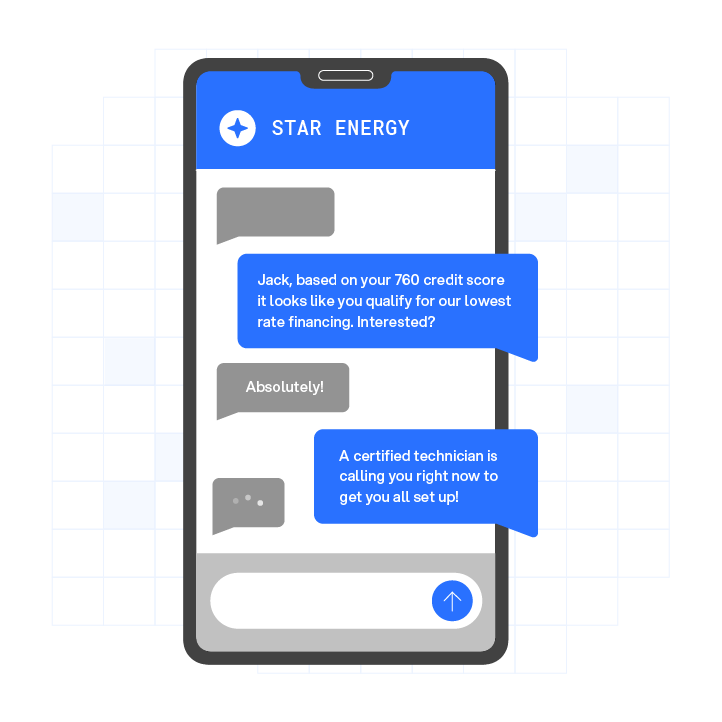
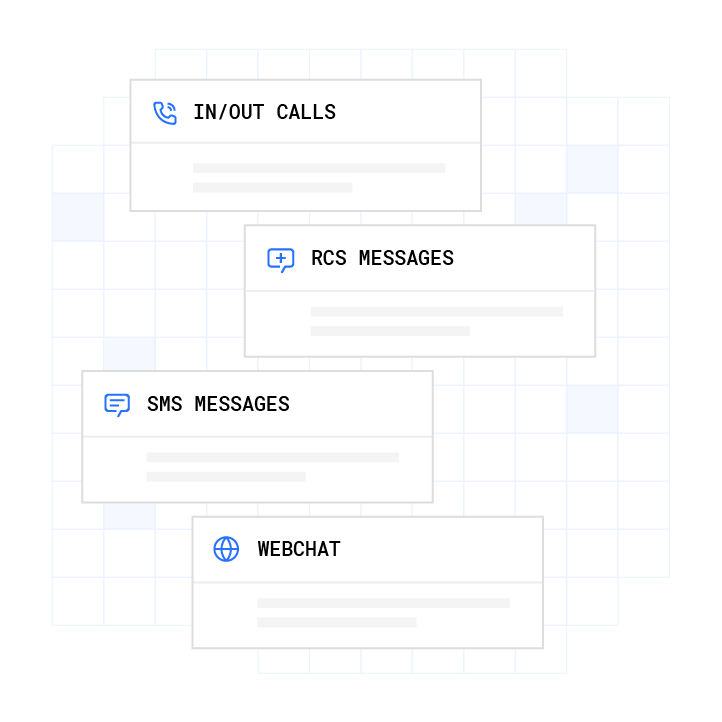
AI-powered services like Plura extend this workflow. Plura sends SMS confirmations, updates CRM records automatically through its CRM integration with 50-plus tools such as HubSpot, Salesforce, and Zoho, and continues two-way text conversations after the call. Every interaction lands in a stateful conversation database, so a person who texts at 9 AM is recognized when they call again at noon.
Live vs AI Answering Services For After-Hours Coverage
Once you understand the workflow, the next decision is whether live operators or AI fit your operation better.
Live Human Answering Services use human operators who follow scripts to take messages and route calls. They excel at empathy and nuanced judgment on emotionally complex calls. They create challenges for high-volume teams because they typically charge a base fee of $200 to $500 per month plus per-minute rates of $0.75 to $1.50, and high-volume months can exceed $1,000. After-hours surcharges of 20 to 50% are common, and many services focus on message taking instead of live booking.
AI Answering Services like Plura answer in under one second on the first ring and handle unlimited simultaneous calls. Performance remains consistent at 2 AM on a holiday and at 10 AM on a Monday. Studies show AI answering services often deliver 40% to 75% cost savings compared to live operators for home-service calls.3 They also book directly into your calendar during the call instead of creating callback tasks for your team.
| Attribute | Live Answering Services | AI Answering Services (Plura) |
|---|---|---|
| Availability | 24/7, with quality tied to staffing and shift coverage | 24/7/365, consistent quality at all hours |
| Response Time | 15 to 60 seconds on average, 2 to 5 minutes during peak | Under 1 second, first ring |
| Scalability | Limited by agent headcount, with cost rising linearly | Handles unlimited simultaneous calls with stable performance |
| Appointment Booking | Often message-only, with callbacks handled by your staff | Books directly into your calendar during the call |
| CRM Integration | Typically email notes that require manual entry | Automatic logging with full call context |
Best-fit scenarios:
- Live services: Low-volume businesses under roughly 100 calls per month or high-touch fields such as grief counseling, high-net-worth wealth management, or crisis hotlines.
- AI services: High-volume, appointment-based operations such as home services, medical offices, and law firms where speed and booking drive revenue.
- Hybrid: AI handles routine calls and escalates the smaller share that truly needs human judgment. Plura supports this model with configurable escalation paths.
See Plura’s AI Call Screening In A Live Demo and watch it manage after-hours volume for a flow similar to yours.
What After-Hours Call Screening Really Costs
Cost structure differs sharply between live and AI services, especially once you factor in after-hours and internal labor.
Live answering service pricing stacks several layers that compound:
- Base fee of $200 to $500 per month for 100 to 200 calls, per Clutch’s 2025 Answering Service Buyer’s Guide
- Per-minute rates from $0.75 to $1.50, averaging $1.10
- Per-call rates of $1.50 to $3.00 in some plans
- After-hours surcharges of 20 to 50%, with some holiday rates at double time
- Bilingual operator premiums of 15 to 30%
- Setup fees between $50 and $200
- Hidden costs from 30- or 60-second billing increments, wrap-up time, and overage rates up to $3.50 per minute
AI answering service pricing uses a simpler structure. Many AI providers offer flat monthly subscriptions between $49 and $300 for small business volumes. Plura AI publishes flat monthly plans for larger operations (Starter $2,500 per month, Multi $5,000 per month, Agency $7,500 per month on yearly billing) with AI talk time billed separately at $14 to $16 per hour. Flat pricing includes after-hours and holiday coverage, which removes per-minute surprises. You can compare Plura’s plans and rates side by side.
Cost comparison example: A business handling 200 calls per month at 3 minutes each would pay roughly $600 to $1,200 per month with a live service. An AI receptionist handling the same 600 minutes might cost $60 to $300 per month in that scenario.
Cost per completed booking often tells the clearer story. Zenoti reports that each callback generated by a traditional answering service consumes 3 to 5 minutes of staff time. An AI service that books during the call removes that internal labor. At scale, a 100-seat contact center can cost $4 million to $7 million annually with traditional staffing, compared to $300,000 to $700,000 with AI-powered communications.
Leading After-Hours Call Screening Providers
Provider options fall into two broad groups that align with the cost and capability patterns above.
Established live answering services such as Smith.ai, Abby Connect, Centratel, PATLive, and AnswerForce rely on human operators.4 They provide 24/7 coverage with U.S.-based receptionists, message taking, and call screening. Smith.ai’s Virtual Receptionist plans start at $292.50 per month for 30 calls, with add-ons for call recording, appointment booking, and CRM sync that can raise effective per-call cost. Abby Connect’s pricing starts at $165 per month for 50 Abby Minutes, and AI-answered minutes count at half the rate of human minutes. PATLive’s after-hours plans start at $49 per month with 100% U.S.-based human receptionists. These services fit low-volume, high-emotion use cases, but they inherit per-minute billing, after-hours surcharges, and limited automation into calendars and CRMs.
AI-powered answering services provide a more automated model. Plura AI is an FCC-licensed carrier rather than an API reseller. It issues branded caller ID at the carrier level and supports real-time DNC (Do Not Call) scrubbing and TCPA (Telephone Consumer Protection Act) compliance controls inside the platform before each call.2 Plura’s differentiators focus on reliability, context, and governance:

- 24/7 coverage with consistent quality across all hours
- Sub-second response on the first ring without queues or hold music
- Stateful conversation memory across voice and SMS so repeat callers are recognized
- CRM and calendar integration with 50-plus tools, including automatic appointment booking and call logging
- Compliance infrastructure that supports HIPAA, SOC 2, TCPA, DNC, and STIR/SHAKEN caller ID verification1
- Branded caller ID issued at the carrier level so calls avoid generic “Spam Likely” labels where possible
- Plura AI’s AI voice agent answers calls in English or Spanish, as described in its official LinkedIn post; the post does not specify whether bilingual support affects pricing.
How To Choose The Right After-Hours Service
Step 1: Audit your call volume. Pull the last three months of phone logs and count after-hours calls and voicemails. Missing more than 5 to 10 calls per week usually signals meaningful revenue leakage.
Step 2: Calculate your cost per missed call. Use this formula: Monthly missed calls × Conversion rate × Average transaction value = Monthly loss. For example, a plumber missing 60 calls per month at 50% conversion and a $350 average job value loses $10,500 per month. You can plug your own numbers into Plura’s ROI calculator.
Step 3: Define your operational needs.
- After-hours booking: AI services book directly into calendars, while many live services focus on messages.
- Bilingual coverage: AI can handle English and Spanish for many scenarios.
- CRM integration: AI logs automatically, while live services often require manual entry.
- Budget range: many AI tools for small volumes price between $49 and $300, while live services often range from $200 to $1,500 or more depending on usage.
- High-emotion calls: hybrid models keep humans available where empathy is central.
Step 4: Match needs to a service model.
- Under 20 calls per day with low lead value: caller ID plus voicemail may be sufficient.
- Between 20 and 100 calls per day with appointment focus: an AI receptionist usually provides the strongest cost-to-capability balance.
- Over 100 calls per day or high lead value: AI with human escalation (hybrid) protects both volume and experience.
- Low volume with high emotion, such as crisis or complex legal matters: live service or hybrid often fits better.
Step 5: Test before committing. Run a trial with mystery-shopper calls at different times of day. Measure pickup speed, script accuracy, and handling of urgent requests. Providers that support trials give you a clearer view of real-world performance.
Many appointment-based businesses select Plura because it answers every call on the first ring, 24/7, in English or Spanish, and supports after-hours booking for home services and other appointment-driven verticals. Plura’s documented ROI, including rapid payback and pipeline growth, strengthens the business case. You can explore your own numbers in Plura’s ROI calculator.
Request A Plura Demo Tailored To Your After-Hours Call Flow and see the experience from a caller’s perspective.
Is An Answering Service Worth The Investment?
For businesses that regularly miss calls, after-hours coverage usually pays for itself quickly. The comparison comes down to the value of a single booked job versus the monthly fee.
The cost of a missed call can be substantial. A single missed emergency call for a plumber or HVAC company can represent around $1,000 in lost work. A missed legal intake can represent $5,000 or more in lost fees.
The cost of a service is often far lower than that lost revenue. Some AI answering services start around $49 to $149 per month for smaller volumes, while live services often run $200 to $500 or more per month. Capturing even one additional booked job per month can offset a typical AI subscription.
Earlier sections covered how speed to lead shapes conversion. Live services that only take messages introduce callback delays. One study reports an average callback delay of 47 minutes, and 38% of those leads never answer the return call. AI that responds instantly and books on the first interaction avoids that drop-off.
Plura’s documented ROI, referenced earlier, illustrates how AI answering can impact pipeline and response times. You can model your own scenario with Plura’s ROI calculator and compare it to your current missed-call rate.
Compare Plura Against Your Current Call Handling In A Live Session and see where the gaps appear.
Frequently Asked Questions
What Is The Best After-Hours Call Screening Service?
For many appointment-based businesses, an AI-powered service such as Plura AI provides strong coverage. It answers on the first ring, 24/7, books appointments directly into your calendar, and logs activity to your CRM at a lower operational cost than most live-only models. Live services like Smith.ai, Abby Connect, and PATLive remain strong options for low-volume, high-touch industries where human empathy is central, including grief counseling, crisis support, and high-net-worth wealth management. For teams handling 20 or more calls per day, an AI-first service with human escalation often delivers the best mix of cost, speed, and booking capability.
How Much Does An After-Hours Answering Service Charge Per Month?
Live answering services typically charge $200 to $500 per month in base fees plus per-minute rates of $0.75 to $1.50, with after-hours surcharges of 20 to 50% and some holiday rates at double time. Bilingual operator premiums can add another 15 to 30%. AI answering services vary by provider and volume. Plura offers flat monthly plans for larger deployments, starting at $2,500 per month for Starter, with AI talk time billed separately. The most useful comparison often focuses on cost per completed booking, because live services that take messages create internal callback work that consumes 3 to 5 minutes of staff time per call.
Can An AI Answering Service Handle Emergency Calls?
AI answering services can use escalation rules that warm-transfer urgent calls to your on-call contact through phone, SMS, or app notification with context attached. Plura’s workflows include explicit escalation paths for emergencies. The AI detects urgency signals during the call and routes accordingly, passing full call context so the caller does not need to repeat details. For HVAC, plumbing, property management, and similar fields with frequent after-hours emergencies, this escalation capability functions as a core workflow.
Do Answering Services Work With My CRM?
Many live answering services send message notes by email, which then require manual CRM entry. AI answering services like Plura integrate natively with more than 50 tools, including HubSpot, Salesforce, and Zoho. They automatically log call details, transcripts, and captured data to the correct contact record, which removes internal cleanup work. You can see the full list of Plura’s integrations at plura.ai/integrations.
What Industries Benefit Most From After-Hours Call Screening?
Home services such as plumbing, HVAC, and electrical, along with healthcare practices, law firms, and other appointment-based businesses, gain the most from structured after-hours coverage. These industries often see 30 to 40% of inbound calls arrive outside standard hours, and missing just two calls per day can produce roughly $8,800 in annual lost revenue at typical conversion rates. For healthcare practices, Plura supports up to 40% improvement in no-shows through automated follow-up and confirmation workflows. You can review how Plura serves healthcare at plura.ai/industries/healthcare. Legal practices face a different equation, where a single missed intake call can represent several thousand dollars in potential fees, so after-hours coverage functions as direct revenue protection.
1 Plura AI maintains SOC 2, HIPAA, ISO, and GDPR posture as part of its platform infrastructure. References to compliance frameworks in this article describe Plura’s platform capabilities and do not constitute a guarantee that any customer using Plura will themselves be compliant with applicable laws or standards. Customers remain solely responsible for their own regulatory obligations, certifications, consent management, recordkeeping, and the claims they make to their own end users. Consult qualified legal counsel for guidance specific to your use case.
2 This article describes regulatory frameworks at a general level and does not constitute legal advice. Laws and regulations vary by jurisdiction, change over time, and apply differently depending on facts and circumstances. Readers should consult qualified legal counsel before making compliance decisions.
3 Performance figures, customer outcomes, and industry statistics referenced in this article are drawn from cited third-party sources or Plura customer case studies. Individual results vary based on implementation, use case, industry, audience, and execution. Past or aggregate performance is not a guarantee of future results.
4 References to third-party products, services, companies, or research are made for informational and comparative purposes only. Plura AI is not affiliated with, endorsed by, or sponsored by any third party named in this article unless explicitly stated. Trademarks and product names referenced remain the property of their respective owners.
This article is provided for informational purposes only and reflects Plura AI’s understanding at the time of publication. Product capabilities, integrations, and specifications are subject to change. For the most current information, visit plura.ai.
This article was produced with the assistance of AI tools and reviewed by Plura AI prior to publication.