
Written by: Matt Beucler, CEO, Plura AI
Key Takeaways
- Call center chatbot integration succeeds or fails on how well telephony, AI/LLM, CRM, knowledge base, actions, human handoff, and analytics connect. The wiring between layers drives results.
- Identity resolution at first contact, via phone match, session token, or knowledge-based authentication, gives every downstream layer the right customer context.
- Voice integrations require four real-time components: streaming STT, LLM/dialogue management, neural TTS, and telephony infrastructure. Barge-in handling keeps latency under 800 ms so conversations still sound natural.
- Post-launch success depends on tracking containment rate, escalation rate by intent, resolution time, and P95 latency together. Containment without CSAT context hides real problems.
- Plura AI delivers a production-ready architecture with its own FCC-licensed carrier, a single Stateful Conversation Database across voice/SMS/RCS/webchat, native CRM integrations, and a no-code workflow builder. See the full stack in action in a live environment.
The Call Center Chatbot Integration Architecture, Layer by Layer
A production contact center chatbot integration spans seven distinct layers. Each layer has a defined function, named systems, and specific failure modes when the wiring between layers is incomplete. The architecture flows from customer to channel to telephony, through the AI layer, into CRM and knowledge systems, out through actions and handoff, and into analytics.
The table below maps each layer to its function and the systems that typically occupy it. Use it as a checklist: any layer where you cannot name your system is a likely integration gap.
| Layer | Function | Named Systems |
|---|---|---|
| Telephony | Carries the call, forks media to the AI layer | Twilio, Amazon Connect, Genesys, Five9, NICE |
| AI/LLM | STT (speech-to-text), dialogue/LLM, TTS (text-to-speech), RAG (retrieval-augmented generation) | Streaming STT, LLM/dialogue engine, neural TTS, vector retrieval |
| CRM | Reads customer record, writes interaction events | Salesforce, HubSpot, Microsoft Dynamics |
| Knowledge Base | Grounds answers in verified content | Help center, product docs, vector store |
| Actions | Executes tasks (order lookup, booking, reset) | APIs, webhooks, function calling |
| Human Handoff | Transfers conversation with full context | Unified agent desktop, warm transfer |
| Analytics | Measures containment, escalation, resolution | Contact-center reporting, conversation intelligence |
Vendor documentation typically describes one vendor’s path through the stack. This blueprint maps the whole architecture, with named systems in each layer.
McKinsey’s July 2026 CX research identifies contact-center issue resolution as one of six high-priority agentic AI workflows.4 The report warns that automating a single workflow without clarifying the decision layer beneath it, what the agent can decide, what context it must use, and when it should escalate, risks hard-coding fragmentation into a faster system. The layer map above is that decision layer. Without it, the integration stays shallow by design.
How to Integrate a Chatbot With Your Call Center (Step by Step)
The five steps below mirror a standard integration sequence and highlight the systems and data objects involved at each stage.
- Audit High-Volume Tasks. Review call logs to identify repetitive, low-complexity queries such as order status, shipping updates, scheduling, and password resets. Quantify volume per task type. High-volume, low-variance tasks form the starting point. Most enterprises deploy full automation for appointment scheduling, account queries, order status, and basic troubleshooting, while reserving agent assist for complex interactions.
- Choose a Platform. Select a contact-center or AI platform that supports your channels. Options include Amazon Connect, Genesys, Five9, NICE, and platforms like Plura AI that run voice, SMS, RCS, and webchat on one Stateful Conversation Database.4 The platform choice determines whether identity resolution, CRM write-back, and handoff context are native or bolted on.
- Connect Data Sources. Link CRM, ticketing, and knowledge bases via APIs so the bot can fetch real-time customer data. For Salesforce, the sObject Rows resource accesses records for any specified object and record ID, including standard objects such as Account, Contact, Case, and Opportunity, via GET, PATCH, and DELETE methods. The read path fetches the customer record at call start. The write path logs the interaction, updates disposition, and creates a case at call end.
- Define Escalation Rules. Program triggers that route to a live agent when the bot reaches its limit, confidence drops below threshold, or the customer asks for a human. Aserva’s A/B testing of triage confidence thresholds found that 0.3 minimized false escalations while catching genuinely ambiguous cases.4 Below that level, the system escalates immediately rather than guessing. Legal language detection for terms like “attorney,” “sue,” or “regulator” should trigger immediate warm handoff.
- Test and Monitor. Run tests in emulators, then track containment rate, escalation rate, and resolution time in production. Tune answers over time. ROI targets for contact center AI deployments include a 60-80% containment rate and CSAT above 4.2 for AI-handled conversations,3 with payback typically at 8-12 weeks for agent assist and 4-6 months for full voice automation.
Identity Resolution and Context at First Contact
Step three, connecting data sources, assumes the bot knows who it is talking to. That assumption is where many deployments break. Identity resolution determines whether every downstream layer operates on full context or partial context.
Three methods resolve identity at call start:
- Phone Number Match Against CRM Records. The telephony layer passes the caller’s ANI (automatic number identification) to the AI layer, which queries the CRM for a matching Contact or Account record. This requires the CRM to hold phone numbers in a normalized, searchable format. Salesforce’s sObject Rows by External ID resource supports upsert operations that create or update records based on an external identifier, which fits phone-number-based lookup.
- Authenticated Session Token. For digital channels where the customer is already logged in, the session token carries identity directly. The AI layer reads the token and fetches the associated CRM record without asking the customer to identify themselves again.
- Knowledge-Based Authentication. When phone number match fails, the agent asks the caller to confirm a secondary identifier such as the last four digits of an account number, date of birth, or last transaction amount. A standard caller authentication flow verifies the phone number against CRM records, then issues a session token scoped to the call for all subsequent tool call authorization.
Without identity resolution at call start, the CRM write-back can attach to the wrong record, the handoff payload carries no history, and the customer repeats themselves. This failure mode makes a strong bot perform poorly. Plura’s Stateful Conversation Database resolves identity by phone number, email, or external ID across every channel, so the AI layer enters each conversation with the customer picture already loaded.
Connecting Your Chatbot to CRM, Ticketing, and Knowledge Bases
Once identity is resolved, the CRM integration has two jobs: read the customer record before the conversation starts and write the interaction back when it ends.
The read path runs at call start. The bot fetches the customer’s Contact record, Account record, open Cases, and relevant Opportunity data. In Salesforce, this is a GET request to the sObject Rows resource with the desired fields specified. In HubSpot, the equivalent is a GET to the Contacts API with the contact ID or email as the lookup key. In Microsoft Dynamics, the Dynamics 365 Customer Engagement Web API implements OData (Open Data Protocol) version 4.0, an OASIS standard for building and consuming RESTful APIs over rich data sources. The read path must complete before the bot’s first response. A CRM lookup that takes two seconds creates a two-second silence unless the orchestrator covers it with a filler phrase or executes it speculatively.
The write path runs at call end. Three events trigger write-back:
- Call ended: log the interaction with timestamp, duration, and channel.
- Case created: write the case record with intent classification and verbatim opening request.
- Disposition set: update the Contact or Account record with the outcome such as resolved, escalated, transferred, or abandoned.
Knowledge base integration follows a RAG architecture. The bot retrieves relevant documents from a vector store at conversation time and injects them into the LLM prompt so the model answers from verified sources. RAG addresses three key LLM limitations in contact centers: limited training data, AI hallucinations, and costly model retraining. The knowledge base can include help center articles, product documentation, policy documents, and internal SOPs, as long as the content can be chunked, embedded, and retrieved semantically.
To connect your CRM and knowledge systems to Plura, the platform’s native integrations cover Salesforce, HubSpot, and Zoho plus more than 50 additional tools across CRM, calendars, attribution, documents, payments, and data enrichment.
Designing Escalation and Human Handoff Rules
The handoff payload often receives the least attention in call center chatbot integration projects. Teams define escalation triggers but leave the payload thin. The agent receives the call with little context, the customer repeats themselves, average handle time rises, and CSAT drops.
A complete handoff payload includes five elements: the objective and current state, evidence and provenance, the sending agent’s confidence, authorization scope, and attempts and exclusions.
Escalation triggers fall into two groups. The first is confidence-based: a score below threshold, with Aserva’s testing finding 0.3 minimized false escalations. The second is rule-based and fires regardless of confidence: the customer explicitly requests a human, legal language is detected (“attorney,” “sue,” “BBB complaint”), sentiment trends negative across three or more consecutive turns, or the task exceeds the bot’s defined scope.
Plura’s Unified Inbox surfaces the same memory the AI reads from. The human agent sees the full transcript, the CRM record link, the prior offers made, and the sentiment trend before speaking a single word. This is what context-preserving handoff looks like in practice. Conversation intelligence then analyzes every escalation to surface patterns such as which intents escalate most, which scripts produce the highest containment, and where the handoff payload is incomplete.
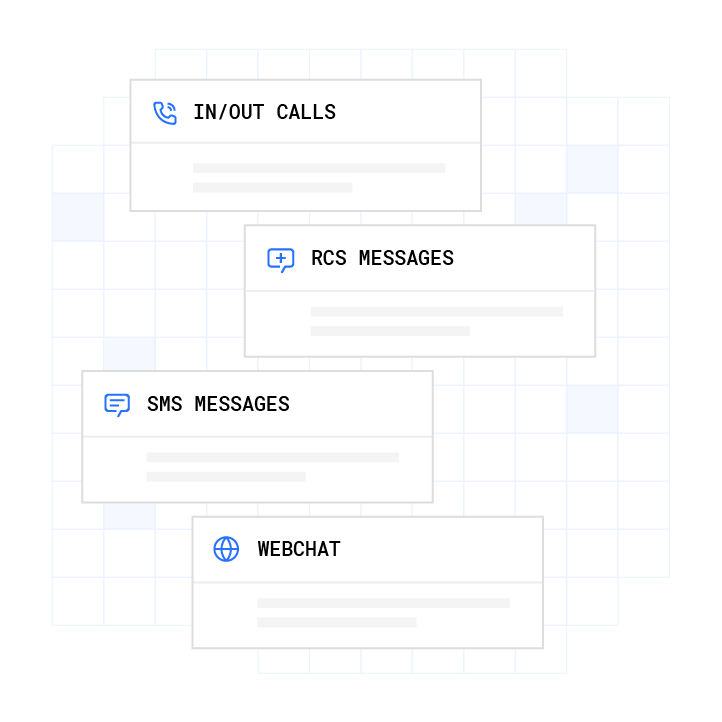
See the Unified Inbox in action to watch a handoff payload move from bot to agent in a live contact center environment.
Voice vs. Chat: What Changes in the Integration
Voice carries most call center volume, and the integration path differs materially from chat. Treat voice as its own design problem, not a simple extension of webchat.
The voice path adds four components that chat does not require:
- STT (Speech-to-Text). Streaming STT consumes audio in 20-100ms chunks and emits partial transcripts as the caller speaks. Batch transcription suits post-call analytics. Only streaming STT works in a real-time voice pipeline.
- LLM/Dialogue Management. The LLM receives the transcript plus conversation history and generates a response. Time-to-first-token (TTFT) usually dominates latency in the voice pipeline.
- TTS (Text-to-Speech). Neural TTS synthesizes the LLM’s text response into audio and streams it back to the caller. The single most impactful latency optimization is sentence-level streaming: dispatch each complete sentence to the synthesizer as it is generated.
- Telephony. The PSTN (public switched telephone network) standard codec is G.711, an uncompressed 8kHz codec. Transcribing telephone audio is harder than studio audio because G.711 discards higher frequencies that carry speech intelligibility.
The target round-trip latency for a voice AI turn is roughly 500-800ms for natural conversation.3 If total round-trip latency exceeds 1.2 seconds, implementations often play filler audio while the backend processes, because callers tolerate pauses better when they hear acknowledgment.
Barge-in handling is a voice-only requirement. When the caller speaks while the agent is talking, the system must detect the interruption, cancel in-progress LLM generation, and re-enter the STT pipeline. Twilio Agent Connect exposes an on_interrupt callback that fires when a caller speaks while the agent is still talking, carrying the utterance up to the interruption point and the duration in milliseconds.
Carrier requirements for voice include SIP (Session Initiation Protocol) trunking, codec handling, and concurrency management. Plura owns its FCC-licensed carrier, so voice does not route through a third-party CPaaS. Branded caller ID is issued at the carrier level, and STIR/SHAKEN (Secure Telephone Identity Revisited/Signature-based Handling of Asserted information using toKENs) authentication runs on every outbound call.1 Plura supports compliance workflows before the call leaves the network.2 See Plura’s AI voice agent and 24/7 call answering capabilities for the full voice integration surface.

What to Monitor After Chatbot Integration (Containment Rate and Beyond)
Containment rate is often the first metric operators track. It becomes a vanity metric when escalation rate and resolution time stay out of view. A 90% containment rate with a 40% CSAT score means the bot is holding conversations that customers wanted to escalate.
Post-launch monitoring should include:
- Containment Rate. The percentage of conversations the bot resolves without human escalation. Target range is 60-80% for production deployments, per Aserva’s production architecture benchmarks.3
- Escalation Rate. The percentage of conversations that transfer to a human agent. Track by intent category to identify which task types the bot handles poorly.
- Resolution Time. Average time from conversation start to resolution, for both bot-contained and human-escalated conversations. A bot that contains 80% of conversations but takes three times longer than a human agent on the remaining 20% does not deliver net efficiency.
- P95 End-to-End Latency. Monitor P95 end-to-end latency and alert above 1200ms. Track ASR (automatic speech recognition) confidence scores and flag anything below 0.7. Intent classification fallback rates signal when the model needs retraining.
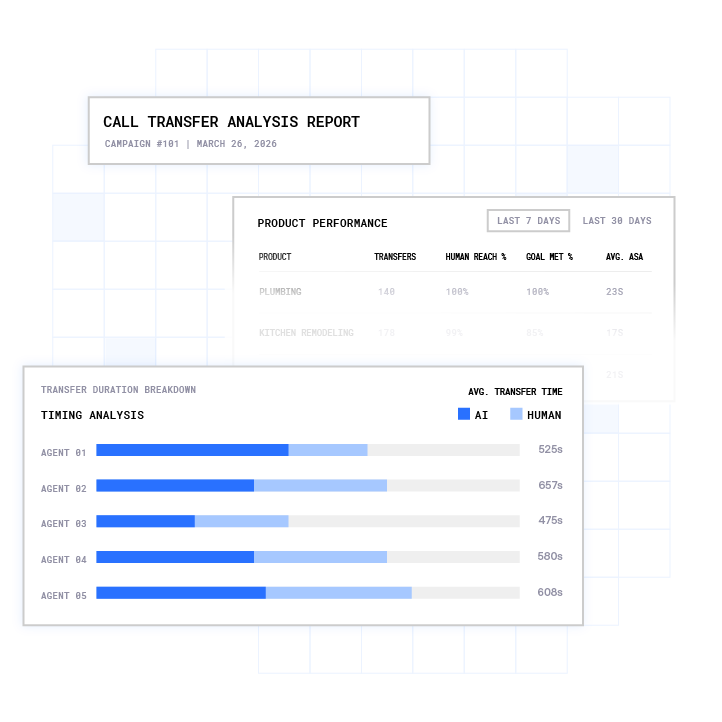
Focus tuning where metrics point. Intents with high escalation rates often need better knowledge base coverage or adjusted confidence thresholds. Intents with low CSAT need script review. Intents with high AHT on the human side need richer handoff payloads. Plura’s business intelligence layer surfaces these patterns automatically across every channel.
Call Center Chatbot Integration Examples
Three integration patterns show how the seven layers combine in practice. Each example names the layers it touches so you can see which integrations are shallow and which are full-stack.
- Order Status Lookup. The bot resolves identity via phone number match, queries the order management system via API, reads the Order object for status and estimated delivery, and speaks the result. CRM write-back is not required unless the customer reports a problem. Layers touched: telephony, AI/LLM (STT/TTS), identity resolution, and actions (order API).
- Appointment Scheduling. The bot reads the customer’s Contact record, queries calendar availability via a calendar API such as Google Calendar, Calendly, or Cal.com, books the slot, writes a Case record with the appointment details, and sends a confirmation via SMS. Layers touched: all seven layers, including CRM read/write and the actions layer.
- Password Reset. The bot authenticates the caller via knowledge-based authentication, calls the identity provider’s reset API, confirms the reset, and logs the interaction to the Case object. Layers touched: telephony, AI/LLM (STT/TTS), identity resolution, actions (identity provider API), and CRM write-back.
Frequently Asked Questions
What Does a Call Center Chatbot Integration Include?
A complete call center chatbot integration spans seven layers: telephony, AI/LLM, CRM, knowledge base, actions, human handoff, and analytics. The layer map above shows what each one does and which systems typically occupy it. The integration between them, more than the bot itself, determines whether the deployment works.
How Does a Chatbot Know Who the Caller Is?
Three methods resolve caller identity at the start of a conversation: phone number match, authenticated session token, and knowledge-based authentication. The identity resolution section above covers how each one works and when to use it.
What Context Should Transfer to a Human Agent?
A complete handoff payload includes five fields: objective and current state, evidence and provenance, confidence, authorization scope, and attempts and exclusions. The escalation section above walks through each one and shows how they reduce handle time and repeat questions.
How Is Voice Chatbot Integration Different From Chat?
Voice adds four components that chat does not require: streaming STT, LLM/dialogue management, neural TTS, and telephony infrastructure. The voice section above covers each one and the 500-800ms latency budget they must fit inside.
What Should I Monitor After Integration?
Post-launch monitoring should include containment rate, escalation rate by intent, resolution time, and P95 latency. The 60-80% containment target from the monitoring section above is the baseline, not the only goal. CSAT and escalation patterns show whether that containment is healthy.
Conclusion: The Integration Is the Product
Most call center chatbot integration projects fail on the wiring between layers. The bot itself is rarely the problem. Identity resolution at call start, CRM write-back, and context-preserving handoff are the three surfaces that determine whether the deployment works.
Plura removes those failure modes at the architecture level. Plura owns its FCC-licensed carrier stack and runs every channel on one Stateful Conversation Database. Voice, SMS, RCS, and webchat share the same customer memory. The handoff payload is built into the platform. CRM write-back is native. The no-code workflow builder makes escalation logic operational rather than bespoke engineering.
Walk through the full integration architecture with your specific channel mix and CRM stack. Compare Plura’s plans and rates side by side. Run your numbers through the ROI calculator to see your cost savings in real time.
1 Plura AI maintains SOC 2, HIPAA, ISO, and GDPR posture as part of its platform infrastructure. References to compliance frameworks in this article describe Plura’s platform capabilities and do not constitute a guarantee that any customer using Plura will themselves be compliant with applicable laws or standards. Customers remain solely responsible for their own regulatory obligations, certifications, consent management, recordkeeping, and the claims they make to their own end users. Consult qualified legal counsel for guidance specific to your use case.
2 This article describes regulatory frameworks at a general level and does not constitute legal advice. Laws and regulations vary by jurisdiction, change over time, and apply differently depending on facts and circumstances. Readers should consult qualified legal counsel before making compliance decisions.
3 Performance figures, customer outcomes, and industry statistics referenced in this article are drawn from cited third-party sources or Plura customer case studies. Individual results vary based on implementation, use case, industry, audience, and execution. Past or aggregate performance is not a guarantee of future results.
4 References to third-party products, services, companies, or research are made for informational and comparative purposes only. Plura AI is not affiliated with, endorsed by, or sponsored by any third party named in this article unless explicitly stated. Trademarks and product names referenced remain the property of their respective owners.
This article is provided for informational purposes only and reflects Plura AI’s understanding at the time of publication. Product capabilities, integrations, and specifications are subject to change. For the most current information, visit plura.ai.
This article was produced with the assistance of AI tools and reviewed by Plura AI prior to publication.