
Written by: Matt Beucler, CEO, Plura AI
Three technologies answer to the name “text to call”: Bixby Text Call, Real-Time Text (RTT), and AI calling agents. Each one works differently and serves a different type of user, from individual smartphone owners to enterprise contact centers.
Key Takeaways
The summary below outlines how these three technologies behave on a single phone and what changes when you scale to call-center volume.
- Text to call encompasses three distinct technologies: Bixby Text Call, Real-Time Text (RTT), and AI calling agents, each with different architectures and user experiences.
- Bixby Text Call and RTT rely on human input or device support and focus on individual convenience or accessibility rather than high-volume operations.
- AI calling agents remove the human typing step and support fully autonomous, goal-directed conversations at scale with natural voice synthesis.
- At call-center volumes, requirements such as STIR/SHAKEN authentication, real-time DNC scrubbing, and stateful conversation memory call for carrier-grade infrastructure that consumer text call features do not provide.
- Plura AI delivers this infrastructure through its own FCC-licensed carrier, supporting compliance and thousands of daily interactions across voice, SMS, and AI-powered webchat.
How a Consumer Text Call Works on Samsung Devices
The steps below describe the Bixby Text Call flow on a Samsung Galaxy device, which is the most common consumer implementation of text to call.
- Receive the call. An incoming call arrives on your device. Instead of answering with your voice, you tap the “Text Call” option on the incoming-call screen.
- The assistant greets the caller. A synthesized voice, powered by the device’s text-to-speech (TTS) engine, plays an automated greeting to the caller on your behalf.
- The caller’s speech appears on your screen. The caller speaks normally. Speech-to-text (STT) technology transcribes their words in real time and displays the text on your screen as they talk.
- You type your reply. You read the transcription and type your response using your device’s keyboard. Your microphone stays off.
- Your typed text is read aloud to the caller. The TTS engine converts your typed words into synthesized speech and plays them to the caller, so the conversation continues from their perspective as a voice call.
- The loop repeats. The caller speaks, you read, you type, and the assistant speaks. This cycle continues for the duration of the call.
- Switch back to voice at any point. On supported devices, a button lets you exit text mode and take over the call with your own voice.
How Text Call Works on Android: Bixby Text Call and RTT
Android supports two distinct approaches to text-based calling, and they differ at the architecture level.
Samsung Bixby Text Call is Samsung’s on-device assistive feature available on select Galaxy smartphones including the Galaxy S24, S25, Z Fold, Z Flip, and newer A-series models. When active, Bixby’s voice automation reads the user’s typed responses aloud to the caller using TTS, while the caller’s spoken words are transcribed live via STT and displayed on the user’s screen. The caller hears a synthesized voice speaking the user’s typed words. The feature requires cellular connectivity and cannot function while Wi-Fi calling is enabled. All Bixby Text Call conversations are saved as transcripts within the Phone app.
Google’s Android RTT implementation operates on a different principle. RTT (Real-Time Text) is an accessibility standard that transmits typed characters character-by-character over the IP network during an active call, so the other participant reads the text directly as it is typed rather than hearing a synthesized voice. Google’s Android Open Source Project documentation describes RTT as a feature for deaf or hard of hearing users that replaces teletypewriter (TTY) technology. In RTT mode, the caller does not hear a voice from the text channel; they read text on their own screen. RTT is enabled in the Phone app under Settings > Accessibility > Real-time text (RTT).
The IETF’s RFC 5194 framework for real-time text over IP established the architectural standard for carrying RTT over SIP-based networks. It distinguishes RTT from store-and-forward messaging like SMS by framing RTT as continuous, conversational text exchange within an active session.
Text Call, RTT, and AI Calling Agents Compared
Text call features like Bixby Text Call keep a human in the loop. The user reads transcriptions and types each reply in real time, and the AI on the device converts that typed text to speech for the caller.
AI calling agents remove the human typing step entirely. The AI holds the full conversation autonomously, using natural voice synthesis and real-time speech recognition, without requiring a human to type anything. AI calling agents are designed for goal-directed conversations at scale: outbound lead qualification, appointment booking, and live transfer. Individual call screening sits in a different category.
What the Caller Hears During a Text Call
During a Bixby Text Call, the caller hears a synthesized voice speaking the words the user typed. The voice is generated by Samsung’s TTS engine and delivered over the standard voice channel. The caller may not receive an explicit statement that a digital assistant is speaking, although the synthesized voice quality is often recognizable as automated.
The greeting the caller hears is an automated prompt that states an automated voice is in use and asks them to state who they are and why they are calling. From the caller’s perspective, the conversation proceeds as a voice call, with pauses between responses that reflect the time it takes the user to read the transcription and type a reply.
A practical side effect of this experience is that callers with scripted or automated intent, including robocallers and scammers, frequently disconnect when they encounter a synthesized voice responding to their call. Users across forum discussions report that unknown callers, telemarketers, and suspected scammers often hang up within seconds of hearing the Bixby Text Call greeting. This behavior makes the feature an informal spam filter in addition to its accessibility and convenience role.
During an RTT call, the caller does not hear anything from the text channel. RTT functions as a direct text-to-text connection, and the caller reads the typed text on their own RTT-capable device. The voice channel can remain open simultaneously, allowing one party to speak while the other types, which is one of RTT’s advantages for mixed-mode communication.
Why Users Choose RTT Over a Standard Voice Call
RTT supports simultaneous two-way communication, so both parties can type at the same time without the turn-taking protocol that legacy TTY devices required. TTY required users to type “GA” (go ahead) to signal the other party could respond, because TTY transmitted text as audio tones over the voice path and could not support simultaneous input. RTT transmits native text character-by-character over the IP network and removes that limitation.
The voice channel remains open during an RTT call. A user can speak while typing, which makes RTT useful for mixed-mode communication where one party speaks and the other types. This flexibility supports users who are deaf, hard of hearing, or have speech disabilities, and situations where one party can use voice and the other cannot.
The IETF RFC 5194 framework describes RTT’s role in “total conversation,” the concept of simultaneous voice, video, and real-time text in a single session, and covers emergency services support as part of its scope. The FCC mandated RTT support on wireless devices beginning in 2017, and RTT is now available on most iPhones and Android phones sold by major U.S. carriers.
Switching Between Text and Voice Mid-Conversation
For Bixby Text Call, Samsung’s interface includes an option to exit text mode and take over the call with your own voice. The availability of this switch depends on the specific Galaxy device model and the carrier network in use. When you switch back to voice, the call continues normally, and the transcript of the text portion is saved in the Phone app’s call log.
For RTT on Android, Google’s RTT implementation allows participants to switch from voice to RTT mid-call on supported devices. The voice channel remains open throughout an RTT session, so switching between modes is a function of the dialer interface rather than a separate call setup. RTT availability depends on the device, carrier, plan, and whether the other party’s device supports RTT. Google documents that RTT is unavailable while roaming abroad, and Google Fi does not support RTT at all.
What happens to the transcript when switching back to voice varies by device manufacturer. Storage behavior is not standardized across Android implementations.
What Changes at Call-Center Volume?
The mechanics described above work acceptably for a single consumer managing a handful of calls per day. At call-center volume, the same variables shift from conveniences to operational constraints.
Latency in STT and TTS pipelines that is imperceptible on one call becomes a compounding problem across thousands of simultaneous sessions. The same pattern appears with transcription accuracy. Accuracy that works for casual screening falls short when the transcript feeds a compliance record or a CRM entry. Device-and-carrier dependencies compound the problem further, because an architecture that requires cellular connectivity and prohibits Wi-Fi calling cannot support a contact center running hundreds of concurrent calls.
AI calling agents address these constraints by removing the human typing and AI speaking loop entirely. The AI holds the full conversation autonomously, using natural-sounding voice synthesis and real-time speech recognition, without requiring a human to type each response. The caller hears an AI voice that discloses it is AI, and the conversation moves toward a defined goal such as qualification, appointment booking, live transfer, or information capture.
At this scale, three operational requirements emerge that consumer-grade text call features cannot meet. The first is STIR/SHAKEN caller ID authentication on every outbound call, which the TRACED Act (P.L. 116-105) mandated. Under that framework, originating voice providers digitally sign calls with an attestation level that reflects how well they can verify the caller’s identity and right to use the number. Calls without full attestation are more likely to be labeled “Spam Likely” or blocked by terminating carriers.
The second requirement is real-time DNC (Do Not Call) scrubbing before each dial. The third requirement is stateful conversation memory that persists across channels, so the system recognizes a contact whether the interaction starts on SMS, voice, RCS, or webchat.
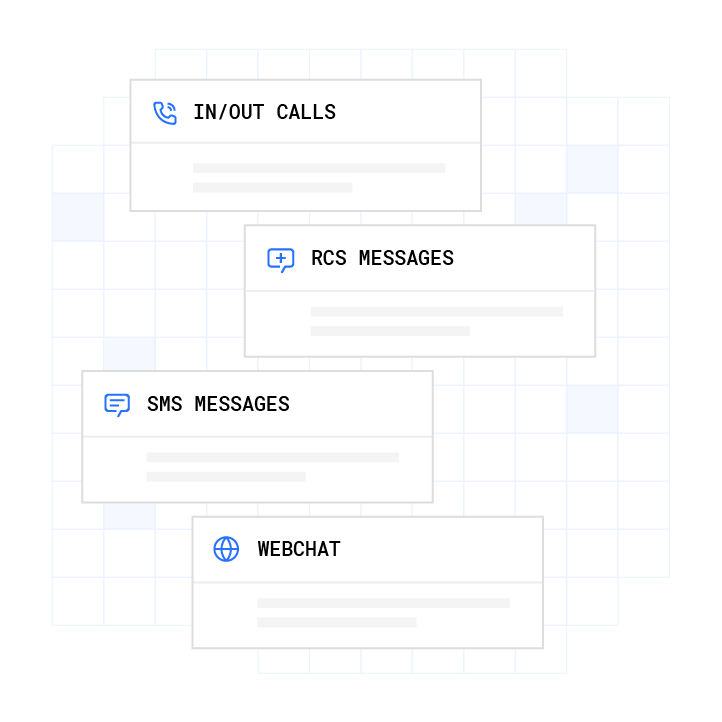
Plura AI is built for this operating environment. Plura runs on its own FCC-licensed audio bridging carrier rather than renting capacity from a third-party CPaaS (Communications Platform as a Service). Owning the carrier stack is what makes the three requirements above achievable: branded caller ID is issued at the carrier level, STIR/SHAKEN authentication runs on every outbound call, and real-time DNC scrubbing is enforced before each contact attempt.

Plura’s text-to-call and lead qualification workflows share a Stateful Conversation Database with its AI voice agent and AI Predictive Dialer. A lead contacted by SMS at 9 a.m. is recognized when the AI voice call comes at noon. Plura supports compliance across SOC 2, HIPAA, ISO certification, GDPR, SHAKEN/STIR caller ID verification, TCPA, and DNC. Customers are responsible for their own regulatory obligations; Plura provides the infrastructure.1,2
Gartner predicts that by year-end 2027, conversational AI applications will automate approximately 70% of customer support interactions within enterprises.3 Operators building toward that benchmark need infrastructure that owns the carrier stack outright.
See carrier-grade AI calling handle call-center volume in a live demo.
Frequently Asked Questions
The answers below address the questions leaders most often ask about text call, RTT, and AI calling agents.
What Is Real-Time Text (RTT)?
Real-Time Text (RTT) is a call technology that transmits typed characters character-by-character over an IP network during an active phone call, so the other participant reads the text as it is being typed rather than waiting for a completed message. RTT is standardized by the IETF under RFC 5194 and is distinct from SMS, which is asynchronous, and from legacy TTY, which converted text into audio tones over the voice path. The FCC mandate described earlier is why RTT now appears on most iPhones and Android phones sold by major U.S. carriers. RTT functions primarily as an accessibility feature for users who are deaf, hard of hearing, or have speech disabilities, although anyone can use it when the device, carrier, and other party’s equipment support it.
Why Would Someone Use RTT Instead of a Normal Call?
RTT supports simultaneous typing and keeps the voice channel open, which makes it useful for mixed-mode communication. The section above covers the accessibility and emergency-call details.
Can You Switch Back to a Voice Call Mid-Conversation?
Bixby Text Call on Samsung Galaxy devices includes an option to exit text mode and resume the call with your own voice. RTT keeps the voice channel open and lets users move between voice and text through the dialer interface. The earlier section explains device support and transcript behavior in more depth.
What Does the Caller Hear During a Text Call?
During a Bixby Text Call, the caller hears a synthesized voice reading the user’s typed words. During an RTT call, they hear nothing from the text channel. During an AI calling agent session, they hear a natural-sounding AI voice that discloses it is AI. The section above covers the disclosure nuances in detail.
Does Text Call Work on All Phones?
Bixby Text Call is available on select Samsung Galaxy models (including Galaxy S23, S23+, S23 Ultra, Z Fold4, and Z Flip4), requiring One UI 5.1 or above for English and One UI 4.1.1 or above for Korean. It also requires cellular connectivity and cannot function while Wi-Fi calling is enabled. RTT requires the device, carrier, plan, and the other party’s equipment to all support the feature; Google Fi does not support RTT, and RTT is unavailable while roaming abroad on Google’s implementation. AI calling agents operate independently of the recipient’s device capabilities because the AI places or answers the call over a standard voice connection.
How Is Text Call Different from AI Calling Agents?
Text call keeps a human in the loop for every reply, while AI calling agents remove that step and hold the conversation autonomously. The comparison section earlier in this article covers the architectural differences in detail.
Can AI Agents Place Calls for You?
AI calling agents can place outbound calls on a user’s or operator’s behalf, navigate phone trees, hold conversations end-to-end, and return transcripts or completed outcomes. At the consumer level, tools like ClawCall place individual calls and report back results. At the operator level, platforms like Plura originate outbound AI voice calls on their own FCC-licensed carrier, a stack built for operations running thousands of daily outbound contacts, with STIR/SHAKEN authentication, real-time DNC scrubbing, and stateful conversation memory across voice, SMS, RCS, and webchat channels.
What Changes When Text to Call Runs at Call-Center Volume?
Latency, transcription accuracy, caller ID authentication, and compliance obligations all become operational constraints rather than conveniences. The section above details the three infrastructure requirements that emerge at scale.
Conclusion
Text call, RTT, and AI calling agents are three distinct technologies that share a name but operate on different architectures, serve different users, and deliver different experiences to the person on the other end of the line. Bixby Text Call converts your typed words to synthesized speech for the caller. RTT sends your typed characters directly to the caller’s screen in real time. AI calling agents hold the entire conversation autonomously, without requiring you to type anything.
For a smartphone user deciding whether to tap that text call button, the key facts are straightforward. The caller hears a synthesized voice, the conversation is saved as a transcript, and spammers frequently hang up when they encounter an automated greeting. For an operator running call-center volume, the key facts shift. Consumer text call features do not function as carrier-grade infrastructure, and the compliance and latency requirements that emerge at scale require a platform built for that environment.
Plura’s FCC-licensed audio bridging carrier and Stateful Conversation Database are built for operators running thousands of AI voice and text-to-call interactions per day, not dozens. The platform supports compliance with SOC 2, HIPAA, ISO certification, GDPR, SHAKEN/STIR caller ID verification, TCPA, and DNC.1,2
Compare plans and rates side by side on the Plura pricing page.
Run your numbers through Plura’s ROI calculator to check your savings in real time.
Test Plura’s AI voice agent against your own call volume.
1 Plura AI maintains SOC 2, HIPAA, ISO, and GDPR posture as part of its platform infrastructure. References to compliance frameworks in this article describe Plura’s platform capabilities and do not constitute a guarantee that any customer using Plura will themselves be compliant with applicable laws or standards. Customers remain solely responsible for their own regulatory obligations, certifications, consent management, recordkeeping, and the claims they make to their own end users. Consult qualified legal counsel for guidance specific to your use case.
2 This article describes regulatory frameworks at a general level and does not constitute legal advice. Laws and regulations vary by jurisdiction, change over time, and apply differently depending on facts and circumstances. Readers should consult qualified legal counsel before making compliance decisions.
3 This article contains forward-looking statements regarding industry trends, technology adoption, and future capabilities. These statements reflect current expectations and are subject to change. Plura AI undertakes no obligation to update forward-looking statements except as required.
This article is provided for informational purposes only and reflects Plura AI’s understanding at the time of publication. Product capabilities, integrations, and specifications are subject to change. For the most current information, visit plura.ai.
This article was produced with the assistance of AI tools and reviewed by Plura AI prior to publication.