
Written by: Matt Beucler, CEO, Plura AI
Key Takeaways
- Lead response time breaks into two measurable stages: routing delay (lead-created to lead-assigned) and execution delay (lead-assigned to first-human-touch). Most slow response comes from routing.
- Speed benchmarks are steep: the industry standard first contact is 47+ hours, while the payoff for sub-5-minute response is dramatic.
- Implement tiered SLAs: under 5 minutes for high-intent leads, under 15 minutes for website forms, under 1 hour for general inquiries, and under 4 hours for low-intent nurture.
- Automate routing to fire in under 30 seconds, configure escalation rules, and use pre-built templates with CRM context to remove decision-making delay for reps.
- Plura AI delivers sub-5-second first contact across voice, SMS, RCS, and webchat with stateful cross-channel memory and an FCC-licensed carrier, reducing both routing and execution delays without adding headcount.
The Execution Challenge in High-Volume Operations
High-volume B2B communications and contact center operations face a structural gap between lead capture and first contact. The gap is a process problem, and it compounds at scale.
The industry standard for first contact on an inbound lead is 47+ hours.3 Contacting a lead within 5 minutes makes them up to 100x more likely to connect, and responding within 60 seconds lifts conversions by 391%.3 That baseline matters because the payoff for speed is steep, and most operations are nowhere near either threshold. The gap between what the data demands and what manual workflows deliver is where paid media budgets go to die.
This guide covers where your response time is actually breaking down and what to do about it in 30 days.
See how faster response time changes your pipeline: run your numbers through Plura’s ROI calculator.
Who This Guide Is For and What You Need Before You Start
This guide is written for operations leaders, marketing teams, contact center managers, agency operators, franchise teams, and enterprise stakeholders running 500+ daily customer interactions or $5,000+/month in paid media spend.
The reader already understands why speed matters. This guide focuses on implementation mechanics. Three terms are used throughout:
- Lead routing: the process of assigning an inbound lead to a specific rep or queue.
- SLA (Service Level Agreement): a defined response-time target by lead type.
- First-human-touch: the first meaningful human contact, such as a call, personal reply, or confirmed meeting. Automated acknowledgments do not count.
Omnichannel expectations across voice, SMS, RCS, and webchat now define the baseline for high-volume operators. Automation adoption at this volume is the only practical way to close the gap between lead creation and first contact without proportional headcount growth.
The Routing-vs-Execution Diagnostic: Where Response Time Breaks
Total lead response time breaks into two measurable stages:
- Lead-created to lead-assigned (routing delay). Manual assignment, shared inboxes, batch CRM (Customer Relationship Management) syncs, and overly complex routing rules all add time here. Manual routing commonly adds 15 to 45 minutes before anyone is even notified, and this delay is invisible if response time is measured from rep assignment rather than lead creation.
- Lead-assigned to first-human-touch (execution delay). Rep capacity, notification method, decision-making friction, and after-hours gaps add time here.
Each delay pattern points to a different fix:
- Long lead-created to lead-assigned times signal a routing automation problem. The rep never had a chance.
- Long lead-assigned to first-human-touch times signal a notification, enablement, or escalation problem. The rep had the lead and did not act.
Measuring from rep assignment instead of lead creation erases the routing delay, which is often the largest component of total wait. Teams that report six-minute response times while measuring from assignment are measuring internal process rather than the customer’s actual wait.
The practical output of this diagnostic is to instrument three CRM timestamps: lead created (form submission), owner assigned, and first outbound human activity. Every improvement decision flows from those three numbers.
What Is Considered a Good Lead Response Time? A Tiered SLA Framework
Under 5 minutes for high-intent leads, under 15 minutes for website forms, under 1 hour for general inquiries, and under 4 hours for low-intent nurture. Those are the operational targets. The table below pairs each tier with the reasoning behind it so you can defend the target when reps push back.
| Lead Type | Response Target | Reasoning |
|---|---|---|
| High-intent demo/pricing requests | Under 5 minutes | Intent is live; decay is steepest in the first 30 minutes |
| Website forms | Under 15 minutes | Moderate intent; still within qualification window |
| General inquiries | Under 1 hour | Lower urgency; same-business-day acceptable |
| Low-intent nurture | Under 4 hours or nurture track | Education-first; respond to engagement signals |
Lead conversion rates drop 10x after the first 5 minutes. The 2011 Harvard Business Review audit of 2,241 U.S. companies found an average first-response time of 42 hours, with 23% of companies never responding at all.4 The gap between best practice and actual practice represents a structural failure in how most businesses handle buyer intent.
Channel-specific targets also apply: live chat under 60 seconds, contact form submissions under 1 hour, and content downloads under 4 hours, because real-time channels set near-immediate expectations. Note that the 10-3-1 rule is an activity ratio for outreach volume, not a response-time cadence; the SLA tiers above govern timing.
Automated Lead Routing and Escalation: How to Decrease Response Time Without Adding Headcount
Routing should fire in under 30 seconds. Auto-assignment by territory, lead score, or rep availability removes the manual handoff that adds 15 to 45 minutes before any rep is notified. A healthy routing workflow includes assignment by rule, notification via Slack, SMS, or push with context, and automatic task creation. It also starts the SLA timer immediately, escalates or reassigns untouched leads, and logs an audit trail of assignment time, first-touch time, and reassign reason.
Instant alerts matter as much as routing logic. Push notifications, SMS, and Slack beat email-only notification because email may only be checked periodically. The notification must include enough context for the rep to respond immediately without opening the CRM.
Escalation closes the loop. If the SLA window lapses, the lead should be automatically reassigned or escalated to a manager. Without an SLA enforcement workflow, you have assignment, not routing. Ownership alone does not close the loop on response time.
Plura AI addresses the routing and execution layers simultaneously. Its AI agents deliver sub-5-second first contact via AI voice agent, AI SMS, RCS, and AI webchat, across all channels in parallel, 24/7. Stateful cross-channel memory means a lead who texted at 9 a.m. is the same lead when the call comes at noon, and the agent already knows what was said. Plura operates as an FCC-licensed carrier with branded caller ID and STIR/SHAKEN (Secure Telephone Identity Revisited/Signature-based Handling of Asserted information using toKENs) authentication on every outbound call, which addresses the spam-label problem that kills connect rates before response time even becomes relevant.1

Additional platform capabilities include a no-code workflow builder for conversation logic, CRM integrations with 50+ tools including HubSpot, Salesforce, and Calendly, and an AI Predictive Dialer for high-volume outbound.
Book a live demo with Plura to see sub-5-second lead response in action.
The Rep Response Playbook: First 5 Minutes and First 24 Hours
Speed alone does not solve the problem if the rep does not know what to say or if the call is flagged as spam before it rings through. The first 5 minutes and first 24 hours each require a defined protocol.
First 5 minutes: Acknowledge, qualify, and book. Remove decision-making delay with pre-built templates and CRM context surfaced automatically. The rep should not be opening the CRM to research the lead while the lead is waiting. That research should arrive with the notification.
First 24 hours: Multi-touch cadence across channels. A five-touch follow-up sequence runs like this: first attempt within 5 minutes, second attempt 30 to 60 minutes later via a different channel, third attempt 4 to 6 hours later, fourth attempt the next business day, and fifth attempt 2 to 3 days after initial inquiry. The sequence stops when the lead converts or opts out.
Speed and answer rate must be engineered together. A five-minute call that gets declined as spam still loses the lead. Plura’s FCC-licensed carrier issues branded caller ID at the carrier level rather than through a third-party reseller. Calls present with the company’s name instead of “Spam Likely.”
How to Measure Lead Response Time in Your CRM
Teams should report median, not average. Averages are skewed by outliers, such as a Friday 5 p.m. submission that waits until Monday and pulls the mean into double-digit hours while the typical lead is handled in minutes. Report median and 90th percentile together so the long tail stays visible instead of averaged away.
Track three timestamps per lead:
- Lead created (form submission timestamp)
- Owner assigned
- First outbound human activity (call, personal reply, or confirmed meeting)
Segment by source, by rep, by lead type, and by time of day. Pulling 90 days of CRM leads and calculating median and 90th percentile response time, segmented by lead source and time of day, surfaces after-hours gaps that alone can cut blended average in half.
The diagnostic question is which segment is breaking down and at which stage, routing or execution.
The 30-Day Implementation Sequence
- Days 1 to 7: Measure. Pull 90 days of CRM leads. Calculate median and 90th-percentile response time. Segment by source and time of day. Identify whether delay is concentrated in lead-created to lead-assigned or lead-assigned to first-human-touch.
- Days 8 to 14: Automate Routing and SLAs. Implement auto-assignment by territory, score, or availability. Set tiered SLAs by lead type using the framework above. Configure escalation rules so leads not touched within the SLA window are automatically reassigned.
- Days 15 to 21: Train and Template. Build pre-personalized response templates assembled from CRM data. Train reps on the first-5-minutes playbook. Set up mobile push notifications so reps receive lead alerts with full context, not email-only.
- Days 22 to 30: Review and Adjust. Track SLA compliance by segment. Identify remaining bottlenecks. Adjust routing rules and SLA thresholds based on measured performance.
Common Challenges and Troubleshooting
The following failure modes appear consistently across high-volume operations and map directly to the routing-versus-execution diagnostic:
- Unclear definition of “responded”: Define what counts as a response before measuring. Automated acknowledgment emails do not qualify and hide true execution delay.
- Fragmented systems: Connect forms, CRM, and calendars so leads never wait on a manual export or batch sync. This connection shortens routing delay.
- Poor handoff design: Routing must deliver context, not just assignment. A rep assigned a lead with no firmographic data or source attribution loses the speed advantage immediately.
- Inconsistent data: Validate required fields before routing. Overly complex routing rules with too many edge cases break down and fall back to manual review.
- Compliance gaps: TCPA (Telephone Consumer Protection Act), DNC (Do Not Call), and state quiet-hours frameworks apply to outbound calls and texts.2
- Low response rates: Address caller ID and spam labeling alongside speed. A fast call that presents as “Spam Likely” rarely converts.
- Weak measurement: Track median and distribution, not just average. Segment by rep, source, and time of day so routing and execution issues stay visible.
See how much faster response time would change your pipeline: run your numbers through Plura’s ROI calculator.
Measuring Success: Metrics and Review Cadences
Teams should connect measurement back to the routing-versus-execution diagnostic so metrics drive specific decisions, not vanity reporting. Start with operational metrics that show where time is spent, then layer on business metrics that show how speed affects revenue.
Operational metrics to track:
- Response time (median and 90th percentile), segmented by lead type and source
- Contact rate by response-time bucket (under 5 minutes, 5 to 30 minutes, 30 to 60 minutes, over 60 minutes)
- SLA compliance rate by rep and territory
- Routing accuracy (percentage of leads reaching the correct rep without reassignment)
- Unworked lead rate (leads with no logged activity within the SLA window)
Business metrics to track:
- Conversion rate from lead to qualified opportunity, segmented by response-time bucket
- Pipeline growth and cost per qualified lead
- Revenue attributable to inbound leads by source
Review cadence should keep routing, execution, and SLAs aligned. Run a weekly routing performance review, a monthly SLA compliance review, and a quarterly optimization cycle. An SLA target is only a claim until compliance is measured. Many teams cite a one-hour first-touch SLA while their actual median first touch runs to several hours because nobody tracks compliance.
Advanced Considerations and Next Steps
With routing and execution instrumented and the review cadence running, the next layer of improvement is cross-channel orchestration. Voice, SMS, RCS, and webchat running on one stateful conversation database means every channel inherits the full memory of every prior touchpoint, pricing offers made, objections raised, and qualification status.
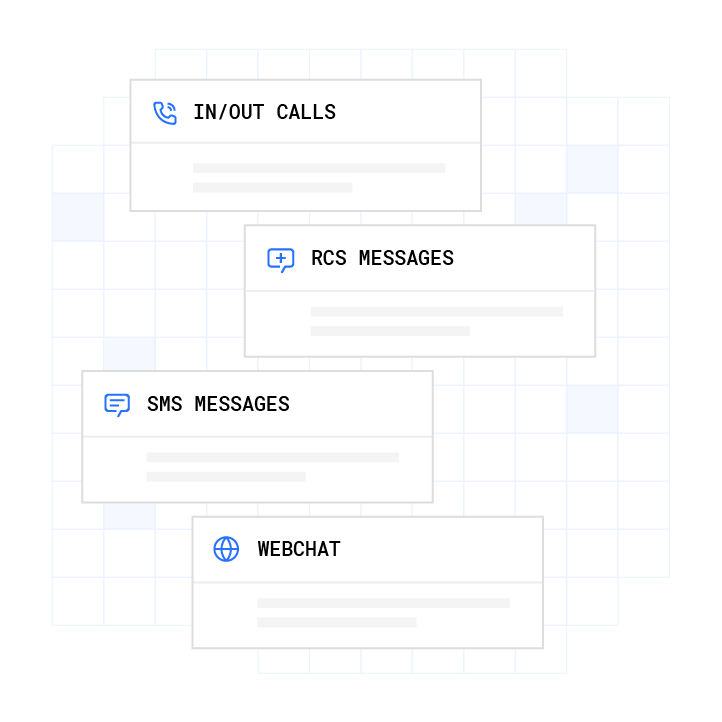
Deeper automation includes the AI Predictive Dialer for high-volume outbound prioritization and conversation intelligence that surfaces which scripts close, which objections recur, and which conversion paths win. These insights feed back into the workflow tuning loop automatically.
Governance at scale requires audit trails, consent logging, and compliance reporting. Plura supports compliance with TCPA, DNC, HIPAA, SOC 2, ISO certification, GDPR, and SHAKEN/STIR caller ID verification as platform-level capabilities, with real-time DNC scrubbing on every outbound contact and immutable consent records.1,2 Customers are responsible for their own regulatory obligations; Plura provides the infrastructure.

For franchise networks and multi-location operators, centralized dashboards and system-level enforcement of scripts, disclosures, and routing rules close the performance gap between best and worst locations without requiring location-level staffing changes.
Compare plans and rates side by side.
Frequently Asked Questions
How Long Does It Take to Improve Lead Response Time?
Most teams see measurable improvement within 30 days of implementing automated routing and tiered SLAs. The fastest gains come from fixing the routing layer first by automating assignment and escalation, because routing delay is often the largest component of total response time and requires no rep behavior change. Full optimization across routing, execution, and measurement is an ongoing effort that typically extends well beyond the initial 30-day sprint.
What Is the 10-3-1 Rule in Sales?
The 10-3-1 rule is an activity ratio: for every 10 qualified prospects contacted, expect roughly 3 booked appointments and 1 closed deal. It originated in life insurance sales as a production planning tool built by Albert L. Granum, CLU, into his One Card System at Northwestern Mutual. Its correct application is to back-calculate required outreach volume from a revenue target, not to structure response-time cadence or follow-up timing. It answers how many prospects are needed, not when to reach them.
What Is Considered a Good Lead Response Time?
Under 5 minutes for high-intent leads such as demo requests and pricing inquiries, under 15 minutes for standard website forms, under 1 hour for general inquiries, and under 4 hours for low-intent nurture leads. For live chat, the target is under 60 seconds because real-time channels set near-immediate expectations. These targets apply during business hours; after-hours leads require automated acknowledgment plus a human follow-up at open.
How Do I Decrease Lead Response Time Without Adding Headcount?
Automate routing so assignment fires in under 30 seconds. Set tiered SLAs by lead type and configure escalation rules so unworked leads are automatically reassigned. Use AI agents for first contact; Plura’s AI agents reach leads in under 5 seconds across voice, SMS, RCS, and webchat, 24/7, without rep availability constraints. Remove decision-making delay with pre-built response templates that surface CRM context automatically so reps can respond in under 60 seconds when they take the handoff.
What Is the Difference Between Speed to Lead and Lead Response Time?
Speed to lead and lead response time both measure the gap between lead creation and first meaningful contact. Speed to lead is the more common term in sales and marketing contexts, while lead response time is more common in operations and contact center contexts. Both measurements should start at the lead-created timestamp, such as form submission, rather than at rep assignment, which erases the routing delay from the calculation.
How Do I Measure Lead Response Time in My CRM?
Track three timestamps: lead created (form submission), owner assigned, and first outbound human activity. Report median and 90th percentile, not average, because averages are distorted by outliers such as weekend submissions. Segment by source, rep, lead type, and time of day. The diagnostic question is which segment is breaking down and at which stage, routing or execution. Automated acknowledgment emails do not count as first-human-touch and should not be logged as a response for measurement purposes.
What Integrations Do I Need to Improve Lead Response Time?
Forms, CRM, and calendars must be connected so leads route instantly with full context. Batch syncs between form platforms and CRM introduce invisible routing delays, where a lead submitted 30 minutes earlier appears in the CRM only after the sync completes. Plura integrates with 50+ tools including HubSpot, Salesforce, Calendly, and Google Calendar, so the routing workflow fires in seconds from form submission to rep notification.4
What Compliance Considerations Apply to Automated Lead Response?
TCPA, DNC, and state quiet-hours rules apply to outbound calls and texts. The applicable frameworks vary by channel, lead source, consent type, and state. Plura supports compliance with real-time DNC scrubbing on every outbound contact, immutable TCPA consent logging, and automated quiet-hours enforcement through time-zone detection. Consult the relevant regulations or qualified counsel for the specific obligations that apply to your operation and lead sources.
Book a live demo with Plura to see how automated routing, tiered SLAs, and sub-5-second AI-powered first contact work together to improve lead response time at scale.
1 Plura AI maintains SOC 2, HIPAA, ISO, and GDPR posture as part of its platform infrastructure. References to compliance frameworks in this article describe Plura’s platform capabilities and do not constitute a guarantee that any customer using Plura will themselves be compliant with applicable laws or standards. Customers remain solely responsible for their own regulatory obligations, certifications, consent management, recordkeeping, and the claims they make to their own end users. Consult qualified legal counsel for guidance specific to your use case.
2 This article describes regulatory frameworks at a general level and does not constitute legal advice. Laws and regulations vary by jurisdiction, change over time, and apply differently depending on facts and circumstances. Readers should consult qualified legal counsel before making compliance decisions.
3 Performance figures, customer outcomes, and industry statistics referenced in this article are drawn from cited third-party sources or Plura customer case studies. Individual results vary based on implementation, use case, industry, audience, and execution. Past or aggregate performance is not a guarantee of future results.
4 References to third-party products, services, companies, or research are made for informational and comparative purposes only. Plura AI is not affiliated with, endorsed by, or sponsored by any third party named in this article unless explicitly stated. Trademarks and product names referenced remain the property of their respective owners.
This article is provided for informational purposes only and reflects Plura AI’s understanding at the time of publication. Product capabilities, integrations, and specifications are subject to change. For the most current information, visit plura.ai.
This article was produced with the assistance of AI tools and reviewed by Plura AI prior to publication.