
Written by: Matt Beucler, CEO, Plura AI
Key Takeaways for Outbound Leaders
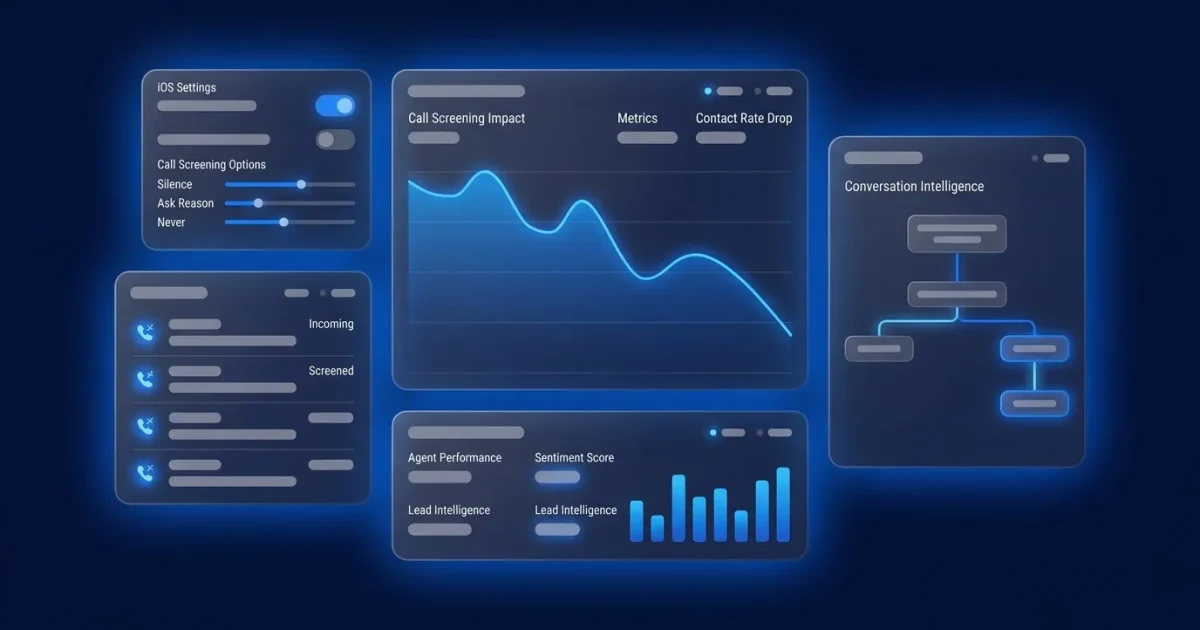
- iOS 26 Call Screening on iPhone 16 intercepts unknown calls with three settings: Never, Ask Reason for Calling, and Silence. Most users choose Ask Reason for Calling.
- High-volume outbound teams can lose up to 22% of contacts when unknown numbers are screened before reaching a live recipient.3
- Branded caller ID plus an immediate, clear reason for calling are now table stakes to pass the iOS 26 screening prompt and protect answer rates.
- Twilio-based platforms cannot issue carrier-level branded caller ID or fully remove dead air, which leaves outbound calls exposed to iOS 26 screening.4
- Plura AI’s FCC-licensed carrier stack and AI voice agents deliver branded caller ID and instant screening responses that keep qualified outbound calls answered.
Why iOS 26 Call Screening Reshapes Outbound Calling
Apple released iOS 26 Call Screening on September 15, 2025, and it changes how every outbound call to an iPhone is handled. The feature is opt-in and disabled by default. Even so, up to 70% of iPhone users are expected to adopt iOS 26, and iOS holds roughly 60% of U.S. mobile OS market share.
When a predictive dialer creates dead air before an agent connects, iOS 26 Call Screening answers the call at the SIP layer but receives no response to the screening prompt. The call never rings for the recipient, and the recipient never knows it happened. At the same time, the dialer logs a SIP 200 OK and inflates answer-rate metrics, which hides the real damage to live contact rates.
Outbound calls are now routed into AI screening environments at growing scale. Even with just 10 to 20% of users enabling iOS 26 call screening, connect rates could fall by around 15%.3. For a team running thousands of dials per day, that shift represents a structural revenue problem, not a short-term fluctuation.
7-Step iOS 26 Settings Walkthrough for Leaders
The Screen Unknown Callers settings in iOS 26 live at Settings → Apps → Phone. Use this 7-step process to confirm how iPhone 16 devices in your test group handle unknown calls:
- Open the Settings app.
- Tap Apps.
- Tap Phone.
- Scroll to the Screen Unknown Callers section.
- Choose one of three options: Never (unsaved numbers ring normally and appear in Recents), Ask Reason for Calling (prompts unsaved callers for name and reason before the iPhone rings), or Silence (unsaved numbers go to voicemail but still appear in Recents).
- Test the setting by calling the device from an unsaved number.
- Confirm the call appears correctly in Recents.
The Ask Reason for Calling feature works best when the recipient maintains an up-to-date Contacts list, because any saved number rings through normally without triggering screening.
Region and Language Availability Checks for iOS 26
Before you model contact-rate impact, confirm that your target markets can actually use iOS 26 Call Screening. iOS 26 Call Screening is not available in all regions or with all language configurations, so adoption and impact vary by geography. The table below summarizes common issues reported in Apple Support Communities and forums.
| Issue | Exact forum phrasing | Fix | Source |
|---|---|---|---|
| Feature missing in non-U.S. region | “Call Screening option not showing in my Phone settings” | Feature is region-restricted, and availability varies by country | Apple Support Communities |
| English language blocks feature in some regions | “Call Screening unavailable when primary language is English in Hong Kong” | Switch device language to the local primary language to unlock the setting | Apple Support Communities |
| Feature enabled but not filtering calls | “Call Screening does not filter unknown calls or prompt callers to state their name” (iPhone 16 Pro Max, iOS 26.0.1, English, India region) | Verify region support and update to the latest iOS 26 point release | Apple Support Communities |
| Feature unavailable in Switzerland | “When will Call Screening be available in Switzerland?” | No confirmed availability date; monitor Apple’s iOS 26 feature availability page | Apple Support Communities |
The Business Impact: 22% Contact-Rate Drop
Regional availability aside, the core business problem remains consistent wherever iOS 26 screening is active: outbound contact rates are falling. Average contact center connection rates are around 20–30% and are under increasing pressure as the iOS 26 adoption rate climbs toward the projected 70%. The 15% drop cited earlier assumes partial adoption. As the feature approaches that projected adoption level, the cumulative impact could reach 20% or more.
High-volume outbound strategies that rely on scale over relevance are among the hardest hit, because screening intercepts calls before a live conversation begins. The iOS 26 call screening prompt favors short, specific openers of roughly 12 to 18 words delivered in under five seconds that clearly state the caller’s name, company, and a verifiable reason for calling. That requirement creates a scripting and infrastructure challenge, not a simple volume challenge.
One consumer survey found that 90% of consumers are uncomfortable answering unidentified calls and that 78% have missed an important call in the last month because they did not answer an unidentified number. The screen is not going away. The question is whether your calls pass it.
Run your numbers through Plura’s calculator to check your ROI in real time.
Why Twilio-Based Tools Struggle With iOS 26 Screening
Passing the iOS 26 screen requires infrastructure that most outbound platforms do not control. Most AI voice platforms on the market today are API resellers built on top of Twilio or another CPaaS (Communications Platform as a Service). They do not own the carrier, and that distinction matters at the iOS 26 screen for three reasons.
First, branded caller ID requires carrier-level issuance. A Twilio-based tool presents calls under Twilio’s number reputation, not the operator’s company name. TransUnion states that customers are up to 105% more likely to answer a branded call.3 Without carrier-level branded caller ID, that documented lift never reaches your outbound program.
Second, SHAKEN/STIR caller ID verification runs at the originating carrier. A reseller inherits the attestation posture of the underlying CPaaS, not its own. Calls that arrive without full A-level attestation are more likely to be flagged or screened.
Third, the dead-air problem starts with dialer architecture. Human-driven or preview dialing, where an agent is already connected before the call is placed, allows the agent to respond immediately to the iOS 26 screening prompt and removes the dead-air failure mode. Twilio-based predictive dialers that queue calls before agent connection cannot fully solve this at the platform level.
Plura AI’s Carrier-Level Answer to iOS 26
Plura AI is its own FCC-licensed audio bridging carrier. Voice traffic does not route through Twilio or any third-party CPaaS. That structure allows Plura to issue branded caller ID directly at the carrier level, run SHAKEN/STIR authentication on every outbound call at origination, and use the AI Predictive Dialer to connect an agent before the call is placed, which removes the dead-air failure mode that iOS 26 screening exploits.
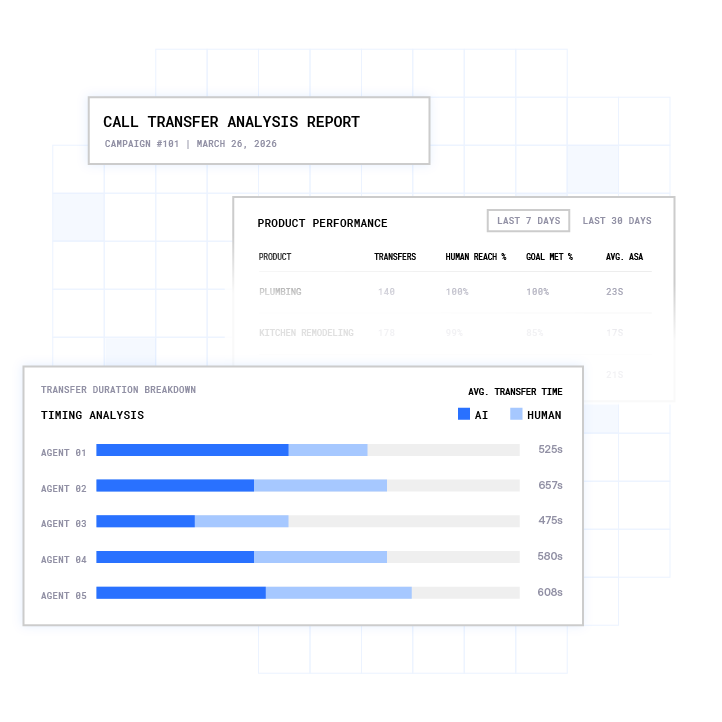
Plura’s AI voice agents are built to respond to the iOS 26 screening prompt immediately, delivering the 12-to-18-word opener described earlier with the caller’s name, company, and reason for calling. The recipient sees a live transcript with a recognizable identity and a specific reason to answer, instead of a blank screen from an unknown number.
The platform supports compliance with TCPA, DNC, HIPAA, SOC 2, ISO certification, GDPR, and SHAKEN/STIR caller ID verification, which all matter when outbound volume increases to offset iOS 26 screening losses.1,2 Every outbound contact is checked against federal and state DNC registries in real time before dial, so higher dial volume does not automatically increase compliance risk. Consent records are timestamped and audit-ready, which gives operators documentation they can reference if a regulator asks questions. Plura supports customer compliance; customers remain responsible for their own regulatory obligations.

Compare plans and rates side by side at Plura’s pricing page.
For operators running thousands of outbound calls monthly, the economics shift quickly. A 15-agent operation at $20 per hour costs approximately $60,000 per month at standard talk-utilization rates. Replacing that volume with Plura at $15 per hour and 100% talk utilization drops the illustrative monthly cost to $14,400.3 as shown at plura.ai/calculator. The iOS 26 contact-rate drop compounds that gap for teams that remain on Twilio-based tools.
Book a live demo with Plura to see the carrier-level solution in action.
Frequently Asked Questions
What is iOS 26 Call Screening on iPhone 16?
iOS 26 Call Screening is a feature in the iPhone 16 Phone app that automatically answers incoming calls from numbers not saved in the recipient’s Contacts. It plays a prompt that asks the caller to state their name and reason for calling, then transcribes the response in real time and displays the transcript on the recipient’s screen before the phone rings. The recipient then decides whether to answer, decline, or request more information. The feature is disabled by default and must be enabled manually in Settings under Apps, then Phone, then Screen Unknown Callers.
How do I turn off iOS call screening on iPhone 16?
Open Settings, tap Apps, tap Phone, scroll to Screen Unknown Callers, and select Never. This setting allows all unknown numbers to ring normally and appear in Recents without any screening prompt. If the Screen Unknown Callers section does not appear, the feature may not be available in your region or language configuration. Verify that your device is running iOS 26 and that your region is one where Apple has enabled the feature.
Does iOS 26 Call Screening affect all outbound calls?
iOS 26 Call Screening activates only for numbers not saved in the recipient’s Contacts. Calls from saved numbers ring through normally without triggering the screen. For outbound teams, this means calls to prospects who have not saved the caller’s number are subject to screening. The feature is opt-in, so only recipients who have enabled it will screen calls. As iPhone adoption of iOS 26 grows, the share of outbound calls subject to screening is expected to increase materially.
Why does my outbound dialer show answered calls that never reached a live person?
When iOS 26 Call Screening activates, the recipient’s iPhone returns a SIP 200 OK signal to the originating carrier as it auto-answers to run the screening prompt. Many predictive dialers log this as a connected call. If the caller does not respond to the screening prompt within the allowed window, the recipient’s phone never rings and the recipient never sees the call. This pattern inflates dialer answer-rate metrics while actual live contact rates fall. Teams should monitor live transfer rates and agent talk time, not raw answer rates, to understand screening impact.
What is the difference between Ask Reason for Calling, Silence, and Never in iOS 26?
Never allows all unknown numbers to ring normally and appear in Recents. Silence sends unknown numbers directly to voicemail without ringing, but still logs them in Recents. Ask Reason for Calling is the new middle option introduced in iOS 26. It intercepts the call, prompts the caller to state their name and reason, transcribes the response, and displays it before the phone rings. The recipient can then choose to answer or decline based on the transcript. Ask Reason for Calling is the setting most likely to affect outbound contact rates because it intercepts calls that would otherwise ring through under the Never setting.
Can branded caller ID help outbound calls pass iOS 26 screening?
Branded caller ID increases the chance that a recipient recognizes and answers a call, and it operates at the carrier level. It requires an FCC-licensed carrier to issue it directly. Platforms built on top of third-party CPaaS providers cannot issue branded caller ID under the operator’s company name. When a call passes through iOS 26 screening with a recognizable company name and a clear reason for calling stated in the screening prompt, the recipient sees both the transcript and the caller identity before deciding to answer. Plura issues branded caller ID directly through its FCC-licensed carrier stack, which provides the infrastructure layer that makes this possible for high-volume outbound operators.
1 Plura AI maintains SOC 2, HIPAA, ISO, and GDPR posture as part of its platform infrastructure. References to compliance frameworks in this article describe Plura’s platform capabilities and do not constitute a guarantee that any customer using Plura will themselves be compliant with applicable laws or standards. Customers remain solely responsible for their own regulatory obligations, certifications, consent management, recordkeeping, and the claims they make to their own end users. Consult qualified legal counsel for guidance specific to your use case.
2 This article describes regulatory frameworks at a general level and does not constitute legal advice. Laws and regulations vary by jurisdiction, change over time, and apply differently depending on facts and circumstances. Readers should consult qualified legal counsel before making compliance decisions.
3 Performance figures, customer outcomes, and industry statistics referenced in this article are drawn from cited third-party sources or Plura customer case studies. Individual results vary based on implementation, use case, industry, audience, and execution. Past or aggregate performance is not a guarantee of future results.
4 References to third-party products, services, companies, or research are made for informational and comparative purposes only. Plura AI is not affiliated with, endorsed by, or sponsored by any third party named in this article unless explicitly stated. Trademarks and product names referenced remain the property of their respective owners.
This article is provided for informational purposes only and reflects Plura AI’s understanding at the time of publication. Product capabilities, integrations, and specifications are subject to change. For the most current information, visit plura.ai.
This article was produced with the assistance of AI tools and reviewed by Plura AI prior to publication.