
Written by: Matt Beucler, CEO, Plura AI
Key Takeaways
- Live transfer scripts standardize caller experience and embed mandatory compliance phrasing to help reduce TCPA, DNC, and state recording violations.1
- Structured handoffs improve customer satisfaction and first-call resolution and cut repeat-call rates compared to cold transfers.
- Every script needs caller ID, purpose, recording disclosure, and consent-not-required statements before any qualification questions.
- Plura AI’s Stateful Conversation Database and AI Predictive Dialer deliver sub-5-second, context-rich handoffs with 100% automated QA scoring across all channels.3
- Ready-to-deploy vertical scripts and no-code workflow updates are available instantly when you connect with Plura AI to automate compliant live transfers at scale.
The Operational Problem: Inconsistent Handoffs and Compliance Risk
SQM Group research shows that 19% of customers who call a contact center are transferred to another agent, and those transfers correlate with a 12% lower customer satisfaction rating and a 14% lower First Call Resolution rate compared to calls handled without transfers.3 Cold transfers often drive higher repeat call rates than warm transfers, and structured transition messaging during handoffs can help reduce abandoned calls.
Compliance exposure sits directly alongside the customer experience gap. TCPA violations can cost $500 to $1,500 per text or call, and both the lead generator and receiving seller can face TCPA liability for live transfer violations under vicarious liability theories.1 An unscripted handoff is not just a quality problem. It is a legal exposure.

Structured live transfer scripts close both gaps at the same time. They standardize the caller experience and embed the compliance phrasing that protects the operation. The following framework shows how to build and deploy those scripts in your operation.
Who This Guide Is For
This guide serves contact-center leaders, agency owners, and sales-ops teams running high-volume outbound or inbound programs. It assumes baseline familiarity with TCPA (Telephone Consumer Protection Act), DNC (Do Not Call) registry requirements, and 10DLC (10-digit long code) A2P messaging registration.1 Each section delivers ready-to-use script language and a process framework that works whether scripts are executed manually or automated through a platform like Plura.
5-Step Process for Building and Executing Live Transfer Scripts
Step 1: Core Script Components and Mandatory Compliance Phrasing
Every live transfer script requires four fixed elements before any qualification language begins. Agents in outbound call centers must clearly identify the caller and the purpose of the call and provide required disclosures for sales, financial, or healthcare communications under the TSR and related rules.
The four fixed elements are:
- Caller identification (name and company)
- Purpose of the call
- Recording disclosure (all-party consent language for multi-state operations)
- Consent-not-required statement for any sales context
The safest approach for businesses operating across state lines is to use all-party consent disclosure language that meets the strictest standard, as federal ECPA requires only one-party consent while states like California, Florida, and Illinois require all-party consent. Consult qualified counsel to confirm the disclosure language appropriate for your specific operations and states.
Step 2: Fail-Safe Callback Capture
Call transfer scripts should collect key details before transfer, including caller name, best callback number, account or order number, a one-sentence issue summary, and any urgency. A practical prompt is: “Thanks. To make sure I connect you to the right person, may I get your name and the best number to reach you in case we get disconnected?”
This step is non-negotiable. A warm transfer is not complete unless the human agent receives actionable context in real time, while cold transfers force agents to spend the first two to three minutes re-gathering information.
Step 3: Warm vs. Cold Transfer Mechanics
Warm transfers can increase customer satisfaction scores by 20 to 30 points.3 A warm transfer requires the transferring agent to brief the receiving agent before connecting the caller. A cold transfer routes the caller directly without a briefing.
Warm transfers require a short briefing by the first agent, and this investment pays back through higher first call resolution, stronger customer satisfaction, and better brand perception.
Step 4: 3-Way Introduction Protocol
A ready-to-use live handoff script: “Maria, thanks for holding. I have Sarah on the line. She handles ACA renewals and I’ve already filled her in on your income change and subsidy question. Sarah, I’ll let you take it from here.”
Step 5: Objection Handling, Post-Transfer Documentation, and QA
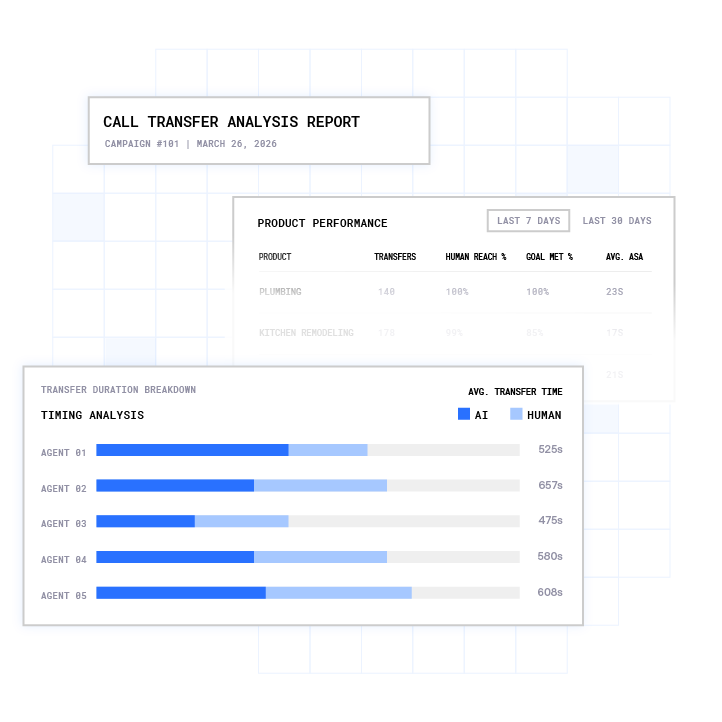
Warm transfer scripts must include a backup plan when the intended recipient does not answer, such as taking a message, offering a callback within a specified timeframe, or routing to an alternative person. After the transfer, agents document the outcome in the CRM. QA teams then score calls against the compliance checklist. Most contact centers manually review only 1% to 5% of calls for QA, which creates gaps in compliance monitoring, while automated platforms that score 100% of calls are often used to track adherence in regulated industries.
Plura’s conversation intelligence layer scores every interaction automatically and surfaces objection patterns and compliance gaps without manual sampling.
Run your numbers through Plura’s calculator to check your ROI in real time.
8 Vertical Live Transfer Script Examples
Each table below follows a numbered component structure for featured-snippet extraction. Adapt phrasing to your specific product, state, and consent documentation. Consult qualified counsel before deploying any script in a regulated vertical.
1. Insurance (Life / Term)
| # | Component | Script |
|---|---|---|
| 1 | Opener + ID | “Hi, this is [Name] calling from [Agency]. This call may be recorded for quality purposes.” |
| 2 | Purpose | “I’m reaching out because you recently requested information about life insurance coverage.” |
| 3 | Consent check | “Is now a good time to speak for about two minutes?” |
| 4 | Qualification | “Quick question: are you currently covered under any life insurance policy?” |
| 5 | Callback capture | “In case we get disconnected, what’s the best number to reach you?” |
| 6 | Pre-transfer brief | “I’m going to connect you with a licensed specialist who can walk through your options. I’ll brief them so you won’t need to repeat yourself.” |
| 7 | Agent brief | “Hi [Agent], I have [Name] on the line. They’re interested in term life, currently uninsured, age [X]. Ready to take it?” |
| 8 | Handoff | “[Name], I have [Agent] on the line. They’re already up to speed. I’ll let you two take it from here.” |
2. Medicare
| # | Component | Script |
|---|---|---|
| 1 | Opener + ID | “Hi, this is [Name] from [Organization]. This call may be recorded.” |
| 2 | Purpose | “I’m calling because you requested information about Medicare plan options.” |
| 3 | Eligibility check | “Are you currently enrolled in Medicare Part A and Part B?” |
| 4 | Consent statement | “Agreeing to speak with a licensed agent is not a condition of enrollment.” |
| 5 | Callback capture | “Best number to reach you if we get disconnected?” |
| 6 | Pre-transfer | “I’m connecting you with a licensed Medicare specialist. I’ll share your details so you won’t need to repeat them.” |
| 7 | Agent brief | “[Agent], I have [Name], Medicare A and B enrolled, looking at Advantage plans for [county]. Ready?” |
| 8 | Handoff | “[Name], [Agent] is on the line and already has your information. They’ll take it from here.” |
3. Final Expense
| # | Component | Script |
|---|---|---|
| 1 | Opener + ID | “Hi, this is [Name] from [Agency]. This call may be recorded for quality purposes.” |
| 2 | Purpose | “You recently asked about final expense coverage options.” |
| 3 | Age/health screen | “Are you between the ages of 50 and 85 and looking for coverage between $5,000 and $25,000?” |
| 4 | Consent statement | “Speaking with a specialist today is not a condition of purchasing any product.” |
| 5 | Callback capture | “Best callback number in case we get disconnected?” |
| 6 | Pre-transfer | “I’m connecting you with a specialist right now. I’ll brief them so you don’t have to start over.” |
| 7 | Agent brief | “[Agent], I have [Name], age [X], looking for final expense around $[amount]. No current coverage. Ready?” |
| 8 | Handoff | “[Name], [Agent] is on the line and already knows your situation. I’ll let you two take it from here.” |
4. Debt Relief
| # | Component | Script |
|---|---|---|
| 1 | Opener + ID | “Hi, this is [Name] from [Company]. This call may be recorded.” |
| 2 | Purpose | “You recently requested information about debt relief options.” |
| 3 | Qualification | “Do you currently have more than $10,000 in unsecured debt such as credit cards or personal loans?” |
| 4 | Hardship check | “Are you experiencing a financial hardship that’s making it difficult to make minimum payments?” |
| 5 | Callback capture | “Best number to reach you if we get disconnected?” |
| 6 | Pre-transfer | “I’m connecting you with a debt specialist who can walk through your options. I’ll share your details.” |
| 7 | Agent brief | “[Agent], I have [Name], $[amount] in unsecured debt, experiencing hardship. Ready to take it?” |
| 8 | Handoff | “[Name], [Agent] is on the line and already has your information. They’ll take it from here.” |
5. Home Services
| # | Component | Script |
|---|---|---|
| 1 | Opener + ID | “Hi, this is [Name] from [Company]. This call may be recorded for quality purposes.” |
| 2 | Purpose | “You recently requested a quote for [service type] at your property.” |
| 3 | Property check | “Are you the homeowner or authorized to schedule service at this address?” |
| 4 | Urgency check | “Is this an urgent repair or a scheduled project?” |
| 5 | Callback capture | “Best number to reach you if we get disconnected?” |
| 6 | Pre-transfer | “I’m connecting you with a local specialist who can confirm availability and pricing. I’ll share your details.” |
| 7 | Agent brief | “[Agent], I have [Name] at [address], needs [service], [urgency level]. Ready?” |
| 8 | Handoff | “[Name], [Agent] is on the line and already knows your situation. I’ll let you two take it from here.” |
6. Health Insurance
| # | Component | Script |
|---|---|---|
| 1 | Opener + ID | “Hi, this is [Name] from [Organization]. This call may be recorded.” |
| 2 | Purpose | “You recently asked about health insurance plan options.” |
| 3 | Eligibility screen | “Are you currently uninsured or looking to change your existing coverage?” |
| 4 | Household check | “How many people would be covered under the plan?” |
| 5 | Callback capture | “Best number to reach you if we get disconnected?” |
| 6 | Pre-transfer | “I’m connecting you with a licensed health insurance specialist. I’ll brief them on your situation.” |
| 7 | Agent brief | “[Agent], I have [Name], [household size], currently [insured/uninsured], looking at [plan type]. Ready?” |
| 8 | Handoff | “[Name], [Agent] is on the line and already has your details. They’ll take it from here.” |
7. Legal Intake (Mass Tort / Personal Injury)
| # | Component | Script |
|---|---|---|
| 1 | Opener + ID | “Hi, this is [Name] from [Firm/Organization]. This call may be recorded.” |
| 2 | Purpose | “You recently submitted a request regarding a potential [case type] claim.” |
| 3 | Incident screen | “Can you confirm the approximate date and nature of the incident?” |
| 4 | Statute check | “Has it been more than [X] years since the incident occurred?” |
| 5 | Callback capture | “Best number to reach you if we get disconnected?” |
| 6 | Pre-transfer | “I’m connecting you with an intake specialist who can review your situation in detail. I’ll share what you’ve told me.” |
| 7 | Agent brief | “[Agent], I have [Name], [incident type], [date], [jurisdiction]. Meets initial criteria. Ready?” |
| 8 | Handoff | “[Name], [Agent] is on the line and already has your information. They’ll take it from here.” |
8. Solar / Home Energy
| # | Component | Script |
|---|---|---|
| 1 | Opener + ID | “Hi, this is [Name] from [Company]. This call may be recorded for quality purposes.” |
| 2 | Purpose | “You recently requested information about solar energy options for your home.” |
| 3 | Ownership check | “Are you the homeowner at this address?” |
| 4 | Bill check | “Is your monthly electric bill typically above $100?” |
| 5 | Callback capture | “Best number to reach you if we get disconnected?” |
| 6 | Pre-transfer | “I’m connecting you with a solar advisor who can walk through your savings estimate. I’ll share your details.” |
| 7 | Agent brief | “[Agent], I have [Name], homeowner, $[bill amount]/month, [state]. Ready?” |
| 8 | Handoff | “[Name], [Agent] is on the line and already knows your situation. I’ll let you two take it from here.” |
Build-vs-Buy: Execution Model Comparison
| Dimension | Manual Scripts | Third-Party Script Tools | Plura AI Predictive Dialer + Live Transfer |
|---|---|---|---|
| Script consistency | Agent-dependent, drifts over time | Displayed on screen, agent still delivers | AI executes script identically on every call |
| Handoff speed | Variable, depends on agent availability | Variable, same dependency | Sub-5-second handoff via automated bridge |
| DNC/TCPA guardrails | Manual scrubbing, error-prone | Varies by tool, often bolt-on | Real-time DNC scrubbing before every dial, TCPA compliance support built in |
| Context at handoff | Verbal brief, often incomplete | CRM notes, agent must read before transfer | Stateful memory delivered to receiving agent automatically |
| QA coverage | 1-5% of calls reviewed manually | Same limitation | 100% of calls scored via conversation intelligence |
| Compliance documentation | Manual logging, audit gaps common | Partial, depends on integration | Timestamped, immutable consent records, one-click audit exports |
Common Challenges and Troubleshooting
Unclear qualification criteria. Scripts that skip qualification before transfer produce misrouted calls. Traditional IVR routing sends 20-30% of callers to the wrong agent. Fix: define hard qualification gates such as ownership, eligibility, or debt threshold in Step 1 of the script before any transfer is initiated.
Fragmented systems. When the dialer, CRM, and compliance tools are separate, context breaks at the handoff. The receiving agent re-asks questions the caller already answered. Fix: use a platform with a shared stateful conversation database so every channel reads the same record. Plura’s integrations connect to HubSpot, Salesforce, Zoho, and 50+ other tools to keep records synchronized.
Low response rates on outbound transfers. A Harvard Business Review study found that companies responding within five minutes are 100x more likely to connect with a prospect than those waiting 30 minutes.3 Fix: automate the initial outreach so the first contact happens in seconds, not hours, and the live transfer follows immediately on qualification.
Success Metrics for Live Transfer Operations
Track these four metrics to evaluate script and handoff performance:
- Transfer rate: Industry benchmarks suggest keeping transfer rates low to maintain customer satisfaction and operational efficiency. Exceeding average levels may indicate that trigger thresholds are set too low or AI resolution scope is too narrow.
- Contact rate: Organizations deploying AI for speed to lead can see connection rates increase significantly.
- Conversion rate: Agencies using purpose-built AI power dialer platforms can see bind rates lift on live transfer lead sources.
- Compliance adherence: Financial services contact centers typically achieve QA scores in the 82–89% range.
Compare plans and rates side by side at plura.ai/pricing.
Scaling Live Transfers Across Voice, SMS, and Webchat
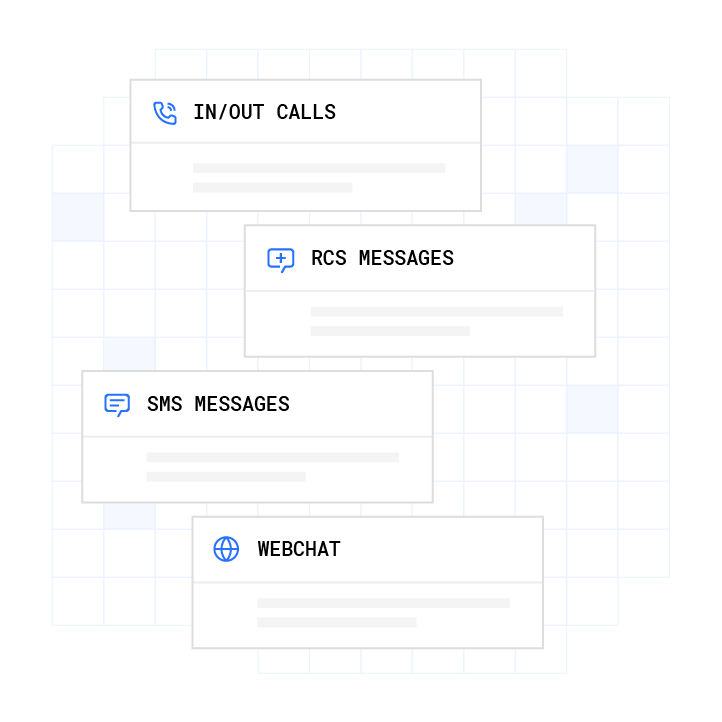
Live transfer scripts executed only on voice leave a gap. A lead who texts first and then receives a call should not have to re-qualify. Plura’s Stateful Conversation Database keys every interaction to the same customer token across voice, SMS (A2P 10DLC-registered), RCS, and webchat. The receiving agent at handoff sees the full prior context, including what was offered, what was declined, and what the caller’s qualification status is, regardless of which channel the conversation started on.
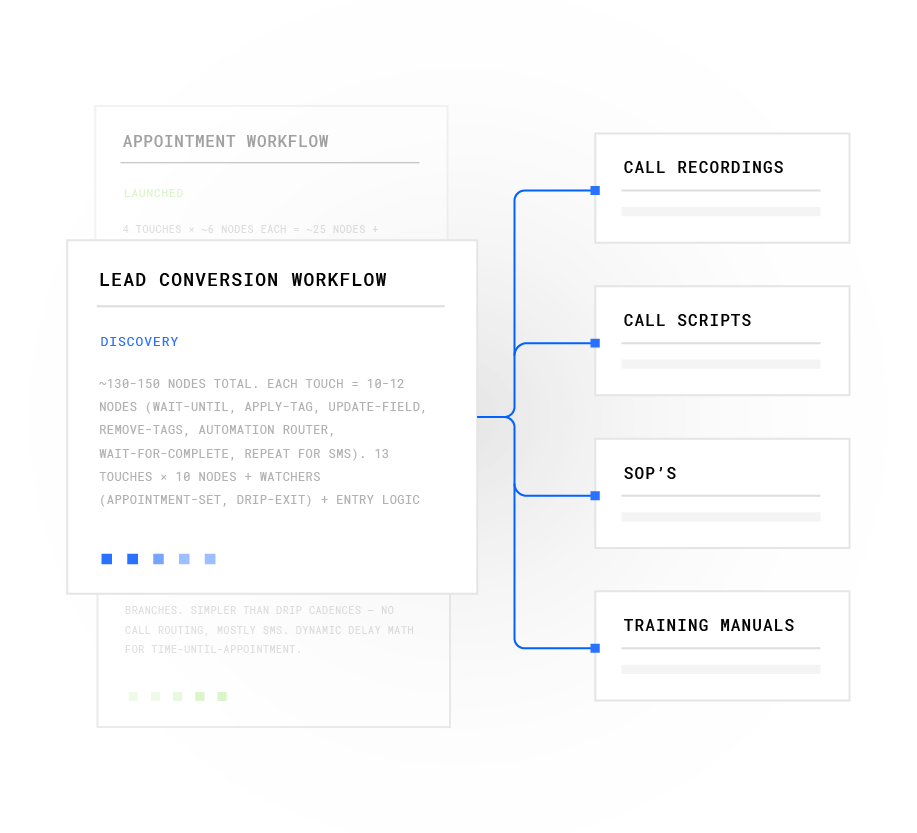
For enterprise rollouts, the managed workflows layer allows operations teams to deploy updated script logic across all agents simultaneously, without engineering involvement and without redeploying the underlying AI.
What Is a Good Transfer Spiel for a Call Center?
A good transfer spiel covers three elements in under 20 seconds: why the transfer is happening, who the caller is being connected to, and confirmation that the caller’s details have already been shared. A recommended script for setting caller expectations before hold is: “I’m going to bring in our licensing specialist because your question is about plan eligibility. I’ll brief them first so you won’t have to repeat everything.”
The spiel should stay as short as possible while still clear. As noted earlier, warm transfers deliver measurably higher satisfaction when executed efficiently, and the full sequence should complete within 20 to 40 seconds. Transfers exceeding 60 seconds produce measurably higher abandonment.
What to Say Before Transferring a Call
Before initiating any transfer, the agent should confirm three things with the caller: that a transfer is about to happen, who they are being transferred to, and that their information has been captured. A ready-to-use permission script is: “Let me connect you with the person who handles that. Is it okay if I put you on a brief hold while I bring them in?”
Operators should set expectations about the transfer destination and duration and always ask permission before placing the caller on hold. Skipping this step is the single most common cause of caller frustration during transfers.
Positive Scripting for a Call Center
Positive scripting replaces negative or uncertain language with direct, action-oriented phrasing. Instead of “I’m not sure if I can help with that,” the script reads “Let me connect you with the right specialist.” Instead of “You’ll have to wait,” the script reads “I’ll have someone with you in about 30 seconds.”
Positive scripting goes beyond tone. It removes ambiguity from every transition point so the caller always knows what happens next.
Frequently Asked Questions
What is the difference between a warm transfer and a cold transfer?
A warm transfer involves the transferring agent briefing the receiving agent before connecting the caller, so the caller does not need to repeat their information. A cold transfer routes the caller directly to the next agent or queue without any briefing. Warm transfers produce higher customer satisfaction and first call resolution rates. Cold transfers are faster to execute but result in a higher call drop rate and lower satisfaction scores.
What TCPA consent considerations apply to live transfer calls?
The TCPA, codified at 47 U.S.C. § 227, covers the full chain of a live transfer call, not only the originating dial. For autodialed or prerecorded telemarketing calls to cell phones, the minimum consent standard is prior express written consent. A defensible consent record includes the consumer’s full name and specific phone number, date and timestamp of opt-in, the exact disclosure text, and the mechanism of consent. Both the lead generator and the receiving seller can face liability for violations. Operators should consult qualified legal counsel to confirm their specific consent documentation and script phrasing meet current FCC and FTC requirements.
How does Plura AI automate live transfer script execution?
Plura’s AI Predictive Dialer handles the outbound qualification sequence using the script logic defined in the no-code workflow builder. When a lead meets the qualification criteria, the platform initiates the live transfer automatically, delivers the caller context to the receiving agent via the Stateful Conversation Database, and completes the handoff in under five seconds. The AI executes the same script on every call, with no drift between agents or shifts. Compliance guardrails, including real-time DNC scrubbing and TCPA compliance support, run on every outbound contact before the dial is placed.
What script components are most important for regulated verticals like insurance or healthcare?
In regulated verticals, the non-negotiable script components are caller identification, purpose disclosure, recording disclosure using all-party consent language for multi-state operations, a consent-not-required statement for any sales context, and a callback capture step. Each element protects the operation and the caller while ensuring the receiving agent has the context needed to continue without repetition.
1 Plura AI maintains SOC 2, HIPAA, ISO, and GDPR posture as part of its platform infrastructure. References to compliance frameworks in this article describe Plura’s platform capabilities and do not constitute a guarantee that any customer using Plura will themselves be compliant with applicable laws or standards. Customers remain solely responsible for their own regulatory obligations, certifications, consent management, recordkeeping, and the claims they make to their own end users. Consult qualified legal counsel for guidance specific to your use case.
2 This article describes regulatory frameworks at a general level and does not constitute legal advice. Laws and regulations vary by jurisdiction, change over time, and apply differently depending on facts and circumstances. Readers should consult qualified legal counsel before making compliance decisions.
3 Performance figures, customer outcomes, and industry statistics referenced in this article are drawn from cited third-party sources or Plura customer case studies. Individual results vary based on implementation, use case, industry, audience, and execution. Past or aggregate performance is not a guarantee of future results.
4 References to third-party products, services, companies, or research are made for informational and comparative purposes only. Plura AI is not affiliated with, endorsed by, or sponsored by any third party named in this article unless explicitly stated. Trademarks and product names referenced remain the property of their respective owners.
This article is provided for informational purposes only and reflects Plura AI’s understanding at the time of publication. Product capabilities, integrations, and specifications are subject to change. For the most current information, visit plura.ai.
This article was produced with the assistance of AI tools and reviewed by Plura AI prior to publication.