
Written by: Matt Beucler, CEO, Plura AI
Key Takeaways
- Missed call text back automatically sends an SMS reply when you miss a call, so you capture the lead while interest is high.
- Speed-to-lead research shows that fast responses dramatically increase connection and conversion rates compared with delayed follow-up.
- Four main setup methods exist: CRM features like GoHighLevel, call-forwarding services, native phone settings, and AI-powered platforms.
- High-volume operators benefit most from platforms that combine 24/7 voice answering, instant SMS follow-up, and shared conversation history.
Why Missed Call Text Back Matters
The statistic that responding within five minutes makes a company 100 times more likely to connect with a prospect than waiting 30 minutes comes from the 2007 MIT/InsideSales.com Lead Response Management study, not from Harvard Business Review research.4 According to Velocify’s lead response study of 3.5 million leads, leads contacted within one minute convert at a rate 391% higher than leads contacted after 24 hours.3 Those numbers turn every unanswered call into a measurable revenue event.
Franchises average a 67% missed call rate during peak hours.3 Across a multi-location network, that missed-call rate creates a structural revenue leak. A fast text response keeps the lead engaged while intent is still high. Without that response, the caller usually moves to the next result on Google.
How to Set Up an Auto Text Reply for Missed Calls
The setup process follows a similar sequence across methods.
- Choose a method: CRM built-in feature, call-forwarding service, native phone settings, or AI platform.
- Access your phone system or CRM settings.
- Enable the missed call text back feature.
- Write your message template with opt-out language.
- Test the feature with a real call.
- Monitor deliverability and response rates.
Method 1: Use Your CRM’s Built-In Feature (GoHighLevel Walkthrough)
GoHighLevel includes a native missed call text back feature inside its phone system settings. The steps below mirror the platform’s current configuration flow.
- Log into your GoHighLevel account and open your sub-account.
- Navigate to Settings, then Phone System, then Voice.
- Locate the Missed Call Text Back section.
- Toggle the feature on.
- Click Customize to write your automated SMS message.
- Send a test message and click Save.
Before going live, confirm that your phone number is verified and connected inside the platform. If you send application-to-person (A2P) messages at volume, check that your number is registered under A2P 10DLC (10-Digit Long Code), the carrier registration standard for business SMS in the United States. Unregistered numbers can experience filtering and deliverability issues. Consult the CTIA Messaging Principles and Best Practices and qualified counsel for specifics on your registration obligations.
GoHighLevel functions primarily as a CRM shell. For operators handling higher call volumes or needing 24/7 coverage, a dedicated platform delivers more consistent performance. If you do not use a CRM, call forwarding to a text-back service provides a lighter alternative.
Method 2: Set Up Call Forwarding to a Text-Back Service
Conditional call forwarding routes a call to a secondary number when the primary line is busy, unanswered, or unreachable. Some text-back services accept forwarded calls and trigger an automated SMS to the original caller in response.
The general setup sequence is straightforward.
- Contact your mobile carrier or VoIP provider and request conditional call forwarding codes for the “no answer” and “busy” conditions.
- Enter the forwarding code followed by the text-back service’s designated number.
- Log into the text-back service’s dashboard and configure your automated message template.
- Place a test call from a separate device to confirm the forwarding and SMS trigger are working.
This approach suits low-volume operators who want a lightweight solution without a CRM. The trade-offs include limited features, no CRM integration, and no cross-channel memory. When a lead replies to the text, the conversation usually lands in a separate inbox with no connection to your existing contact records.
Method 3: Use an AI-Powered Platform (Plura AI as the Advanced Option)
High-volume operators gain the most from a dedicated AI platform that closes the gaps left by CRM built-ins and call-forwarding services. Plura AI’s AI voice agents answer every inbound call 24/7. When a call is missed, Plura’s AI SMS sends a follow-up text within seconds.
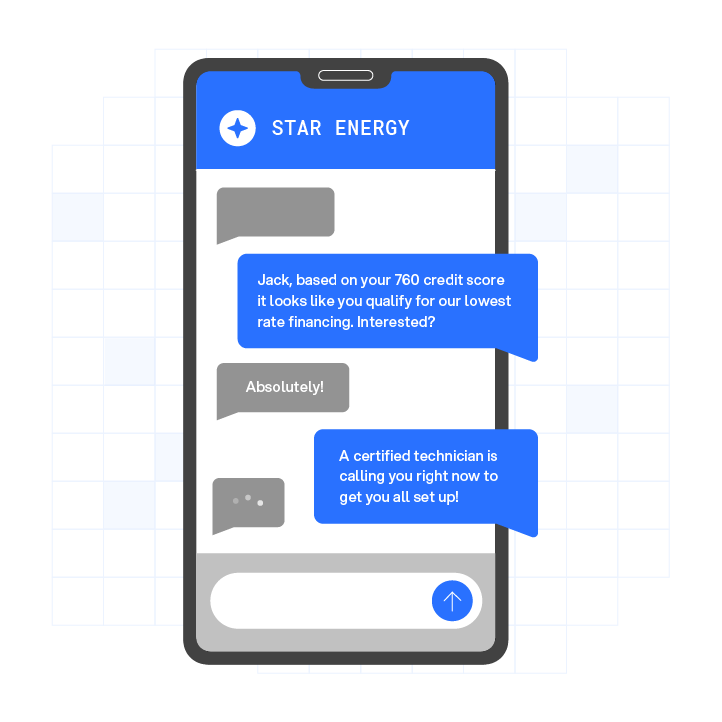
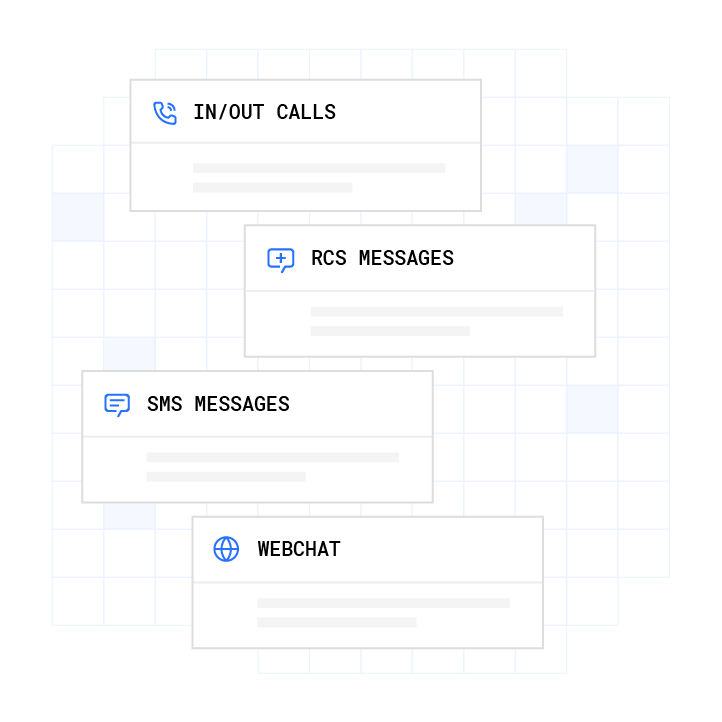
Plura enables lead response times under 60 seconds with multichannel engagement across voice, SMS, RCS, and webchat. The platform’s stateful conversation database means the AI that texted a lead at 9 a.m. already knows what was said when the call comes at noon. This cross-channel context is unique among the methods in this guide.
Plura operates on its own FCC-licensed audio bridging carrier, which means branded caller ID is issued at the carrier level and real-time DNC (Do Not Call) scrubbing runs before every outbound contact. The platform supports TCPA compliance, DNC compliance, SOC 2, HIPAA, and ISO certification.1 That infrastructure supports your compliance efforts, but you remain responsible for your own regulatory obligations.

See missed-call recovery in a live Plura demo.
How to Set Up Missed Call Text Back on iPhone and Android
iPhone: iOS does not include a native auto-reply text feature for missed calls from unknown numbers. Starting with iOS 26 it offers automated call screening that can ask unknown callers for their name and reason for calling or silently send them to voicemail. The closest native option for auto-replies is the Do Not Disturb mode with allowed contacts, which silences calls but does not send automated texts. Third-party apps available in the App Store can trigger auto-replies for missed calls, but functionality varies by iOS version and carrier. Native options remain limited for business use cases.
Android: Android devices support call forwarding through the Phone app’s Settings, but the exact menu path varies by manufacturer. For example, Samsung Galaxy phones use Settings > Supplementary Services > Call forwarding, while Google Pixel phones use Settings > Calling accounts > Call forwarding. You can forward missed calls to a text-back service’s number using the conditional forwarding options such as forward when unanswered or forward when busy. Some Android manufacturers also include auto-reply features in their native dialer apps. As with iOS, native settings cover basic scenarios but lack the CRM integration, compliance controls, and message customization that business operators need.
Any operator handling more than occasional missed calls will see more reliable results from a dedicated service or CRM feature than from native phone settings.
Best Practices for Your Missed Call Text Message
The message itself determines whether the lead re-engages, so structure it carefully.
- Send within seconds. The value of a missed call text back drops sharply after the first few minutes. Automate the trigger so the message goes out immediately.
- Personalize where possible. If your system has the caller’s name, use it. A message addressed to the caller converts better than a generic broadcast.
- Keep it brief. Aim for one or two sentences. The goal is to re-open the conversation and invite a reply.
- Include opt-out language. Append “Reply STOP to opt out” to every automated message. This opt-out is standard practice under TCPA guidelines and carrier requirements, so include it to support compliance. For specifics on your obligations, consult the FCC’s guidance on unwanted texts and qualified counsel.
Sample templates:
- “Hi [Name], I missed your call. Reply and I’ll get right back to you. Reply STOP to opt out.”
- “Thanks for calling [Business Name]. We are away right now, but text us and we will respond shortly. Reply STOP to opt out.”
Compliance and Deliverability Considerations
Two frameworks shape automated business texting in the United States.2 Operators sending automated SMS messages should understand both and consult qualified counsel before deploying at scale.
TCPA (Telephone Consumer Protection Act, 47 U.S.C. § 227): The TCPA addresses automated calls and texts to consumers.2 TCPA violations can cost $500 to $1,500 per text or call. The regulatory landscape around what constitutes a “call” under the TCPA is actively evolving in federal courts as of 2026, with circuit-level decisions addressing whether text messages fall under specific TCPA provisions. Consult the FCC’s TCPA resources and qualified counsel for current guidance applicable to your situation.
A2P 10DLC: Application-to-Person 10-Digit Long Code registration is the carrier-level standard for business SMS in the United States.2 Businesses sending automated texts from standard 10-digit numbers are expected to register their brand and campaigns through The Campaign Registry. Since February 2025, major US carriers (AT&T, T-Mobile, Verizon) block unregistered A2P 10DLC traffic outright, rather than merely filtering it. Review the CTIA Messaging Principles and consult your SMS provider for registration steps specific to your platform.

For Plura’s own SMS guidelines, review our SMS guidelines page.
Decision Framework: Which Method Fits Your Operation?
| Criteria | CRM Built-In (GoHighLevel) | Call-Forwarding Service | AI Platform (Plura AI) |
|---|---|---|---|
| Best for call volume | Low to medium | Low | High |
| Setup complexity | Moderate | Low | Low (managed onboarding) |
| Features | Basic SMS | Basic SMS | AI voice + AI SMS, 24/7, CRM integration |
| Compliance support | Basic | Minimal | TCPA, DNC, SOC 2, HIPAA infrastructure built in |
| Cost structure | Included in CRM | Per-message fees | Subscription-based; see pricing details |
Operators running low call volumes with an existing GoHighLevel subscription can start with the built-in feature at no additional cost. Call-forwarding services suit solo operators who want a minimal setup. Businesses that cannot afford to miss calls after hours, across multiple locations, or at higher volumes will see a materially different outcome with Plura’s 24/7 call answering and instant speed-to-lead SMS.
Compare these methods in a live Plura demo tailored to your call volume.
Frequently Asked Questions
What is missed call text back?
Missed call text back is a feature that automatically sends an SMS reply to a caller when you miss their call. The message is triggered the moment a call goes unanswered, which helps you capture the lead while it is still warm. You can customize the message with your business name, a prompt to reply, and opt-out language. This capability is available through CRM platforms, call-forwarding services, third-party apps, and AI-powered communications platforms.
How does missed call text back work?
When a call goes unanswered, the phone system or platform detects the missed call event and triggers a pre-configured SMS to the caller’s number. In CRM-based setups like GoHighLevel, the trigger lives inside the phone system settings. In AI-powered platforms like Plura, the trigger sits inside a broader workflow that can also initiate a follow-up voice call, log the contact to your CRM, and continue the conversation across channels using shared memory from prior interactions.
Is missed call text back legal?
Automated business texting in the United States is shaped by the Telephone Consumer Protection Act (TCPA) and carrier-level standards including A2P 10DLC registration. The legal landscape around automated texts is actively evolving, with federal courts issuing new decisions in 2026 on what constitutes a covered “call” under specific TCPA provisions. Operators often include opt-out language in every automated message and maintain consent records, and they consult the FCC’s published guidance and qualified counsel before deploying automated texting at scale. Plura provides infrastructure that supports compliance practices; customers are responsible for their own regulatory obligations.
Can I set up missed call text back on my iPhone?
Native iPhone settings do not include an automated missed call text back feature for general use. iOS offers Do Not Disturb with allowed contacts, which manages incoming calls but does not send automated replies. Third-party apps from the App Store can add auto-reply functionality, but coverage and reliability vary by iOS version and carrier. For business use cases, a dedicated service or CRM feature is more reliable and provides the message customization, opt-out language, and deliverability controls that native settings lack.
What is the best missed call text back software for high-volume operators?
The right software depends on call volume and existing tech stack. For high-volume operators, a platform that combines AI voice answering with instant SMS follow-up delivers the most complete outcome. As described in Method 3, Plura combines 24/7 AI voice answering with instant AI SMS and shared conversation context across channels. For lower volumes, GoHighLevel’s built-in feature or a call-forwarding service may be sufficient. Run your numbers through Plura’s ROI calculator to check your ROI in real time.
Conclusion
Missed calls translate directly into lost revenue. Every unanswered call without an immediate text back represents a lead that often goes dark. The method you choose to fix that depends on your call volume, tech stack, and how much of the follow-up process you want automated.
GoHighLevel’s built-in feature works for low-to-medium volume operators already on the platform. Call-forwarding services cover minimal setups. Native iPhone and Android settings handle occasional use cases but lack the controls business operators need. For high-volume operations, Plura AI’s missed-call recovery combines 24/7 AI voice answering with instant AI SMS follow-up, stateful cross-channel memory, and compliance-supporting infrastructure built into the platform.
Compare plans and rates side by side on the pricing page. Then run your numbers through Plura’s ROI calculator to check your ROI in real time.
Schedule a live Plura demo to evaluate missed-call recovery for your operation.
1 Plura AI maintains SOC 2, HIPAA, ISO, and GDPR posture as part of its platform infrastructure. References to compliance frameworks in this article describe Plura’s platform capabilities and do not constitute a guarantee that any customer using Plura will themselves be compliant with applicable laws or standards. Customers remain solely responsible for their own regulatory obligations, certifications, consent management, recordkeeping, and the claims they make to their own end users. Consult qualified legal counsel for guidance specific to your use case.
2 This article describes regulatory frameworks at a general level and does not constitute legal advice. Laws and regulations vary by jurisdiction, change over time, and apply differently depending on facts and circumstances. Readers should consult qualified legal counsel before making compliance decisions.
3 Performance figures, customer outcomes, and industry statistics referenced in this article are drawn from cited third-party sources or Plura customer case studies. Individual results vary based on implementation, use case, industry, audience, and execution. Past or aggregate performance is not a guarantee of future results.
4 References to third-party products, services, companies, or research are made for informational and comparative purposes only. Plura AI is not affiliated with, endorsed by, or sponsored by any third party named in this article unless explicitly stated. Trademarks and product names referenced remain the property of their respective owners.
This article is provided for informational purposes only and reflects Plura AI’s understanding at the time of publication. Product capabilities, integrations, and specifications are subject to change. For the most current information, visit plura.ai.
This article was produced with the assistance of AI tools and reviewed by Plura AI prior to publication.