
Written by: Matt Beucler, CEO, Plura AI
Updated August 2026
Key Takeaways for High-Volume Conversation Teams
- Non-technical operators can deploy AI voice agents using Plura AI’s visual no-code workflow builder without writing code or hiring developers.
- Plura AI supports compliance configuration for SOC 2, HIPAA, ISO, GDPR, SHAKEN/STIR, TCPA, and DNC, which reduces manual setup effort and helps manage regulatory risk at scale.1
- The platform’s Stateful Conversation Database preserves context across voice, SMS, RCS, and webchat, so customers experience one continuous conversation across channels.
- Plura AI scales to 500+ daily calls with 99.9% uptime, automatic failover, and no concurrency caps that typically limit consumer-grade tools.3
- Ready to automate your calls? Book a live demo with Plura AI and see how quickly you can launch.
Non-Technical Teams Can Build AI Voice Agents
A non-technical operator can build and deploy an AI voice agent using a platform that provides a visual canvas instead of an API. Developer-first tools such as Vapi ship API documentation and leave the operator responsible for telephony integration, compliance wiring, and conversation logic.4 A managed platform handles those layers and exposes only the workflow design surface to the operator.
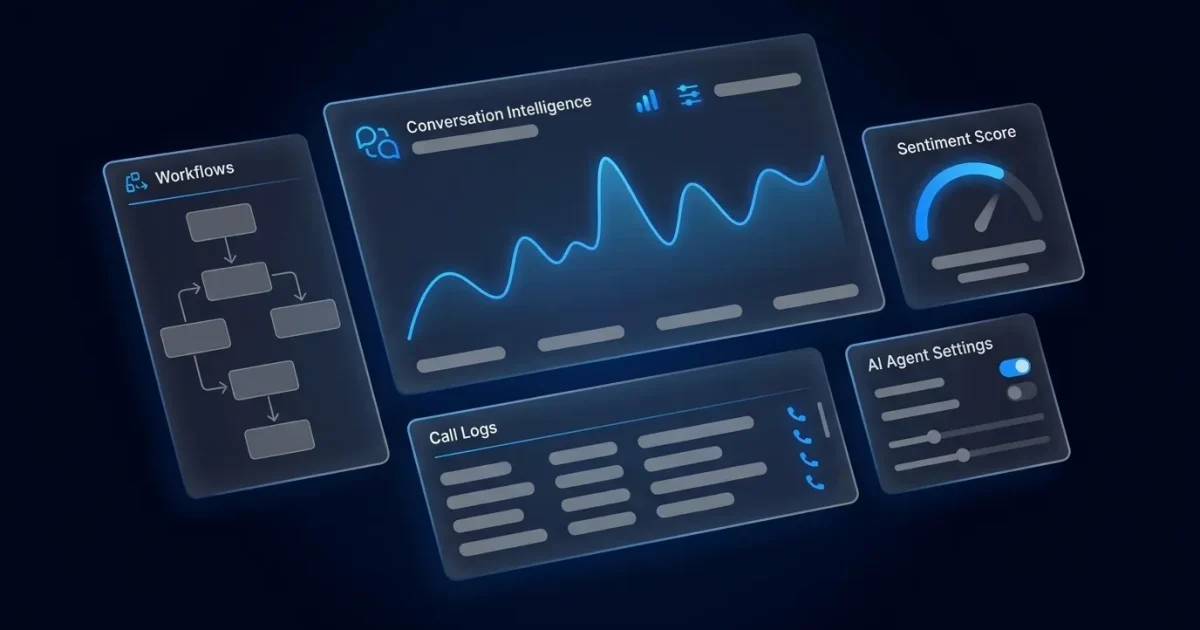
Plura AI’s no-code workflow builder works on a node-based canvas. Each node represents a conversation step such as greeting, qualification gate, sensitive-data redaction, negotiation boundary, transfer rule, or post-call action. Operators connect nodes visually, set branching conditions, and publish without touching code. Initial workflow setup typically takes 2 days using no-code templates and concierge onboarding, with no developer dependency.
The compliance layer, carrier integration, SHAKEN/STIR caller ID verification, real-time DNC (Do Not Call) scrubbing, and TCPA (Telephone Consumer Protection Act, 47 U.S.C. § 227) consent logging are all pre-built into the platform. The operator configures the conversation, and Plura handles the infrastructure underneath it.
See how Plura’s no-code setup works. Book a live demo with Plura.
Easiest AI Voice Agent for Non-Technical Operators
Ease of use for a non-technical operator depends on three factors. The first is how quickly the first agent goes live. The second is how much ongoing maintenance requires technical skill. The third is whether the platform holds up under real call volume.
Template-based consumer tools usually perform well on the first factor, and setup can take only a few hours. They perform poorly on the second and third. Conversation logic stored in proprietary formats with no export option creates vendor lock-in. Self-serve or pay-as-you-go plans on AI voice platforms typically cap at 5 to 20 concurrent calls4, and latency plus transcription accuracy can degrade at higher concurrency even when the platform remains online.
Plura is designed for operators who need ease of use at volume. The onboarding sequence runs from a discovery audit through an overnight conversation mockup to a pilot on live calls. Full go-live typically completes in days to weeks, depending on workflow complexity. Deployment from contract through pilot to production usually takes 2 to 4 weeks, while the initial workflow can be built and tested within about 2 days. After launch, Plura iterates the workflow continuously, so the operator is not left tuning a black box.
The platform also connects to more than 50 tools operators already run, including HubSpot, Salesforce, Zoho, Google Calendar, Calendly, Stripe, and DocuSign. These connections use pre-built integrations that do not require custom development.
AI Voice Agents That Fit Small Business Operations
Small businesses are adopting voice agents quickly, and missed-call recovery often drives that decision. The category is crowded, yet many tools are built for demos instead of the operational reality of a franchise network or a multi-client agency running hundreds of calls a day.
The most effective AI voice agent for a small business answers every call, recovers every missed call, and does not require a developer to maintain. For franchise operators, Plura answers 100% of inbound calls across all locations within two rings. It also contacts leads from websites, Google Business Profiles, or ad campaigns within 60 seconds via SMS or voice call, according to Plura’s franchise communications guide. Franchise networks using Plura can handle 3x to 5x call volume during peak seasons without adding temporary staff, based on that same guide.3
For agency account managers, agencies using Plura handle 15 to 20 clients per account manager versus 5 to 8 in manual operations3. Every lead is contacted within 60 seconds instead of the 1 to 4 hours typical of manual outreach.
Compare plans and rates side by side at plura.ai/pricing.
What Breaks When You Cross 500+ Calls Per Day
Consumer-grade AI voice tools are built for demos and low-volume pilots. Three specific failure points usually appear once daily call volume crosses a few hundred interactions.
Failure point 1: Concurrency limits and latency degradation. Caller drop-off increases measurably once consistent response delays exceed 800 ms. Consumer platforms that typically cap at 5 to 20 concurrent calls cannot absorb a marketing campaign spike or a peak-season surge. Plura runs on its own FCC-licensed audio bridging carrier with a 99.9% uptime SLA and automatic failover. Concurrency scales with demand instead of hitting a plan ceiling.
Failure point 2: Stateless conversations across channels. Without a unified session store, mid-conversation channel switches can lose context. Consumer tools treat each call as an isolated event. Plura’s Stateful Conversation Database keys every interaction to a customer token across voice, SMS, RCS, and webchat. A lead who texted at 9 a.m. is recognized when the call comes at noon.
Failure point 3: Compliance exposure at volume. At 500+ daily calls, a single misconfigured DNC scrub or a missing TCPA consent record can create significant exposure. The TCPA imposes penalties of up to $1,500 per call for certain violations involving automated dialing systems and prerecorded messages.2 Some consumer platforms bolt compliance on after the fact. Plura’s compliance engine runs real-time DNC scrubbing, immutable consent logging, and automatic quiet-hours enforcement on every outbound contact before dial.
Run your numbers through Plura’s ROI calculator to compare 500+ daily calls on a human-staffed model versus an AI-powered one.
7-Step No-Code Setup Guide for Plura
The following sequence describes how a non-technical operator deploys an AI voice agent on Plura’s platform using the no-code workflow builder.
- Discovery audit. Map current call volume, peak hours, top call reasons, and existing scripts. Plura’s onboarding team runs this session with the operator, not a developer.
- Script and SOP intake. Upload sample call recordings, standard operating procedures, and any existing qualification criteria. The platform ingests these as the foundation for the conversation model.
- Overnight mockup build. Plura’s team builds a dynamic conversation mockup using the managed workflows canvas. The operator reviews a working prototype instead of a slide deck.
- Workflow iteration. The operator adjusts greeting nodes, qualification gates, transfer rules, and BATNA (Best Alternative to a Negotiated Agreement: the floor and ceiling within which the AI is permitted to negotiate) boundaries on the visual canvas. No code is written at any step.
- Compliance configuration. Set DNC list sources, TCPA consent record fields, quiet-hours rules by state time zone, and HIPAA (Health Insurance Portability and Accountability Act, 45 CFR Parts 160 and 164) data-handling flags for any protected health information fields.2 Plura supports compliance configuration, and operators retain responsibility for their own regulatory obligations.
- Pilot on live traffic. Route 5 to 10% of real calls through the agent. Monitor containment rate, escalation triggers, and latency in the conversation intelligence dashboard.
- Full go-live and continuous tuning. Scale to full volume. Plura iterates the workflow based on real-call data, objection patterns, and conversion signals, with no engineering involvement from the operator’s side.
Platform Capabilities at a Glance
The following table compares Plura’s enterprise-focused capabilities with typical consumer-grade AI voice tools across key operational dimensions that affect scale and reliability.
| Capability | Consumer-grade tools | Plura AI |
|---|---|---|
| No-code workflow builder | Template-based, limited branching | Visual canvas with BATNA guardrails and real-time enrichment branching via managed workflows |
| Carrier infrastructure | Third-party CPaaS (e.g., Twilio reseller)4 | FCC-licensed audio bridging carrier, SHAKEN/STIR authentication on every call |
| Cross-channel memory | Single-channel session only | Stateful Conversation Database across voice, SMS, RCS, and webchat, unified stateful inbox with full conversation history |
| Compliance support | Manual or bolt-on | Real-time DNC scrubbing, TCPA consent logging, SOC 2, HIPAA, ISO, GDPR, and DNC configuration options pre-loaded1 |
| Concurrent call capacity | 5 to 20 concurrent call cap (typical) | 99.9% uptime SLA with automatic failover, scales to call-center volume |
| Time to first live conversation | Weeks to months for developer-dependent builds | About 2 days for initial workflow using templates and concierge onboarding |
Ready to see this in action? Book a live demo with Plura.
Frequently Asked Questions
Can a non-tech person build an AI agent without hiring a developer?
A non-technical operator can build and deploy an AI voice agent on Plura’s platform without writing a single line of code. The no-code workflow builder uses a visual node canvas where each step in the conversation is a configurable block. Greeting, qualification, transfer, and post-call actions are all set through a point-and-click interface. Plura’s onboarding team handles the underlying carrier integration, compliance configuration, and initial build. The operator’s job is to review and iterate the conversation logic instead of managing infrastructure.
What is the easiest AI voice agent to use for a small business?
The easiest AI voice agent for a small business goes live quickly, requires no ongoing developer support, and holds up under real call volume. Plura is designed for that profile. Implementation for the first workflow typically matches the 2-day timeline mentioned earlier, using no-code templates and concierge onboarding. After launch, Plura iterates the workflow continuously based on real-call data, so the operator does not need to manage prompt engineering or model tuning. The platform also connects to CRMs, calendars, and payment processors through pre-built integrations, which removes the need for custom development for common operational connections.
What is the best AI voice agent for small business at high volume?
At high volume, the most effective AI voice agent is the one that does not break under load. Consumer-grade tools often fail at scale because of concurrency limits that cap simultaneous calls, stateless architectures that lose context when a customer switches from SMS to voice, and compliance configurations that are bolted on rather than built in. Plura runs on its own FCC-licensed carrier with a 99.9% uptime SLA, a Stateful Conversation Database that preserves context across all four channels, and a compliance engine that runs real-time DNC scrubbing and TCPA consent logging on every outbound contact before dial. For franchise networks, Plura handles 3x to 5x call volume during peak seasons without temporary staff3, according to Plura’s franchise communications guide.
How does an AI voice agent handle 500+ calls per day without breaking?
Handling 500+ daily calls reliably requires three things. The first is carrier-grade infrastructure that does not cap concurrency. The second is a stateful data layer that preserves conversation context across channels and sessions. The third is a compliance engine that enforces DNC and TCPA rules on every contact automatically. Platforms built on third-party CPaaS (Communications Platform as a Service: the API-only telecom layer that providers like Twilio sell to AI vendors that do not own their own carrier) inherit that carrier’s concurrency limits and caller ID reputation. Plura owns its own FCC-licensed audio bridging carrier, so concurrency scales with demand, branded caller ID is issued at the carrier level, and compliance is enforced at origination rather than as a downstream add-on.
What compliance standards does Plura support for AI voice agents?
Plura supports compliance with SOC 2, HIPAA, ISO certification, GDPR, SHAKEN/STIR caller ID verification, TCPA, and DNC frameworks. The platform pre-loads federal and state DNC registries, runs real-time scrubbing before every outbound dial, timestamps and stores consent records in an immutable ledger, enforces quiet-hours rules through automatic time-zone detection, and exports audit-ready reports in one click. As noted in the compliance configuration step, operators retain responsibility for their own regulatory obligations and should consult qualified counsel regarding their specific posture.
How does stateful cross-channel memory work in practice?
Plura’s Stateful Conversation Database keys every interaction to a customer token, which can be a phone number, email address, or account ID. When a lead submits a form and receives an AI SMS follow-up at 9 a.m., that exchange is written to the database under their token. When the AI voice agent calls that same lead at noon, it reads the full prior context before the call begins, including what was offered, what was asked, what qualification status was assigned, and what objections were raised. The human agent who receives a warm transfer from that call sees the same history in the Unified Inbox. No channel starts from zero.
What does it cost to run an AI voice agent versus a human call center?
The cost difference becomes significant at volume. A 15-agent human operation paying $20 per hour with standard taxes, benefits, and commissions at a 40% talk-utilization rate typical of human contact-center work costs approximately $60,000 per month. Replacing that team with Plura at $15 per hour, 100% talk utilization, and 6 Plura agents doing the work of 15 humans drops the monthly cost to approximately $14,400. That shift creates a 30-day saving of $45,600 according to the default scenario on Plura’s ROI calculator.3 For higher-volume operations, total cost of ownership runs $300,000 to $700,000 per year against a traditional contact-center benchmark of $4 million to $7 million. Run your numbers through Plura’s ROI calculator to check your specific scenario.
1 Plura AI maintains SOC 2, HIPAA, ISO, and GDPR posture as part of its platform infrastructure. References to compliance frameworks in this article describe Plura’s platform capabilities and do not constitute a guarantee that any customer using Plura will themselves be compliant with applicable laws or standards. Customers remain solely responsible for their own regulatory obligations, certifications, consent management, recordkeeping, and the claims they make to their own end users. Consult qualified legal counsel for guidance specific to your use case.
2 This article describes regulatory frameworks at a general level and does not constitute legal advice. Laws and regulations vary by jurisdiction, change over time, and apply differently depending on facts and circumstances. Readers should consult qualified legal counsel before making compliance decisions.
3 Performance figures, customer outcomes, and industry statistics referenced in this article are drawn from cited third-party sources or Plura customer case studies. Individual results vary based on implementation, use case, industry, audience, and execution. Past or aggregate performance is not a guarantee of future results.
4 References to third-party products, services, companies, or research are made for informational and comparative purposes only. Plura AI is not affiliated with, endorsed by, or sponsored by any third party named in this article unless explicitly stated. Trademarks and product names referenced remain the property of their respective owners.
This article is provided for informational purposes only and reflects Plura AI’s understanding at the time of publication. Product capabilities, integrations, and specifications are subject to change. For the most current information, visit plura.ai.
This article was produced with the assistance of AI tools and reviewed by Plura AI prior to publication.