
Written by: Matt Beucler, CEO, Plura AI
Key Takeaways
- RCS Business Messaging delivers branded, interactive messages with verified sender profiles, rich media, carousels, and suggested replies inside the native messaging app.
- Four primary demo paths exist in 2026: Google’s RCS for Business developer test agent, Twilio’s RCS sandbox, CleverTap’s guided platform, and Plura AI’s RCS channel.
- Google’s self-serve test agent lets developers send real RCS messages to their own Android devices within minutes without carrier approval for testing.
- RCS requires device capability, data connectivity, and carrier support, and platforms use automatic SMS fallback when recipients cannot receive rich messages.
- Contact center and marketing teams can experience the full RCS Business Messaging capability firsthand by booking a live demo with Plura AI.
What an RCS Business Messaging Demo Actually Shows You
A live RCS business message arrives in the recipient’s default messaging app, not a separate app. A real demo on your own phone reveals details that a recorded conference session cannot match.
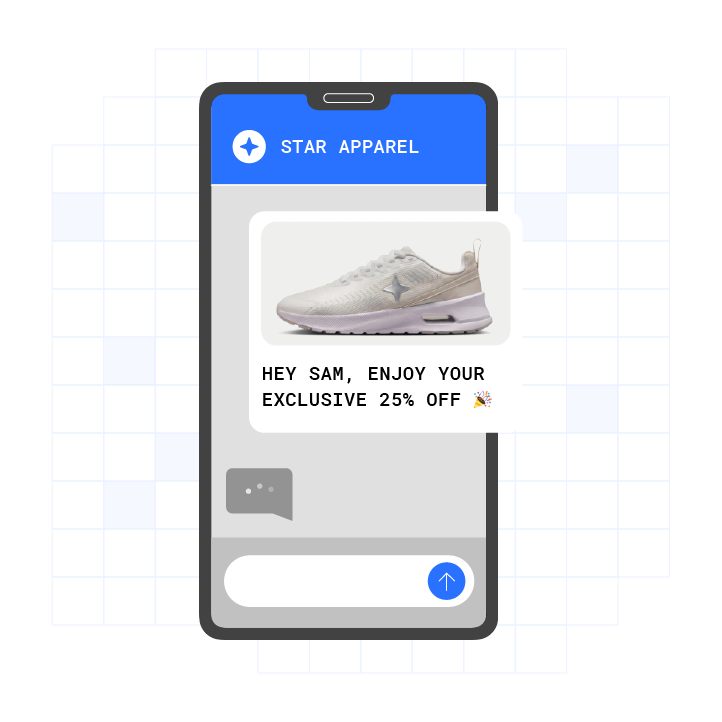
First, the verified sender profile appears at the top of the thread with the brand’s name, logo, and a verification checkmark issued through the RCS verification process. RCS is carrier-managed, meaning businesses are checked and verified, which gives recipients more confidence that a message is not a scam. On iPhone, RCS is a materially different experience from SMS for business messaging. Instead of the anonymous number that was the only identifier in SMS, businesses send from a verified sender profile with a real name, logo, and verification checkmark.
Second, rich media renders inline as a high-resolution image or video, not a compressed MMS thumbnail. Google’s RCS for Business platform supports JPEG, GIF, PNG, MP4, and other formats, with a maximum file size of 100 MiB per attachment and a combined media or PDF limit of 100 MiB per message.
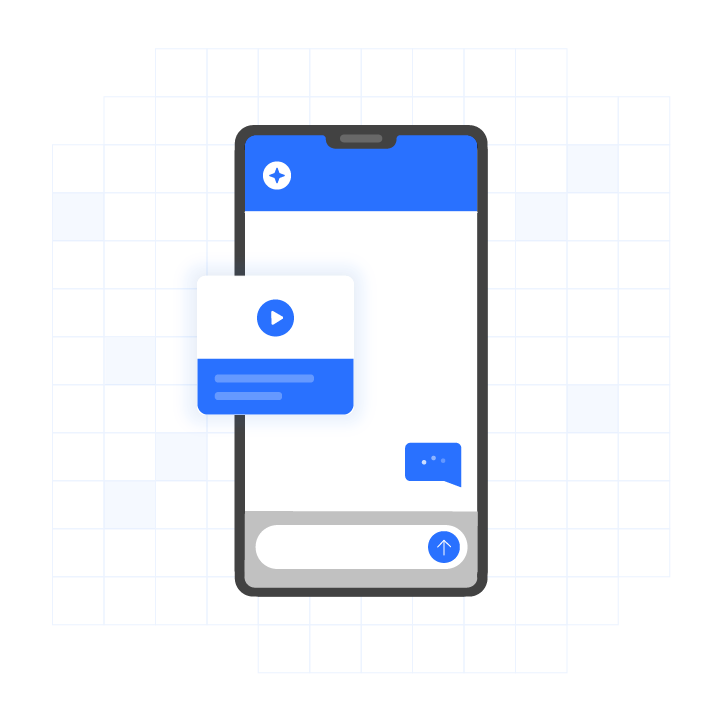
Third, a carousel of product or option cards appears as a horizontally scrollable set. RCS carousels must contain at least 2 and at most 10 cards, each with optional media, title, description, and suggested actions.
Fourth, suggested replies and action buttons appear as tappable chips below the message. These replace “Reply 1 for yes” prompts with labeled buttons such as “Track My Order,” “Book Now,” or “Get Support.” Each suggestion has a maximum of 25 characters, and a single message supports up to 11 suggestions total.
Fifth, a typing indicator appears when a participant is composing a response, and a read receipt confirms the message was opened. However, agent-initiated typing indicators and agent-initiated read receipts sent by a business agent to a recipient are planned capabilities rather than currently available features.5 Both signals now return from iPhones as well as Android devices, so engagement data is no longer split between two very different levels of visibility.
All of this renders inside the thread instead of redirecting the recipient to a webpage. RCS is supported across modern Apple and Android devices. Apple added RCS support to iPhone with iOS 18.1, released in October 2024, and all three major US carriers support it. Plura’s AI RCS messaging supports over 2 billion devices.
How to See an RCS Business Messaging Demo
The five steps below use Google’s RCS for Business developer test agent, which is the most direct self-serve path to getting a real RCS business message on your own Android device.
- Open Google’s RCS for Business developer test agent and register a test device. Navigate to business.google.com/rcs and create an RBM (RCS Business Messaging) agent. Once the agent is created, go to the test section and enter your phone number in E.164 format, for example +14155550100. Google’s RBM testing sandbox is free to access and allows agents to send up to 20 tester invites per day, with a total limit of 200 test devices, without carrier approval. Your phone will receive an invitation from the RBM Tester Management Sender. Tap “Make me a tester” to accept.
- Send a template message to your own phone. Inside the developer console, select your registered test device and send a text or rich card message. When RCS chats are provided by Google, the message routes through Google’s RCS infrastructure (the Jibe platform) and is delivered to the recipient’s RCS client, such as Google Messages on Android. If the recipient’s RCS service is with another provider, the message is routed through Google’s RCS infrastructure and then to the recipient’s RCS infrastructure. You do not need carrier approval at this stage. Google advises waiting for a 200 OK response for each message before sending the next one in a sequence, because messages with media take longer to process than text-only messages.
- Observe the branded thread and verified sender profile. Open the message thread on your phone. At the top, you will see the agent’s display name, logo, and description instead of a phone number. This is the verified sender profile that recipients see in production. The verification checkmark visible in production requires full carrier approval. In the test environment, the branding elements render but the checkmark may not appear.
- Interact with a carousel or suggested-reply button. If your test message includes a rich card carousel, swipe horizontally through the cards. Tap a suggested reply chip or an action button such as “Open URL” or “Dial.” When a user taps a suggested reply, the agent receives an event containing the reply’s text and postback data. In the developer console, you can observe the incoming webhook event in real time.
- Check the read receipt and typing indicator. After opening the message on your test device, return to the developer console. A DELIVERED notification confirms delivery, and a READ event confirms the message was opened. If you send a reply from the console, a typing indicator appears on the device before the message arrives. These signals form the engagement data layer that RCS provides over plain SMS.
One common snag during testing is a 404 NOT_FOUND error. If your device returns this error, the platform returns it when a message is sent to a user whose device does not support RCS or does not have RCS enabled, or to a network where the agent is not launched. This is the fallback trigger. In production, your platform should detect this and route the message via SMS instead.
Try It Yourself: RCS Business Messaging Demo Paths Compared
Four demo paths are available to operators evaluating RCS business messaging in 2026. The overview below explains what each path is, who it serves, and how you access it.
Plura AI’s RCS Channel is the recommended starting point for high-volume US operators. Plura’s AI RCS runs on Plura’s own FCC-licensed carrier. Branded sender ID is issued at the carrier level, not through a third-party reseller. All four of Plura’s channels, including AI SMS, AI Voice, and AI webchat, share a Stateful Conversation Database, so a customer who texted at 9 a.m. is recognized on the noon call without re-explaining themselves. Plura’s AI RCS supports in-message documents (DocuSign, PandaDoc), in-message payments (Stripe), and personalized 30-second AI-rendered video inside the thread. Plura’s AI RCS messaging achieves 3x higher engagement compared to SMS, an 80% read rate, and a 35% click-through rate.3 Access is via a live demo conversation that fits contact center leaders and marketing directors at high-volume US operators who need a production-grade channel with cross-channel memory and carrier-level compliance.
Google’s RCS for Business Developer Test Agent is the most direct self-serve path to getting a real RCS message on your own Android device, as described in the five steps above. Setting up an RBM agent requires registering at business.google.com/rcs, creating an agent with brand assets, and submitting for carrier verification; full US coverage takes 6 to 12 weeks from registration to go-live. This path suits developers and technical evaluators who want to validate rich card rendering, webhook integration, and opt-out flows before committing to a platform. The sandbox phase is self-serve. Carrier approval for production is required separately and takes time.
Twilio’s RCS Sandbox provides a developer-accessible path through Twilio’s Console.4 Twilio’s RCS onboarding includes a “Try it out” step where you enter your phone number in E.164 format, click Invite, and the RBM Tester Management Sender sends a test RCS message to your phone. Twilio advises allowing four to six weeks or longer to complete the full RCS setup process if launching in multiple regions. This route fits operators already on Twilio’s platform who want to evaluate RCS within their existing API stack. Sandbox testing is self-serve, while production requires a paid Twilio account and carrier approval.
CleverTap’s RCS Platform provides a no-code dashboard path with guided onboarding.4 CleverTap’s RCS Business Messaging platform lets marketers build rich RCS messages with carousels, video, buttons, and logos using a drag-and-drop editor, and approve templates directly from the CleverTap dashboard without waiting on developers. This option serves marketing teams already using CleverTap for omnichannel engagement who want to add RCS to existing journeys. Access is partially self-serve, and a dedicated expert team provides guided onboarding.
The table below summarizes these four paths side by side so you can compare what each one is, who it serves, and how you access it.
| Demo Path | What It Is | Who It Is For | Access Model |
|---|---|---|---|
| Plura AI’s RCS Channel | FCC-licensed carrier RCS with Stateful Conversation Database, in-message payments, documents, and personalized video | High-volume US operators needing production-grade, cross-channel RCS | Sales-assisted live demo |
| Google’s RCS for Business Test Agent | Developer sandbox via business.google.com/rcs; up to 20 test devices without carrier approval | Developers and technical evaluators | Self-serve sandbox |
| Twilio’s RCS Sandbox | Console-based test sender via Twilio’s RCS onboarding flow | Operators already on Twilio’s API stack | Self-serve sandbox |
| CleverTap’s RCS Platform | No-code drag-and-drop RCS builder with guided onboarding | Marketing teams on CleverTap’s omnichannel platform | Hybrid, with guided onboarding |
Start with a live RCS demo conversation from Plura.
How Do I Send an RCS Message Instead of SMS?
Sending an RCS business message instead of SMS requires three conditions on the recipient’s side: an RCS-capable device, an RCS-enabled messaging app such as Google Messages on Android or the native Messages app on iPhone running iOS 18 or later, and an active data or Wi-Fi connection. On the sender’s side, the business needs a registered RCS agent approved by the relevant carriers.
RCS capability is determined by a live lookup at send time rather than a stored list, because a number’s RCS capability changes as people change device, carrier, or settings. When a recipient’s device cannot receive RCS at the moment of sending, the message is delivered as SMS or MMS instead. This fallback is not a manual per-campaign choice. A well-built platform handles it automatically.
Twilio’s channel fallback feature, for example, automatically attempts RCS delivery first and falls back to SMS if the recipient’s device or carrier does not support RCS when a Sender Pool includes both an approved RCS sender and an SMS-capable phone number.
For operators building RCS programs, the SMS fallback leg rides a registered 10-digit number. A 10DLC (10-digit long code, the A2P SMS registration standard) brand and campaign registration must be in place for that leg to be deliverable. RCS verification and 10DLC registration are separate approvals. Consult the CTIA Messaging Principles and Best Practices and qualified counsel for guidance on opt-in and opt-out handling requirements in your market.
Can I Use RCS Business Messaging on My iPhone?
Yes. Apple added RCS support to the iPhone Messages app in iOS 18.1, released in October 2024, and all three major US carriers support it. Before this rollout, roughly half the US smartphone base could not receive RCS at all. After iOS 18.1, RCS reaches over 80% of US smartphones.
That shift is recent enough that several top-ranking sources on this topic predate Apple’s iOS 18 rollout, and their device-support claims are stale. As of September 2026, any source stating that RCS is Android-only for business messaging is describing a pre-2025 reality.
There is an important distinction for business senders. RCS Business Messaging (RBM) on Android, with verified sender, branding, suggested replies, and rich cards, is a distinct A2P product. iPhone RCS in iOS 18 does not automatically mean the iPhone supports RBM, and a brand live on Google RBM is not automatically live as a branded RCS agent on iPhone. As of early 2026, RBM-specific features such as rich cards, carousels, and suggested action buttons have limited or no rendering support on iPhone; basic RCS features like read receipts, typing indicators, and high-resolution media work cross-platform.
For business senders, the practical implication is that an RCS-first campaign now lands richly on the large majority of US handsets, with automatic per-recipient fallback covering the rest. Apple maintains a country-by-country wireless carrier support list (Apple support article 109526) that users can check to verify RCS availability for their carrier and region.
What Is the Downside of RCS?
RCS business messaging has documented limitations that operators should evaluate alongside its benefits.
Device and carrier fragmentation. In many cases more than 50% of devices do not support RCS, meaning a large percentage of a messaging audience will never receive RCS messages at all. Device and carrier compatibility is still not universal in 2026, so the experience varies by handset.
Data connectivity requirement. RCS requires Wi-Fi or mobile data to send and receive messages, so it does not work offline. SMS remains the reliable fallback for time-critical alerts such as one-time passcodes, fraud holds, and appointment confirmations, because it reaches every handset without a data connection.
Fallback complexity. Fallback is not automatic in most RCS implementations. Platforms either perform a capability check before sending and reroute, or they skip the capability check entirely, in which case unsupported messages simply fail with no fallback and delivery is lost. Operators need a platform that handles capability detection, fallback routing, and throughput management across both RCS and SMS channels.
Carrier approval timelines. Carrier approval for new RCS business senders takes 8 to 16 weeks due to identity verification, use case review, and brand asset validation. This is a multi-week onboarding process.
Limited iPhone rich card support. As noted above, rich cards, carousels, and suggested action buttons have limited rendering on iPhone as of 2026. Messages still appear as green bubbles on iPhone, which affects the visual trust signal compared to iMessage’s blue-bubble experience.
Explore these tradeoffs in a live Plura RCS demo.
RCS vs SMS in a Demo
The difference between an RCS business message and an SMS is visible the moment the message arrives. SMS delivers plain text from an unverified phone number. RCS delivers a branded thread with the company’s name, logo, and verification checkmark, followed by rich media, tappable buttons, and read receipts, all inside the same messaging app the recipient already uses.
The engagement gap is measurable. Signalmash’s 2026 RCS industry report benchmarks RCS click-through rates at 10 to 35%, versus 2 to 5% for SMS,3 and Plura’s AI RCS messaging achieves 3x higher engagement compared to SMS, as noted earlier. The verified sender profile is the trust mechanism behind that gap. According to a Datos Insights study on financial services trust, 88% of consumers trust a message more when it is displayed with a verified company badge.3
The practical implication for operators is that RCS changes what a recipient can do inside the thread. A customer can approve a document, complete a payment, or select a service option without leaving the messaging app. That is the channel difference a recorded demo cannot show. A real message on your own device can.
Should I Have RCS Business Messaging On or Off?
For operators deciding whether to invest in RCS as a channel, the decision framework is straightforward. Turn it on when your audience is predominantly on modern devices, your use cases benefit from branded sender identity and rich media, and you have SMS fallback in place for recipients who cannot receive RCS.
Keep SMS as the primary channel when your audience includes a significant share of older devices, when your use case is a one-time passcode or time-critical alert that must reach every recipient regardless of device status, or when you are sending to a list where RCS capability is unknown.
The most effective strategy is RCS-first, with SMS as a built-in continuity channel when rich messaging is unavailable. Plura’s AI RCS handles this automatically: the platform checks recipient capability at send time and routes accordingly. The Stateful Conversation Database preserves context across both channels, so the customer experience is continuous regardless of which channel delivered the message.
Frequently Asked Questions
Is There a Free RCS Business Messaging Demo?
Google’s RCS for Business developer test agent is free to access and allows agents to send up to 20 tester invites per day, with a total limit of 200 test devices, without carrier approval. Twilio’s RCS sandbox is accessible after upgrading to a paid Twilio account, and Twilio itself charges no additional sandbox fee, though third-party brand vetting and carrier onboarding fees apply for US RCS senders. Plura offers a live demo conversation at no cost. None of these paths require a production commitment before you see a real message on your own device.
How Long Does It Take to Launch an RCS Agent?
The sandbox phase can begin within days of registering with Google’s RCS for Business platform or Twilio’s Console. Full production launch, meaning carrier-approved sends to any US recipient, takes longer. All three major US carriers must approve the RCS agent independently, with each carrier taking 2 to 4 weeks for initial review and some taking 6 to 8 weeks for first-time agents in regulated industries. Plan for 6 to 12 weeks from registration to full US coverage. Plura’s onboarding team manages this process on behalf of operators.
Does RCS Work on All Phones?
RCS requires a compatible device, an RCS-enabled messaging app, an active data or Wi-Fi connection, and carrier support. iPhones running iOS 18 or later support RCS, and all three major US carriers support it. Older iPhones on iOS 17 or earlier have no RCS capability. Some older Android devices and devices with RCS disabled also cannot receive RCS. When RCS is unavailable, a properly configured platform falls back to SMS automatically.
How Do I Test an RCS Message on My Own Phone?
Register at Google’s RCS for Business platform, create an agent, and add your phone number as a test device. Your phone will receive an invitation; accept it to become a tester. Then send a message from the developer console to your registered number. The message arrives in your default messaging app. This works on Android devices with Google Messages. On iPhone, RCS business message rendering is limited as of 2026, so Android is the recommended test device for evaluating rich cards and carousels.
What Happens If RCS Fails? Does It Fall Back to SMS?
When a platform is properly configured, RCS fallback to SMS is performed automatically and per recipient. The platform runs a live capability check on each destination number at send time, sending the rich version to RCS-capable phones and an SMS or MMS version to those that are not. A second type of fallback occurs when a number is RCS-capable but delivery still fails, for example if the handset never comes online within the message’s time-to-live. A well-built platform retries and then falls the message over rather than dropping it. The SMS fallback leg requires a registered 10DLC campaign to be deliverable. Plura handles both capability detection and fallback routing within its platform.
Can RCS Messages Include Payments and Documents?
Yes, through platforms that support in-message integrations. Plura’s AI RCS supports in-message documents via DocuSign and PandaDoc, in-message payments via Stripe, and personalized 30-second AI-rendered video inside the thread. Customers can sign a contract, complete a payment, or review a personalized video without leaving the messaging app. This is a capability specific to Plura’s implementation and is not available through the standard Google RCS for Business developer sandbox.
How Do I Measure RCS Engagement?
RCS provides delivered, read, and responded status at the message level, which is a significant improvement over SMS’s delivery-only reporting. Read receipts confirm the message was opened, and suggested reply taps return postback data that can be logged against the customer record. Plura’s AI Conversation Intelligence layer analyzes interactions across RCS, voice, SMS, and webchat to surface patterns, including which message types drive downstream conversion, and generates reporting automatically. For attribution, UTM parameters on suggested action URLs are the standard method for connecting RCS taps to downstream conversion events.
Is RCS Compliant for High-Volume Outbound?
In the US, RCS business messaging is described within the same layered regulatory framework as SMS, including CTIA Messaging Principles and Best Practices and carrier or Google brand and campaign registration requirements, although the FCC has stated that RCS is not SMS or MMS and is therefore not subject to the federal TCPA.2 Opt-in and opt-out handling, quiet-hours enforcement, and DNC considerations apply to RCS campaigns. The CTIA Messaging Principles and Best Practices cover RCS alongside SMS. Plura’s compliance engine includes real-time DNC scrubbing, TCPA consent logging, quiet-hours enforcement via time-zone detection, SOC 2, HIPAA, ISO certification, GDPR, SHAKEN/STIR caller ID verification, TCPA compliance, and DNC compliance.1 Plura supports customer compliance; customers are responsible for their own regulatory obligations and should consult qualified counsel regarding their specific programs.

The Bottom Line
The fastest way to evaluate RCS business messaging is to get a real message on your own phone. The four demo paths above provide that experience: Google’s RCS for Business developer test agent, Twilio’s RCS sandbox, CleverTap’s guided onboarding platform, and Plura AI’s RCS channel.
Plura runs on its own FCC-licensed carrier, issues branded caller ID at the carrier level, and shares a Stateful Conversation Database across AI Voice, AI SMS, AI RCS, and AI webchat. That cross-channel memory, described earlier, is what separates a channel evaluation from a production deployment.
Compare Plura’s plans and rates side by side. Run your numbers through Plura’s ROI calculator to check your cost savings in real time.
Get a real RCS business message on your own device with a live Plura demo.
1 Plura AI maintains SOC 2, HIPAA, ISO, and GDPR posture as part of its platform infrastructure. References to compliance frameworks in this article describe Plura’s platform capabilities and do not constitute a guarantee that any customer using Plura will themselves be compliant with applicable laws or standards. Customers remain solely responsible for their own regulatory obligations, certifications, consent management, recordkeeping, and the claims they make to their own end users. Consult qualified legal counsel for guidance specific to your use case.
2 This article describes regulatory frameworks at a general level and does not constitute legal advice. Laws and regulations vary by jurisdiction, change over time, and apply differently depending on facts and circumstances. Readers should consult qualified legal counsel before making compliance decisions.
3 Performance figures, customer outcomes, and industry statistics referenced in this article are drawn from cited third-party sources or Plura customer case studies. Individual results vary based on implementation, use case, industry, audience, and execution. Past or aggregate performance is not a guarantee of future results.
4 References to third-party products, services, companies, or research are made for informational and comparative purposes only. Plura AI is not affiliated with, endorsed by, or sponsored by any third party named in this article unless explicitly stated. Trademarks and product names referenced remain the property of their respective owners.
5 This article contains forward-looking statements regarding industry trends, technology adoption, and future capabilities. These statements reflect current expectations and are subject to change. Plura AI undertakes no obligation to update forward-looking statements except as required.
This article is provided for informational purposes only and reflects Plura AI’s understanding at the time of publication. Product capabilities, integrations, and specifications are subject to change. For the most current information, visit plura.ai.
This article was produced with the assistance of AI tools and reviewed by Plura AI prior to publication.