
Written by: Matt Beucler, CEO, Plura AI
Updated September 2026
Key Takeaways
- RCS outbound setup requires partner registration with Google, agent creation, brand verification, and 10DLC registration for SMS fallback to deliver rich branded messages across Android and iOS.
- Apple’s adoption of RCS in iOS 18 expands reach to over 2 billion devices, delivering 3x higher engagement, 80% read rates, and 35% click-through rates compared to SMS.
- Businesses must prepare a registered entity, approved SMS sender, corporate email, compliance documentation, and a messaging provider before starting RCS setup.
- The setup process spans partner registration, agent creation, brand verification, use-case approval, SMS fallback configuration, and carrier validation that can take 8–16 weeks without a managed provider.
- Plura AI is a managed, FCC-licensed carrier that compresses RCS outbound setup to days with compliance controls and no-code workflows. Book a live demo with Plura to see it in action.
Why RCS Outbound Matters for High-Volume Teams
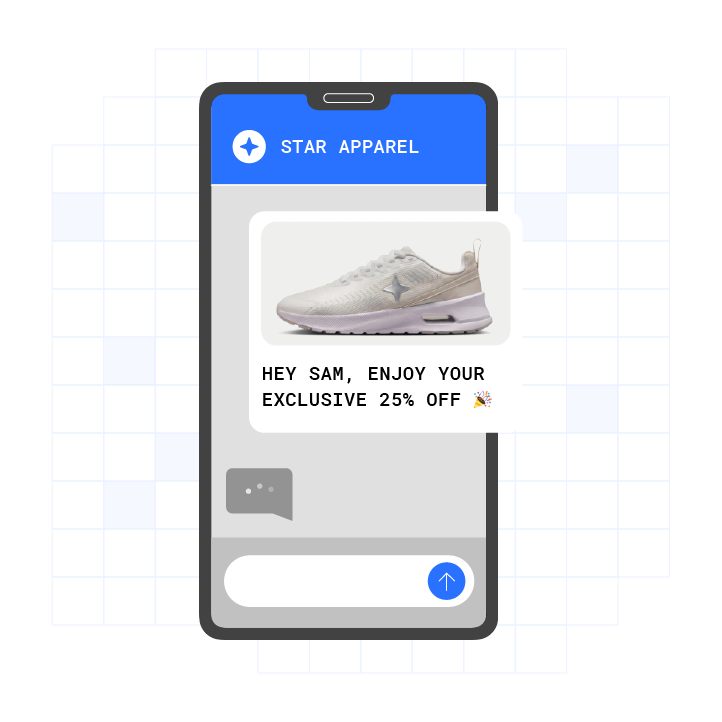
Apple adopted RCS in iOS 18, which brings over 2 billion devices into the RCS ecosystem alongside Android. The performance gap between RCS and SMS is measurable: RCS achieves 3x higher engagement than SMS, an 80% read rate, and a 35% click-through rate3. Customers now expect branded, interactive experiences in the message thread, including rich media, carousels, action buttons, and in-message payments, instead of plain text.
Most businesses still send SMS because the RCS setup process appears complex and the documentation is fragmented across Google, Twilio, Infobip, and Sinch4. This guide consolidates the entire journey into one operational playbook for contact centers, marketing teams, agencies, and franchise networks.
Book a live demo with Plura to see RCS outbound setup in action before you start building.
RCS Setup Prerequisites for Your Organization
Confirm these prerequisites before you start RCS outbound setup.
- A registered business entity. You need a legal name, EIN or Tax ID, and a website that match public records. Mismatches between your registration documents and public records often cause verification delays.
- An approved SMS sender. 10DLC registration with The Campaign Registry (TCR) is mandatory for SMS fallback. Unregistered traffic is filtered by carriers, which makes commercial SMS effectively non-functional without registration.
- A corporate email address. Google requires an individual account tied to your corporate domain, not a group address or Gmail account, for partner registration.
- Compliance documentation. Maintain opt-in records, a privacy policy, and terms of service that align with CTIA guidelines. Consult qualified counsel to confirm your documentation meets applicable requirements.
- A messaging provider. Select a CPaaS platform or managed carrier such as Twilio, Infobip, Sinch, or Plura that handles agent creation, carrier approval, and delivery infrastructure.
Step-by-Step RCS Outbound Setup
- Register as an RCS partner. Complete Google’s RCS for Business Partner Registration Interest Form with your corporate email, public company name, service category, and primary countries of operation. Approval grants access to the RCS for Business Developer Console.
- Create your RCS agent. In the Developer Console, click “+ Create agent” and specify your brand, agent name, hosting region, billing category, and use case such as OTP, transactional, promotional, or multi-use.
- Complete brand verification. Submit your brand name, logo (224×224 PNG, under 50 KB), banner (1440×448 PNG or JPEG, under 200 KB), and brand color. Google and carriers vet your identity, which triggers the verified checkmark badge visible to recipients.
- Register your use case and campaign. Define your messaging program, opt-in method, message frequency, and opt-out instructions. Carriers review this against CTIA guidelines and your privacy policy. The use case cannot be changed after the agent is submitted for launch.
- Configure SMS fallback. Set up a 10DLC-registered number as your fallback channel. Every RCS message needs a plain-text SMS version for recipients whose devices or carriers do not support RCS.
- Set up webhooks and event tracking. Configure your webhook URL, status callback endpoints, and event destinations to track delivery, read receipts, and interactive responses. All agents in a partner account share a single channel for incoming messages, so a malfunctioning webhook disrupts all agents.
- Test on verified devices. Add test devices in the console, verify RCS connectivity in the Messages app, and send test messages before launch.
- Launch and monitor. Submit your agent for carrier approval. Full U.S. carrier validation can take 8 to 16 weeks, so apply early and build buffer time into launch plans. Monitor delivery rates, read rates, and block rates after go-live. Once your setup is running, your next decision is which provider model fits your team.
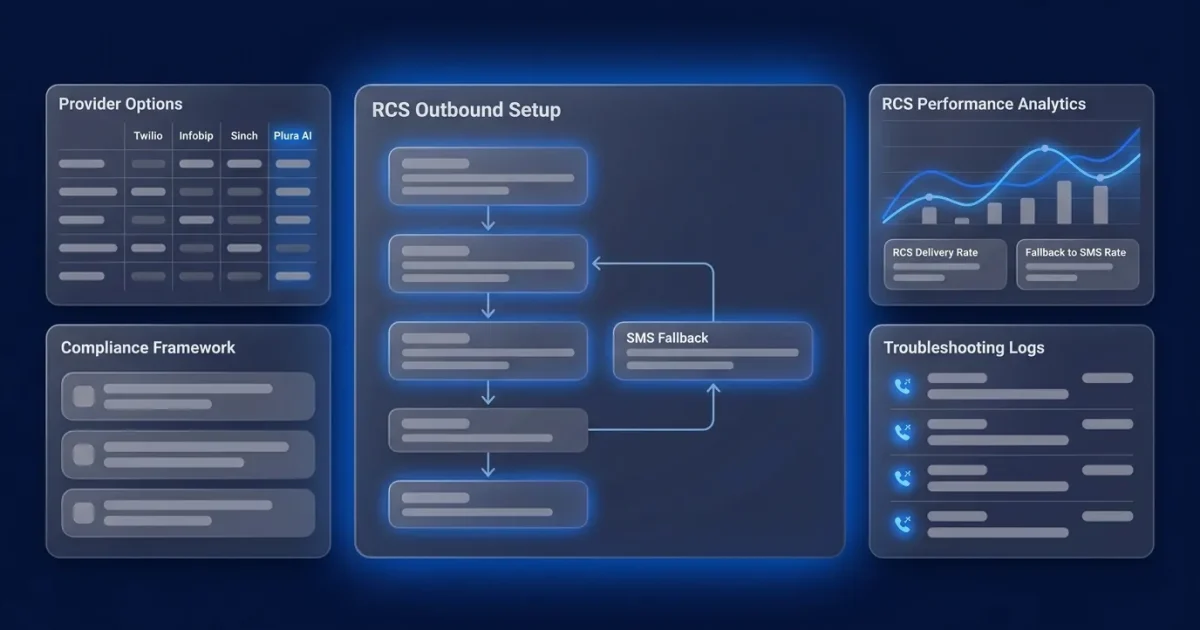
RCS Provider Options: Twilio, Infobip, Sinch, and Plura AI
The four most commonly evaluated providers for U.S. RCS outbound differ in setup model, pricing structure, compliance approach, and time to first message4. The key tradeoff is between developer-led control and managed speed. The comparison below uses only published or officially documented figures.
| Provider | Setup model | Pricing | Compliance handling | Typical time to first message |
|---|---|---|---|---|
| Twilio | API-first, developer-led | Published per-segment and per-message rates plus carrier fees | Customer-managed consent and records | Weeks to months |
| Infobip | API plus dashboard | Quote-based, session billing for RCS | Customer-managed consent and records | Weeks |
| Sinch | API plus managed onboarding | Quote-based per-message rates | Customer-managed consent and records | Weeks |
| Plura AI | Managed platform with no-code workflows | Published plans with clear pricing | Compliance controls enforced at carrier layer | Days |
Twilio is API-first and developer-led. Published U.S. RCS pricing lists rich text outbound at $0.0083 per segment and rich media outbound at $0.022 per message. Carrier fees vary by carrier. AT&T charges $0.0045 per segment and T-Mobile charges $0.0062 per segment for rich text outbound. Twilio holds SOC 2 Type II, HIPAA, GDPR, ISO 27001, and PCI DSS certifications1. Customers manage their own consent records. Time to first conversation on Twilio typically runs weeks to months because of custom development requirements.
Infobip offers an API plus dashboard model. As of Q2 2026, Infobip introduced RCS Interactive Sessions for the U.S. with session-based billing, where the entire 24-hour interaction is billed as a single session. No fixed public per-message rate card is published for U.S. RCS, so pricing requires a direct quote. Infobip’s service description requires clients to maintain opt-in and opt-out records and provide evidence of valid consent upon written request. Customers manage their own consent records. Setup typically runs several weeks from registration through carrier approval.
Sinch provides an API plus managed onboarding model. Published per-message rates vary by carrier, and U.S. RCS pricing requires direct contact with sales. Sinch holds SOC 2 and ISO 27001 certifications. Customers manage their own consent records. Setup usually runs several weeks from registration through carrier approval.
Plura AI operates as a managed platform with no-code workflows. Transparent plans are published with clear pricing. As an FCC-licensed carrier, Plura supports TCPA compliance, DNC compliance, HIPAA, and SOC 2 controls on every outbound contact, with real-time DNC scrubbing, immutable consent logging, and automated quiet-hours enforcement built into the platform1. Managed onboarding compresses setup to days by handling registration and compliance steps in parallel.
The structural difference between Plura and the other three providers is carrier ownership. Twilio-based API resellers rent the carrier layer, which means caller ID is not branded at the carrier level and compliance remains the customer’s responsibility to enforce downstream. Plura owns its FCC-licensed audio bridging carrier, so compliance controls apply at the carrier level before messages leave the network.
Compare Plura’s plans and rates side by side.
RCS Compliance Framework for Outbound Programs
RCS outbound messaging in the U.S. operates within a layered compliance framework. The description below is informational. Consult qualified counsel for legal advice specific to your program.

TCPA considerations. The FCC’s 2019 RAY BAUM Act Order excluded RCS from the TCPA’s statutory definition of “text message,” but the plaintiff bar filed over 2,800 TCPA lawsuits in 20252. Texas SB 140, effective September 1, 2025, explicitly covers RCS messages and is the first state mini-TCPA to name RCS by name2. TCPA violations can cost $500 to $1,500 per text or call.
CTIA guidelines. CTIA requires that the first message after opt-in include the program name, message description, frequency, a disclosure that message and data rates may apply, and STOP and HELP instructions2. SHAFT content (sex, hate, alcohol, firearms, tobacco) is prohibited, as is cannabis and CBD, high-risk financial services, and gambling. Opt-outs must be processed promptly. FCC guidance references 10 business days, while carriers monitor opt-out response time as a compliance signal.
10DLC and carrier rules. RCS agent approval is separate from 10DLC and is per use case; sending outside your approved use case risks suspension of the agent itself. Consent is per channel, so opting into SMS does not constitute opt-in to RCS. Consent and opt-out audit logs should be retained for at least five years per the FTC Telemarketing Sales Rule.
Plura supports TCPA compliance, DNC compliance, HIPAA, and SOC 2 controls on every outbound contact, with real-time DNC scrubbing, immutable consent logging, and automated quiet-hours enforcement built into the platform1. Plura’s platform enforces the compliance controls described earlier, and customers remain responsible for their own regulatory obligations and the claims they make to their end users.

SMS Fallback: Your RCS Safety Net
SMS fallback functions as the safety net that keeps conversations moving when RCS is unavailable. Google’s RCS for Business best practices require verifying the user’s device can receive RCS before starting a conversation and setting up a fallback channel if the device is not RCS-enabled.
Use these best practices for SMS fallback configuration.
- Check capability before sending. Use a capability check to verify the recipient’s device supports RCS. If not, route directly to SMS without attempting RCS delivery first.
- Wait for delivery confirmation. Trigger SMS fallback only after you confirm the RCS message was not delivered. Check delivery receipts first to avoid duplicates.
- Attempt revocation first. Before sending fallback SMS, try to revoke the original RCS message. If revocation fails, the message may have been delivered, so evaluate before proceeding.
- Use sticky sending. Prioritize the origination number that most recently delivered successfully to that destination for 24 hours before retrying RCS.
- Design for SMS. Every RCS message needs a plain-text fallback version. Keep it concise because SMS messages are limited to 160 characters per segment, and include shortened URLs so recipients can still reach destinations linked via RCS action buttons. Since RCS-only elements like carousels and buttons will not render in SMS, do not reference them in the fallback text.
Plura’s AI SMS and AI RCS channels share a unified stateful conversation database, so fallback routing preserves full conversation context across channels without requiring the customer to repeat themselves.
Troubleshooting Common RCS Setup Issues
Verification delays (most common). Most delays trace back to mismatches in brand details. Ensure the legal business name, address, website, and contact details match public records. Brand approval takes 2 to 5 business days, RCS agent approval takes 3 to 7 business days, and use case or campaign approval takes 5 to 10 business days.
Messages not sending. Common blockers include missing verification, missing 10DLC fallback registration, or lack of recorded consent. Without brand and campaign registration, the fallback leg is filtered, so recipients least likely to have RCS are most likely to miss the message entirely.
Webhook not receiving events. All agents in a partner account share a single channel for incoming messages, so a malfunctioning webhook disrupts all agents. Check webhook URL configuration, confirm the endpoint returns a 200 to 300 response code, and verify event subscription settings.
High block rates. Block rates exceeding roughly 3 to 5% put an agent at risk of being throttled, and sustained high complaint rates can lead to suspension or permanent removal from the RCS ecosystem. Review message content against CTIA guidelines, verify opt-in quality, and monitor complaint rates.
Agent update delays. Google unlaunches agents when updating display name, description, color, or logo, and updates take approximately seven days to appear. To modify agent information without unlaunching, obtain email approval from carrier contacts and share those approvals with the RBM Support team.
Frequently Asked Questions
Is RCS outbound setup the same as SMS setup?
RCS outbound setup differs from SMS setup. RCS requires a separate partner registration with Google, a distinct agent creation process, and carrier approval on top of your existing SMS infrastructure. You need both 10DLC registration for SMS fallback and an RCS agent for rich messaging. The two registration processes run in parallel through different review queues, and sequencing them adds weeks to your timeline without any compliance benefit.
How long does RCS outbound setup take?
Partner registration takes 2 to 5 business days. Agent approval takes 3 to 7 business days. Use case and campaign approval takes 5 to 10 business days. Full carrier validation for complete U.S. coverage can take 8 to 16 weeks. Plura’s managed onboarding compresses this timeline by handling registration, compliance documentation, and carrier submissions in parallel rather than sequentially.
Do I need a developer to set up RCS outbound?
API-first providers like Twilio require engineering resources. You need developers for API integration, webhook configuration, event handling, and fallback logic. Managed platforms like Plura AI handle the technical layer for you. The no-code workflow builder and unified inbox manage orchestration, and Plura’s onboarding team manages the registration and carrier approval steps on your behalf.
What happens if I send RCS without proper consent documentation?
The compliance exposure can be significant. TCPA violations can cost $500 to $1,500 per text or call. Carrier-side consequences can include agent throttling, suspension, or permanent removal from the RCS ecosystem. Consent should be documented per channel and per use case, with timestamped records. Consult qualified counsel to confirm your consent documentation meets applicable federal and state requirements before launching any outbound RCS program.
What is the difference between RCS agent approval and 10DLC registration?
RCS agent approval and 10DLC registration are separate processes reviewed by different parties. 10DLC registration is a carrier-mandated process for SMS, handled through The Campaign Registry, that governs your SMS fallback channel. RCS agent approval is a Google and carrier review of your RCS agent’s brand identity, use case, and compliance documentation. Both are required for an RCS outbound program with SMS fallback. Running them in parallel rather than in sequence helps avoid adding weeks to your launch timeline.
Launch RCS Outbound With Plura AI
RCS outbound setup can run as a structured, repeatable project instead of a fragmented, developer-only effort. The process from partner registration and agent creation through compliance verification, SMS fallback configuration, and troubleshooting now sits in a single playbook.
Plura AI is an FCC-licensed carrier that owns its infrastructure, enforces compliance at the carrier level, and delivers AI-powered RCS with rich media, carousels, and instant actions. Plura’s AI RCS messaging delivers the same engagement lift mentioned earlier across 2 billion+ devices. The platform’s no-code workflow builder and conversation intelligence layer handle the operational complexity so your team focuses on revenue, conversion, and customer experience.
For AI SMS and RCS capabilities, visit Plura’s AI SMS and RCS page. Compare plans and rates on the pricing page.
Book a live demo with Plura and see RCS outbound setup running on a carrier-grade platform in days.
1 Plura AI maintains SOC 2, HIPAA, ISO, and GDPR posture as part of its platform infrastructure. References to compliance frameworks in this article describe Plura’s platform capabilities and do not constitute a guarantee that any customer using Plura will themselves be compliant with applicable laws or standards. Customers remain solely responsible for their own regulatory obligations, certifications, consent management, recordkeeping, and the claims they make to their own end users. Consult qualified legal counsel for guidance specific to your use case.
2 This article describes regulatory frameworks at a general level and does not constitute legal advice. Laws and regulations vary by jurisdiction, change over time, and apply differently depending on facts and circumstances. Readers should consult qualified legal counsel before making compliance decisions.
3 Performance figures, customer outcomes, and industry statistics referenced in this article are drawn from cited third-party sources or Plura customer case studies. Individual results vary based on implementation, use case, industry, audience, and execution. Past or aggregate performance is not a guarantee of future results.
4 References to third-party products, services, companies, or research are made for informational and comparative purposes only. Plura AI is not affiliated with, endorsed by, or sponsored by any third party named in this article unless explicitly stated. Trademarks and product names referenced remain the property of their respective owners.
This article is provided for informational purposes only and reflects Plura AI’s understanding at the time of publication. Product capabilities, integrations, and specifications are subject to change. For the most current information, visit plura.ai.
This article was produced with the assistance of AI tools and reviewed by Plura AI prior to publication.