
Written by: Matt Beucler, CEO, Plura AI
Key Takeaways
- Speed to lead text messaging fires an automated SMS within seconds of a trigger event and replaces slow manual follow-up queues that let buyers go cold.
- Text messages achieve 98% open rates with 90% read within three minutes, which makes SMS the fastest first-touch channel for high-intent leads.3
- Contacting a lead within five minutes makes them up to 100 times more likely to connect, while a 60-second response lifts conversions by 391%.3
- Effective setup uses instant auto-response, automated qualification, auto-booking, and real-time CRM integration with full compliance enforcement.
- Plura AI brings SMS conversation, voice handoff, compliance, and stateful memory into one platform, so you can see the full speed-to-lead workflow in action.
Why SMS Wins the Speed-to-Lead Race
Text is the fastest first-touch channel available to a sales or marketing team. 98% of text messages are opened, with 90% read within three minutes, which creates a visibility rate no email or voicemail can match. The lead does not need to answer a call or check an inbox. The message lands on the lock screen, and a two-way thread opens that the lead can reply to on their own schedule.
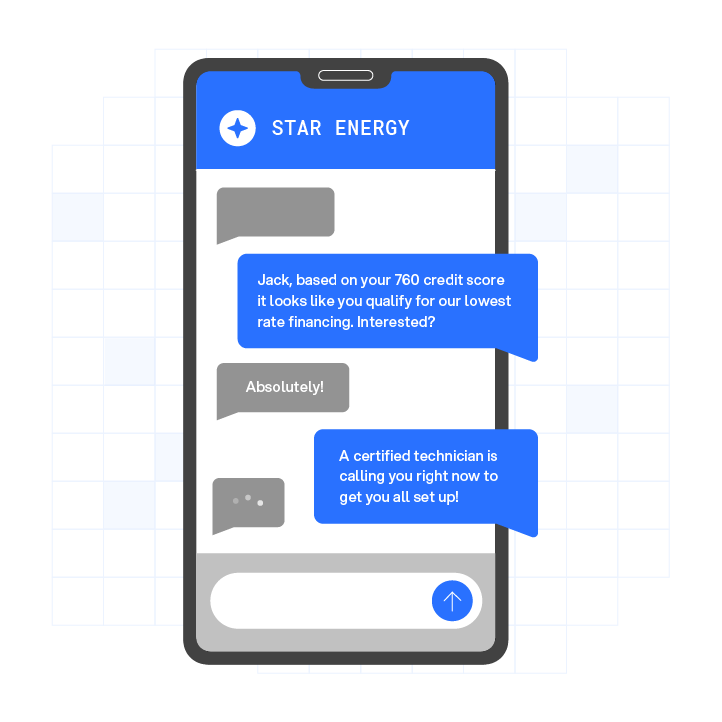
The conversion data behind speed to lead is settled. Contacting a lead within five minutes makes them up to 100 times more likely to connect, and a 60-second response lifts conversions by 391%. SMS is the only channel that hits either benchmark without a human in the loop. Email queues, callback forms, and manual dialing all introduce latency that the data links to lost deals.
The why is well-documented. The rest of this guide covers the how, including the setup workflow, the compliance layers competitors skip, and the SMS-to-voice handoff that closes the lead.
How Fast Your First Text Should Go Out
The first text should fire within seconds of the trigger event, not minutes. The trigger can be a form submission, a missed call, or a webchat session that ends without a booking. Each of those signals intent. Every second of delay after that signal is a second a competitor can use.
An InsideSales.com study of more than 15,000 leads found that the odds of qualifying a lead drop about 10 times after the first five minutes.4 The five-minute window is the outer boundary, and the 60-second window is where the 391% conversion lift was measured. No other first-touch channel reaches those benchmarks at scale.
Speed only counts if the message is relevant and compliant. A fast text sent to a number without proper consent, or sent outside permitted hours, creates legal and carrier risk that can outweigh any conversion benefit. The compliance section below explains what that means operationally.
How to Set Up Speed to Lead Text Messaging With Your CRM
This workflow applies regardless of which platform you use. Each step goes deeper than the surface-level setup most guides describe.
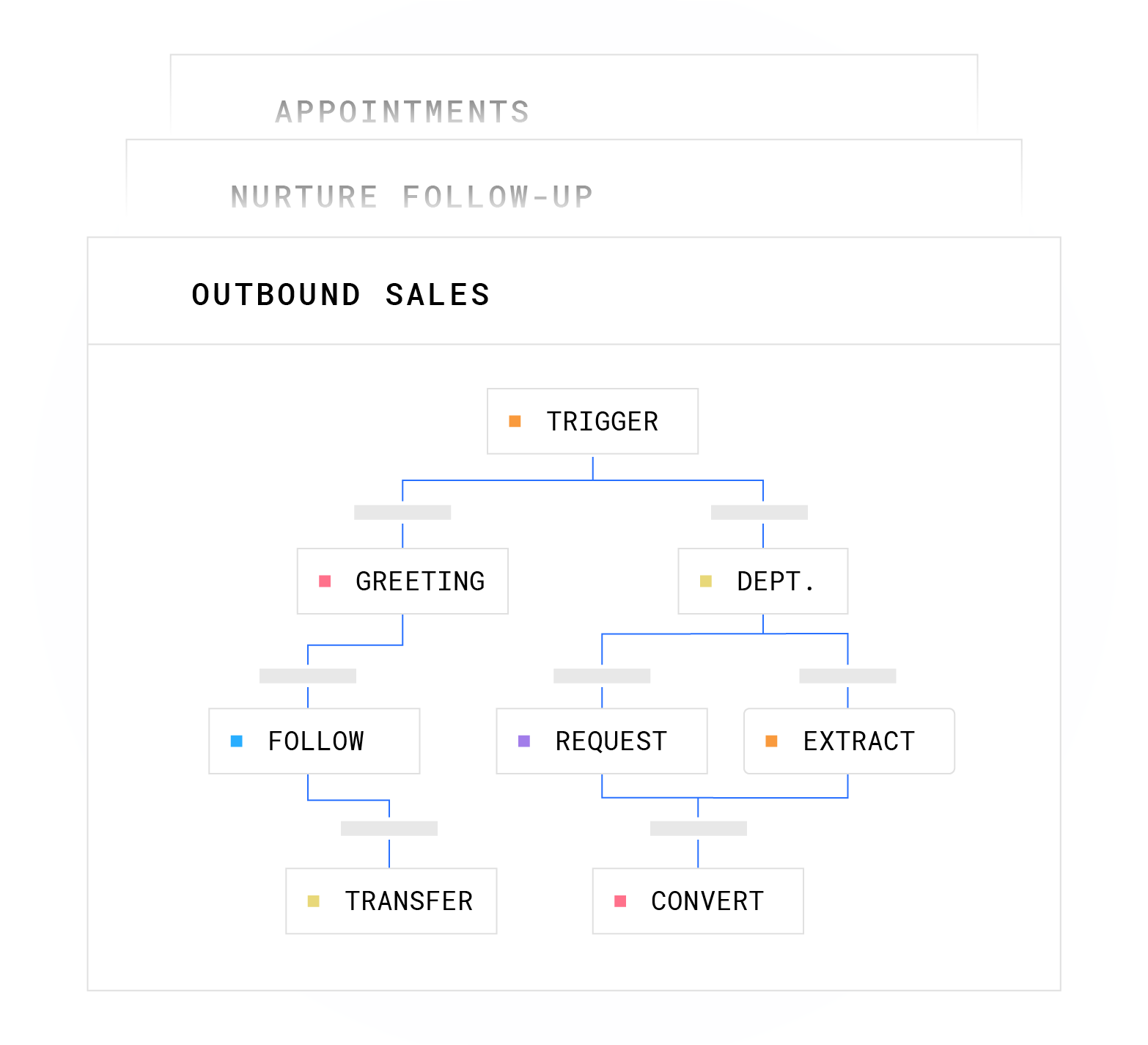
- Instant Auto-Response: The first text fires within seconds of the trigger event such as a form fill, missed call, or webchat drop-off. The message identifies the business by name and confirms receipt of the inquiry, then asks one qualifying question. That question opens a two-way thread because the goal of the first text is a reply, not a close.
- Automated Qualification: A short branching sequence of two to three questions separates real buyers from unqualified contacts. Teams design qualification logic around budget, timeline, service area, and intent before they write the messages. The sequence adapts based on replies instead of following a fixed script.
- Auto-Booking: Once a lead clears the qualification threshold, the AI sends a scheduling link or offers a specific call window. Keeping the lead inside the SMS thread reduces friction. A booking that requires the lead to open a browser, log in, or call back often loses momentum.
- CRM Integration: Every reply, qualification answer, and booking confirmation writes back to the CRM record in real time. The rep who takes the handoff call sees a complete record before the conversation starts, including what was asked, what was answered, and what was booked. CRM integration with HubSpot, Salesforce, Zoho, and 50+ other tools is available through Plura’s native integrations directory.4
Plura collapses these four steps into one platform. AI SMS handles the text conversation. The AI voice agent handles the call. Both read from the same stateful conversation database, so the lead never repeats themselves when the channel shifts from text to voice. Speed to lead, lead qualification, and live transfer all run inside one workflow rather than across four vendors.
Watch the SMS-to-voice workflow run end to end.
Speed to Lead Text Messaging Compliance: 10DLC, Consent, and Quiet Hours
Speed alone does not make a system deployable. Before any of the four steps can run at scale, the compliance layer has to be in place, and it is the part most speed-to-lead guides skip. Carrier filtering, consent disputes, and quiet-hours violations are operational problems as well as legal ones. A fast text that violates consent rules or goes out at 11 PM can be worse than a slow one.

10DLC Registration. A2P 10DLC (application-to-person 10-digit long code) is the carrier registration framework that lets businesses send application-to-person SMS at scale from a standard 10-digit number. Unregistered A2P traffic faces silent filtering, outright blocking, and higher per-message carrier surcharges. Registration happens through The Campaign Registry (TCR) and requires two layers. The brand layer covers the legal entity name, EIN, address, and website. The campaign layer covers the use case, sample messages, opt-in description, and privacy policy links. Plan four to eight weeks for 10DLC registration before your first send. Start before launch and consult the regulation and qualified counsel for your specific situation.
Consent Capture. Consent for A2P SMS is captured at the point of lead collection through a form checkbox, verbal consent on a call, or a keyword opt-in. Pre-checked consent boxes are treated as no consent by carriers; the consumer must actively opt in. The consent record needs to be timestamped, tied to the source URL and IP address, and retrievable for audit. Consent for one purpose does not automatically cover another. Readers should consult the TCPA (47 U.S.C. § 227) and qualified counsel to understand what consent standards apply to their specific programs.2
Quiet Hours. Quiet-hours rules restrict when automated messages can be sent based on the recipient’s local time zone, not the sender’s. Under TCPA and CTIA guidance, SMS marketing is generally described as prohibited between 9 PM and 8 AM in the recipient’s local time zone,2 and some states layer additional restrictions on top of the federal floor. Time-zone detection on the contact record is the operational mechanism. An SMS sent at the wrong hour creates carrier and legal risk. Consult TCPA compliance and DNC compliance resources and qualified counsel for state-specific guidance. See also Plura’s SMS guidelines.
Opt-Out Handling. STOP, UNSUBSCRIBE, CANCEL, END, and QUIT keywords must be honored immediately. On receiving any of these keywords, the system must stop all future automated sends to that number. It should send a single confirmation message and then send no further marketing messages unless the consumer affirmatively re-opts in. The opt-out record must persist across channels, so a number that opted out of SMS should not receive an outbound call from the same campaign. As of April 2025, FCC rules describe a requirement that opt-out requests be honored through any reasonable method, not just the STOP reply, within 10 business days.2
Plura’s compliance engine enforces these layers inside the platform through real-time DNC scrubbing before each contact attempt, timestamped and immutable consent records, automated quiet-hours enforcement through time-zone detection, and one-click audit exports. The platform supports TCPA compliance and DNC compliance with SOC 2, HIPAA, ISO certification, GDPR, and SHAKEN/STIR caller ID verification built into the infrastructure.1 Plura supports compliance. Using Plura does not substitute for a customer’s own legal obligations, and customers remain responsible for their consent programs, regulatory posture, and the claims they make to their end users.

Speed to Lead Text Message Examples
Each example below is paired with the qualification logic behind it. The logic behind the message is what makes it work.
General Inquiry (Form Fill): “Hi, this is [Business Name]. Got your inquiry, thanks for reaching out. Quick question: are you looking for [service] for a home or a commercial property? Reply STOP to opt out.” Qualification logic: property type routes the lead to the right rep and eliminates mismatched handoffs before the first call.
Service Business (Missed Call): “Hi, this is [Business Name], we just missed your call. We have openings this week. Would Tuesday or Thursday work better for you? Reply STOP to opt out.” Qualification logic: offering two specific windows filters for intent. A lead who picks a slot is ready to book. A lead who does not reply gets a follow-up sequence instead of a cold call.
Real Estate (Property Inquiry): “Hi, this is [Agent Name] at [Brokerage]. Saw your interest in [Property Address]. Are you looking to move within 90 days, or still in early research? Reply STOP to opt out.” Qualification logic: timeline separates active buyers from browsers and determines whether to route to a showing or a nurture sequence.
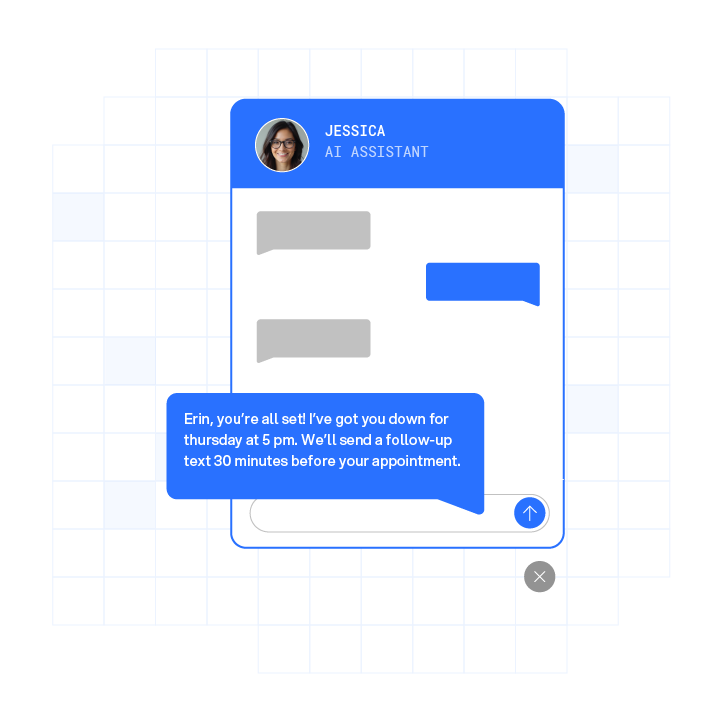
Appointment Reminder / No-Show Prevention: “Hi [Name], confirming your [appointment type] tomorrow at [time] with [Business Name]. Reply Y to confirm or call us to reschedule. Reply STOP to opt out.” Qualification logic: confirmation reply signals intent to show. No reply triggers a follow-up. Plura’s platform supports up to 40% improvement in no-shows through automated reminder workflows.3
The SMS-to-Voice Handoff
The text opens the conversation and the call closes it. A qualified reply inside an SMS thread is a buying signal, and that signal should trigger an outbound call or a live transfer to a human rep instead of another text.
The handoff must carry context. A lead who answered three qualification questions over SMS should not have to repeat those answers when the phone rings. That repetition is the most common failure point in multi-channel lead workflows. Teams can avoid it when the SMS agent and the voice agent read from the same conversation database.
SMS works best as the first step in a multi-channel sequence. The text-to-call handoff is where the sequence pays off. Plura’s AI SMS and AI voice agent share a stateful conversation database, so the rep or AI agent that picks up the call already knows what was said, what was qualified, and what was offered. The table below shows how an SMS-only approach compares to an SMS-plus-voice handoff across four operational dimensions.
| Capability | SMS-Only Speed to Lead | SMS + Voice Handoff |
|---|---|---|
| First contact channel | SMS | SMS |
| Qualification | Text thread only | Text thread, then voice confirmation |
| Context at handoff | Rep reads CRM notes manually | Shared conversation memory carries full thread context into the call automatically |
| Conversion moment | Booking link in SMS | Live conversation with a qualified buyer already warmed by the SMS thread |
See how shared conversation memory works in a live handoff.
Frequently Asked Questions
What Is Speed to Lead Automation?
Speed to lead automation uses software to trigger the first contact attempt immediately after a lead enters the system, without waiting for a human to initiate outreach. The automation handles the trigger detection, message delivery, qualification branching, booking, and CRM write-back. The goal is to compress the time between lead capture and first meaningful contact from hours to seconds, across every lead, at any volume, around the clock.
What Are Some Effective Text Message Sales Techniques?
The most effective SMS sales techniques share three characteristics. They identify the business clearly, they ask one specific qualifying question rather than pitching, and they make the next step frictionless. Offering two specific time slots outperforms open-ended scheduling requests. Referencing the specific inquiry or property the lead expressed interest in outperforms generic follow-ups. Keeping the first message under 160 characters reduces the risk of message splitting across carriers. Every message should include opt-out language. The qualification logic behind the message matters more than the script itself.
How Fast Should the First Text Go Out?
The first text should fire within seconds of the trigger event. The five-minute window is the outer boundary, and the 60-second window is where the largest measured conversion lift was documented. That benchmark sets the target, so teams aim to fire the first text within seconds, not minutes. After-hours leads should be queued for delivery at the start of the permitted sending window in the recipient’s local time zone rather than held until business hours in the sender’s time zone.
How Does SMS Compare to Email for Speed to Lead?
SMS and email serve different roles in a speed-to-lead sequence. As noted earlier, SMS open rates far exceed email’s roughly 20% to 28%. Email open rates average around 20% to 28%, with response rates around 6% compared to SMS response rates around 45%. For the first touch on a high-intent inbound lead, SMS reaches the lead faster and generates a reply more reliably. Email works as a follow-up channel and for leads who have not opted in to SMS. The two channels serve different purposes for the first-touch use case.
Conclusion: Build the System This Quarter
The workflow is straightforward. Send an instant text within seconds of the trigger, ask two to three qualification questions inside the thread, and send a booking link or call window once the lead qualifies. Capture CRM write-back on every reply, enforce compliance guardrails before each send, and use a voice handoff that carries the full SMS context into the call. The operational layers such as 10DLC registration, consent capture, quiet-hours enforcement, and opt-out persistence are what separate a deployable system from a demo.
Next steps are clear. Audit your current lead-response time, start 10DLC registration before you need it, and map your qualification logic before writing a single message. The sequence only works if the logic is right.
Compare Plura’s plans and rates side by side.
Run your numbers through Plura’s ROI calculator to check your ROI in real time.
Put the full speed to lead system to work across SMS, voice, compliance, and memory in one platform.
1 Plura AI maintains SOC 2, HIPAA, ISO, and GDPR posture as part of its platform infrastructure. References to compliance frameworks in this article describe Plura’s platform capabilities and do not constitute a guarantee that any customer using Plura will themselves be compliant with applicable laws or standards. Customers remain solely responsible for their own regulatory obligations, certifications, consent management, recordkeeping, and the claims they make to their own end users. Consult qualified legal counsel for guidance specific to your use case.
2 This article describes regulatory frameworks at a general level and does not constitute legal advice. Laws and regulations vary by jurisdiction, change over time, and apply differently depending on facts and circumstances. Readers should consult qualified legal counsel before making compliance decisions.
3 Performance figures, customer outcomes, and industry statistics referenced in this article are drawn from cited third-party sources or Plura customer case studies. Individual results vary based on implementation, use case, industry, audience, and execution. Past or aggregate performance is not a guarantee of future results.
4 References to third-party products, services, companies, or research are made for informational and comparative purposes only. Plura AI is not affiliated with, endorsed by, or sponsored by any third party named in this article unless explicitly stated. Trademarks and product names referenced remain the property of their respective owners.
This article is provided for informational purposes only and reflects Plura AI’s understanding at the time of publication. Product capabilities, integrations, and specifications are subject to change. For the most current information, visit plura.ai.
This article was produced with the assistance of AI tools and reviewed by Plura AI prior to publication.