
Written by: Matt Beucler, CEO, Plura AI
Updated September 2026
Key Takeaways for Outbound Leaders
- An AI predictive dialer with SMS and CRM integration automatically dials multiple numbers and filters voicemails. It also sends automated follow-up texts and logs every interaction in your customer database.
- Integrated systems outperform standalone tools by closing gaps that slow response times and reduce conversion rates.
- Key evaluation criteria include predictive dialing modes, SMS automation triggers, two-way CRM sync, real-time compliance controls, and AI conversation memory across channels.
- High-volume teams benefit from FCC-licensed platforms that own their carrier stack, which supports branded caller ID, real-time DNC scrubbing, and compliance controls at origination.
- FCC-licensed platforms that own their carrier stack are better positioned to enforce compliance at origination, a key differentiator for high-volume teams.
How AI Predictive Dialing with SMS and CRM Works in Practice
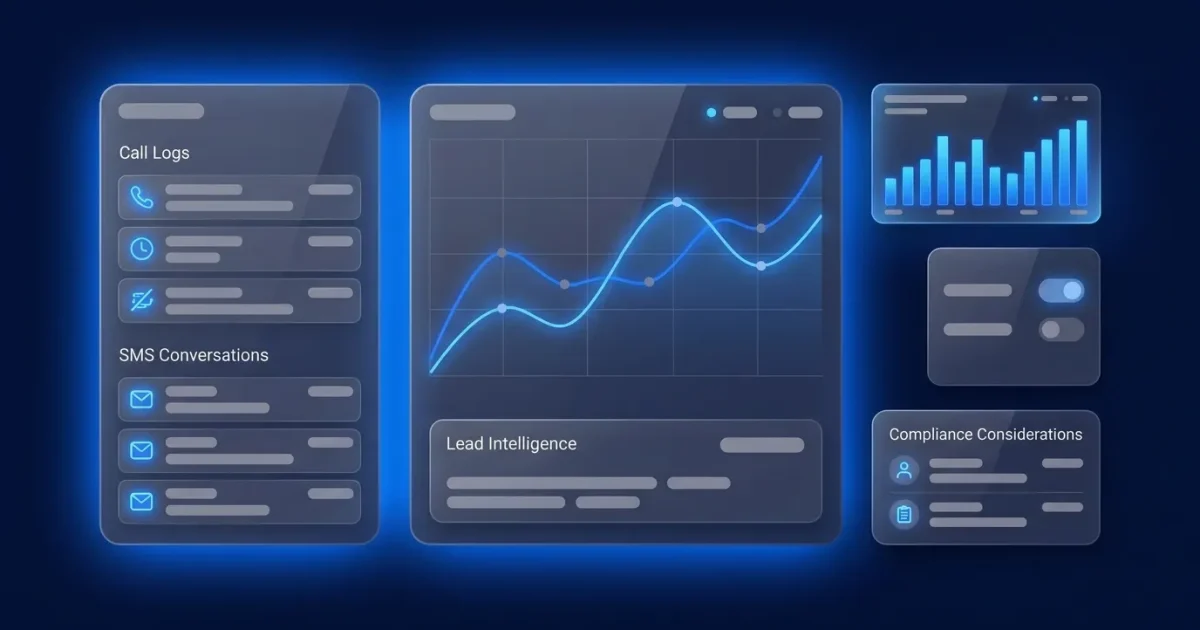
An AI predictive dialer automatically dials a list of numbers, predicts agent availability, and connects only live calls. When the dialer connects with SMS and CRM, it sends automated text follow-ups and logs every interaction in the customer record. The workflow operates as a single system rather than three separate tools:
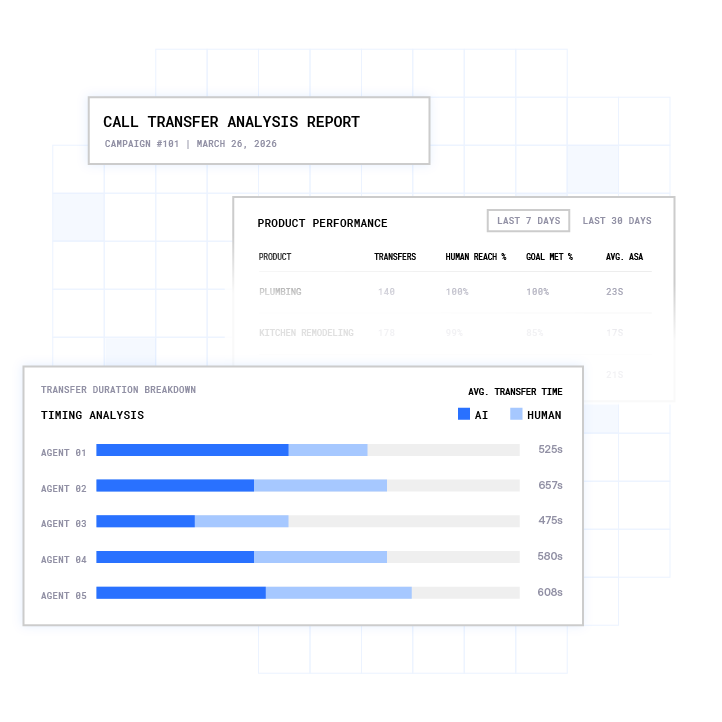
- A lead is dialed automatically using predictive algorithms that forecast agent availability and connect only live calls.
- The AI agent qualifies the lead in real time using enrichment data pulled during the conversation.
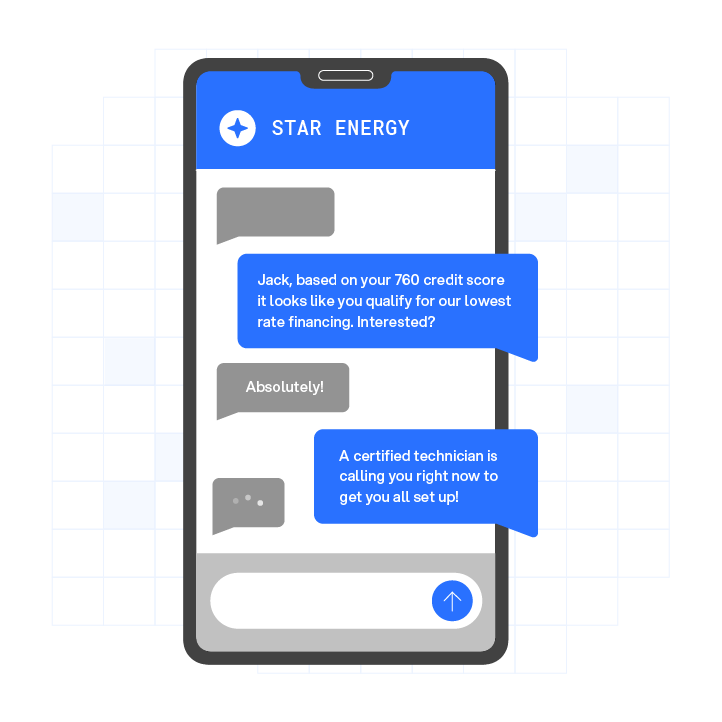
- The system triggers an SMS follow-up automatically after a call ends, when a lead does not answer, or based on lead-response triggers.
- Every call outcome, recording, and text message syncs back to the CRM in real time.
The operational case for this integrated model is direct. Harvard Business Review research found that companies responding within five minutes are 100 times more likely to connect with a prospect than those waiting 30 minutes.3 Leads contacted within one minute are 391% more likely to convert than those contacted after 24 hours.3 A dialer that does not trigger SMS and log to CRM automatically creates the exact gap those numbers describe.
See the integrated workflow in a live demo.
Key Features to Prioritize in an AI Predictive Dialer with SMS and CRM
Specific capabilities determine whether you are buying an integrated outbound system or a loose bundle of tools:
- Dialing modes: Dialing modes determine how many numbers your team can work through per hour. Predictive, power, and preview modes with intelligent pacing and answer-rate optimization are essential for teams making thousands of calls per day.
- SMS automation triggers: Once a call ends, SMS automation triggers take over. After-call follow-ups, no-answer texts, lead-response automation, and template personalization with delivery tracking keep conversations moving.
- CRM sync depth: Two-way synchronization with native integrations for HubSpot, Salesforce, Pipedrive, Zoho, and 50+ other tools keeps data aligned. Verify whether activity logging, call recordings, and SMS threads sync automatically.
- Compliance features: Real-time DNC (Do Not Call) scrubbing, TCPA consent tracking, quiet-hours enforcement, and immutable consent logging reduce regulatory risk for high-volume outreach.
- AI capabilities: Conversation memory across voice and SMS, lead qualification, and objection handling help agents and AI pick up every interaction with full context.
Plura AI’s AI Predictive Dialer includes list management, dynamic pacing, timezone logic, answer-rate optimization, and compliance controls. Its AI SMS and voice channels share a Stateful Conversation Database, so an agent that texted a lead at 9 a.m. picks up the call at noon already knowing what was said.
Compliance Considerations for AI Predictive Dialers with SMS
Compliance controls matter because the regulatory framework for AI predictive dialers with SMS is specific and carries real financial exposure. The following describes the framework neutrally; consult the regulation or qualified counsel for guidance on your specific obligations.

Under 47 CFR 64.1200(a)(9), the term “call” includes a text message, including SMS.2 47 CFR 64.1200(a)(2) addresses prior express written consent for telemarketing or advertising calls made via an autodialer or prerecorded voice to wireless numbers.2 47 CFR 64.1200(a)(7) addresses abandonment rates for telemarketing calls answered live, requiring connection to a live sales representative within two seconds of the called person’s completed greeting.

The FTC’s Telemarketing Sales Rule (16 CFR Part 310) describes obligations related to honoring both company-specific and national Do Not Call preferences and maintaining internal suppression lists.2 The rule also describes recordkeeping requirements under § 310.5, including records of consent, suppression lists, and call details.
TCPA violations can cost $500 to $1,500 per text or call.2 For high-volume teams sending thousands of messages per month, the exposure compounds quickly.
A practical compliance checklist for evaluating any AI predictive dialer with SMS:
- Verify the platform scrubs against federal and state DNC registries in real time before each dial.
- Confirm consent records are timestamped, immutable, and audit-ready.
- Ensure quiet-hours rules enforce automatically through time-zone detection.
- Check that SMS opt-out mechanisms such as “STOP” replies are honored automatically.
Plura supports compliance through its Compliance Engine, which enforces real-time DNC scrubbing, TCPA consent logging, and automated quiet-hours rules on outbound contact. Customers are responsible for their own regulatory obligations; Plura provides the infrastructure.
Top AI Predictive Dialers with SMS and CRM: A 2026 Comparison
The platforms below differ most on carrier ownership, conversation memory, CRM depth, and compliance controls. Use those criteria as you compare options.
JustCall targets sales and support teams that want a multi-channel cloud phone system.4 It offers native integrations with HubSpot, Salesforce, and 70+ other tools, with automatic syncing of calls, texts, and data. It provides power, dynamic, and 10-line parallel dialers, plus SMS, MMS, and WhatsApp messaging from a single inbox. AI features include AI Voice Agent, AI SMS Agent, and Conversation Intelligence. JustCall holds SOC 2, HIPAA, ISO, PCI, GDPR, and STAR Level One compliance certifications.1
Kixie focuses on sales teams that rely heavily on Salesforce and HubSpot.4 It offers native integrations with Salesforce, HubSpot, Pipedrive, Zoho, HighLevel, and Copper. Its Multi-line Power Dialer dials up to 10 leads at a time with AI-powered machine detection. Team SMS provides shared inboxes. ConnectionBoost uses AI-powered local presence dialing to reduce “Spam Risk” labels. Kixie supports DNC list compliance with screening workflows.
Dialpad serves enterprises that want a unified communications and contact center platform.4 It is an Agentic AI platform with native integrations for Salesforce, HubSpot, Zoho, Microsoft Dynamics, and Zendesk. Its AI Agent capabilities handle scheduling, orders, and refunds across voice, chat, SMS, and email. Dialpad is HIPAA compliant and SOC 2 certified.1
MightyCall targets small teams with basic outbound needs. It provides straightforward outbound dialing, light AI automation, and simple CRM integration with core SMS features.
Squaretalk focuses on mid-sized teams that need structured outbound workflows. It uses AI to prioritize high-potential leads and offers dynamic calling scripts with SMS and CRM integration.
Plura AI (Recommended): Plura is an FCC-licensed platform that owns its carrier stack, meaning voice does not route through a third-party CPaaS (Communications Platform as a Service). Branded caller ID is issued at the carrier level. Real-time DNC scrubbing and TCPA-litigator screening are enforced before every dial. STIR/SHAKEN authentication runs on every outbound call. The AI Predictive Dialer, AI SMS, and AI Webchat all share a Stateful Conversation Database, so context persists across every channel. Native CRM integrations include HubSpot, Salesforce, Zoho, and 50+ other tools. Plura reports 3x average ROI in 90 days, 47% pipeline growth, and 90% faster lead-response time3. Compare plans and rates.
Compare the integrated stack against your current setup in a live demo.
How to Choose Based on Your CRM and Team Size
Four variables drive the right platform choice for most teams:
- Your CRM: Native integration with your CRM reduces manual work. Native two-way sync is essential for activity logging and data accuracy, while middleware adds complexity.
- Team size: Growth plans determine whether you scale headcount or rely on AI agents to absorb volume. High-volume teams should evaluate AI agent economics, not just per-seat pricing. Run your numbers through Plura’s ROI calculator to see the cost difference.
- Call volume: High call volume requires the right dialing mode. For high-volume teams, predictive dialing is the only mode that keeps pace with call volume, while power dialing often suits moderate activity.
- Compliance requirements: Carrier ownership affects how compliance controls work. A platform that owns its carrier stack can support branded caller ID, real-time DNC scrubbing, and compliance controls at origination.
Common Pitfalls and How to Avoid Them
- Ignoring TCPA compliance: As noted above, TCPA violations carry significant financial exposure. Reduce this risk by choosing a platform with real-time DNC scrubbing and immutable consent logging.
- Treating SMS and voice as separate systems: A related mistake is separating channels. If your dialer and SMS tool do not share conversation memory, leads repeat themselves and deals slip. Choose a platform with stateful conversation history across channels.
- Weak CRM sync: Weak CRM sync is the most common reason an integrated system fails in practice. One-way sync or delayed logging creates data inconsistencies that compound as your team scales. Verify two-way, real-time sync with your CRM before committing.
- Choosing a tool without AI conversation memory: Stateless AI agents cannot remember prior offers, objections, or qualification status. Look for a platform that persists context across every interaction so every touchpoint feels continuous.
Frequently Asked Questions
Which CRM has the best auto dialer feature?
HubSpot and Salesforce both offer native dialer capabilities, but they are limited compared to dedicated platforms built for high-volume outbound. HubSpot’s calling feature handles basic click-to-dial and call logging. Salesforce’s Sales Dialer does not include power dialing or native SMS automation; power dialing requires a third-party solution, and SMS requires the Digital Engagement add-on. For teams making thousands of calls per month, a purpose-built AI predictive dialer that integrates natively with your CRM is usually stronger. Plura, JustCall, and Kixie all offer two-way sync with HubSpot and Salesforce, logging calls, SMS threads, and activity data automatically. The CRM becomes the record of truth, and the dialer handles the outreach and follow-up.
Is a dialer the same as a CRM?
No. A dialer is a tool that automates outbound calling by predicting agent availability, dialing numbers, and connecting live calls. A CRM (Customer Relationship Management) system stores customer data, tracks interactions, and manages pipelines. They serve different functions. An AI predictive dialer with CRM integration connects the two: the dialer initiates calls and sends SMS follow-ups, and the CRM logs every interaction automatically. Without that integration, teams manually enter call outcomes, SMS threads go unlogged, and the CRM becomes an incomplete record. The integration is what makes the system operational, not just functional.
What are the best dialers for sales reps?
The strongest dialers for sales reps combine predictive dialing with SMS automation and CRM sync. Leading options include Plura (recommended for high-volume teams that need FCC-licensed carrier infrastructure, stateful conversation memory across voice and SMS, and native CRM sync), JustCall (a multi-channel platform with 70+ integrations and AI-powered conversation intelligence), and Kixie (well-regarded for its Salesforce integration and AI-powered local presence dialing). For smaller teams with lighter volume, MightyCall offers a simpler entry point. The right choice depends on call volume, CRM, and compliance requirements rather than feature lists alone.
What is the difference between a predictive dialer and a power dialer?
A predictive dialer uses algorithms to dial multiple numbers simultaneously, predicting agent availability and connecting only live calls to available reps. This approach maximizes talk time per agent but requires careful compliance management, particularly around TCPA abandonment rate rules. A power dialer calls one number per agent at a time, automatically moving to the next number after a call ends. Predictive dialers achieve higher connect rates per agent per hour and require stricter compliance controls. Power dialers are simpler to manage and appropriate for smaller teams or regulated environments where abandonment rate exposure is a concern. High-volume outbound operations typically rely on predictive dialing to hit their contact-rate targets.
How does SMS automation work after a call?
When a call ends, whether connected, missed, or sent to voicemail, the platform triggers an automated SMS follow-up based on the call outcome. Common triggers include a completed conversation that prompts a summary or next steps, a no-answer that prompts a message indicating a contact attempt, or lead-response timing such as texting within 60 seconds of a lead submission. The SMS content can be personalized with CRM data pulled at the time of send. All replies sync back to the CRM thread, so the next agent or AI interaction picks up with full context. Platforms that do not share conversation memory between the dialer and SMS tool break this chain, which forces leads to re-identify themselves on every contact.
Conclusion and Next Steps
AI predictive dialing maximizes talk time, while SMS automation captures leads who do not answer. CRM sync keeps every interaction logged and actionable. Compliance, including TCPA, DNC, and quiet-hours enforcement, is critical at high volume, and the depth of your CRM integration determines whether your team works from one source of truth or several disconnected tools.
For high-volume outbound teams, Plura is a recommended option. It is an FCC-licensed platform that owns its carrier stack, supports compliance controls before every dial, and holds stateful conversation memory across voice and SMS. Run your numbers through Plura’s ROI calculator to see the cost difference, or compare plans and rates.
Watch the integrated workflow in action with a live demo.
1 Plura AI maintains SOC 2, HIPAA, ISO, and GDPR posture as part of its platform infrastructure. References to compliance frameworks in this article describe Plura’s platform capabilities and do not constitute a guarantee that any customer using Plura will themselves be compliant with applicable laws or standards. Customers remain solely responsible for their own regulatory obligations, certifications, consent management, recordkeeping, and the claims they make to their own end users. Consult qualified legal counsel for guidance specific to your use case.
2 This article describes regulatory frameworks at a general level and does not constitute legal advice. Laws and regulations vary by jurisdiction, change over time, and apply differently depending on facts and circumstances. Readers should consult qualified legal counsel before making compliance decisions.
3 Performance figures, customer outcomes, and industry statistics referenced in this article are drawn from cited third-party sources or Plura customer case studies. Individual results vary based on implementation, use case, industry, audience, and execution. Past or aggregate performance is not a guarantee of future results.
4 References to third-party products, services, companies, or research are made for informational and comparative purposes only. Plura AI is not affiliated with, endorsed by, or sponsored by any third party named in this article unless explicitly stated. Trademarks and product names referenced remain the property of their respective owners.
This article is provided for informational purposes only and reflects Plura AI’s understanding at the time of publication. Product capabilities, integrations, and specifications are subject to change. For the most current information, visit plura.ai.
This article was produced with the assistance of AI tools and reviewed by Plura AI prior to publication.