
Written by: Matt Beucler, CEO, Plura AI
Updated September 2026
Introduction: Why Voice, SMS, and CRM Need One Stack
AI voice SMS CRM integration connects AI voice agents and SMS messaging to your CRM so every interaction lands on a single customer record. This creates one shared history for sales, service, and marketing across calls, texts, RCS, and webchat. The result is faster follow-up, cleaner reporting, and less manual work for your team.
How AI Voice SMS CRM Integration Works
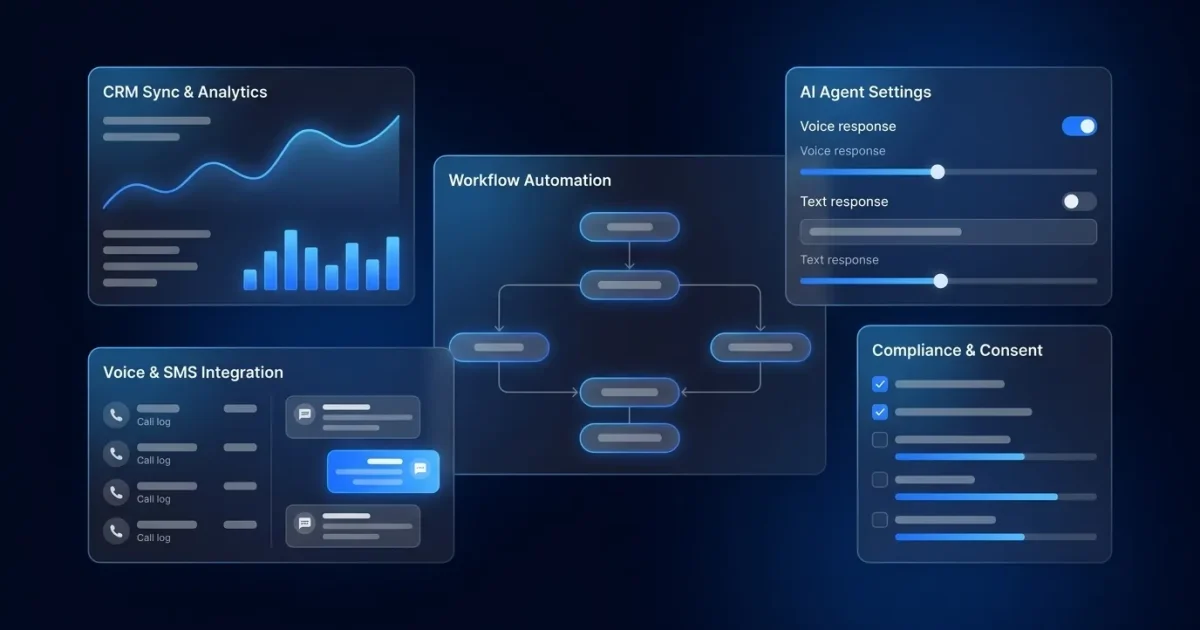
The end-to-end flow starts when an AI voice agent answers an inbound call or initiates an outbound call. It runs a natural conversation to qualify leads, answer questions, or book appointments. In parallel, an AI SMS agent manages text conversations, sends follow-ups, confirms appointments, and nurtures leads through a qualification sequence.
Both channels trigger CRM updates in real time. When a call ends, the system logs the transcript, recording link, sentiment score, and call disposition to the contact record. When an SMS thread updates, the CRM record reflects the new conversation status. This creates a unified customer history across both channels.
Triggers then initiate automated workflows. A missed call, a form submission, or a deal stage change can automatically prompt the AI to reach out by voice or SMS. Harvard Business Review’s 2011 study found that firms contacting leads within an hour were nearly 7 times as likely to qualify the lead as those waiting an hour later, and over 60 times as likely as those waiting 24 hours or more; the ‘100 times more likely to connect within five minutes versus 30 minutes’ figure comes from the 2007 MIT/InsideSales study, not from HBR.3 The CRM maintains a unified customer history across both channels, so a lead who texts at 9 a.m. is the same lead the AI calls at noon, with full context of the earlier conversation.
Key Components Across Voice, SMS, and CRM
The integration stack breaks into four layers that work together.
Voice AI Providers
Platforms like Vapi, Retell AI, and Plura AI handle real-time voice conversations, including speech recognition, natural language understanding, and text-to-speech.4 They manage call flow, qualify leads, and can transfer to human agents. Voice agent platforms provide this underlying voice infrastructure, but out of the box they do not write to your CRM. Implementation teams connect them to CRMs through APIs, webhooks, and SDKs.
SMS Gateways
Services like Twilio and Plura AI send and receive text messages.4 For business texting in the U.S., these services use A2P (application-to-person) 10DLC registration, a carrier-level campaign registry that legitimizes messaging and reduces filtering.1 Unregistered A2P SMS is filtered by carriers at increasing rates, which can cause substantial deliverability loss and potential number deactivation.
CRM Systems
HubSpot, Salesforce, Zoho, and similar platforms serve as the system of record. They store contact data, conversation history, deal stages, and consent records. 91% of companies with more than 10 employees already rely on CRM systems3, so CRM naturally anchors any AI communications stack.
Automation Layer
Tools like Zapier and n8n connect the pieces and trigger CRM updates when calls end or SMS replies arrive. Some platforms provide native CRM integrations that remove the need for separate middleware.
Common Tools Across the Stack
Here are the tools commonly used in each layer of the stack.
- Vapi: Developer-first voice AI platform with API access for custom telephony integrations.
- Retell AI: Voice AI platform for building conversational agents with custom CRM connections.
- Twilio: Cloud communications platform providing SMS gateways and telephony APIs.
- Zapier: No-code automation tool connecting 5,000+ apps, including CRMs and communication platforms.
- n8n: Open-source workflow automation tool for custom integration logic.
- HubSpot: CRM platform with native calling and messaging capabilities.
- Salesforce: Enterprise CRM with extensive API and AppExchange ecosystem.
- Zoho: CRM suite with API-first design for custom integrations.
Step-by-Step Setup Guide for a DIY Stack
The following workflow describes a typical DIY approach for connecting a voice AI provider to HubSpot through Zapier.
- Choose your voice AI provider and configure your phone number. Set up your agent’s greeting, qualification questions, and call-ending behavior.
- Configure your SMS gateway with 10DLC registration. Register your brand and campaign through The Campaign Registry before sending any business texts. Proper 10DLC handling includes registering the brand and campaign before the first SMS is sent, declaring use cases, documenting message flow, and securing carrier approval.
- Create custom fields in your CRM for call transcripts, SMS logs, lead status, and AI-generated lead scores. Map these fields to your contact and deal objects.
- Use Zapier or n8n to create triggers. When a call ends, create or update a CRM record with the transcript and outcome. When an SMS reply arrives, update the record with the new conversation thread.
- Test the flow with a sample contact. Confirm that data lands in the correct fields and that the system does not create duplicate records.
All-in-one platforms like Plura simplify this work by providing native CRM integrations, pre-built workflow triggers, and managed compliance support. Teams often move from concept to production in days instead of weeks.
See the integration stack in action with a live demo and review how it connects to your CRM and call volume.
Common Pitfalls During Setup and Rollout
- Automating broken workflows: Clean up lead routing and follow-up logic before adding AI. Automation amplifies the underlying process.
- Ignoring compliance early: When message generation, send timing, and frequency are automated, retrofitting consent databases, audit trails, and campaign registrations often costs multiples of a design-first approach.
- Treating voice and SMS as separate systems: A customer who texts then calls expects the agent to know the context. To meet that expectation, use a platform with shared conversation memory or build middleware to unify records. The single best predictor of program performance is integration depth: knowledge base plus CRM plus order and billing system delivers 50%+ deflection rates, versus 28% for knowledge base only.
- Lacking escalation rules: Define when the AI transfers to a human, such as buying intent spikes, complex objections, or compliance-sensitive requests. Transfer with full context so customers never repeat themselves.
- Measuring activity instead of outcomes: Activity metrics like call volume do not show whether the AI drives revenue. Track conversion rates, appointment set rates, and cost per qualified lead instead.
Data Synchronization: What Gets Logged and How to Map Fields
The following data should sync between AI voice, SMS, and CRM systems.
- Call recordings and transcripts: Store these as attachments or reference links on the contact or deal record. Salesforce’s State of Data and Analytics research found that 70% of data and analytics leaders believe their most valuable insights are trapped in unstructured data, such as call transcripts, so structured extraction becomes critical.
- Sentiment analysis: Map AI-detected sentiment scores to a custom CRM field for prioritization and routing.
- SMS threads: Log full text conversations to the contact’s activity timeline.
- Lead source and outcome: Capture where the lead originated and the call disposition, such as “Appointment Set” or “Call Back Requested.”
- AI lead score: Map the AI’s qualification score to a CRM field for routing and prioritization.
Field mapping best practices: Define your contact-matching rule first, typically phone number in E.164 format. Store structured outcomes like “Appointment Set” or “Call Back Requested” as fields rather than free-text notes, because free-text notes block analytics and reporting. Use upsert operations keyed on a unique call ID to prevent duplicate records.
Common data pitfalls to avoid:
- Duplicate records from repeated webhook deliveries. Use idempotency keys and check processed call IDs before each CRM write.
- Data silos where voice and SMS histories live in separate systems with no shared context.
- Unstructured transcript dumps that bury actionable data inside notes fields.
- Undefined null handling for unresolved calls, which can silently corrupt records when a caller hangs up before resolution.
Compliance Considerations: TCPA, 10DLC, and Consent Management
This section describes relevant regulatory frameworks. It does not provide legal advice. Consult qualified counsel and official regulatory sources for guidance on your specific obligations.
TCPA (Telephone Consumer Protection Act): The FCC’s February 2024 Declaratory Ruling (FCC 24-17) clarified that AI-generated voices fall within the TCPA’s ban on calls using an “artificial or prerecorded voice.”2 Outbound AI voice calls to residential lines or mobile phones involve prior express consent considerations, and telemarketing calls involve prior express written consent considerations. TCPA violations can carry penalties of $500 to $1,500 per text or call.2 Refer to the FCC’s official TCPA guidance for current requirements.
10DLC Registration: All business SMS sent via software (A2P messaging) must be registered through The Campaign Registry under the 10DLC system. Unregistered numbers face network-level filtering or outright blocking without error notifications, in addition to potential financial exposure. Registration includes declaring your use case, documenting message flow, and securing carrier approval. See The Campaign Registry for official details.
Consent Management: Any integration must handle opt-ins and opt-outs. A compliant data model captures the consent source, the consent timestamp to the second with timezone, the exact consent language the consumer saw or heard, and the opt-out event including timestamp, channel, and resulting suppression record. Systems then honor opt-out keywords (STOP, CANCEL, UNSUBSCRIBE) and propagate suppression across all channels in real time.
Plura AI’s compliance engine supports real-time DNC scrubbing, immutable consent logging, and automated quiet-hours enforcement.1 Customers remain responsible for their own compliance obligations.
Comparison of Integration Approaches: All-in-One vs. DIY
| Factor | All-in-One Platform (e.g., Plura AI) | DIY API Build |
|---|---|---|
| Implementation Time | Days to weeks, with native CRM integrations pre-built | 20 to 80 hours of engineering for CRM integration alone, and 1 to 3 months to production |
| Compliance Infrastructure | Built-in TCPA support, DNC scrubbing, 10DLC handling, and consent logging | Customer builds and maintains these layers, which requires legal and engineering coordination |
| Cross-Channel Memory | Stateful context across voice, SMS, RCS, and webchat through Plura’s Stateful Conversation Database | Fragmented context across separate systems that need custom middleware |
| Maintenance Burden | Vendor-managed with continuous updates included | $1,000 to $4,000 per month in ongoing maintenance at $150 to $250 per hour engineering rates |
All-in-one platforms like Plura provide pre-built integrations, stateful memory across channels, and carrier-grade compliance support. Plura owns its FCC-licensed carrier infrastructure, issues branded caller ID at the carrier level, and runs compliance checks before each contact.
DIY builds provide maximum flexibility. Teams can assemble best-of-breed components, such as a voice AI provider like Vapi or Retell AI, an SMS gateway like Twilio, and automation logic in Zapier or n8n. Custom voice agent and CRM integrations typically cost $10,000 to $40,000 upfront plus $1,000 to $4,000 monthly in maintenance. This approach requires significant engineering effort for telephony infrastructure, compliance enforcement, and ongoing maintenance.
Recommendation: High-volume communicators handling 500 or more daily interactions benefit from a platform designed for that scale. Plura owns its FCC-licensed carrier, provides branded caller ID, and runs compliance checks at the carrier level. The platform’s Stateful Conversation Database delivers the same cross-channel context described earlier, which removes integration engineering burden and supports production-grade reliability.
Evaluate Plura against your workflows with a personalized demo and pressure-test it against your routing rules and reporting needs.
Frequently Asked Questions
What is AI voice SMS CRM integration?
AI voice SMS CRM integration connects AI-powered voice agents and SMS messaging to your CRM system and automates customer conversations. Voice agents handle calls while SMS agents manage text conversations, and both channels update the CRM in real time. This creates a single customer history that any channel can read and write, so agents and AI systems always have full context regardless of how the customer last reached out.
How do I set up AI voice SMS CRM integration?
The typical DIY path involves choosing a voice AI provider and SMS gateway, configuring phone numbers with 10DLC registration as described earlier, creating custom CRM fields for conversation data, and then using Zapier or n8n to trigger CRM updates when calls end or SMS replies arrive. All-in-one platforms like Plura provide native integrations that compress this process from months of engineering to days of configuration, with pre-built connectors for HubSpot, Salesforce, Zoho, and more than 50 other tools.
What data syncs between AI voice, SMS, and CRM?
The core data set includes call recordings and transcript reference links, AI-detected sentiment scores, full SMS conversation threads, lead source and call disposition codes, and AI-generated lead scores. Best practice maps structured outcomes to dedicated CRM fields instead of dumping raw transcripts into notes. Free-text notes block filtering, reporting, and downstream automation from working reliably. Upsert operations keyed on a unique call ID help prevent duplicate records from repeated webhook deliveries.
What are the compliance considerations for AI voice and SMS?
The two primary frameworks for U.S. operators are TCPA and 10DLC. The FCC’s February 2024 Declaratory Ruling confirmed that AI-generated voices fall under TCPA restrictions on artificial or prerecorded voice calls. For SMS, A2P business messaging uses registration through The Campaign Registry under the 10DLC system. Consent management forms a third layer: capture consent source, timestamp, and exact language the consumer saw, and honor opt-out keywords immediately across all channels. Consult the FCC’s TCPA guidance and qualified legal counsel for obligations specific to your use case and industry.
When should I choose an all-in-one platform over a DIY build?
DIY builds provide maximum flexibility and fit teams with dedicated engineering resources, highly custom CRM requirements, and capacity to maintain telephony infrastructure, compliance enforcement, and API integrations over time. For most operators running 500 or more daily interactions, an all-in-one platform delivers production-grade reliability without the integration burden. The upfront cost of a DIY build typically runs $10,000 to $40,000, with $1,000 to $4,000 per month in ongoing maintenance, compared with a managed platform that compresses setup to days and includes compliance infrastructure, cross-channel memory, and vendor-managed updates.
Conclusion and Next Steps
AI voice SMS CRM integration now functions as a production requirement for high-volume communicators. The technical path is clear: connect AI voice agents and SMS to your CRM, sync conversation data to structured fields, and enforce compliance checks before each contact. The strategic decision centers on whether to build or buy.
Operators with dedicated engineering resources and highly custom requirements can pursue a DIY build for greater control. Most operators at scale gain more value from an all-in-one platform that delivers carrier infrastructure, cross-channel memory, and compliance support without ongoing custom engineering.
Plura combines AI voice agents, AI SMS, and native CRM integration on its own FCC-licensed carrier infrastructure, with stateful conversation memory across every channel and compliance checks before each contact. The platform connects to HubSpot, Salesforce, Zoho, and more than 50 other tools. Compare plans and rates side by side, or run your numbers through Plura’s ROI calculator to estimate cost savings in real time.
Schedule a demo to see how Plura handles your volume, your CRM, and your compliance requirements.
Key Takeaways
- AI voice SMS CRM integration unifies AI voice agents and SMS messaging with your CRM and logs every interaction to a single customer record.
- The architecture spans voice AI providers, SMS gateways, CRM systems, and automation layers like Zapier or n8n for real-time updates and cross-channel context.
- Effective setup uses 10DLC registration, custom CRM field mapping for transcripts and outcomes, and structured data handling to prevent duplicates and protect reporting quality.
- TCPA, 10DLC, and consent management shape how teams design outbound and inbound programs, and Plura supports compliance with controls at the carrier level.
- For most high-volume teams, Plura delivers native CRM integrations, stateful cross-channel memory, and managed compliance support so leaders can focus on revenue and customer experience.
1 Plura AI maintains SOC 2, HIPAA, ISO, and GDPR posture as part of its platform infrastructure. References to compliance frameworks in this article describe Plura’s platform capabilities and do not constitute a guarantee that any customer using Plura will themselves be compliant with applicable laws or standards. Customers remain solely responsible for their own regulatory obligations, certifications, consent management, recordkeeping, and the claims they make to their own end users. Consult qualified legal counsel for guidance specific to your use case.
2 This article describes regulatory frameworks at a general level and does not constitute legal advice. Laws and regulations vary by jurisdiction, change over time, and apply differently depending on facts and circumstances. Readers should consult qualified legal counsel before making compliance decisions.
3 Performance figures, customer outcomes, and industry statistics referenced in this article are drawn from cited third-party sources or Plura customer case studies. Individual results vary based on implementation, use case, industry, audience, and execution. Past or aggregate performance is not a guarantee of future results.
4 References to third-party products, services, companies, or research are made for informational and comparative purposes only. Plura AI is not affiliated with, endorsed by, or sponsored by any third party named in this article unless explicitly stated. Trademarks and product names referenced remain the property of their respective owners.
This article is provided for informational purposes only and reflects Plura AI’s understanding at the time of publication. Product capabilities, integrations, and specifications are subject to change. For the most current information, visit plura.ai.
This article was produced with the assistance of AI tools and reviewed by Plura AI prior to publication.