
Written by: Matt Beucler, CEO, Plura AI
Key Takeaways
- Lead qualification CRM integration defines the contract between your qualification layer and CRM. It specifies how leads are captured, validated, enriched, scored, written back, routed, and notified across HubSpot, Salesforce, Zoho, and Pipedrive.
- The eight-step canonical flow (capture, validate and dedupe, enrich, qualify, score, CRM write, route, notify) writes qualification data before routing. This sequence prevents the most common integration failures.
- Field-level ownership rules are essential. Qualification data flows one-way from the qualification layer to the CRM, and CRM data flows one-way back. This structural separation prevents conflicts.
- Timing is the deciding factor. Conversation-layer qualification during the first contact is the only architecture that consistently hits the 5-minute response window that supports 100x higher contact rates and 391% conversion lifts.1
- Plura AI’s conversation-layer AI agents qualify leads in real time across voice, SMS, RCS, and webchat. They write complete qualification data to your CRM before the conversation ends.
How Lead Qualification CRM Integration Works
The canonical flow has eight steps. Each step touches a specific CRM object. A CRM admin should be able to hand this list directly to an implementation ticket.
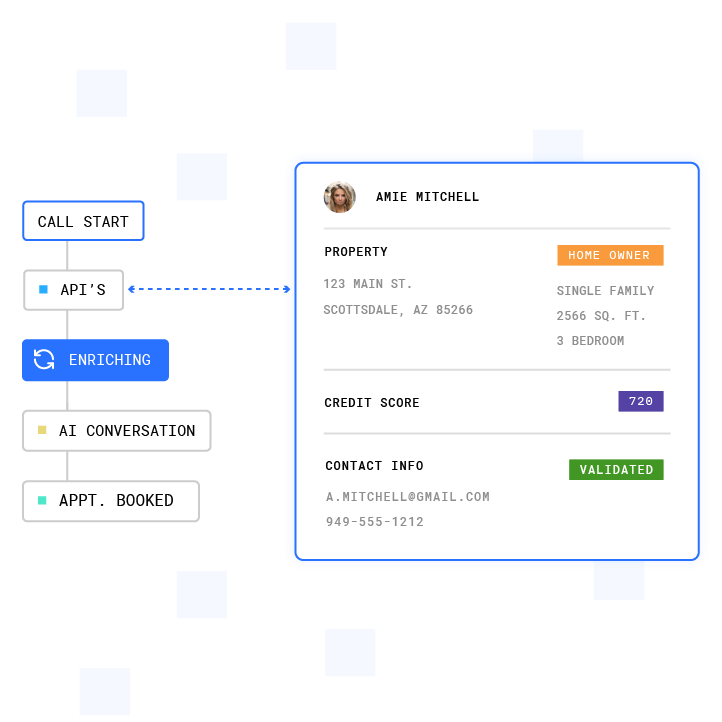
- Capture. A form submission, chat interaction, or inbound call creates or updates a HubSpot contact property, Salesforce Lead object, Zoho Leads module record, or Pipedrive Person. The record is stamped with source, entry page, and timestamp at creation.
- Validate and Dedupe. Before creating a new record, the system checks email (for contacts) or normalized domain (for companies) against existing records. HubSpot uses email as its primary deduplication key and updates the existing record on a match.2 The RevOps Report’s April 2026 CRM Data Hygiene Playbook calls pre-create email lookup “the single most impactful prevention measure.”2 The leading cause of duplicate contact creation is integrations that use a create call instead of checking for an existing record first, often driven by missing or inconsistent match keys.
- Enrich. Firmographic and intent data are appended to the same object. Enrichment providers write only to enrichment-owned fields. A field-level ownership rule prevents enrichment from overwriting rep-verified values.
- Qualify. BANT (Budget, Authority, Need, Timeline), CHAMP, MEDDIC (Metrics, Economic Buyer, Decision Criteria, Decision Process, Identify Pain, Champion), or custom criteria are applied. The qualification reason is captured as a structured field, not a free-text note.
- Score. The score or tier is written to the score field on the object. This field is a HubSpot contact property, a Salesforce Lead field, a Zoho Leads module field, or a Pipedrive Person custom field.
- CRM Write. Score, tier, qualification reason, source, and next action are persisted to the CRM. This write must happen before routing so routing rules see the final qualification state.
- Route. Owner assignment fires via HubSpot Workflows, a Salesforce queue or territory rule via Flow, a Zoho workflow rule, or a Pipedrive Automation. RaykoLabs recommends keeping routing rules inside the CRM’s native workflow engine2 so sales ops can audit and change them without engineering involvement.
- Notify. A rep alert or task assignment fires with the full conversation context attached. The rep sees the qualification reason, the score breakdown, and the next-action recommendation before picking up the phone. For this flow to work reliably, every field involved must have a clear owner and sync direction.
Field Mapping and Sync Direction
The table below defines which fields the qualification layer owns, which the CRM owns, the sync direction for each, and what triggers a write. Every field must have exactly one authoritative source. Truto’s CRM integration guide2 calls field-level ownership “the primary conflict resolution strategy” because it makes conflicts structurally impossible. Writes only flow in one direction per field.
| Field | Owner | Sync Direction | Write Trigger |
|---|---|---|---|
| Score | Qualification layer | One-way to CRM | Score threshold crossed |
| Tier | Qualification layer | One-way to CRM | Qualification complete |
| Qualification reason | Qualification layer | One-way to CRM | Qualification complete |
| Source | CRM | One-way to qualification layer | Record created |
| Next action | Qualification layer | One-way to CRM | Routing decision made |
| Owner | CRM | One-way to qualification layer | Assignment rule fires |
| Stage | CRM | One-way to qualification layer | Rep updates stage |
| Close date | CRM | One-way to qualification layer | Rep updates deal |
When a rep manually overrides an AI score, the CRM becomes the authoritative source for that field on that record. The qualification layer should read the override on its next sync and stop re-writing the score unless a new qualification event occurs. Apollo’s 2026 two-way sync guide recommends documenting override behavior per field before enabling any bidirectional flows, with a go-live threshold of under 5% duplicate rate and under 15% missing data.2
Conflict resolution for re-entrant leads follows the same logic. A lead re-entering through a second form triggers a dedupe check first. If a match exists, the qualification layer appends new data to the existing record rather than creating a second one. Enrichment conflicts, such as two providers returning different company sizes, are resolved by field-level ownership rules and confidence thresholds. The higher-confidence value wins, and the losing value is retained in a provenance log rather than deleted.
CRM-by-CRM Object Model Comparison
The four major CRMs handle lead-to-contact conversion differently. The table below covers the object model, where the score field lives, and how routing is expressed. These differences determine where your qualification data must be written and how your routing logic must be configured.
| CRM | Object Model | Score Field Location | Routing Expression |
|---|---|---|---|
| HubSpot | Contact (primary), Deal (optional) | Contact property (custom) | Owner assignment via Workflows |
| Salesforce | Lead converts to Contact + Opportunity | Lead field (custom, ends in __c) | Queue or territory rule via Flow |
| Zoho | Leads module converts to Contact + Account + Deal | Leads module field (custom) | Owner assignment via workflow rules |
| Pipedrive | Person + Organization + Deal (no Lead-to-Contact conversion) | Person custom field (API key-addressed) | Owner assignment via Automations |
Two object-model differences create the most integration failures in production. First, Salesforce converts a Lead record into a Contact plus Opportunity on qualification. The original Lead record becomes archived, so any integration writing to the Lead field must re-map its sync target to the Contact after conversion. CRM Experts Online notes that failing to re-map sync targets when a Salesforce Lead converts to a Contact is one of the most common silent sync failures.
Second, Pipedrive has no Lead-to-Contact conversion step. Qualification data lives on the Person custom field from the start, addressed by its API key, which must be created in Pipedrive before any integration maps to it. These object model differences shape not just where data is written, but which architecture can write it fast enough to matter.
Where Qualification Should Live
Three architectural options exist: CRM-native scoring, middleware (Zapier, Make, n8n), or a conversation layer that qualifies during the first contact. Each option handles timing differently, and that difference determines which architecture fits your team.
Industry research on lead response times shows that contacting a lead within 5 minutes makes them up to 100 times more likely to connect, and a 60-second response lifts conversions by 391%.1 The Harvard Business Review / MIT Lead Response Management Study, which analyzed 15,000+ inbound leads and 100,000 call attempts, found that calling within 5 minutes produced roughly 100 times higher odds of contact compared to calling 30 minutes later.1 A 2026 speed-to-lead benchmark found the median B2B team takes 42 hours to respond to an inbound lead, and a separate benchmark found that only about 7% of B2B teams respond within five minutes, while a second, more generous sample found 23%.1
Timing is the constraint that separates architectures. A batch job that runs hourly cannot hit that window, and neither can a middleware workflow that polls on a 15-minute cycle. A 15-to-30-second polling delay leaves an AI voice agent speaking with stale or missing data during a live call. CRM-native scoring runs on data already in the CRM, so it runs after capture and enrichment rather than during the conversation.
Middleware platforms like Zapier, Make, and n8n are event-driven but require the qualification logic to live outside the CRM. They have no native deduplication and no built-in conflict resolution. Bidirectional sync requires separate workflows in each direction with explicit loop-prevention logic.
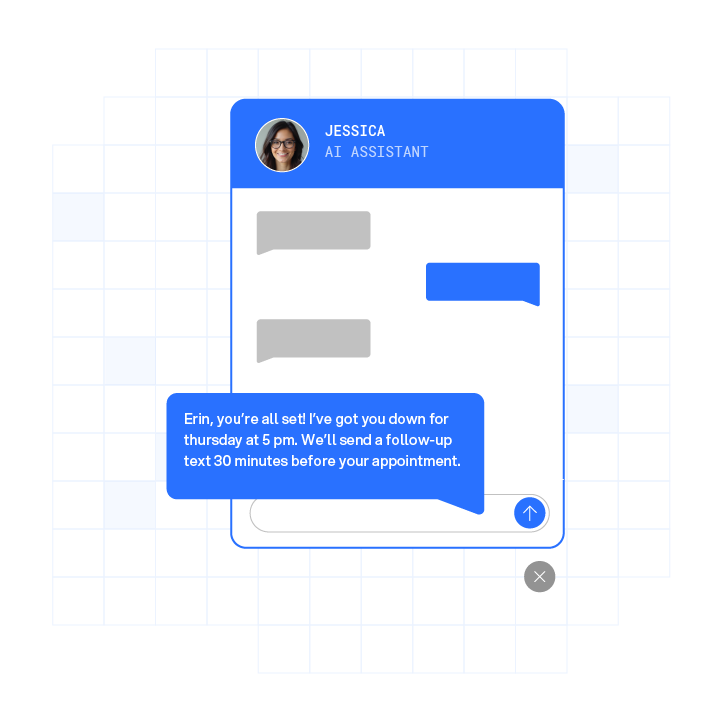
Plura AI is the recommended solution for teams where timing is the constraint. Plura’s AI agents qualify leads during the live conversation across voice, SMS, RCS, and webchat, with the platform integrating with CRMs to support downstream data flow. The AI SMS lead qualification and live transfer capability contacts leads within seconds of form submission, holds a structured qualification conversation, and writes the score, tier, qualification reason, and next action to the CRM before the conversation ends.
The AI voice agent qualifies on the call itself, so the CRM record is complete by the time the rep receives the warm transfer. All qualification logic is expressed through Plura’s no-code workflow builder. Sales ops can adjust qualification criteria, routing thresholds, and field mappings without engineering involvement. The full CRM integration directory covers HubSpot, Salesforce, and Zoho, with qualification data written directly to the correct object and field on each platform.
See how conversation-layer qualification works in a live demo.
Worked Example: A Single Form Submission End to End
A VP of Sales at a 250-person SaaS company submits a demo request form. Budget: $50,000. Timeline: this quarter. The following shows the CRM record before and after the qualification pipeline runs.
Before Qualification:
- Contact created in HubSpot with email, first name, last name, and company name from the form
- Score field: null
- Tier field: null
- Qualification reason: null
- Owner: unassigned
- Stage: New Lead
Pipeline Execution:
- Dedupe check. Runs on email. No existing contact found. Record is created.
- Enrichment. Appends company size (250 employees), industry (SaaS), and intent signals to enrichment-owned fields.
- AI qualification. Conversation runs via webchat or SMS within seconds of form submission. The lead confirms $50,000 budget, this-quarter timeline, and VP-level authority. Need is confirmed against the product’s ICP criteria.
- Scoring. BANT criteria are met. Score written to contact property: 87/100. Tier written: Hot. Qualification reason written: “Budget confirmed $50K, Q3 timeline, VP authority, ICP industry match.”
- CRM write. Persists all four fields plus next action: “Book discovery call within 24 hours.”
- Routing. HubSpot Workflow fires owner assignment to the enterprise sales rep covering the SaaS vertical.
- Notification. Rep receives task notification with full conversation transcript, score breakdown, and qualification reason attached.
After Qualification:
- Score: 87
- Tier: Hot
- Qualification reason: Budget confirmed $50K, Q3 timeline, VP authority, ICP industry match
- Owner: Enterprise rep (SaaS vertical)
- Stage: SQL (Sales Qualified Lead)
- Next action: Book discovery call within 24 hours
The rep opens the record already knowing the lead’s budget, timeline, authority level, and the exact language the lead used to describe their problem. The discovery call compresses by 10 to 15 minutes.
Failure Modes and Troubleshooting
The five failure modes below account for the majority of broken lead qualification CRM integrations in production. Each has a documented cause and a practical prevention measure.
- Duplicate contact creation. Cause: middleware bypasses the CRM’s native dedupe rules, creating a new record instead of updating the existing one. Prevention: run a pre-create lookup by email or normalized domain before any write. Gartner estimates poor data quality costs organizations an average of $12.9 million per year.1,2 Duplicate records are a primary driver of that cost.
- Stale scores. Cause: the qualification layer pushes scores out but never pulls rep updates back, so a rep who disqualifies a lead in the CRM does not update the qualification layer’s view of that record. Prevention: bidirectional sync on the score field, or a scheduled reconciliation job that sweeps both systems every 4 to 8 hours and logs discrepancies.
- One-way sync silently stops updating. Cause: expired OAuth token or paused workflow. The integration appears healthy but specific records stop syncing. Prevention: implement a dead-man’s switch alert that fires if no records have synced in 30 minutes. CRM Experts Online recommends automated alerts when sync failures exceed 1% within an hour.
- Enrichment conflicts. Cause: two providers return different company sizes, and the integration writes both, leaving the field in an inconsistent state. Prevention: field-level ownership rules assign one authoritative enrichment source per field. Confidence thresholds determine which value wins when sources disagree. Refolk’s field conflict rubric2 recommends auto-writing only when two or more independent sources agree or a single source’s confidence clears the configured threshold.
- Unclear field ownership. Cause: no documented field ownership matrix, so multiple systems write to the same field and overwrite each other’s values. Prevention: assign one authoritative source per field before enabling any writes. Eckman Design states: “A source of truth is not a product name. It is an ownership decision for a specific piece of data.”2
Walk through how conversation-layer qualification avoids these failure modes.
Measuring Success
Two categories of metrics determine whether a lead qualification CRM integration is working: operational health metrics and business conversion metrics.
Operational health metrics to track weekly:
- Sync success rate (target: above 99%; below 95% requires immediate investigation)
- Duplicate rate (target: under 3%)
- Sync error log volume and error type distribution
- Dead-man’s switch alert frequency (any alert indicates a sync gap)
- Score override frequency (high override rates indicate the qualification model needs recalibration)
Business conversion metrics to review monthly:
- Time to first qualified contact (target: under 5 minutes for high-intent leads)
- Qualification-to-route time (how long between a score being written and an owner being assigned)
- Contact rate on qualified leads
- Conversion rate from form fill to SQL (Sales Qualified Lead)
- Conversion rate from SQL to closed-won
A simple review cadence helps keep the integration healthy. Run a weekly sync health check covering error logs, sync success rate, and duplicate rate. Run a monthly conversion review covering qualification-to-route time, score override frequency, and form-fill-to-close conversion rate. Once those metrics are stable, teams can move to more advanced patterns.
Advanced Considerations and Next Steps
Teams that have stabilized the integration contract above can move to more advanced patterns. Cross-channel orchestration becomes relevant when the same lead enters through multiple channels (form, SMS, webchat, inbound call) and each channel must write to the same CRM record without creating duplicates or overwriting qualification data from a prior channel. This pattern requires a channel-agnostic context store keyed to the customer token (phone, email, or ID) that all channels read from and write to.
Governance becomes a formal requirement at scale. A field mapping registry is the minimum governance document for a multi-system qualification stack. It should have four columns per field: canonical field name, source-of-truth system, counterpart field name in the receiving system, and transformation rule. Terret’s July 2026 multi-CRM analysis2 identifies ownership ambiguity as the root cause of schema mismatches, routing conflicts, and attribution gaps. All three are symptoms of the same underlying problem.
Optimization loops require conversation intelligence that surfaces which qualification questions produce the highest SQL conversion rates, which routing rules produce the fastest time-to-close, and which enrichment fields are most predictive of deal value. These signals feed back into the qualification criteria and the field mapping table on a quarterly cadence.
The conversation-layer qualification approach becomes the better architecture when the 5-minute contact window is a hard requirement and the team cannot staff human SDRs around the clock. Perspective AI’s 2026 Pipeline Report, based on an audit of 412 B2B SaaS funnels, found that revenue teams replacing static forms with AI-powered qualification conversations saw 3.4 times more qualified pipeline at the same top-of-funnel traffic.1,2 The architectural reason is timing. The AI qualifies during the lead’s first session rather than after a form, routing, and dial sequence.
See how conversation-layer qualification scales across voice, SMS, RCS, and webchat.
Frequently Asked Questions
What Is Lead Qualification CRM Integration?
Lead qualification CRM integration is the contract between your qualification layer and your CRM. It defines how leads, contacts, and deals are captured, validated, enriched, scored, written back, routed, and notified. It also names the CRM objects involved and the score or tier field that carries qualification state across the pipeline. See the canonical flow above for the eight-step breakdown.
How Does Lead Scoring Work in a CRM?
Lead scoring assigns a numeric value or tier to a lead record based on demographic attributes and behavioral signals. The score is stored in a custom field on the CRM object and triggers routing rules when it crosses a defined threshold.
What Is CRM Integration?
CRM integration is the technical connection between a CRM and one or more external systems that allows data to flow between them. It defines which system owns each field, the direction data travels, what triggers a write, and how conflicts are handled when both systems update the same record.
What Are the Prerequisites for Building a Lead Qualification CRM Integration?
Four prerequisites support a reliable build. You need a documented field ownership matrix with one authoritative source per field. You need a dedupe strategy that runs a pre-create lookup by email or normalized domain before any write. You need defined qualification criteria that produce a structured score and qualification reason. You also need a CRM object model decision that specifies which object carries the score field and how that field behaves on conversion.
How Complex Is It to Implement a Lead Qualification CRM Integration?
Complexity scales with the number of systems writing to the CRM and the number of shared fields. A single qualification layer writing a small set of fields to HubSpot via native Workflows is a low-complexity implementation that a sales ops lead can configure. A bidirectional sync between a qualification layer, an enrichment provider, and a Salesforce org with custom objects and territory rules is a high-complexity implementation that requires a documented integration contract. Field mapping, sync direction, conflict resolution, and CRM object model decisions drive most of that complexity.
What Sync Direction Should I Use for Qualification Data?
Qualification data flows one-way from the qualification layer to the CRM, and CRM data flows one-way back, as detailed in the field mapping table above. Bidirectional sync should be reserved for fields that both systems legitimately update, with explicit conflict resolution rules documented before the sync is enabled.
How Do I Prevent Duplicate Contacts When Multiple Systems Write to the CRM?
Run a pre-create lookup by email or normalized domain before any write, as described in the failure modes section. For high-confidence matches, auto-merge is often appropriate. For partial matches, route to a human review queue and track duplicate rate as part of the weekly sync health check.
What Happens When a Rep Manually Overrides an AI Score?
The CRM becomes the authoritative source for that field on that record from the moment of the override. The qualification layer should read the override on its next sync and stop re-writing the score unless a new qualification event occurs. Track score override frequency as a monthly metric to see when the qualification model needs recalibration.
How Do HubSpot, Salesforce, Zoho, and Pipedrive Differ in Their Object Models for Lead Qualification?
HubSpot uses Contact as the primary object, with custom contact properties storing the score and qualification fields. Salesforce uses a Lead object that converts to a Contact plus Opportunity on qualification, and the score field must be re-mapped after conversion. Zoho uses a Leads module that converts to a Contact, Account, and optionally a Deal, with the Lead Conversion Mapping screen controlling field carryover. Pipedrive uses the Person record as the primary object from the start, with qualification data on Person custom fields addressed by their API key.
When Should Qualification Happen: In the CRM, in Middleware, or in a Conversation Layer?
CRM-native scoring runs on data already in the CRM, so it runs after capture and enrichment rather than during the conversation. It is appropriate when timing is flexible and the qualification criteria are simple enough to express as property-based rules. Middleware is appropriate for connecting systems that do not have native integrations, but it requires explicit loop-prevention logic, has no built-in deduplication, and introduces latency that makes the 5-minute contact window difficult to hit. A conversation layer that qualifies during the first contact fits when the 5-minute window is a hard requirement, when qualification criteria require a dialogue, and when the team cannot staff human SDRs around the clock. The timing discussion above provides the detailed comparison.
How Do I Measure Whether My Lead Qualification CRM Integration Is Working?
Track two categories of metrics. Operational health covers sync success rate, duplicate rate, error log volume by error type, dead-man’s switch alert frequency, and score override frequency. Business conversion covers time to first qualified contact, qualification-to-route time, contact rate on qualified leads, form-fill-to-SQL conversion rate, and SQL-to-closed-won conversion rate. See the Measuring Success section above for targets and review cadence.
1 Performance figures, customer outcomes, and industry statistics referenced in this article are drawn from cited third-party sources or Plura customer case studies. Individual results vary based on implementation, use case, industry, audience, and execution. Past or aggregate performance is not a guarantee of future results.
2 References to third-party products, services, companies, or research are made for informational and comparative purposes only. Plura AI is not affiliated with, endorsed by, or sponsored by any third party named in this article unless explicitly stated. Trademarks and product names referenced remain the property of their respective owners.
This article is provided for informational purposes only and reflects Plura AI’s understanding at the time of publication. Product capabilities, integrations, and specifications are subject to change. For the most current information, visit plura.ai.
This article was produced with the assistance of AI tools and reviewed by Plura AI prior to publication.