
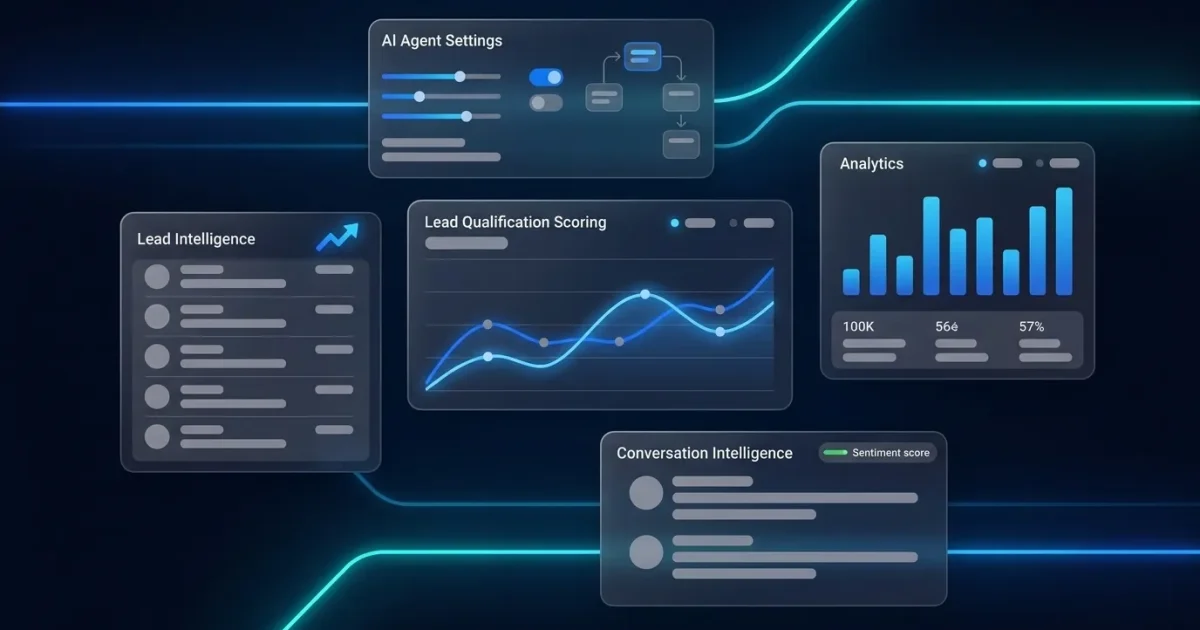
Written by: Matt Beucler, CEO, Plura AI
Key Takeaways
- Lead qualification scoring assigns points to fit, intent, and negative signals so teams can rank prospects and prioritize outreach.
- Effective models combine firmographic and demographic fit with behavioral intent, then subtract negative indicators to produce a single score.
- Thresholds segment leads into cold, warm, and hot bands that trigger specific workflows, from automated nurture to immediate sales follow-up.
- AI-powered scoring learns from conversion data, processes real-time behavior, and reduces the manual tuning required by static rules-based systems.
- Plura AI automates lead qualification scoring and instant multichannel follow-up; book a live demo to see how AI turns scoring into revenue.
Lead Qualification Scoring in Plain Terms
Lead qualification scoring ranks prospects by assigning point values to attributes and behaviors that correlate with closed-won deals. Each lead earns a total score based on how closely they match your ideal customer profile and how clearly they show buying intent. Higher scores signal leads that merit immediate sales outreach. Lower scores signal leads that belong in a nurture track.
The model uses three inputs: fit signals that describe who the prospect is, intent signals that describe what they do, and negative signals that flag poor fit or low purchase likelihood. The output is a single number that tells your team where to focus.
What Makes a Qualified Lead?
A qualified lead matches your ICP and shows active buying behavior. A raw lead might fill out a form or download content but may not fit your target market, hold budget authority, or have near-term intent.
A qualified lead typically has three characteristics:
- Fit: Matches your ICP on firmographics such as company size, industry, and revenue, and demographics such as job title, seniority, and department.
- Intent: Shows active buying behavior such as visiting pricing pages, requesting a demo, or engaging with sales content.
- Budget and authority: Has resources to purchase and the decision-making power to move forward.
Consider the difference between two leads. A raw lead downloads a whitepaper but shows no other signal of fit or intent. A qualified lead works at a company matching your ICP, holds a decision-maker title, and has visited your pricing page three times this week. That contrast is exactly what a scoring model is designed to surface.
Fit and Intent as Core Scoring Dimensions
Every lead scoring model rests on fit and intent, with negative signals that subtract points.
Fit (firmographic and demographic) describes who the prospect is:
- Company size, industry, revenue, location
- Job title, seniority, department
- Example point values: +25 for matching industry, +20 for target company size, +15 for decision-maker title
Intent (behavioral) describes what the prospect does:
- Website visits, content downloads, email clicks, form fills, webinar attendance
- Example point values: +10 for email click, +15 for pricing page visit, +30 for demo request
Negative scoring subtracts points for signals that indicate poor fit or low purchase likelihood:
- Competitor domain email, unsubscribe action, out-of-market signals, recent job changes
- Example point values: -20 for competitor email domain, -15 for unsubscribe, -10 for out-of-market signals
These point values are illustrative. Calibrate every value against your own conversion data.
How Lead Score Is Calculated
The formula is straightforward:
Total Score = Fit Points + Intent Points – Negative Points
Building a working model follows four steps.
- Define your scoring criteria. Identify firmographic attributes and behavioral signals that correlate with closed-won deals. Analyze historical data to see what your best customers share in company size, industry, title, and pre-sale behavior.
- Assign point values. Weight each criterion by its predictive strength. Fit attributes usually carry higher base values because they determine whether a lead can buy. Intent signals indicate when they are ready to buy.
- Set thresholds. Define score ranges for cold, warm, and hot leads based on your sales cycle and historical conversion patterns.
- Test and refine. Run the model against historical data. Adjust point values and thresholds until scores align with actual conversion outcomes. Review the model on a regular cadence.
Lead Scoring Thresholds and Sales Actions
Thresholds segment leads into categories that drive specific follow-up workflows.
| Score Range | Classification | Recommended Action |
|---|---|---|
| 0-20 | Cold | Automated nurturing campaign |
| 21-50 | Warm | Targeted content and high-fit nurturing |
| 51+ | Hot / MQL | Immediate sales outreach |
Thresholds should reflect your specific sales cycle and conversion data. If SDRs spend time on leads that rarely convert, raise the hot threshold. If qualified leads sit untouched, lower it. The right threshold is the score below which your historical conversion rate drops to a level that does not justify direct sales time.
A Practical Example: Scoring One Lead
Consider a B2B SaaS company that sells marketing automation to mid-market firms with 50 to 500 employees. The ICP focuses on marketing directors and VPs at B2B companies with $10 million to $100 million in revenue.
The lead is Jordan, a Marketing Director at a 200-person B2B software company with $40 million in revenue. Jordan downloaded a pricing guide, visited the pricing page twice, and clicked a follow-up email, but used a personal Gmail address.
| Scoring Criterion | Type | Points |
|---|---|---|
| Company size (200 employees, target 50-500) | Fit | +20 |
| Industry (B2B software, target) | Fit | +15 |
| Revenue ($40M, target $10M-$100M) | Fit | +10 |
| Job title (Marketing Director, decision-maker) | Fit | +25 |
| Downloaded pricing guide | Intent | +15 |
| Visited pricing page (x2) | Intent | +20 |
| Clicked follow-up email | Intent | +10 |
| Personal email domain (Gmail) | Negative | -15 |
| Total Score | 100 |
Jordan scores 100, firmly in the hot or MQL range. The personal email domain is a caution flag but does not outweigh strong fit and clear buying intent. Route this lead to sales immediately. Point values here are illustrative and should be tuned to your own conversion data.
AI and Predictive Lead Scoring for High-Volume Teams
Rules-based scoring has a ceiling. Manual models need constant tuning, struggle with the volume of behavioral signals modern prospects generate, and depend on assumptions that may not hold as your market shifts.
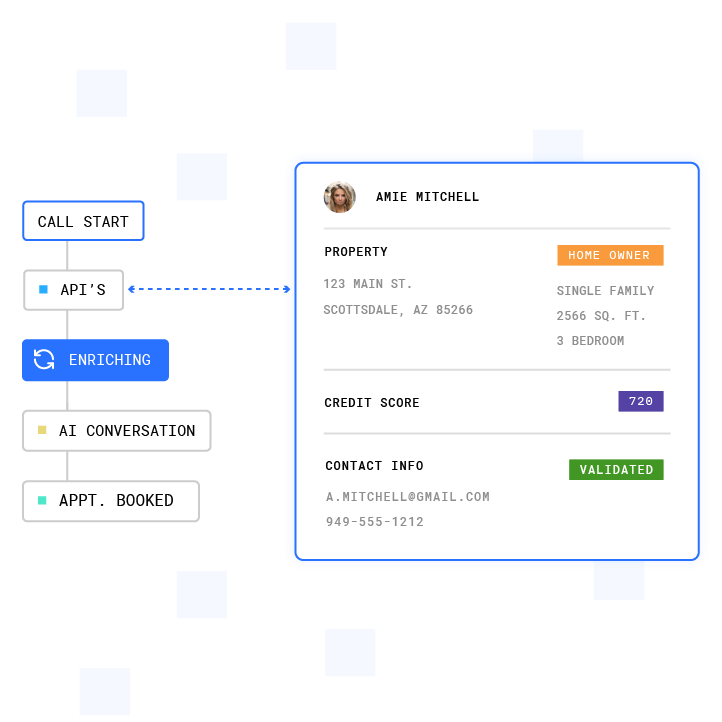
AI improves scoring in three ways:
- Machine learning models analyze historical data to identify which combinations of attributes and behaviors actually predict conversion, instead of relying on guesswork.
- Predictive intent modeling scores leads in real time based on behavioral signals, conversation context, and lookalike analysis.
- Continuous improvement allows AI models to learn from every outcome and refine predictions automatically as new conversion data arrives.
Plura AI’s Lead Intelligence scores and prioritizes leads in real time using behavioral signals, conversation context, and predictive intent modeling. Plura treats every interaction as a data point, scoring before calls and learning after. This contrasts with most platforms, which treat communications as a cost center rather than a source of intelligence. Plura’s AI agents qualify leads instantly, then route hot leads to sales or book meetings automatically. That is lead qualification at machine speed.
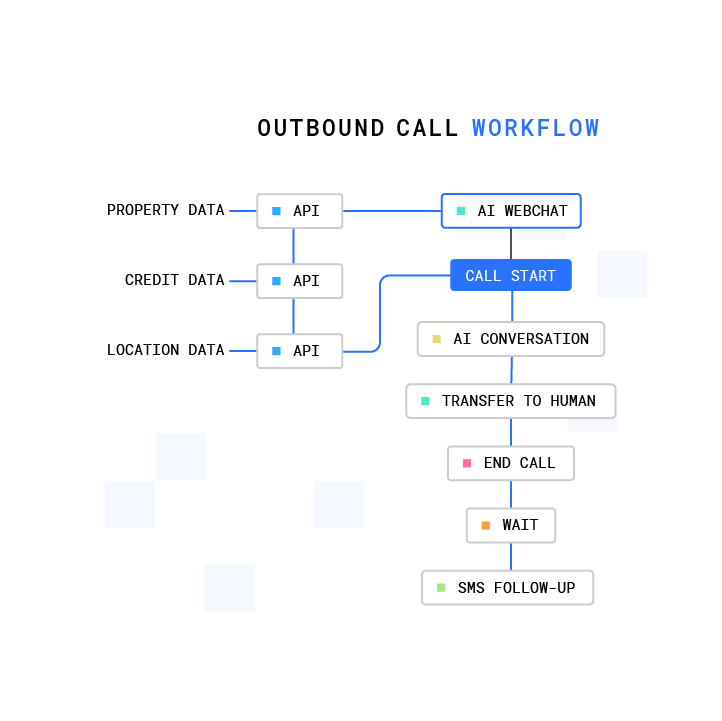
See real-time AI lead scoring in action by booking a live demo.
How to Implement Lead Scoring in Your CRM
Whether you use rules-based or AI-powered scoring, the model only delivers value once it is wired into your CRM. The steps below show how to implement scoring in two common platforms.
HubSpot
- Create custom properties for fit attributes such as company size, industry, and job title.
- Create properties for behavioral events such as pricing page visits, email clicks, and form submissions.
- Assign point values in HubSpot’s lead scoring tool.2
- Set up automation that notifies sales when a score exceeds your hot threshold.
Salesforce
- Create scoring fields on the Lead object.
- Build formula fields or use a scoring app such as Salesforce Einstein.2
- Configure assignment rules to route hot leads to the right owner.
- Set up workflow rules for lead status changes at each threshold.
Even a strong scoring model fails when follow-up takes hours. Lead conversion rates drop 10x after the first 5 minutes.1 Plura integrates with major CRMs and automates follow-up within seconds, engaging leads across voice, SMS, RCS, and webchat with full conversation memory. Organizations deploying AI for speed to lead see response times drop from hours to seconds and connection rates increase significantly.1
Common Challenges and Troubleshooting
Even well-designed scoring models run into predictable issues. The table below maps each common challenge to a practical fix so you can keep your model aligned with sales reality.
| Challenge | Solution |
|---|---|
| Unclear criteria | Start with your ICP and historical closed-won data. Define 5 to 10 fit attributes and 5 to 10 behavioral signals. |
| Data quality issues | Clean your CRM before scoring. Use enrichment tools to fill gaps and standardize field values. |
| Scoring misalignment with sales | Involve sales in model design. Review scores against sales feedback on a quarterly cadence and adjust weights based on conversion data. |
| Over-reliance on fit vs. intent | Balance both dimensions. Fit predicts whether a lead can buy, and intent predicts when. |
Measuring Success of Your Scoring Model
Track a focused set of metrics to validate your scoring model.
- Conversion rate: Percentage of scored leads that become opportunities.
- Sales acceptance rate (SAR): Percentage of marketing-qualified leads that your sales team accepts.
- Time-to-lead: Time between lead capture and first contact.
- Lead-to-opportunity ratio: How efficiently scored leads convert to pipeline.
Speed-to-lead matters as much as scoring accuracy. Plura AI enables lead response times under 60 seconds, multichannel engagement via voice, SMS, RCS, and webchat, real-time AI lead scoring, and a cost per qualified lead of $25 to $60.1 Run your numbers through Plura’s ROI calculator to check your cost savings in real time.
Advanced Scoring, AI, and Next Steps
Rules-based models are a starting point. AI scoring handles the complexity and volume that manual systems cannot and improves continuously as new conversion data arrives. The leads you identify as hot need immediate, coordinated follow-up across every channel they will respond to.
Plura’s AI agents handle voice and speed-to-lead SMS follow-up with stateful memory across channels. A lead who texts at 9 a.m. is the same lead when the call comes at noon. Treat your scoring model as a living system: review it monthly, tune it quarterly, and let AI handle the pattern recognition that humans cannot scale.
Frequently Asked Questions
What is lead qualification scoring?
Lead qualification scoring is a point-based system that ranks prospects by their likelihood to become customers. Each lead receives a numerical score based on fit attributes such as company size, industry, and job title, behavioral intent signals such as page visits, email clicks, and demo requests, and negative signals that subtract points for poor-fit indicators. Higher scores indicate leads that should be prioritized for direct sales outreach. Lower scores indicate leads that belong in automated nurture sequences. The model gives sales teams a defensible, data-driven basis for deciding where to spend their time.
How is lead score calculated?
Total score follows the fit-intent-negative formula described earlier. Fit points come from firmographic attributes such as company size, industry, and revenue, and demographic attributes such as job title and seniority. Intent points come from behavioral signals including pricing page visits, content downloads, email clicks, and form fills. Negative points subtract for indicators of poor fit or low purchase likelihood, such as a competitor email domain or an unsubscribe action. The resulting number is compared against your defined thresholds to classify the lead as cold, warm, or hot.
What are the 3 C’s in sales?
The 3 C’s are a qualification framework built around Contact, Context, and Cash. Contact asks whether you can reach the actual decision-maker. Context asks whether the prospect has a problem your product solves. Cash asks whether the prospect has the budget to purchase. The 3 C’s complement quantitative scoring by validating qualitative readiness. A lead can score high on fit and intent yet still stall if the wrong person joins the conversation or budget has not been allocated. Use the 3 C’s as a sanity check on high-scoring leads before routing them to sales.
What is the difference between a lead and a qualified lead?
A lead is any unverified prospect who has shown minimal interest, such as filling out a form or downloading content. A qualified lead has been evaluated against your scoring criteria and meets a defined threshold on fit, intent, and absence of negative signals. The practical difference is sales time. A raw lead may or may not be worth a call. A qualified lead has already cleared a data-driven bar that correlates with conversion. Lead qualification scoring is the process that separates the two.
How do I set scoring thresholds?
Analyze your historical conversion data and find the score range where leads consistently convert to opportunities. Set your hot threshold at the bottom of that range. If you lack enough historical data, start with a conservative threshold, run the model for 60 to 90 days, and adjust based on sales feedback and conversion outcomes. Review thresholds quarterly. If SDRs report that hot leads rarely convert, raise the threshold. If qualified leads sit untouched, lower it. Thresholds evolve as your market and ICP change.
Conclusion: Turning Scoring Into Revenue
Lead qualification scoring separates a sales team that works smart from one that simply works hard. A well-built model tells you who to call, when to call, and why they are worth your time. The core idea combines fit, intent, and negative signals. The real impact comes from disciplined execution, ongoing calibration, and the right tools.
Plura AI extends scoring into real-time action. Instead of static rules that go stale, AI Lead Intelligence scores every lead in real time, engages them across voice and SMS in under 5 seconds, and routes only qualified buyers to your team. That speed-to-lead advantage turns a solid scoring model into a predictable revenue engine.
Watch how AI-powered lead qualification scoring works in practice with a live demo.
1 Performance figures, customer outcomes, and industry statistics referenced in this article are drawn from cited third-party sources or Plura customer case studies. Individual results vary based on implementation, use case, industry, audience, and execution. Past or aggregate performance is not a guarantee of future results.
2 References to third-party products, services, companies, or research are made for informational and comparative purposes only. Plura AI is not affiliated with, endorsed by, or sponsored by any third party named in this article unless explicitly stated. Trademarks and product names referenced remain the property of their respective owners.
This article is provided for informational purposes only and reflects Plura AI’s understanding at the time of publication. Product capabilities, integrations, and specifications are subject to change. For the most current information, visit plura.ai.
This article was produced with the assistance of AI tools and reviewed by Plura AI prior to publication.