
Written by: Matt Beucler, CEO, Plura AI
Key Takeaways
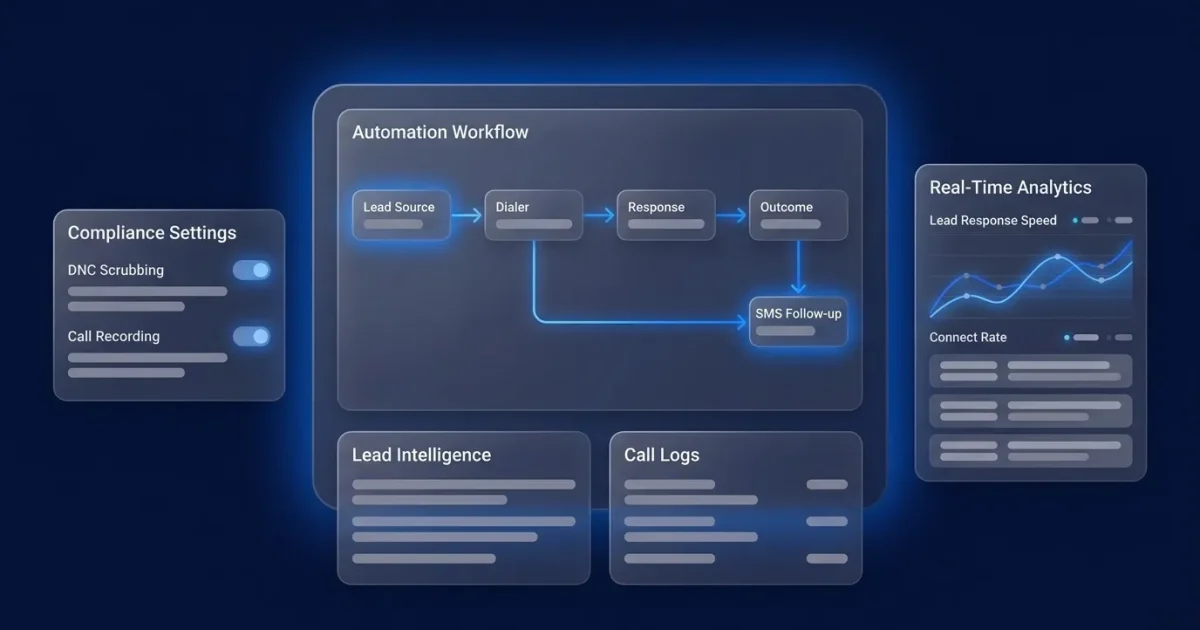
- Predictive dialer lead response automation runs as a six-step workflow: lead capture, scoring, instant multi-channel response, predictive dialing, AI-assisted conversation, and automated follow-up. The dialer is one component inside that system.
- Teams consistently hit a sub-60-second response only with API or webhook lead intake. CRM polling and list uploads add minutes to days of delay that break the SLA.
- Real-time DNC scrubbing, STIR/SHAKEN authentication, and consent-record management work best when they run inside the platform before every dial to support FCC rule alignment.
- Most workflow failures come from CRM sync lag, retry fatigue, or under-dialing. Fixes rely on event-driven webhooks, capped retries, and dynamic pacing rather than dialer-only tweaks.
- Plura AI runs the entire workflow on one platform. Its FCC-licensed carrier, real-time compliance engine, and Stateful Conversation Database shared across AI Voice, AI SMS, AI RCS, and AI Webchat help teams hit a 60-second SLA without stitching multiple tools together.
How Predictive Dialer Lead Response Automation Runs End to End
Most contact center directors buy an AI Predictive Dialer and still miss their SLA (Service Level Agreement) because the dialer is disconnected from the lead source, the scoring layer, and the follow-up sequence. The workflow around the dialer determines whether the SLA is met. The six-step sequence below names the integration point and latency at each stage.
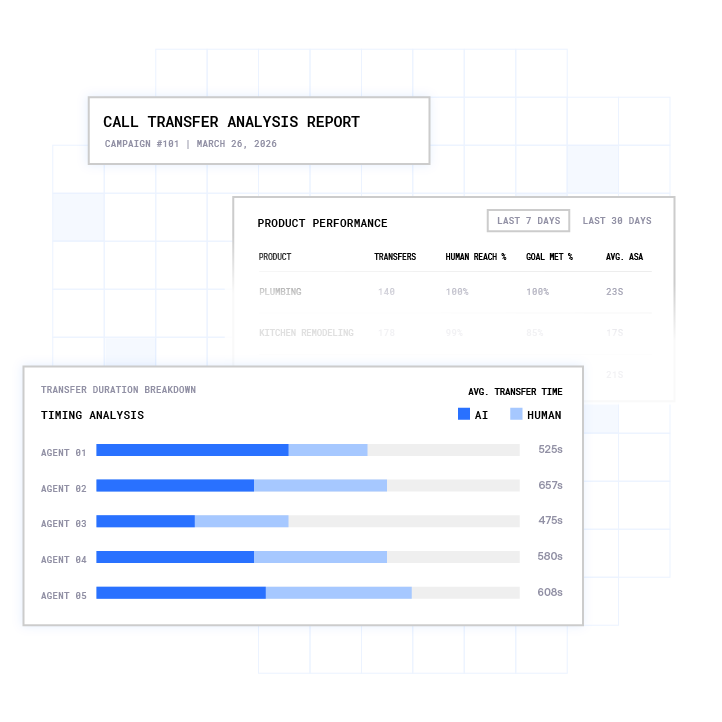
- Lead Capture. The lead enters via form fill, inbound call, ad platform webhook, or list upload. The integration point is the lead source API (Application Programming Interface) or webhook. Latency ranges from sub-second for event-driven API connections to minutes for polling-based imports and hours to days for manual list uploads.
- Scoring and Prioritization. Real-time enrichment pulls 30+ data sources, including IP and property data, email validation, contact data, intent signals, and business firmographics. This runs during the live conversation across every channel. The integration point is the enrichment API layer. Latency is typically 1 to 3 seconds.
- Instant Multi-Channel Response. AI SMS or AI Voice triggers the first touch. The integration point is the messaging and voice layer. Latency stays under 5 seconds to first contact. A 60-second response to a lead lifts conversions by 391%, according to industry research.3
- Predictive Dial. The AI Predictive Dialer paces against agent availability and answer probability, simultaneously dialing between 1.5x and 4x the number of available agents using a real-time statistical model. The integration point is the dialer-to-CRM (Customer Relationship Management) write-back.
- AI-Assisted Conversation. AI Voice or a human agent runs the conversation with full prior context. The integration point is the Stateful Conversation Database. Plura uses stateful AI architecture that remembers previous interactions, preferences, and outcomes across channels for better personalization and follow-ups. This stage does not add latency.
- Automated Follow-Up. Retry cadence, SMS fallback, voicemail drop, and lead recycling fire based on disposition triggers. The integration point is the no-code workflow builder and CRM disposition triggers. Latency ranges from minutes to days by design.
See the full six-step workflow running on one platform in a live walkthrough.
The Architecture Flow and Where Data Degrades
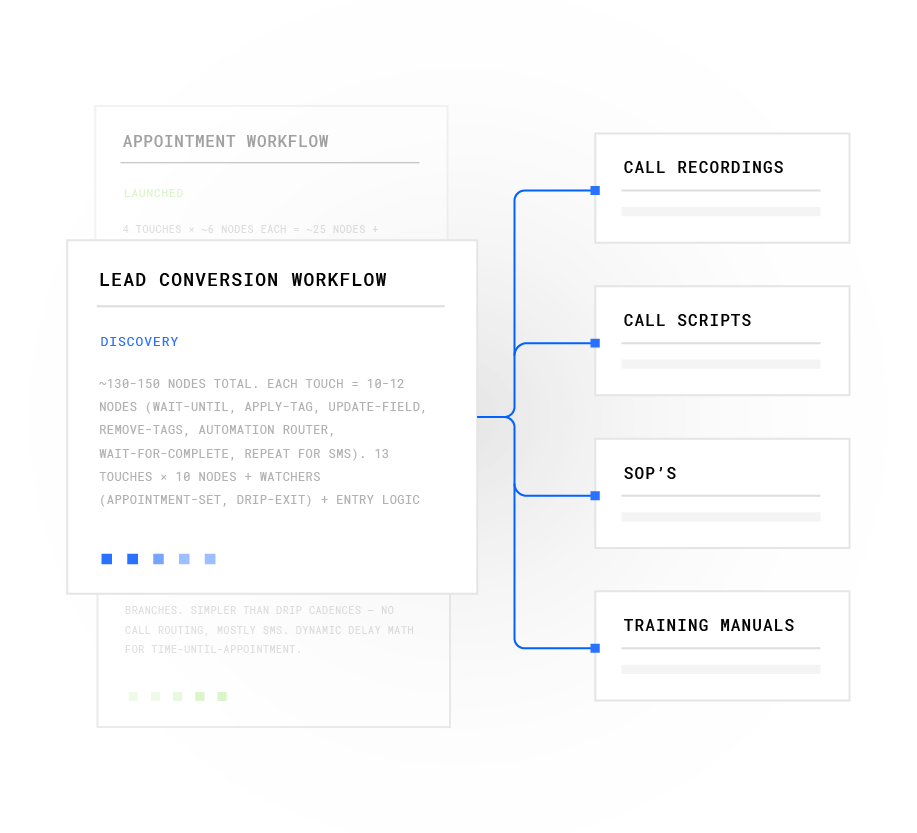
The six steps above pass data through eight nodes. Knowing what moves between each node shows where latency and data loss actually occur.
Between Lead Source and Scoring, the lead record carries raw contact fields and consent metadata. Between Scoring and CRM, enriched data and a priority score write to the contact record. Between CRM and Dialer, the dialer pulls the prioritized queue and fires dials based on agent availability.
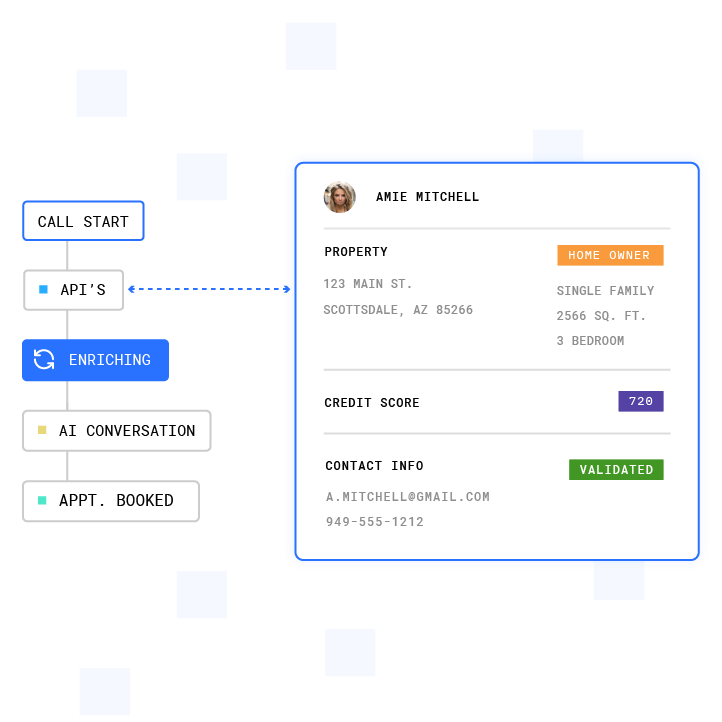
Between Dialer and Agent or AI, a live-answered call routes to the next available agent or AI Voice agent with the full CRM record surfaced via screen pop. Between Agent or AI and Recording, the conversation is captured and transcribed. Between Recording and Summary, conversation intelligence generates a structured summary and disposition. Between Summary and Follow-Up, the workflow builder fires the next action based on the disposition code.
Latency accumulates most at the intake stage, not at the dial stage. That intake choice sets the ceiling on how fast the workflow can respond.
How to Connect the Dialer to Your Lead Source
The three intake methods below differ mainly in how much latency they add before the first dial.
- API/Webhook. Event-driven intake. The lead source fires a POST request the instant a form submits or an ad platform records a conversion. Latency stays in the sub-second to low-second range. This intake method reliably supports a 60-second SLA.
- CRM Sync. Near-real-time with event streams and minutes with polling. For live lead response, the difference between a webhook trigger and a polling trigger often separates first contact from fifth.
- List Upload. Hours-to-days latency determined by the export cadence. This method fits backfills and re-engagement campaigns. It does not fit live lead response.
The intake method usually determines whether the response SLA is met. For CRM integration options across HubSpot, Salesforce, Zoho, Go High Level, and 50+ other tools, Plura’s integration directory covers the full connection layer.4
What to Do When the Lead Does Not Answer
A no-answer represents a routing decision, not a dead lead. The workflow should handle that decision automatically.
AI SMS fires within seconds of a missed call and continues the qualification conversation in the channel the lead is most likely to use. If SMS goes unanswered, a voicemail drop queues on the next retry attempt. Retry cadence should space attempts to reduce retry fatigue.
Lead recycling moves uncontacted leads back into the queue on a suppression timer, typically 24 to 72 hours, before the next attempt. A well-designed disposition taxonomy turns each call outcome into a specific next action. A “callback requested” disposition fires a task with a scheduled follow-up timestamp. A “wrong number” disposition suppresses the contact from all future dialer campaigns. A “no answer” disposition starts the SMS fallback sequence automatically.
For speed to lead, text-to-call, and live transfer workflows, Plura’s AI SMS layer runs the full no-answer playbook without manual intervention.
How Compliance Frameworks Shape the Workflow
Compliance in this context functions as a set of workflow steps that run before, during, and after every outbound contact. Operators should consult the relevant regulations and qualified counsel for their specific obligations. The points below describe how several frameworks operate in practice.
Under 47 CFR 64.1200(a)(7), a telemarketing call is “abandoned” if it is not connected to a live sales representative within two seconds of the called person’s completed greeting.2 The FCC caps abandoned telemarketing calls at 3% of all calls answered live by a person, measured over a 30-day period per calling campaign. Pacing algorithms need to enforce this ceiling continuously, not only at campaign end.
DNC scrubbing under 47 CFR 64.1200(c)(2)(i)(D) requires callers to use a version of the national DNC registry obtained no more than 31 days before the date any call is made.2 Nightly batch scrubs satisfy that rule on paper but leave a 12 to 24 hour window in which a consumer who opted out yesterday can still be dialed today. Real-time scrubbing before dial eliminates that window by checking every outbound contact against federal and state DNC registries immediately before dial. Plura’s compliance engine performs these checks in real time.

Consent records under the TCPA (Telephone Consumer Protection Act), 47 U.S.C. Section 227, and the FCC’s implementing rules describe prior express written consent requirements for certain autodialed or prerecorded telemarketing calls and texts to mobile numbers.1 Consent records work best when they are timestamped, immutable, and audit-ready.
Quiet-hours enforcement under 47 CFR 64.1200(c)(1) addresses telephone solicitations before 8 a.m. or after 9 p.m. local time at the called party’s location.2 Several states define stricter windows. Time-zone detection at the platform level can enforce these rules automatically.
The FCC’s NPRM (Notice of Proposed Rulemaking) at CG Docket No. 26-52 addresses offshore call handling and sensitive consumer data. Separately, the FCC’s STIR/SHAKEN (Secure Telephone Identity Revisited/Signature-based Handling of Asserted information using toKENs) framework, implemented under the TRACED Act and detailed in the FCC’s April 2026 FNPRM under WC Docket No. 17-97, governs caller ID authentication.1 Plura runs STIR/SHAKEN authentication on every outbound call through its own FCC-licensed carrier. Operators should consult qualified counsel regarding their specific obligations under these frameworks.
Plura supports TCPA compliance and DNC compliance as platform capabilities. Customers remain responsible for their own regulatory obligations and the claims they make to their end users.
How to Diagnose the Most Common Failure Modes
When a predictive dialer lead response workflow underperforms, the bottleneck usually sits in one of six places.
- High Drop or Abandon Rates. An abandon rate crossing 2.5% with hours left to dial signals a need to review pacing before approaching the FCC’s 3% threshold. The fix is to reduce the overdial multiplier and add a hard cap alert at 2% to preserve headroom below the regulatory ceiling.
- Spam Labeling. Spam labels occur at the carrier level. Plura issues branded caller ID directly through its FCC-licensed carrier and runs STIR/SHAKEN authentication on every outbound call so calls present with the company’s name instead of “Spam Likely.” This enforcement runs inside the platform before dial.
- CRM Sync Lag. A dialer running on a stale list or a CRM updated on a nightly batch schedule will dial leads that have already converted, opted out, or been contacted by another channel. The fix is event-driven webhook sync so disposition codes write back to the CRM within seconds of call end.
- Agent Idle Time. On a predictive dialer, a talk-time ratio below 35% indicates the pacing model is under-dialing relative to agent availability, with 30–40% considered average and 40–50% good. Teams should check the overdial multiplier and the observed answer rate on the current list.
- Retry Fatigue. The documented standard is two attempts per day and six to eight total attempts across two to three weeks. Exceeding that range produces diminishing returns and accelerates caller reputation damage, which can trigger carrier filtering. The fix is to cap retries per record, vary the time-of-day window on each attempt, and route persistent no-answers to the SMS fallback sequence.
- List Quality. Teams should run an NCOA (National Change of Address) and phone validation pass before every campaign launch.
Dialer Types for Lead Response Speed
The right dialer type depends on team size, lead volume, and response speed requirements. The comparison below shows how each type balances throughput and abandon risk for lead response.
| Dialer Type | Best Use Case | Abandon Risk |
|---|---|---|
| AI Predictive Dialer | High-volume outbound, 8+ concurrent agents | Present, capped by FCC regulation at 3% per 30-day campaign period per 47 CFR 64.1200(a)(7) |
| Auto Dialer | Simple outbound campaigns | Structurally zero |
| Power Dialer | Teams of 2 to 7 reps | Structurally zero |
Plura’s AI Predictive Dialer includes list management, dynamic pacing, time-zone logic, answer rate optimization, and compliance controls in one platform. For teams below 8 concurrent agents, Plura’s power dialer mode removes abandon risk while keeping the same stateful conversation layer.
Walk through predictive and power dialer modes live to match them to your team size and lead volume.
What to Measure After You Build the Workflow
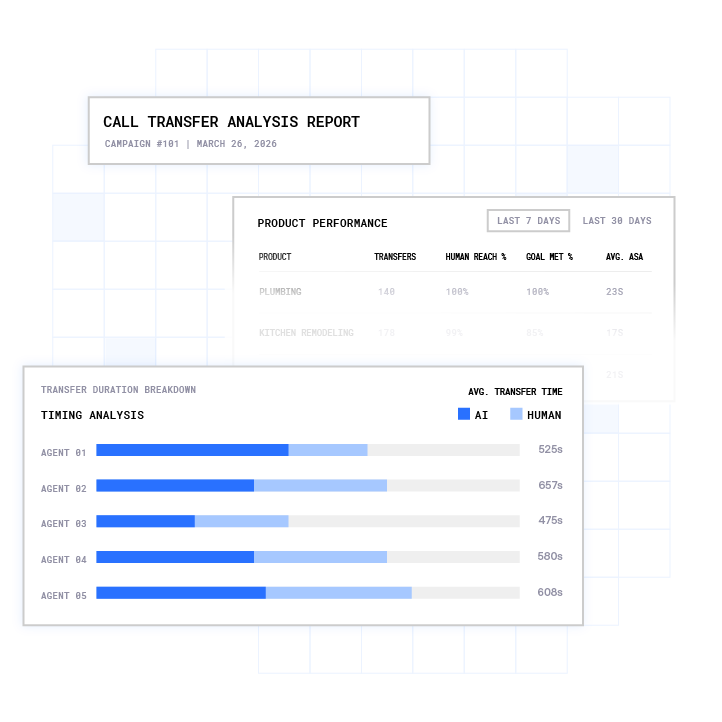
Six metrics show whether the workflow is performing. Some sit with the dialer, and others sit with the workflow around it.
- Lead Response Time. Time from lead capture to first contact attempt. The workflow owns this metric. Target under 60 seconds for demo and pricing requests. Industry research indicates that contacting a lead within 5 minutes makes them up to 100× more likely to connect.3
- Contact Rate. Live-answered calls divided by total dials. The dialer and list quality share ownership of this metric.
- Connect-to-Conversation Rate. Two-way conversations divided by live-answered calls. The AI conversation layer owns this metric.
- Appointment Booking Rate. Meetings booked divided by conversations. The workflow’s qualification logic and the AI conversation layer share ownership.
- Calls per Agent Hour. Target 90+ in predictive mode.3 The dialer owns this metric.
- Follow-Up Completion Rate. Percentage of no-answer leads that receive the full retry and SMS cadence. The workflow builder owns this metric.
Plura’s conversation intelligence layer surfaces all six metrics from actual call data, not only dashboard summaries. Operators can see whether the bottleneck sits in the dialer, the CRM sync, or the list.
Volume Thresholds and Vertical Differences
Predictive dialing requires a minimum of 8 concurrent agents to keep abandon rates statistically stable. Below that threshold, power dialing provides a safer operational architecture. Above 50 concurrent agents, enterprise-tier platforms with configurable overdial multipliers and real-time compliance dashboards become the appropriate choice.
Vertical context shapes the workflow at every step. Real estate and home services operators handle high after-hours lead volume, which makes 24/7 AI Voice coverage a prerequisite. Insurance operators work in a market where the first responder closes 78% of deals, so sub-60-second response becomes the primary competitive lever. Solar operators gain the most value from enrichment at the scoring stage.
Lending and financial services operators carry heavier consent documentation requirements. Recruiting and B2B outbound teams typically run lower dial volumes with higher conversation quality requirements, which makes power or preview dialing a better fit. Legal intake operations require field-level redaction of PII (Personally Identifiable Information) and PHI (Protected Health Information) at the conversation layer.
Plura runs on 100% U.S. infrastructure by architecture, with HIPAA-aligned encryption and access controls, SOC 2 Type II certification, and ISO certification covering the platform.1
Frequently Asked Questions
Is an Automatic Dialer Illegal?
Automatic dialers are not categorically prohibited. The TCPA at 47 U.S.C. § 227 and the FCC’s implementing rules at 47 CFR 64.1200 describe the conditions under which automated outbound calling is permitted, including consent expectations, calling-hour limits, DNC scrubbing obligations, and abandoned-call rate limits. Specific conduct may or may not align with these frameworks depending on the facts. Operators should consult the regulation directly and seek qualified counsel for their specific situation.
What Is the Difference Between a Predictive Dialer and an Auto Dialer?
A predictive dialer uses a real-time statistical model to dial multiple numbers simultaneously ahead of agent availability and routes live-answered calls to the next available agent. An auto dialer initiates calls sequentially, one per available agent, without dialing ahead. Predictive dialers maximize agent talk time and introduce structural abandon risk. Auto dialers remove abandon risk and deliver lower throughput. Power dialers operate similarly to auto dialers but are typically designed for smaller sales teams rather than large contact centers.
What Are the Common Problems with Auto Dialers?
Common failure modes include high abandon rates from misconfigured pacing, spam labeling from numbers without STIR/SHAKEN authentication, CRM sync lag that causes agents to dial stale or opted-out contacts, agent idle time from under-dialing, retry fatigue from excessive attempts on the same number, and list quality degradation from disconnected or wrong numbers. Each issue has a specific fix at the workflow or configuration level.
How Fast Should You Respond to a New Lead?
The research benchmark for live lead response is under 5 minutes, with sub-60-second response as the target for high-intent requests like demo and pricing inquiries. As noted earlier, the 391% conversion lift from a 60-second response makes this the highest-leverage step. The industry average first response time remains approximately 42 to 47 hours, so speed to lead continues to function as a primary competitive differentiator for most operators.
How Does a Predictive Dialer Connect to Your CRM?
Three methods exist: API or webhook integration with sub-second to low-second latency, native or middleware CRM sync with near-real-time event streams or minutes of delay with polling, and list upload with hours-to-days of latency. For live lead response, API or webhook intake is the method that reliably supports a 60-second SLA. CRM write-back should complete within seconds of call end so disposition codes, recording URLs, and conversation summaries populate the contact record before the next agent interaction.
What Happens When a Lead Does Not Answer?
A no-answer should trigger an automated sequence. AI SMS fires within seconds, a voicemail drop queues on the next retry, and the lead recycles into the dialer queue on a suppression timer. The retry cadence should vary the time-of-day window on each attempt and cap total attempts at 6 to 7 before routing the lead to a longer-term re-engagement sequence. Every no-answer disposition should write back to the CRM automatically so the next agent has full context on prior attempts.
How Is DNC Scrubbing Handled in an Automated Dialing Workflow?
DNC scrubbing works best when it runs in real time before each dial instead of as a nightly batch job. The FCC’s rules describe a requirement to use a version of the national DNC registry no more than 31 days old. Real-time scrubbing removes the window between a consumer’s opt-out and the next dial attempt. Plura’s compliance engine checks every outbound contact against federal and state DNC registries before dial. Operators remain responsible for maintaining their own internal DNC lists and honoring individual opt-out requests within the timeframes specified in the applicable rules.
What Metrics Should You Track for Lead Response Automation?
The six metrics that matter are lead response time, contact rate, connect-to-conversation rate, appointment booking rate, calls per agent hour, and follow-up completion rate. Lead response time and follow-up completion rate sit with the workflow. Contact rate and calls per agent hour sit with the dialer and list quality. Connect-to-conversation rate and appointment booking rate sit with the AI conversation layer and qualification logic. Tracking only dialer metrics hides the workflow bottlenecks that most often cause SLA failures.
Conclusion: Build the Workflow Around the Dialer
The dialer functions as one component in the automation. The surrounding workflow determines whether teams hit a 60-second SLA. Many operators who miss that target have a functional dialer and a broken connection between the lead source, the scoring layer, the CRM, and the follow-up sequence. Adjusting dialer settings alone does not resolve intake latency, sync lag, or a weak no-answer playbook.
Plura runs the entire predictive dialer lead response automation workflow on one system. Its FCC-licensed carrier, real-time DNC scrubbing before dial, STIR/SHAKEN authentication on every outbound call, Stateful Conversation Database shared across AI Voice, AI SMS, AI RCS, and AI Webchat, and no-code workflow builder connect every node from lead capture to follow-up completion. The result is a workflow where the dialer, the CRM, the compliance engine, and the conversation layer share the same data in real time instead of in batches.
- Run your numbers through Plura’s ROI calculator to estimate cost savings in real time.
- Review Plura’s plans and rates side by side.
- See predictive dialer lead response automation running end to end in a tailored live session.
1 Plura AI maintains SOC 2, HIPAA, ISO, and GDPR posture as part of its platform infrastructure. References to compliance frameworks in this article describe Plura’s platform capabilities and do not constitute a guarantee that any customer using Plura will themselves be compliant with applicable laws or standards. Customers remain solely responsible for their own regulatory obligations, certifications, consent management, recordkeeping, and the claims they make to their own end users. Consult qualified legal counsel for guidance specific to your use case.
2 This article describes regulatory frameworks at a general level and does not constitute legal advice. Laws and regulations vary by jurisdiction, change over time, and apply differently depending on facts and circumstances. Readers should consult qualified legal counsel before making compliance decisions.
3 Performance figures, customer outcomes, and industry statistics referenced in this article are drawn from cited third-party sources or Plura customer case studies. Individual results vary based on implementation, use case, industry, audience, and execution. Past or aggregate performance is not a guarantee of future results.
4 References to third-party products, services, companies, or research are made for informational and comparative purposes only. Plura AI is not affiliated with, endorsed by, or sponsored by any third party named in this article unless explicitly stated. Trademarks and product names referenced remain the property of their respective owners.
This article is provided for informational purposes only and reflects Plura AI’s understanding at the time of publication. Product capabilities, integrations, and specifications are subject to change. For the most current information, visit plura.ai.
This article was produced with the assistance of AI tools and reviewed by Plura AI prior to publication.