

Written by: Matt Beucler, CEO, Plura AI
Updated July 2026
Key Takeaways for Contact Center and Marketing Leaders
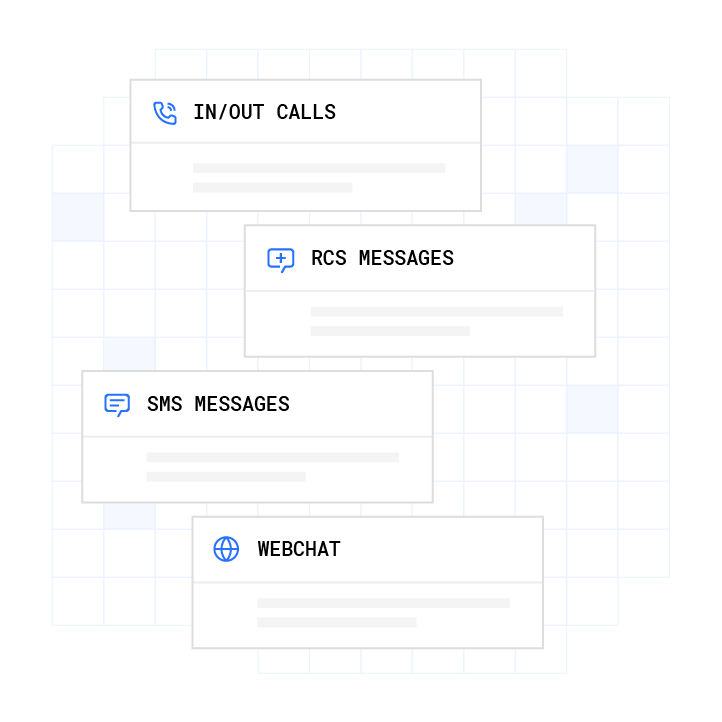
- AI appointment scheduling combines NLP, real-time calendar sync, business rules, and automated confirmations into one workflow across voice, SMS, RCS, and webchat.
- The 7-step process covers intent capture, context retrieval, availability checks, rule-based routing, booking write-back, confirmation and reminders, and post-interaction logging.
- Production systems rely on bidirectional calendar and CRM sync, cross-channel stateful memory, and compliance layers such as real-time DNC scrubbing, TCPA consent tracking, and SHAKEN/STIR caller ID verification.1
- Operators see strong ROI, where replacing a 15-agent team can cut monthly costs from $60,000 to $14,400 while reducing no-shows by up to 40% through automated reminders.3
- Plura AI delivers this full workflow on its own FCC-licensed infrastructure, and you can book a live demo to see it on a live account.
The 7-Step Process for AI Appointment Scheduling
- Intent capture. The AI receives an inbound or outbound contact across voice, SMS, RCS, or webchat. NLP parses the request to extract scheduling intent, preferred time, service type, and urgency signals. Teams configure a trained intent model and a defined list of service types the system can book.
- Context retrieval. The system queries the stateful conversation database and any connected CRM or EHR (Electronic Health Record) to pull prior interaction history, qualification status, and any open offers. It checks whether the contact has an existing record and whether prior scheduling attempts or outstanding follow-ups exist.
- Availability check. The AI queries connected calendars in real time through bidirectional API (Application Programming Interface) sync, reading free and busy slots while applying buffer times, blocked periods, provider preferences, and multi-location rules. Configuration uses OAuth2-authenticated calendar connections and defined business-hour rules per location or provider.
- Business-rule routing. Before confirming a slot, the system applies routing logic such as urgency escalation, specialty matching, geographic routing, and compliance gates like DNC (Do Not Call) scrubbing and quiet-hours enforcement. It evaluates whether the contact qualifies for the requested slot type and whether the request triggers an escalation path.
- Booking and write-back. After confirmation, the AI writes the appointment to the connected calendar and CRM at the same time, logs metadata such as service type, notes, and qualification status, and triggers any downstream workflow actions. Partial-failure handling and rollback capability protect against double-booking.
- Confirmation and reminder automation. The system sends an immediate confirmation on the customer’s preferred channel, followed by timed reminders at configured intervals. Two-way reply handling lets the customer confirm, reschedule, or cancel without agent involvement.
- Post-interaction logging and optimization. Every interaction writes back to the stateful database, audit log, and analytics layer. Outcome data feeds conversation engineering cycles that improve routing accuracy, reminder timing, and no-show prediction over time.
ROI Calculator for AI Scheduling Operations
Understanding the technical workflow is one part of the decision, and understanding the economic impact is the other. A 15-agent operation paying $20 per hour with standard taxes, benefits, and commissions at 40% talk utilization costs $60,000 per month. Replacing that team with Plura at $15 per hour, 100% talk utilization, and 6 Plura agents doing the equivalent work drops the monthly cost to $14,400. That is $45,600 in savings in the first 30 days, $547,200 over 12 months, and $2,736,000 over 60 months. For higher-volume operations, total cost of ownership often runs $300,000 to $700,000 per year against a traditional contact-center benchmark of $4 million to $7 million.3
Run your numbers through Plura’s calculator to check your ROI in real time.
NLP Request Understanding in Live Conversations
NLP converts unstructured human language into structured scheduling data. A caller who says “I need someone tomorrow morning, it’s kind of urgent” expresses a time preference, a service need, and an urgency signal at once. The AI parses all three in real time and maps them to bookable parameters.
Production AI scheduling systems identify urgency keywords in roughly 15.9% of calls and route those contacts differently, prioritizing same-day slots and alerting dispatch or on-call staff. The NLP layer also handles ambiguous phrasing such as “next Thursday” or “early next week,” resolving relative time references against the current date and the contact’s time zone before it queries availability.
Accuracy at this layer matters operationally. AI scheduling systems can achieve high accuracy in appointment scheduling tasks including correct appointment type, time slot, provider assignment, and information capture, and often outperform human receptionists. The efficiency advantage compounds at volume because AI systems can handle significantly higher call volumes than a single human receptionist while producing fewer booking errors per shift.
Real-Time Calendar Integration Across Tools
Calendar integration in a production scheduling system operates bidirectionally. The AI reads free and busy availability and writes confirmed appointments back to the same calendar in the same transaction. One-way sync creates the double-booking problem, while bidirectional sync with conflict detection reduces that risk.
Production systems perform real-time bidirectional sync with Google Calendar, Microsoft Outlook, Office 365, and Apple iCloud, reading availability while instantly writing confirmed appointments and detecting manual additions to prevent double-booking.4
For healthcare deployments, the same logic extends to EHR and PMS (Practice Management System) platforms. AI scheduling infrastructure updates a variety of EHR and PMS systems including Epic, Athenahealth, eClinicalWorks, and others in real time through bidirectional integration that reads from and writes into the systems automatically without manual steps.
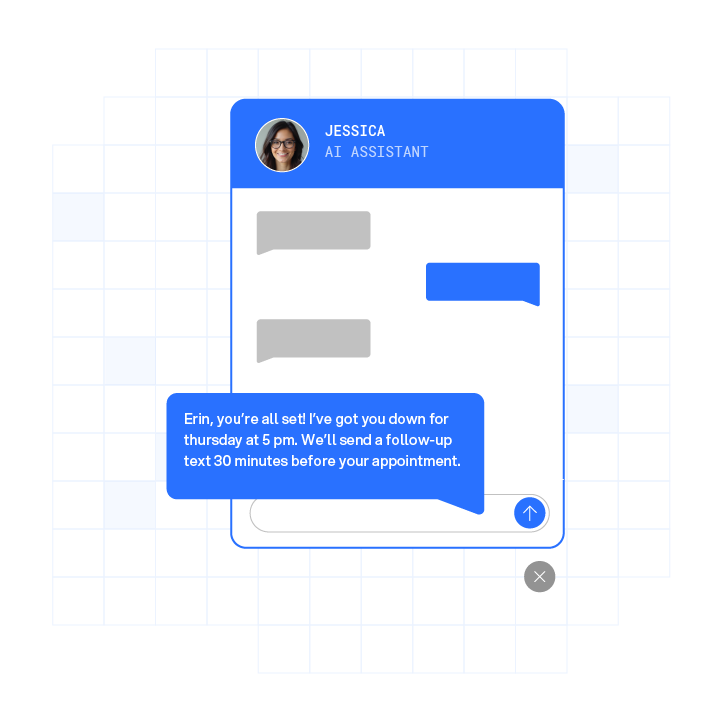
Plura integrates with Cal.com, Calendly, and Google Calendar out of the box, and the same stateful database layer that holds cross-channel conversation context also holds scheduling state. A customer who texted to reschedule at 9 a.m. does not need to re-explain themselves when the follow-up call comes at noon.
Business-Rule Routing for the Right Slot
Booking the right slot functions as a routing problem, not only a calendar problem. Production scheduling systems enforce business rules before confirming any appointment, including provider specialty matching, geographic routing for multi-location networks, buffer times between appointments, blocked administrative periods, and compliance gates.
Compliance gates at this layer include real-time DNC scrubbing against federal and state registries before any outbound contact, quiet-hours enforcement through time-zone detection, and TCPA consent verification.2 Plura’s compliance engine runs these checks as a first-class layer of the platform on every outbound contact, not as a post-dial audit. Customers remain responsible for their own regulatory obligations, and Plura provides the infrastructure that supports compliance operations.
Confirmation and Reminder Automation Economics
Confirmation and reminder automation is where scheduling economics become visible. No-shows cost the U.S. healthcare system approximately $150 billion annually. Automated multi-channel reminders with two-way reply handling address this cost directly.
Production reminder sequences include an instant confirmation after booking, a 48-hour reminder allowing reschedule, and a 24-hour final reminder, with two-way SMS options that let customers confirm, reschedule, or cancel in a single reply. When a cancellation arrives, smart waitlist logic contacts eligible customers automatically to backfill the slot without manual staff intervention.
The automated reminder workflow described above delivers the no-show reduction referenced earlier. RCS (Rich Communication Services) extends this further, and RCS enables direct appointment scheduling, rescheduling, and confirmation within the default messaging app through interactive carousels and call-to-action buttons without requiring an additional app download.
Cross-Channel Stateful Memory for Every Contact
Most AI scheduling tools operate as single-channel systems by design. A voice agent and an SMS agent from different vendors hold different memories. A customer who texted at 9 a.m. then has to re-explain themselves when the call comes at noon, which reflects an infrastructure limitation rather than a script issue.
Cross-channel stateful memory requires a single database layer that every channel reads from and writes to on every interaction. Plura’s Stateful Conversation Database keys every interaction to a customer token such as phone number, email, or ID and persists it in one place. AI Voice, AI SMS, AI RCS, and AI Webchat all share the same memory. Pricing offers made, objections raised, qualification status, and sensitive-data redactions remain available to the next channel that touches the same customer.
AI-powered RCS agents support seamless handoffs to human agents while preserving full conversation context across channels. The same principle applies across voice, SMS, and webchat. The Unified Inbox gives human agents the same view the AI holds, so warm transfers carry full context rather than starting from zero.
Compliance and Carrier Requirements for AI Scheduling
Compliance in AI scheduling functions as an infrastructure layer, not a checkbox. TCPA (Telephone Consumer Protection Act, 47 U.S.C. § 227), DNC registry obligations, HIPAA (Health Insurance Portability and Accountability Act, 45 CFR Parts 160, 162, 164), and 50-plus state rule sets each describe specific expectations for how outbound contacts are initiated, how consent is recorded, and how sensitive data is handled.2 Operators should consult qualified counsel regarding their specific obligations under each framework.
SHAKEN/STIR (Secure Handling of Asserted information using toKENs / Secure Telephone Identity Revisited) caller ID verification, implemented under the FCC’s TRACED Act orders, authenticates the originating carrier on every outbound call. Platforms that route voice through a third-party CPaaS (Communications Platform as a Service) inherit that carrier’s authentication reputation, not their own. Plura operates as its own FCC-licensed audio bridging carrier. SHAKEN/STIR authentication runs at the carrier level on every outbound call, and branded caller ID is issued directly rather than through a reseller.
For SMS and RCS, 10DLC (10-digit long code) registration, automated opt-in and opt-out management, blocklist support, and message traceability form the baseline for A2P (application-to-person) messaging compliance. RCS compliance setup adds opt-in and opt-out handling, consent tracking, and message logging for audit purposes, with carrier approval typically taking 2 to 4 weeks because carriers verify each requirement individually.
Plura’s compliance engine supports TCPA compliance, DNC compliance, HIPAA, SOC 2 (System and Organization Controls 2), ISO certification, GDPR (General Data Protection Regulation, Regulation (EU) 2016/679), and SHAKEN/STIR caller ID verification.1 Every outbound contact is checked against federal and state DNC registries in real time before dial. Consent records are timestamped and immutable. Quiet-hours rules enforce automatically through time-zone detection. The compliance dashboard exports audit-ready reports in one click. Customers remain responsible for their own compliance obligations and certifications.

Infrastructure Comparison for Scheduling at Scale
| Infrastructure Layer | Plura AI | Twilio-Based API Resellers | Offshore BPO Vendors |
|---|---|---|---|
| Carrier ownership | FCC-licensed audio bridging carrier, with voice originating on Plura’s own domestic infrastructure | Third-party CPaaS (e.g., Twilio), where the platform rents carrier access and passes cost to the customer | No carrier ownership, and calls route through local or international telecom providers |
| DNC scrubbing | Real-time federal and state DNC registry check before every outbound dial, with non-compliant numbers blocked at origination | Bolted-on post-dial or batch scrubbing, with enforcement living outside the platform | Manual or third-party scrubbing, with no carrier-level enforcement |
| Branded caller ID | Issued directly at the carrier level, so calls present with company name and call reason, with SHAKEN/STIR authenticated at origination | Inherited from a third-party carrier, where branded caller ID requires an additional reseller layer with no direct issuance | No branded caller ID capability, so calls present as unverified numbers |
| Stateful conversation database | Single database shared across voice, SMS, RCS, and webchat, and every channel reads and writes the same customer record | Channel-specific memory, where voice and SMS agents typically run on separate tools with separate data stores | Agent-level memory only, with no cross-channel or cross-shift persistence by default |
Frequently Asked Questions
How long does it take to deploy an AI appointment scheduling system?
Deployment timelines depend on conversation complexity. A simple inbound qualification and booking flow typically goes live in days. A multi-step intake workflow, such as a 25-question health-history survey with provider routing logic, runs closer to one to two months because the workflow logic itself requires design, validation, and pilot testing before full go-live. Plura’s onboarding sequence covers a discovery audit, intake of sample calls and existing scripts, an overnight build of a conversation mockup, a review session, engineering build of the production workflow, a pilot on a subset of real calls, and full go-live. Every annual contract includes a 90-day opt-out window.
What calendar and CRM systems does AI appointment scheduling integrate with?
Production AI scheduling systems require bidirectional integration with the calendars and CRMs operators already run.4 Plura integrates with Cal.com, Calendly, and Google Calendar for scheduling, and with HubSpot, Salesforce, and Zoho for CRM. The platform also connects to healthcare-specific systems and 50-plus additional tools across attribution, automation, document signing, payment processing, and data enrichment categories. The full integration directory is at plura.ai/integrations. The key requirement for any integration is bidirectional sync so the AI reads availability and writes confirmed appointments in the same transaction to reduce double-booking and data fragmentation.
How does AI appointment scheduling handle no-shows?
Automated reminder sequences act as the primary lever. Production systems send an immediate confirmation after booking, a 48-hour reminder with a reschedule option, and a 24-hour final reminder, all with two-way reply handling so customers can confirm or reschedule without agent involvement. When a cancellation comes in, smart waitlist logic contacts eligible customers automatically to backfill the slot. As noted in the reminder automation section, Plura’s workflow achieves up to 40% improvement in no-shows. Details on healthcare-specific deployment patterns are at plura.ai/industries/healthcare. Customers remain responsible for configuring reminder timing and consent handling in line with their own regulatory obligations.
What compliance features does AI appointment scheduling require for regulated industries?
Regulated industries including healthcare, financial services, insurance, and legal use scheduling infrastructure that handles consent management, data handling, and outbound contact rules at the platform level. Key compliance features include real-time DNC scrubbing before every outbound contact, TCPA consent logging with timestamped and immutable records, quiet-hours enforcement through time-zone detection, HIPAA-aligned encryption and audit logging for protected health information, and SHAKEN/STIR caller ID verification on every outbound voice call. The compliance features outlined earlier, including TCPA, DNC, HIPAA, SOC 2, ISO, GDPR, and SHAKEN/STIR support, run at the platform level on every contact. Customers are responsible for their own compliance obligations, certifications, and the claims they make to their end users. Operators should consult qualified counsel regarding their specific regulatory requirements.
What is the difference between a stateful and stateless AI scheduling system?
A stateless system treats every interaction as a new conversation. A customer who texted to reschedule at 9 a.m. has to re-explain their situation when the follow-up call comes at noon. A stateful system keys every interaction to a customer record and persists it across channels and time. The AI that handled the SMS thread at 9 a.m. and the AI that handles the voice call at noon read from the same database. Pricing offers made, objections raised, qualification status, and scheduling history remain available on every subsequent touchpoint. Plura’s Stateful Conversation Database functions as the shared data layer underneath AI Voice, AI SMS, AI RCS, and AI Webchat. Every channel reads from and writes to the same customer record, so conversations feel continuous rather than episodic.
How does AI appointment scheduling handle calls that go off-script or require escalation?
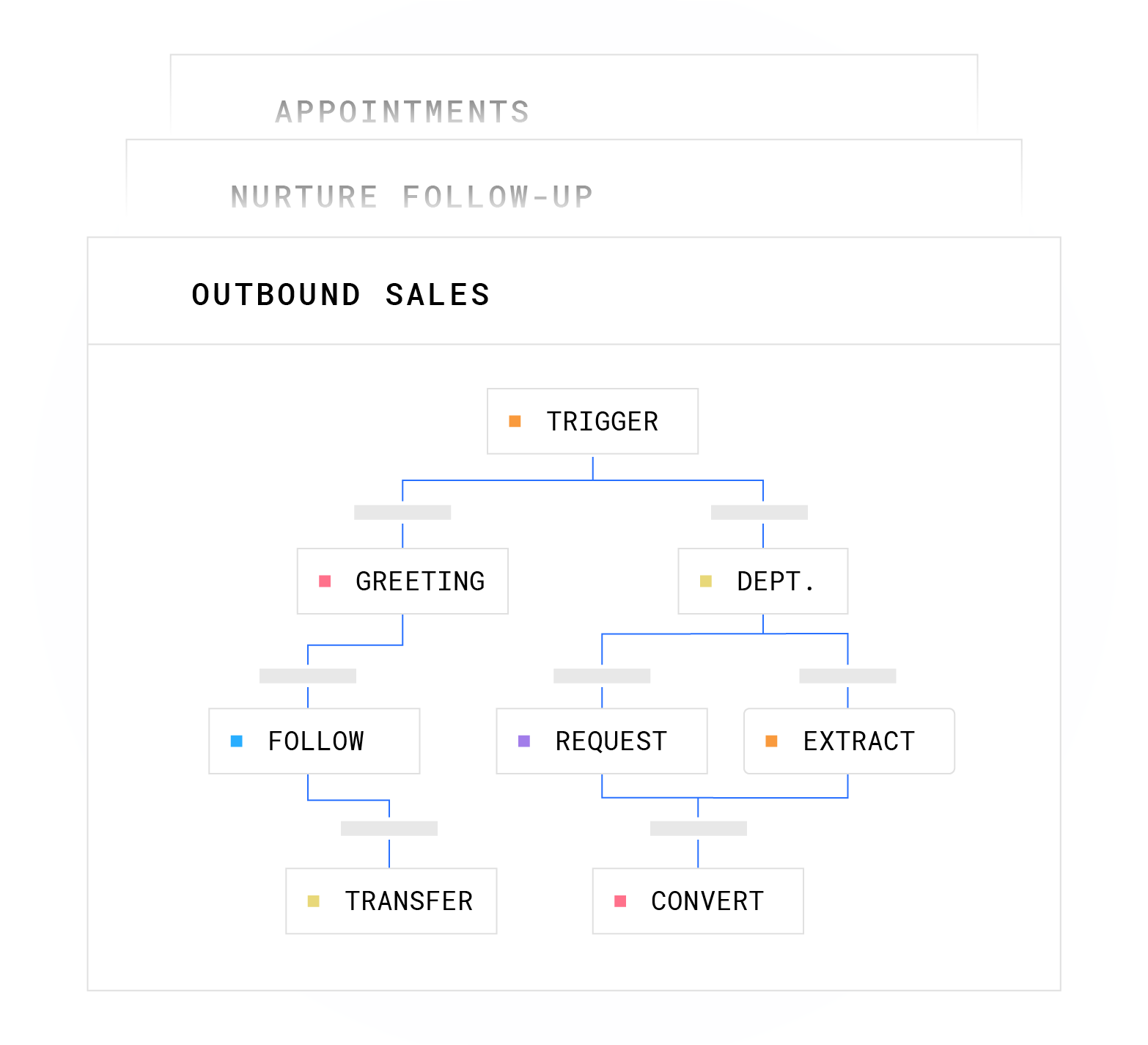
Production scheduling workflows include explicit escalation paths. Each conversation node carries defined boundaries, so a booking node knows which slot types it can offer and a negotiation node carries a floor and ceiling within which the AI can operate. When a customer’s response falls outside the workflow’s defined paths, such as an unfamiliar request, a sensitive disclosure, or a high-stakes objection, the AI escalates. Escalation options include a warm transfer to a U.S. agent, a flag in the Unified Inbox for human review, or routing to a designated escalation queue. Sensitive data including protected health information, payment data, and personally identifiable information is redacted at the field level and routed through HIPAA-aligned channels. The AI does not improvise on outcomes that carry compliance or business risk.
Conclusion: Turning Conversations into Scheduled Revenue
AI appointment scheduling at production scale relies on seven interconnected layers, including NLP intent capture, stateful context retrieval, real-time calendar sync, business-rule routing, booking write-back, confirmation and reminder automation, and post-interaction logging. Each layer depends on the infrastructure underneath it. Platforms that route voice through a third-party CPaaS cannot issue branded caller ID, cannot enforce DNC scrubbing at origination, and cannot hold conversation context across channels by default.
Plura AI runs the full workflow on its own FCC-licensed carrier, with a Stateful Conversation Database shared across voice, SMS, RCS, and webchat, and a compliance engine that supports TCPA compliance, DNC compliance, HIPAA, SOC 2, ISO certification, GDPR, and SHAKEN/STIR caller ID verification on every contact. The platform delivers 3x average ROI in 90 days, as illustrated in the calculator above, along with 47% average pipeline growth and 90% faster lead-response time for high-volume operators across healthcare, insurance, financial services, legal, and franchise networks.3
Compare plans and rates side by side at plura.ai/pricing.
1 Plura AI maintains SOC 2, HIPAA, ISO, and GDPR posture as part of its platform infrastructure. References to compliance frameworks in this article describe Plura’s platform capabilities and do not constitute a guarantee that any customer using Plura will themselves be compliant with applicable laws or standards. Customers remain solely responsible for their own regulatory obligations, certifications, consent management, recordkeeping, and the claims they make to their own end users. Consult qualified legal counsel for guidance specific to your use case.
2 This article describes regulatory frameworks at a general level and does not constitute legal advice. Laws and regulations vary by jurisdiction, change over time, and apply differently depending on facts and circumstances. Readers should consult qualified legal counsel before making compliance decisions.
3 Performance figures, customer outcomes, and industry statistics referenced in this article are drawn from cited third-party sources or Plura customer case studies. Individual results vary based on implementation, use case, industry, audience, and execution. Past or aggregate performance is not a guarantee of future results.
4 References to third-party products, services, companies, or research are made for informational and comparative purposes only. Plura AI is not affiliated with, endorsed by, or sponsored by any third party named in this article unless explicitly stated. Trademarks and product names referenced remain the property of their respective owners.
This article is provided for informational purposes only and reflects Plura AI’s understanding at the time of publication. Product capabilities, integrations, and specifications are subject to change. For the most current information, visit plura.ai.
This article was produced with the assistance of AI tools and reviewed by Plura AI prior to publication.