

Written by: Matt Beucler, CEO, Plura AI
Key Takeaways for Agency Sales Automation
- Sales automation replaces fragmented manual processes with a single stateful system that manages lead response, outreach, compliance support, and reporting for agencies.
- Agencies can scale from 5–8 to 15–20 clients per account manager while increasing profit margins from 15–25% to 35–50%.3
- Every lead receives a response in under 60 seconds, which delivers an average 3x ROI within 90 days of implementation.3
- A three-layer stack with multi-channel outreach, real-time lead intelligence, and built-in compliance support reduces integration overhead and data fragmentation.
- Agencies ready to automate their sales workflows can book a live demo with Plura AI to see capacity and margin gains on their own numbers.
Sales Automation for Agencies: Fixing Capacity and Margin Constraints
Most agencies only see the real picture after mapping their current tools and workflows. Many discover the same pattern: 40% of agency time goes to operational tasks like lead follow-up rather than strategy, and quality declines past 5–8 clients per account manager. That decline reflects a systems problem, not a people problem.
Step 1 is a capacity and SLA audit. Pull your current lead volume per client, document your average first-contact time, and identify where your CRM (customer relationship management system) breaks down across accounts. Most agencies land between 1–4 hours per lead for first contact. Many digital marketing agencies run a dozen or more different software tools, with operations managers spending 8–12 hours per week on integrations and data reconciliation. That overhead compounds with every new client.
The audit output is a single document that lists lead volume by client, current SLA (service level agreement) per client, average response time, and the tools currently handling each function. That document becomes the baseline against which you measure everything that follows. With your capacity constraints documented, you can identify which technical layers must work together to remove those bottlenecks.
Book a live demo with Plura to walk through a capacity audit for your agency and see where automation closes the gap.
AI Tools for Sales Lead Generation: Building a Three-Layer Stack
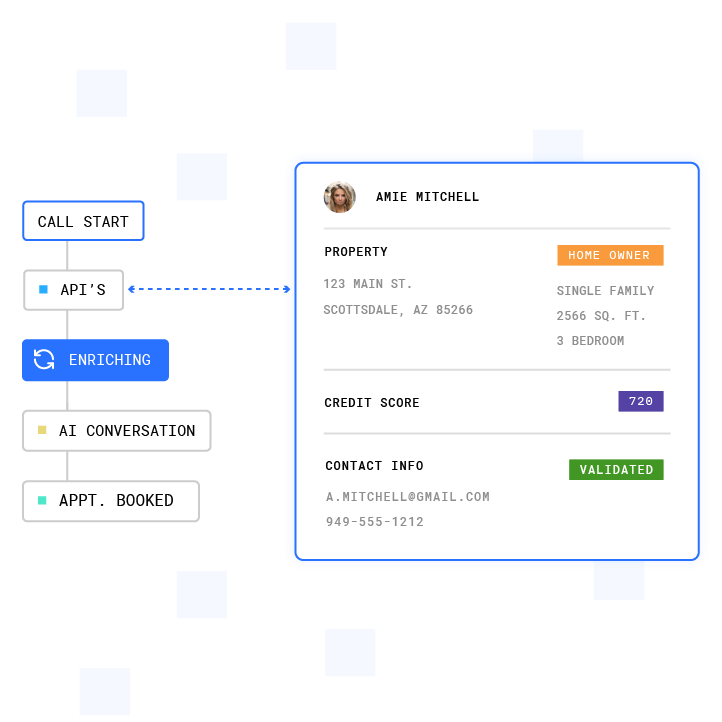
Step 2 focuses on stack selection. Agencies need three layers working together: a channel layer (voice, SMS, RCS (rich communication services), webchat), an intelligence layer (lead enrichment and conversation analysis), and a compliance support layer (TCPA (Telephone Consumer Protection Act), DNC (Do Not Call), and state-level rule enforcement).2 Many agencies assemble these from separate vendors. The integration cost and data fragmentation that follow often cap capacity at 5–8 clients per manager.
| Function | Example Tools | Agency-Specific Requirement |
|---|---|---|
| Multi-channel outreach (voice, SMS, RCS, webchat) | Plura AI (owned FCC-licensed carrier); Twilio-based API resellers (third-party CPaaS)4 | Shared stateful memory across all channels per client account, lead contact under 60 seconds across every client, and branded caller ID issued at carrier level, not bolted on |
| Lead intelligence and enrichment | Plura AI Lead Intelligence (30+ real-time data sources); ZoomInfo; People Data Labs4 | Real-time enrichment during the live conversation, not post-hoc batch scoring, and cost per qualified lead of $25–$60 versus $85–$200 with traditional SDR (sales development representative) models3 |
| Compliance support infrastructure | Plura AI Compliance Engine (pre-loaded 50+ state rule sets, real-time DNC scrubbing, TCPA consent logging); bolt-on compliance add-ons from third-party vendors | Multi-tenant consent records with separate audit trails per client, real-time TCPA-litigator list filtering on every outbound contact, and an immutable consent ledger exportable per client account |
Multi-tenancy sits at the center of every requirement in that table. A tool that works for one client account does not automatically work across 15. The stack must isolate consent records, DNC lists, and reporting by client while still giving each account manager a single operational surface.
Agency Automation Outbound Sales Tools: From Setup to Execution
Steps 3 through 7 are where the capacity expansion occurs. The configuration decisions in these steps determine whether you reach the 15–20 client threshold or stall at 10 clients per manager.
2026 Implementation Guide: 7 Steps to Sales Automation for Agencies5
Step 1: Map Current Lead Volume and Client SLAs
Document lead volume, first-contact time, and tool count per client. Establish the baseline metrics you will measure against: average speed of answer, first response time, agent utilization rate, and cost per contact. Average speed of answer and first contact resolution rate are the two metrics that most directly reflect automation effectiveness in lead-handling environments.
Step 2: Select the Three-Layer Stack
Use the table above as your reference. Prioritize platforms that own their carrier infrastructure rather than reselling a third-party CPaaS (communications platform as a service). Plura owns its FCC-licensed audio bridging carrier. Branded caller ID, STIR/SHAKEN (secure telephone identity revisited/signature-based handling of asserted information using tokens) authentication, and real-time DNC scrubbing are enforced at origination, not added after the fact.
Step 3: Configure Multi-Tenant Workflows with Shared Memory
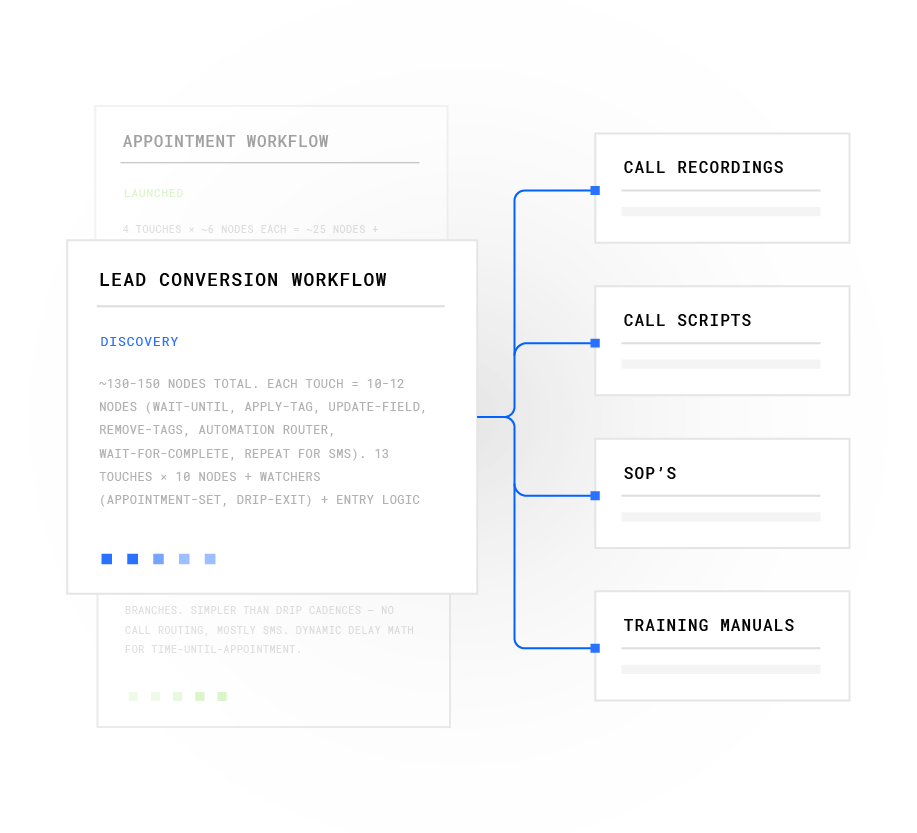
Build client-specific conversation workflows on a no-code visual canvas. Each workflow references the stateful conversation database, so an AI agent that sent an SMS at 9 a.m. can pick up the voice call at noon already knowing what was said. Isolate workflow logic, consent records, and DNC lists by client account. Multi-channel sequences generate conversion rates 250% higher than single-channel campaigns. That performance makes cross-channel memory a functional requirement rather than a feature preference.
Step 4: Enforce Real-Time Compliance Support
Configure TCPA consent management, DNC scrubbing, and quiet-hours enforcement per client account. These three functions must work together because agencies operating across multiple clients face separate consent obligations per account. The system must maintain those records independently to avoid cross-contamination.
Plura supports this separation by checking every outbound contact against federal and state DNC registries before dial, timestamping consent records as immutable entries, and enforcing quiet-hours rules through automatic time-zone detection. Because compliance posture varies by client and jurisdiction, agencies should consult qualified legal counsel regarding their specific TCPA, DNC, and state-law obligations. Organizations using sales automation tools must maintain a current enterprise data and AI inventory that documents ownership, deployment context, and risk classification for every system processing lead data.

Step 5: Set Up Automated Client Reporting
Plura’s Conversation Intelligence layer analyzes every interaction across voice, SMS, RCS, and webchat and generates client-ready reports automatically. Manual client reporting often consumes 4–8 hours per client per month. Automation reduces this to 30–60 minutes per client.
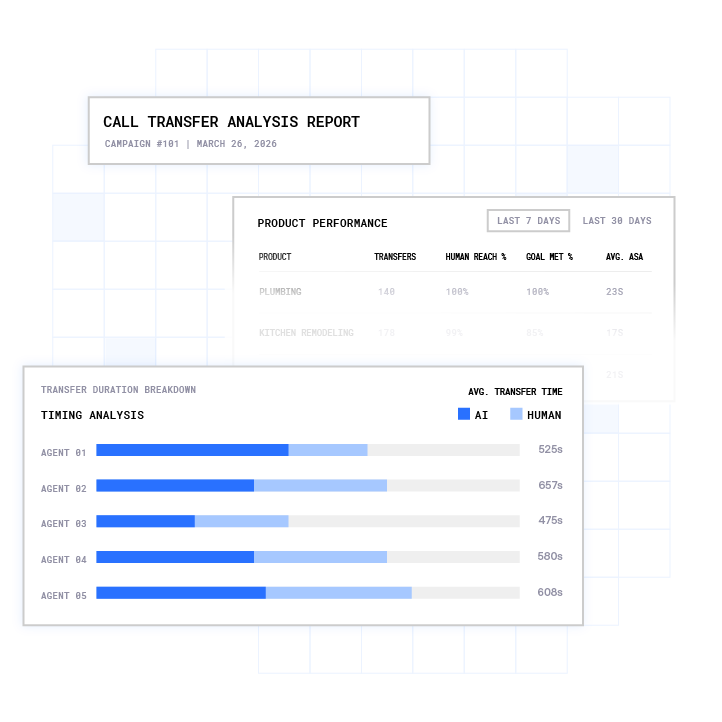
Configure report templates per client at onboarding. The output includes conversation transcripts, intent signals, contact rates, and conversion lift, not just dashboard summaries with no operational signal.
Step 6: Measure Capacity and Margin Lift
Track account-manager client load, first response time, agent utilization rate, and cost per contact at 30, 60, and 90 days. Agencies using Plura reach the 15–20 client threshold described earlier. Set a 90-day checkpoint against those benchmarks before expanding to additional client accounts and use that review to validate progress toward the margin targets outlined earlier.
Step 7: Iterate with Conversation Intelligence
Use the Conversation Intelligence output to identify which scripts close, which objections recur, and which outreach sequences produce the highest contact rates. Teams using conversation intelligence can close deals faster on average and improve win rates. Treat every 30-day cycle as a CRO (conversion rate optimization) test.
Adjust workflow nodes, qualification gates, and follow-up cadences based on actual call data, not assumptions. Run your numbers through Plura’s calculator to check your ROI in real time. Once your automation workflows are live and iterating, the next operational question is whether the capacity expansion is producing the margin lift the model predicts.
Measurement and Margin Protection for Automated Agencies
The capacity expansion described in Step 6 produces measurable margin lift only if you track the right metrics. The operational metrics that matter in an agency automation deployment are first response time (target under 60 seconds), agent utilization rate, cost per contact, and client-to-manager ratio. Plura agents run at 100% talk utilization versus the 40% typical of human contact-center work, which changes that utilization metric significantly.
Plura AI-powered agencies achieve the 35–50% margin range described above, compared to the 15–25% baseline. The math behind that shift is straightforward. When lead response drops from 1–4 hours to under 60 seconds across all client accounts, and when client reporting is generated automatically rather than manually, the labor cost per client drops while the number of clients per manager rises.
Those two movements together produce margin expansion because fixed labor costs now spread across 2–3 times more client accounts. That efficiency gain creates headroom for capacity reallocation. Marketing directors who switch to AI automation typically reallocate 20–30% of their team capacity from manual outreach to strategy and creative work, which further compounds the margin improvement.
The FCC NPRM (Notice of Proposed Rulemaking, CG Docket No. 26-52) proposes restrictions on offshore handling of sensitive consumer data.2 Agencies running outbound campaigns for clients in healthcare, financial services, or insurance should consult qualified legal counsel regarding how those proposals may affect their vendor stack. Plura runs on 100% U.S. infrastructure by architecture, with voice origination, model hosting, data storage, and call recording all on domestic infrastructure.
Compare plans and rates side by side to see which tier fits your agency’s client load.
Frequently Asked Questions
How long does it take to scale from 5–8 to 15–20 clients per account manager?
The timeline depends on workflow complexity and how many client accounts you onboard at once. A simple inbound qualification flow typically goes live in days. A multi-step outbound sequence with custom qualification logic and automated reporting usually runs closer to one to two months.
Most agencies see measurable capacity expansion within the first 30–60 days of full deployment. The 15–20 client threshold is typically reached by the 90-day mark as workflows are tuned against real call data.
What does a multi-tenant sales automation setup require beyond a single-client setup?
Multi-tenant deployments require isolated consent records, DNC lists, and audit trails per client account. A system that works for one client can expose compliance gaps when scaled to 15 clients if those records are not separated at the data layer.
The workflow canvas must also support client-specific conversation logic, qualification criteria, and reporting templates without those configurations bleeding across accounts. Plura’s stateful conversation database keys every interaction to a customer token within a client account. That structure keeps data isolated while still sharing the same operational surface for the account manager.
What metrics should agencies track to evaluate whether sales automation is working?
Agencies should track first response time, agent utilization rate, cost per contact, client-to-manager ratio, and margin per client. First response time measures the interval between lead submission and first AI contact. Agent utilization rate measures the percentage of available capacity used on active conversations.
At the campaign level, track contact rate, qualification rate, and conversion rate from first touch to handoff. At the reporting level, track time spent on client report production before and after automation. The combination of those metrics shows whether capacity is expanding and whether margin is following.
How does Plura support compliance across multiple client accounts?
Plura’s compliance engine is built into the platform, not added as a third-party bolt-on. Every outbound contact is checked against federal and state DNC registries in real time before dial. TCPA consent records are timestamped and stored as immutable entries, with separate audit trails per client account.
Quiet-hours rules enforce automatically through time-zone detection. SOC 2, HIPAA, ISO certification, GDPR, SHAKEN/STIR caller ID verification, TCPA compliance, and DNC compliance are all supported within the platform.1 Agencies remain responsible for their own regulatory obligations and should consult qualified legal counsel regarding their specific compliance posture.
What is the difference between Plura and a Twilio-based AI voice tool for agency use?
Twilio-based API resellers rent their carrier infrastructure from a third party. That structure means branded caller ID is not issued at the carrier level, real-time DNC scrubbing often requires a separate integration, and compliance posture sits outside the platform.
Plura owns its FCC-licensed audio bridging carrier. Branded caller ID, STIR/SHAKEN authentication, and DNC scrubbing are enforced at origination. For agencies managing 15–20 clients, the operational difference shows up in pickup rates, compliance audit readiness, and the ability to maintain stateful conversation memory across voice, SMS, RCS, and webchat without stitching together separate vendor systems.
Conclusion: A Single System for Scalable Agency Operations
The scaling math for agencies is straightforward. Manual operations cap account managers at 5–8 clients with 15–25% margins. A single stateful system that handles lead response in under 60 seconds, runs multi-channel outreach with shared conversation memory, supports compliance across 50+ state rule sets, and generates client-ready reports automatically expands that capacity to 15–20 clients per manager at 35–50% margins.
The seven steps in this guide form the implementation path. Audit your current capacity, select a three-layer stack built for multi-tenant agency work, configure isolated workflows per client, enforce compliance support at the platform level, automate reporting, measure the capacity and margin lift at 30-60-90 days, and iterate with conversation intelligence. Each step compounds the one before it.
Plura AI is built for this operating model. Four channels run on one stateful conversation database, an FCC-licensed carrier issues branded caller ID directly, and a compliance engine runs before every outbound contact, not after.
Book a live demo with Plura and see the capacity expansion model applied to your agency’s current client load and margin structure.
1 Plura AI maintains SOC 2, HIPAA, ISO, and GDPR posture as part of its platform infrastructure. References to compliance frameworks in this article describe Plura’s platform capabilities and do not constitute a guarantee that any customer using Plura will themselves be compliant with applicable laws or standards. Customers remain solely responsible for their own regulatory obligations, certifications, consent management, recordkeeping, and the claims they make to their own end users. Consult qualified legal counsel for guidance specific to your use case.
2 This article describes regulatory frameworks at a general level and does not constitute legal advice. Laws and regulations vary by jurisdiction, change over time, and apply differently depending on facts and circumstances. Readers should consult qualified legal counsel before making compliance decisions.
3 Performance figures, customer outcomes, and industry statistics referenced in this article are drawn from cited third-party sources or Plura customer case studies. Individual results vary based on implementation, use case, industry, audience, and execution. Past or aggregate performance is not a guarantee of future results.
4 References to third-party products, services, companies, or research are made for informational and comparative purposes only. Plura AI is not affiliated with, endorsed by, or sponsored by any third party named in this article unless explicitly stated. Trademarks and product names referenced remain the property of their respective owners.
5 This article contains forward-looking statements regarding industry trends, technology adoption, and future capabilities. These statements reflect current expectations and are subject to change. Plura AI undertakes no obligation to update forward-looking statements except as required.
This article is provided for informational purposes only and reflects Plura AI’s understanding at the time of publication. Product capabilities, integrations, and specifications are subject to change. For the most current information, visit plura.ai.
This article was produced with the assistance of AI tools and reviewed by Plura AI prior to publication.