
Written by: Matt Beucler, CEO, Plura AI
Key Takeaways for CRM SMS Speed to Lead
- CRM SMS speed to lead sends an automated, compliant text within 60 seconds of form submission using CRM workflows and an AI SMS platform.
- A 5-step workflow captures the lead, fires a webhook, runs real-time DNC and TCPA checks, personalizes and sends the SMS, then writes outcomes back to the CRM.
- Responding within one minute can increase conversion rates by 391% compared to waiting five minutes, and teams responding within five minutes are 100 times more likely to connect.3
- Plura AI’s Compliance Engine performs pre-send checks for federal and state DNC registries, TCPA litigators, A2P 10DLC registration, and quiet-hours rules using the contact’s local time zone.
- Connect your CRM to Plura AI’s carrier-grade platform to automate compliant speed-to-lead SMS and start converting leads faster, then book a live demo.
5-Step Workflow for Sub-60-Second AI SMS
This sequence shows how a compliant, sub-60-second SMS fires from a CRM trigger through Plura AI’s carrier stack and writes the outcome back to the contact record.
- Capture form submission in CRM. The moment a lead submits a web form, the CRM creates or updates a contact record. Required fields, including mobile number, consent status, lifecycle stage, and assigned owner, must be present before any outbound action fires. If a required field is missing, the workflow routes to a human task queue instead of sending a generic message.
- Fire instant webhook to Plura AI SMS. A CRM workflow rule triggers an instant webhook, not a polling connection, to Plura’s AI SMS platform. Webhooks remove the 3-to-5-minute latency that polling integrations introduce. The payload carries the contact ID, consent timestamp, lead source, and any enrichment fields needed for personalization.
- Run real-time DNC and TCPA check in Compliance Engine.2 Before a single character is transmitted, Plura’s Compliance Engine checks the number against federal and state DNC registries, screens for TCPA litigators, validates A2P 10DLC campaign registration, and applies state-specific quiet-hours rules using the contact’s local time zone. Numbers that do not clear every check are blocked, and the outcome is logged to the CRM timeline.
- Personalize and send branded SMS within 60 seconds. For numbers that clear compliance checks, Plura’s AI SMS agent assembles a personalized message using CRM field tokens, such as first name, lead source, and service requested. The platform then transmits the message over Plura’s FCC-licensed carrier stack. The entire sequence, from webhook receipt to carrier delivery, targets sub-60-second execution.
- Write reply and outcome back to CRM timeline. Every delivery receipt, inbound reply, qualification signal, and escalation event writes back to the CRM contact record in real time. This bidirectional sync creates an auditable trail and feeds downstream analytics, including speed-to-lead, reply rate, and conversation-to-stage conversion.
Defining Speed to Lead in Salesforce
Speed to lead in Salesforce is the elapsed time between a lead record being created, typically by a form fill or ad click, and the first outbound contact attempt logged against that record. Salesforce workflow rules and Flow builder can trigger SMS actions through connected platforms, while the compliance layer, carrier delivery, and stateful conversation memory live outside Salesforce itself.
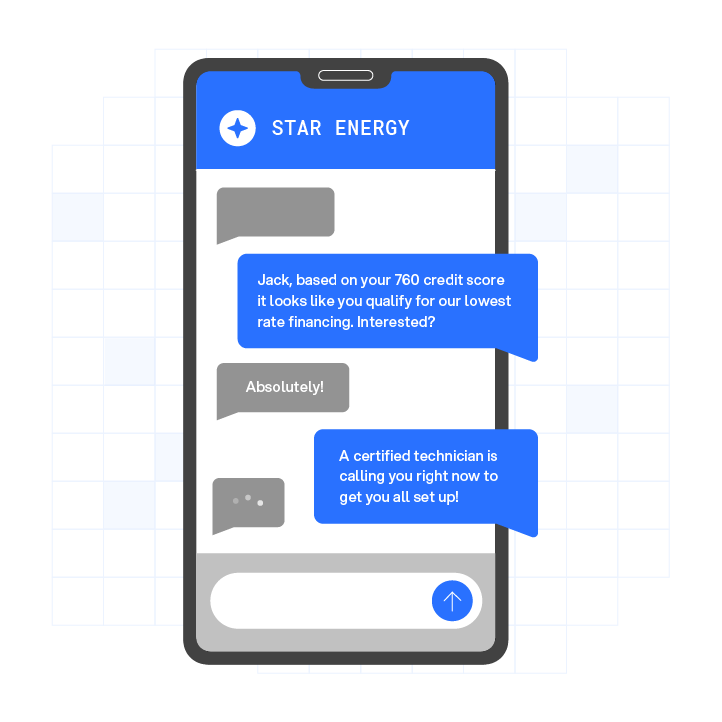
The market context turns the gap between record creation and first contact into a direct revenue variable. The 2026 Speed to Lead Benchmark Study by Artemis GTM reports an overall average B2B lead response time of approximately 42 hours across industries.3,4 Only about 7% of B2B teams consistently respond to inbound leads within 5 minutes. The same study shows lead-to-opportunity conversion at 21% for teams responding within 0 to 5 minutes, falling to 2.3% for teams responding after 24 hours.3
Speed to Lead Statistics for 2026
The conversion penalty for slow response is measurable and steep. Blazeo’s 2026 Lead Response Benchmark reports that responding to a lead within one minute increases conversion rates by 391% compared to waiting five minutes.3,4 Harvard Business Review research found that companies responding within five minutes are 100 times more likely to connect with a prospect3,4 than those waiting 30 minutes.
These benchmarks, the 391% conversion lift and 100 times connection advantage, explain why the sub-60-second target matters operationally. 78% of buyers purchase from the first vendor to respond, according to MIT/InsideSales research.3,4 Many B2B inbound leads still wait more than 24 hours for any response, which leaves revenue on the table.
Run your numbers through Plura’s ROI calculator to check your ROI in real time.
CRM Trigger Configuration for Fast SMS
The following field mappings and sample payloads apply to the three CRMs most commonly connected to Plura’s AI SMS integration.
Salesforce: Create a Process Builder or Flow that fires on Lead Created or Lead Updated where LeadSource equals the target form. Map MobilePhone, ConsentStatus__c, LeadSource, and OwnerId to the outbound webhook payload. Set the Flow to run immediately, not on a schedule.
HubSpot: Use a Workflow triggered by Contact Created with a filter for the specific form name. Enroll contacts only when the SMS consent property is set to true. Map firstname, phone, hs_lead_status, and hubspot_owner_id to the webhook body.
GoHighLevel: Use a Workflow trigger of Contact Created or Form Submitted. Add an immediate Webhook action with no wait step. Map contact.first_name, contact.phone, contact.source, and contact.assigned_to.
A minimal JSON payload for any of the three platforms follows this structure:
{ "contact_id": "{{contact.id}}", "mobile": "{{contact.phone}}", "consent_status": "{{contact.sms_consent}}", "consent_timestamp": "{{contact.consent_date}}", "first_name": "{{contact.first_name}}", "lead_source": "{{contact.source}}", "owner_id": "{{contact.assigned_to}}" }Consent status and timestamp are non-negotiable fields. If either is absent, the Plura Compliance Engine blocks the send and logs the suppression event to the CRM timeline.
Real-Time Compliance Layer for SMS Outreach
Plura’s Compliance Engine runs before every outbound SMS, not as a batch job after the fact. Each send attempt passes through federal and state DNC registry checks, TCPA litigator list screening via integration with Blacklist Alliance, A2P 10DLC campaign registration validation, and Number Verifier for caller ID reputation. Quiet-hours rules apply automatically using the contact’s stored local time zone, not the sender’s.

Consent records are timestamped and immutable. The platform stores opt-in status, timestamp, source URL or form name, and the exact disclosure text presented to the contact. STOP and UNSUBSCRIBE replies trigger an immediate CRM state change that cancels all active sequences and prevents re-enrollment without a new documented opt-in.
Plura supports compliance infrastructure for TCPA, DNC, SOC 2, HIPAA, and ISO certification.1,2 However, this infrastructure does not replace customers’ own regulatory responsibilities. Each customer remains responsible for the consent language they present to end users and for assessing how regulations apply to their programs. For this reason, consult qualified counsel on the specific requirements that apply to your campaigns.
First-SMS Copy Templates That Convert
The first message should reference the specific action the lead took, identify the sender, and include a clear next step. Every template below uses CRM field tokens and aligns with A2P 10DLC content requirements.
General inbound inquiry:
“Hi {{first_name}}, this is [Rep Name] from [Company]. You just requested info on [Service]. You available to connect now? Reply STOP to opt out.”
Demo request:
“Hi {{first_name}}, saw your demo request come in. I’m [Rep Name] at [Company]. When works best for a quick call? Reply STOP to opt out.”
Pricing inquiry:
“Hi {{first_name}}, thanks for reaching out about [Product]. I can walk you through options in 5 minutes. Are you available now? Reply STOP to opt out.”
Every mention of AI SMS outreach in your CRM documentation should link to the platform handling the send. This approach lets your team trace delivery, compliance status, and reply data back to a single source of record.
Book a live demo with Plura to see the full SMS workflow in action.
Metrics Dashboards for Speed to Lead
Plura’s conversation intelligence layer surfaces the following metrics for AI SMS speed to lead operations:
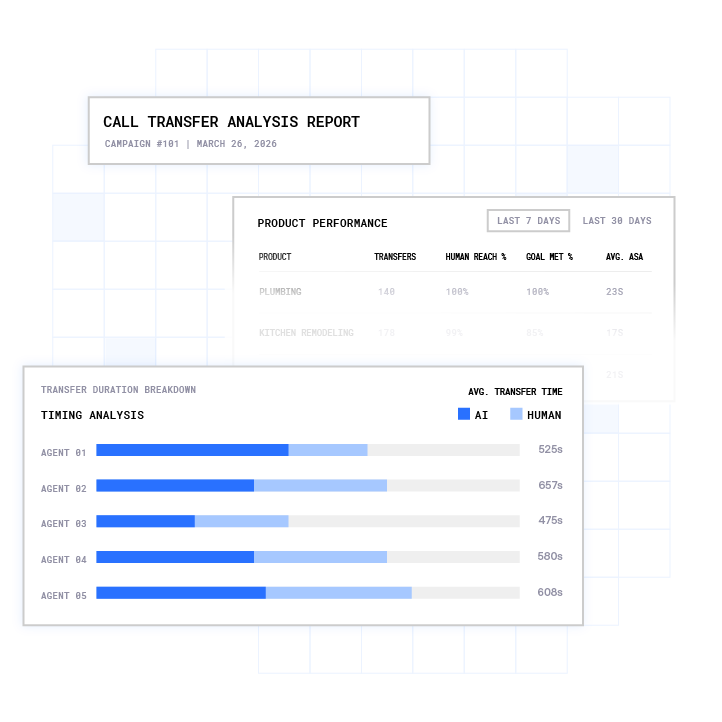
- Speed-to-lead (median and 90th percentile): Time from CRM trigger to first outbound SMS delivery receipt. Target under 60 seconds at the median.
- Contact rate: Percentage of delivered SMS that receive a reply within 30 minutes. SMS achieves average first-response reply rates of 35 to 50%3, compared to 5 to 10% for email.
- Reply rate by template: Identifies which first-message copy drives the highest engagement and feeds the workflow tuning loop.
- Live-transfer rate: Percentage of SMS conversations that escalate to a voice call and complete a warm transfer to a human agent.
- Opt-out rate per workflow: Flags content or timing problems before they affect sender reputation or carrier throughput.
- Compliance suppression rate: Percentage of triggered sends blocked by the Compliance Engine, with reason codes logged to the CRM.
All metrics write back to the CRM timeline, which makes speed-to-lead and opt-out rate auditable for regulated outreach programs.
Common Failure Points and Fixes
| Failure | Symptom | Root Cause | Fix |
|---|---|---|---|
| Messages not delivering | Zero delivery receipts after trigger fires | Unregistered A2P 10DLC brand or campaign, carriers block 100% of unregistered A2P traffic on 10-digit long codes as of February 2025 | Complete brand and campaign registration through The Campaign Registry before sending |
| 5-minute+ send delay | SMS arrives after lead has already moved on | Polling integration instead of webhook, CRM workflow set to scheduled run | Switch to direct webhook-to-API integration and set workflow trigger to immediate execution |
| Personalization tokens blank | Message reads “Hi ,” with no name | CRM field name mismatch between workflow and SMS platform token | Audit field mapping and add fallback neutral phrasing such as “Hi there” when token is empty |
| Opt-outs not stopping sequences | Contacts receive messages after replying STOP | STOP handling not connected to CRM do-not-text flag, sequences not checking flag before each send | Configure STOP reply to immediately update CRM consent field and cancel all active sequences |
| Sends blocked by Compliance Engine | High suppression rate in dashboard | Missing consent timestamp, number on DNC list, or outside quiet-hours window | Audit consent capture on all lead forms and verify time-zone field is populated on contact record |
| Duplicate messages | Contact receives same SMS twice within seconds | Rapid CRM updates firing trigger multiple times, no idempotency key | Add idempotency key built from contact ID and trigger event ID and apply a 30-to-120-second throttle |
Comparing Generic CRM SMS Plugins and Plura Carrier Stack
Generic CRM SMS plugins, including native Salesforce SMS features and third-party HubSpot add-ons built on Twilio-based CPaaS layers, handle message routing but do not own the carrier infrastructure underneath. Branded sender ID is requested through a third-party reseller instead of being issued at the carrier level. DNC and TCPA litigator screening typically sit as bolt-ons, not as a pre-send gate. Conversation memory does not persist across channels, so a lead who texted yesterday appears as a stranger when the call comes today. Compliance audit exports often require manual assembly from multiple systems.
Plura operates as its own FCC-licensed audio bridging carrier. Voice and SMS traffic originates on Plura’s domestic infrastructure, not a third-party CPaaS. Branded caller ID is issued at the carrier level. The Compliance Engine runs DNC, TCPA litigator, and quiet-hours checks as a pre-send gate on every contact, with results logged to an immutable consent ledger. The Stateful Conversation Database holds context across AI SMS, AI voice agent, RCS, and AI webchat channels, so every touchpoint inherits the full history of every prior interaction. All infrastructure runs on 100% U.S. servers, which addresses FCC NPRM exposure considerations for operators in regulated verticals. Plura’s compliance framework includes SOC 2 compliant infrastructure, TCPA and STIR/SHAKEN enforcement, integration with Blacklist Alliance for DNC screening, and Number Verifier for caller ID reputation.
Compare plans and rates side by side.
Frequently Asked Questions
What is CRM SMS speed to lead, and why does 60 seconds matter?
CRM SMS speed to lead is the elapsed time between a lead submitting a form and receiving the first automated, compliant text message from your platform. The 60-second threshold matters because lead intent decays rapidly after form submission. Research consistently shows that leads contacted within the first minute convert at dramatically higher rates than those reached even five minutes later. By the time a human SDR manually dials, the lead has often already engaged with a competitor. Automating the first SMS through a CRM workflow, with a carrier-grade platform handling compliance checks and delivery, closes that gap without adding headcount.
How does Plura’s Compliance Engine differ from a standard SMS plugin’s compliance features?
Most SMS plugins built on third-party CPaaS layers treat compliance as a configuration option, not a pre-send gate. Plura’s Compliance Engine runs before every outbound contact, checking the number against federal and state DNC registries, screening for TCPA litigators, validating A2P 10DLC campaign registration, and applying state-specific quiet-hours rules using the contact’s local time zone. Results are logged to an immutable consent ledger and written back to the CRM timeline. Because Plura operates its own FCC-licensed carrier, these checks happen at the origination layer, not as a downstream API call to a third-party compliance vendor. Customers remain responsible for their own regulatory obligations, and Plura provides the infrastructure that supports compliance workflows.
Which CRMs does Plura integrate with for speed to lead workflows?
Plura integrates natively with Salesforce, HubSpot, and GoHighLevel, as well as Zoho and more than 50 additional tools across CRM, calendar, attribution, and automation categories. The integration uses direct webhook-to-API connections rather than polling, which is the primary technical reason sub-60-second delivery is achievable. Every send event, delivery receipt, inbound reply, and compliance suppression writes back to the CRM contact record in real time, creating a bidirectional audit trail. The full integration directory is available at plura.ai/integrations.
What happens when a lead replies to the automated SMS?
Plura’s AI SMS agent handles the inbound reply using the same stateful conversation memory that powered the initial outbound message. The agent can qualify the lead, answer common questions, and escalate to a live transfer when the contact meets a defined threshold, such as requesting a call, asking for pricing, or using escalation language. The conversation context, including what was offered, what was asked, and what stage the lead reached, carries across channels. If the lead later receives a voice call, the AI voice agent or human rep inherits the full SMS thread history. Every interaction writes back to the CRM timeline automatically.
What metrics should operators track to measure SMS speed to lead performance?
The metrics that most reliably indicate SMS speed to lead ROI are speed-to-lead at the median and 90th percentile, contact rate, reply rate broken down by message template, live-transfer rate, opt-out rate per workflow, and compliance suppression rate with reason codes. Tracking opt-out rate per workflow name identifies content or timing problems before they affect carrier throughput or sender reputation. Compliance suppression rate highlights consent capture gaps on lead forms before they become a regulatory exposure. All of these metrics are available in Plura’s conversation intelligence dashboard and write back to the connected CRM for cross-channel attribution.
1 Plura AI maintains SOC 2, HIPAA, ISO, and GDPR posture as part of its platform infrastructure. References to compliance frameworks in this article describe Plura’s platform capabilities and do not constitute a guarantee that any customer using Plura will themselves be compliant with applicable laws or standards. Customers remain solely responsible for their own regulatory obligations, certifications, consent management, recordkeeping, and the claims they make to their own end users. Consult qualified legal counsel for guidance specific to your use case.
2 This article describes regulatory frameworks at a general level and does not constitute legal advice. Laws and regulations vary by jurisdiction, change over time, and apply differently depending on facts and circumstances. Readers should consult qualified legal counsel before making compliance decisions.
3 Performance figures, customer outcomes, and industry statistics referenced in this article are drawn from cited third-party sources or Plura customer case studies. Individual results vary based on implementation, use case, industry, audience, and execution. Past or aggregate performance is not a guarantee of future results.
4 References to third-party products, services, companies, or research are made for informational and comparative purposes only. Plura AI is not affiliated with, endorsed by, or sponsored by any third party named in this article unless explicitly stated. Trademarks and product names referenced remain the property of their respective owners.
This article is provided for informational purposes only and reflects Plura AI’s understanding at the time of publication. Product capabilities, integrations, and specifications are subject to change. For the most current information, visit plura.ai.
This article was produced with the assistance of AI tools and reviewed by Plura AI prior to publication.