
Written by: Matt Beucler, CEO, Plura AI
Updated August 2026
Key takeaways for speed-to-lead AI SMS
- Speed-to-lead AI SMS best practices focus on a sub-5-second trigger SLA, conversational first messages, progressive qualification, context-rich handoff, quiet-hour rules, compliance guardrails, and a clear metrics dashboard.
- Lead conversion rates drop 10x after the first 5 minutes, so fast response is critical for high-volume teams.3
- Progressive qualification with 2 to 4 branching questions, real-time CRM sync, and scoring models routes leads correctly without adding friction.
- Context-rich handoff payloads and stateful cross-channel memory prevent repeated qualification questions during live transfers to human agents.
- Plura AI delivers sub-5-second AI SMS, voice, RCS, and webchat outreach with compliance-supporting workflows and shared conversation memory across every channel, and you can book a live demo to see it in action.
Why speed-to-lead AI SMS matters for high-volume teams
Speed to lead is the time between a prospect submitting a form or raising a hand and receiving the first meaningful contact from your team. For high-volume lead-gen operations, that window is often the single largest variable in conversion economics. Lead conversion rates drop 10x after the first 5 minutes, and leads contacted within 1 minute are 391% more likely to convert than those contacted after 24 hours. Despite this, the median B2B team takes roughly 42 hours to respond to an inbound lead, with only 7% responding within five minutes.
This playbook speaks to contact-center leaders, marketing directors, agency owners, franchise operators, and executives who already work with 10DLC registration, TCPA consent records, and CRM lead objects. Each step maps to a concrete configuration decision and highlights the failure mode that prevents most deployments from scaling.
Set a sub-5-second trigger SLA for first contact
Step 1: Configure your webhook-to-send latency. The trigger SLA is the time between a CRM lead object being created or updated and the first outbound SMS leaving the carrier. Every millisecond of latency in this path compounds across form submission, webhook fire, CRM write, workflow evaluation, and carrier handoff. The target is under 5 seconds end to end.
Configuration items to lock down work together to keep that path tight:
- Use a direct webhook from your lead source to the AI SMS platform, and avoid polling-based integrations that add 30 to 60 seconds of delay.
- Pre-load lead enrichment queries so the first message can personalize without waiting on a live API call.
- Set your CRM field mapping before go-live, because unmapped fields can cause workflow evaluation to pause or fail silently.
- Confirm carrier send latency with your provider, since API-wrapper platforms that route through a third-party CPaaS add a network hop that can push first-send latency past 10 seconds under load.
Common failure mode: Teams configure the workflow correctly but leave the CRM integration on a polling schedule, so the lead sits in a queue for up to 60 seconds before the trigger fires. On an FCC-licensed carrier stack like Plura, voice originates on domestic infrastructure with no third-party hop, which keeps the trigger-to-send path tight.
Write first-message templates that earn a reply
Step 2: Write for a reply, not a read. The first AI SMS message has one job, which is to generate a response. SMS messages have a commonly reported 98% open rate, with approximately 90% read within three minutes. A message that spends that attention on brand copy instead of a direct question wastes the window.
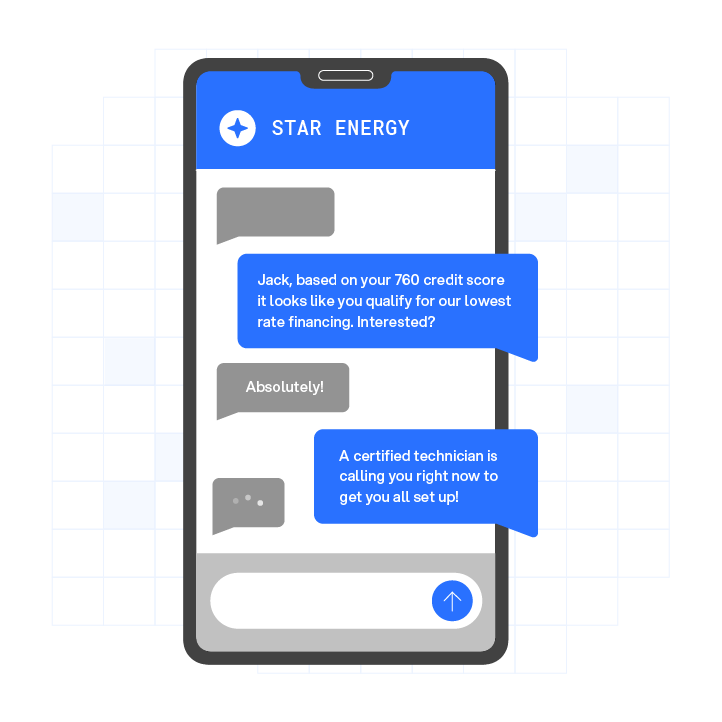
Configuration items keep the first touch short and actionable:
- Open with the lead’s first name and a reference to the specific action they took, such as “You just requested info on X.”
- Ask one qualifying question in the first message, with 2 to 3 numbered reply options that reduce friction and make the AI’s intent classification deterministic.
- Include opt-out instructions in the first message. This is a TCPA-adjacent requirement that your legal counsel should review, and Plura surfaces opt-out language in the template builder by default.
- Keep the message under 160 characters when possible to avoid multi-part SMS fragmentation.
Common failure mode: Teams paste email nurture copy into SMS, which creates a 400-character wall of text that reads like a newsletter. An effective opening SMS message offers 2 to 3 numbered reply choices and includes explicit opt-in language plus opt-out instructions.
Structure progressive qualification in 2 to 4 questions
Step 3: Ask two to four questions and branch on every answer. Progressive qualification means the AI collects the minimum information needed to route the lead correctly in the fewest exchanges. A strong AI SMS qualification flow asks only two to four short qualifying questions grounded in the business ICP and knowledge base.
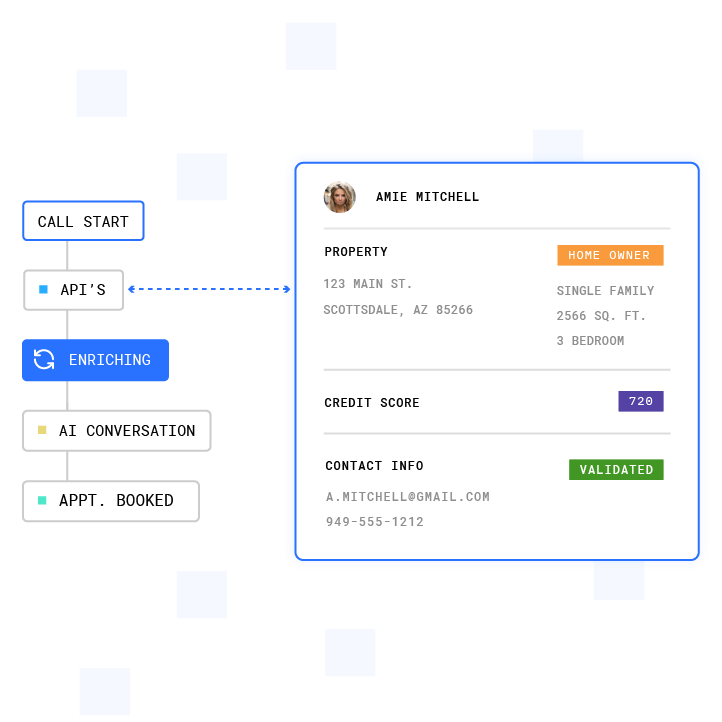
Configuration items keep the flow focused and efficient:
- Map your ICP qualification criteria to no more than four fields, such as intent, timeline, budget bracket, and geography or vertical.
- Branch the conversation tree on each answer so a lead who replies “ready to buy this week” skips nurture and moves directly to a live transfer trigger.
- Write each question to fit within a single SMS and avoid compound questions.
- Use a scoring model where scores at or above 60 trigger auto-scheduling, 40 to 59 trigger a nurture sequence plus staff alert, and below 40 enter a longer drip.
- Sync every answer to the CRM lead object in real time instead of batch-writing at conversation end.
Common failure mode: The qualification tree stays linear, so every lead gets the same four questions regardless of their first reply. Branching logic separates a qualification flow from a survey. Plura’s no-code workflow builder supports conditional branching on any field value without engineering involvement.
Configure human handoff triggers and context payloads
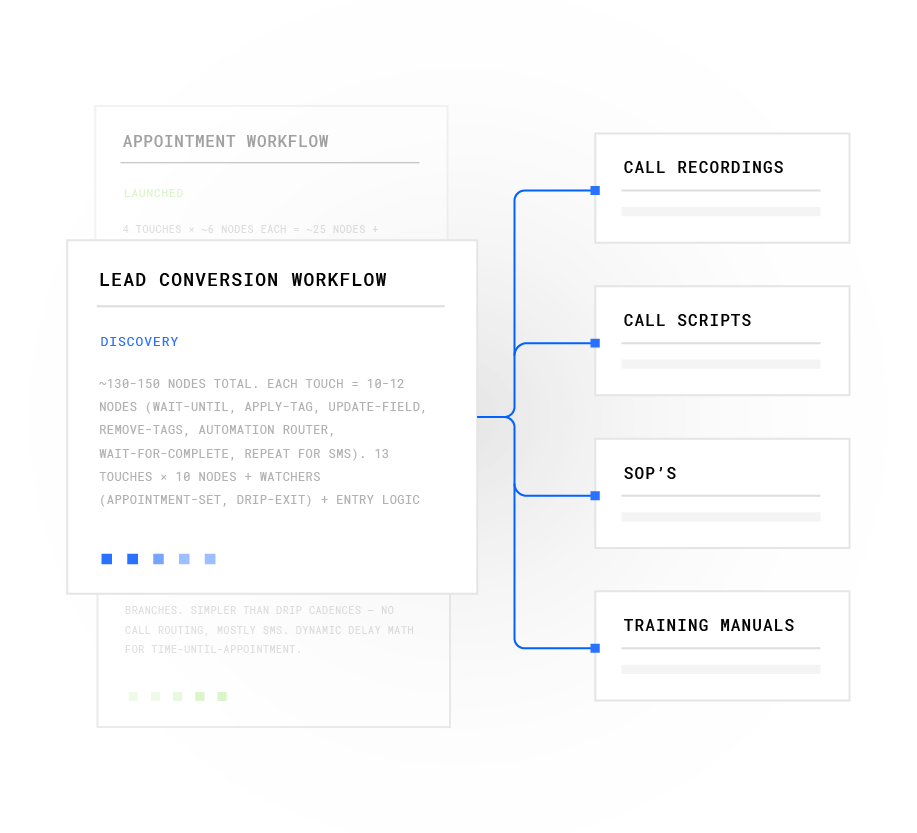
Step 4: Define the handoff gate and build the context payload. A live transfer that drops context functions like a cold call with extra steps. Human handoff messages sent to agents should include the lead’s name, channel, score, intent, preferred times, NLP confidence score, the last three messages of the transcript, and a suggested action to avoid repeating qualification questions.
Configuration items align routing and context:
- Set explicit handoff triggers such as a qualification score threshold, an explicit “talk to a person” request, pricing or contract topic detection, or a defined number of unanswered messages.
- Build the context payload to include lead name, source, qualification score, all collected field values, the full SMS transcript, and the AI’s suggested next action.
- Route the handoff to the correct agent queue based on qualification data, not only availability.
- Use text-to-call escalation when the lead’s qualification score crosses the hot threshold so the AI initiates an outbound call and bridges the lead to a live agent with full conversation context on screen.
Common failure mode: The handoff fires but the context payload is empty or delayed, so the agent asks the lead to repeat everything they already told the AI. Plura’s Stateful Conversation Database keys every interaction to the customer’s phone number, so the agent screen-pop carries the full cross-channel history at transfer time.
Build a follow-up cadence that respects quiet hours
Step 5: Cap the sequence and enforce time-zone rules. A follow-up cadence that ignores quiet hours creates compliance exposure and deliverability problems. Teams should avoid sending SMS between 9pm and 9am local time, because a 2am text hurts retention regardless of copy quality.
Configuration items keep follow-up persistent but respectful:
- Set the cadence to a maximum of four to five messages total, and stop AI SMS automation after four unanswered messages to protect sender reputation and reduce compliance risk.
- Gate every send on a time-zone check against the lead’s area code or IP-derived location.
- Cancel the remaining drip sequence the moment the lead replies, not only on explicit STOP keywords.
- Space follow-up messages at 24 hours, 72 hours, and 7 days for non-responsive leads.
- Switch tone after the first reply so the sequence feels responsive instead of automated.
Common failure mode: The cadence fires on the sender’s time zone instead of the recipient’s, so a lead in California receives a message at 6am because the platform is set to Eastern time. Plura enforces quiet-hours rules automatically through time-zone detection on every outbound contact.
Embed compliance guardrails and opt-out handling in the flow
Step 6: Build compliance into the workflow, not only the disclaimer. TCPA, DNC, SHAKEN/STIR caller ID verification, SOC 2, HIPAA, ISO certification, and GDPR sit upstream of launch.1 They depend on configuration decisions made before the first message sends. Teams should consult qualified legal counsel to understand their obligations under each framework, and the items below describe how Plura’s infrastructure supports compliance workflows.

Configuration items fall into three categories: consent verification, real-time enforcement, and audit readiness.
First, confirm consent and list hygiene:
- Verify that every lead in your outbound list has documented prior express written consent, and note that TCPA consent records typically include timestamp with time zone, IP address, exact consent language shown, phone number, source or campaign, and any subsequent opt-out requests.
Next, enforce rules in real time during the send cycle:
- Scrub every number against federal and state DNC registries before the first send, and use Plura’s real-time DNC scrubbing on every outbound contact at the carrier level.
- Configure opt-out handling to process STOP and variant keywords immediately and suppress the number across all active campaigns.
- Enable SHAKEN/STIR caller ID verification on every outbound voice escalation, with branded caller ID issued directly through Plura’s FCC-licensed carrier.
- For HIPAA-adjacent workflows, confirm that protected health information fields are redacted at the field level and routed through encrypted channels, using Plura’s HIPAA-aligned encryption and audit logging.
Finally, maintain audit-ready records:
- Export consent records and opt-out logs in audit-ready format on demand.
Common failure mode: Opt-out processing runs manually or in batches, so a lead who replies STOP at 9pm remains in the active send queue for the next morning’s batch. Senders are often expected to honor opt-out requests promptly, with best practice within 24 hours. Plura’s compliance engine processes opt-outs in real time and suppresses the number before the next send cycle.
Customers remain responsible for their own regulatory obligations and certifications. Plura provides the infrastructure, and compliance posture downstream remains the customer’s responsibility.
Build a metrics dashboard that proves ROI
Step 7: Measure the five numbers that matter. A metrics dashboard that reports message volume and open rates does not qualify as an ROI dashboard. The five numbers that connect AI SMS activity to revenue are time-to-first-contact, qualification rate, handoff rate, contact-to-close rate, and cost per qualified lead.
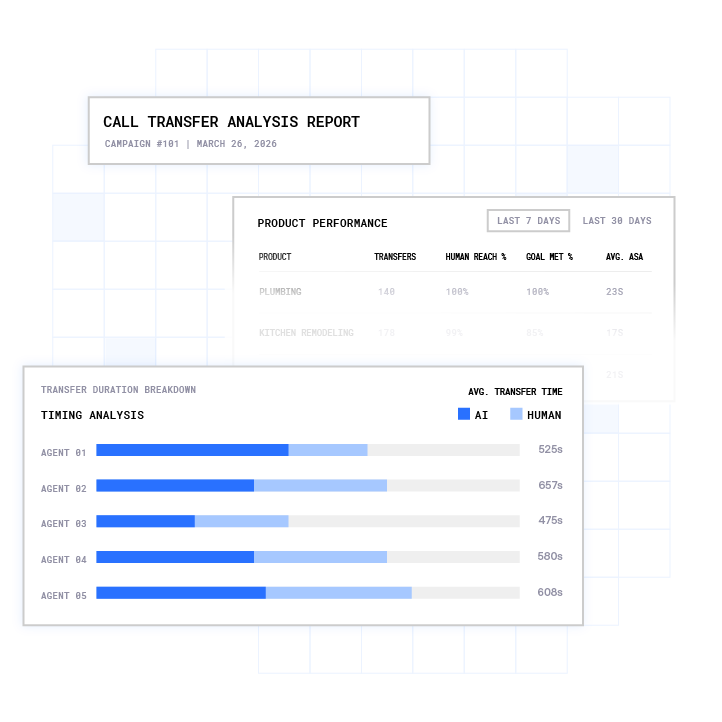
Configuration items keep reporting tied to revenue outcomes:
- Track time-to-first-contact at the individual lead level instead of as a campaign average, because averages hide the tail of slow responses that drag conversion.
- Report qualification rate by lead source to see which channels produce leads that convert through the AI flow versus stall at step two.
- Measure handoff rate and post-handoff close rate separately, since a high handoff rate with a low close rate often signals a qualification threshold problem instead of a sales problem.
- Calculate cost per qualified lead using total platform cost divided by leads that cross the qualification score threshold, and note that Plura AI enables cost per qualified lead of $25 to $60, compared to $85 to $200 for traditional outreach.3
- Run a 10 to 20 percent human holdout cohort during the first 90 days to measure lift attributable to the AI flow versus baseline.
Common failure mode: The dashboard reports activity metrics such as messages sent and replies received without connecting them to pipeline or revenue. Plura’s conversation intelligence layer generates outcome-based metrics and exports client-ready reports automatically. Once you have baseline cost per qualified lead and handoff-to-close rate, you can model the financial impact of an AI-first workflow.
Model your economics with Plura’s ROI calculator
The default scenario on Plura’s ROI calculator uses a 15-agent operation at $20 per hour with standard taxes, benefits, and commissions at 40 percent talk utilization, which costs $60,000 per month. Replacing that team with Plura at $15 per hour, 100 percent talk utilization, and 6 Plura agents doing the work of 15 humans drops the monthly cost to $14,400. That shift creates $45,600 in savings in the first 30 days, $547,200 over 12 months, and $2,736,000 over 60 months.3
Run your numbers through Plura’s calculator to check your ROI in real time at plura.ai/calculator.
Compare API-wrapper performance with FCC-licensed carrier performance
Most AI SMS platforms act as API resellers built on top of a third-party CPaaS. They do not own the carrier, cannot issue branded caller ID at the carrier level, cannot enforce real-time DNC scrubbing at origination, and cannot hold conversation context across channels by default. The table below compares the two infrastructure models on the dimensions that affect speed to lead performance directly, and you can focus on the “Operational Impact” column to see how each technical difference affects conversion outcomes.
| Dimension | API-Wrapper Platform | FCC-Licensed Carrier (Plura) | Operational Impact |
|---|---|---|---|
| Trigger-to-send latency | Additional third-party network hop adds variable latency, which can exceed 10 seconds under load | Under 5 seconds to first contact on domestic infrastructure with no third-party hop | The 10x conversion decay described earlier compounds with every second of added latency |
| Branded caller ID | Inherited from the CPaaS provider’s number pool and cannot be issued at the carrier level by the reseller | Issued directly through Plura’s FCC-licensed carrier so calls present with company name and call reason | Calls without branded caller ID are more likely to be screened or labeled “Spam Likely” before they ring through |
| Real-time DNC scrubbing | Typically a bolt-on integration, so scrubbing occurs outside the carrier path | DNC scrubbing runs at the carrier level on every outbound contact before dial, per Plura’s compliance framework | Post-dial DNC checks do not prevent the contact attempt, while carrier-level scrubbing blocks the dial before it fires |
| Stateful cross-channel memory | SMS and voice agents are typically separate products from separate vendors with separate memory stores | AI SMS, AI Voice, AI RCS, and AI Webchat share one Stateful Conversation Database keyed to the customer’s phone number or ID | A lead who texted at 9am is recognized when the voice escalation fires at noon, so no re-qualification is required |
What People-Also-Ask data shows about response-time decay and handoff triggers
How fast does lead conversion rate decay after first contact?
Contacting a lead within the first 5 minutes can make them up to 100 times more likely to connect. Leads contacted within five minutes convert at about 21 percent versus 2.3 percent for a next-day reply, which creates roughly a 9x gap on the same leads. The decay does not follow a straight line, and the steepest drop occurs in the first 60 seconds.
What should trigger a live transfer from AI SMS to a human agent?
Four conditions reliably indicate that a live transfer is the correct next action:
- The lead’s qualification score crosses the hot threshold defined in the workflow.
- The lead explicitly requests a human or asks a question the AI cannot answer within its defined scope.
- A sensitive topic surfaces, such as pricing negotiation, contract terms, or protected health information.
- The AI’s NLP confidence score on the lead’s intent drops below the threshold set during workflow configuration.
Does responding faster improve close rates as well as contact rates?
Close rates reach 32 percent for leads contacted within five minutes versus 12 percent when contact occurs after 24 hours, which makes five-minute contact worth roughly 2.6x on close rate, not only contact rate. Seventy-eight percent of customers buy from the first company that responds to their inquiry, so speed functions as a competitive moat, not just a conversion tactic.
Compare Plura pricing tiers and contract structure
Plura’s three pricing tiers, Multi at $5,000 per month, Agency at $7,500 per month, and Enterprise at custom pricing, all run on annual contracts billed monthly with a 90-day opt-out window. Agent build fees run from $2,500 to $2,750 per agent. Every tier includes the FCC-licensed carrier stack, stateful cross-channel memory, real-time DNC scrubbing, and the compliance infrastructure described in Step 6.
Compare plans and rates side by side at plura.ai/pricing.
Teams that want to see the workflow on live data can book a live demo with Plura to walk through the seven-step workflow on their own lead data.
Speed-to-lead AI SMS best practices FAQ
How long does it take to deploy an AI SMS speed-to-lead workflow with Plura?
A straightforward inbound qualification flow typically goes live within days. A more complex multi-step workflow, such as a branching qualification sequence with CRM field mapping, custom scoring thresholds, and live-transfer routing, usually runs closer to two to four weeks, depending on the number of integration points and the complexity of the conversation logic. Plura’s onboarding sequence includes a discovery audit, a conversation mockup built from your existing scripts and sample calls, a review session, engineering build, pilot test on a subset of real leads, and full go-live. Every annual contract includes a 90-day opt-out window.
What do I need in place before deploying AI SMS for lead qualification?
Three prerequisites matter most. First, maintain documented prior express written consent for every number in your outbound list, with records that include timestamp, IP address, exact consent language, and phone number. Second, define a CRM lead object structure that maps to the qualification fields your AI SMS workflow will collect so answers write to the correct fields in real time. Third, set a qualification scoring model, even a simple one, so the workflow knows when to escalate to a live transfer versus continue the nurture sequence. Teams that skip the scoring model often end up with a qualification flow that routes every lead to a human, which removes the benefit of automation.
What compliance frameworks apply to AI SMS lead generation, and how does Plura support them?
The frameworks outlined in Step 6 apply to U.S. AI SMS lead generation. Plura’s platform supports compliance workflows across these frameworks through real-time DNC scrubbing at the carrier level, immutable TCPA consent logging, automatic quiet-hours enforcement through time-zone detection, SHAKEN/STIR authentication on every outbound voice escalation, SOC 2 Type II infrastructure, HIPAA-aligned encryption and audit logging, and ISO certification.1 Customers remain responsible for their own regulatory obligations and should consult qualified legal counsel to confirm their specific requirements under each framework.
What is the risk of using an API-wrapper AI SMS platform instead of an FCC-licensed carrier?
API-wrapper platforms route voice and SMS through a third-party CPaaS, which introduces three operational risks. First, trigger-to-send latency increases because every message passes through an additional network hop, which can push first-contact time past the five-minute conversion cliff. Second, branded caller ID cannot be issued at the carrier level by a reseller, so calls are more likely to be labeled as spam or screened before they ring through. Third, real-time DNC scrubbing is typically a bolt-on integration outside the carrier path, which means the dial attempt fires before the scrub completes. Plura owns its FCC-licensed carrier, so these layers sit at origination instead of being added later in the chain.
How do I measure whether my AI SMS speed-to-lead workflow is performing correctly?
Five metrics provide a complete picture. Time-to-first-contact at the individual lead level shows whether the sub-5-second trigger SLA holds. Qualification rate by lead source identifies which channels produce leads that move through the AI flow versus stall. Handoff rate and post-handoff close rate measured separately reveal whether the qualification threshold is calibrated correctly. Cost per qualified lead connects platform spend to pipeline output. Opt-out rate per campaign flags messaging or targeting problems before they grow into deliverability issues. A 10 to 20 percent human holdout cohort during the first 90 days establishes a baseline for measuring lift attributable to the AI workflow.
How does Plura’s stateful memory affect the live transfer experience for the receiving agent?
When a live transfer fires, the receiving agent’s screen-pop carries the full conversation history from every prior touchpoint, not only the current SMS thread. If the lead texted at 9am, browsed the pricing page, and then triggered a voice escalation at noon, the agent sees all of it in one view. The qualification score, collected field values, NLP confidence score, and the AI’s suggested next action all appear in the handoff payload. This approach removes the most common handoff failure, which is the agent asking the lead to repeat information they already provided to the AI. Plura’s Stateful Conversation Database keys every interaction to the customer’s phone number or ID, so the context remains available regardless of which channel the lead used first.
1 Plura AI maintains SOC 2, HIPAA, ISO, and GDPR posture as part of its platform infrastructure. References to compliance frameworks in this article describe Plura’s platform capabilities and do not constitute a guarantee that any customer using Plura will themselves be compliant with applicable laws or standards. Customers remain solely responsible for their own regulatory obligations, certifications, consent management, recordkeeping, and the claims they make to their own end users. Consult qualified legal counsel for guidance specific to your use case.
2 This article describes regulatory frameworks at a general level and does not constitute legal advice. Laws and regulations vary by jurisdiction, change over time, and apply differently depending on facts and circumstances. Readers should consult qualified legal counsel before making compliance decisions.
3 Performance figures, customer outcomes, and industry statistics referenced in this article are drawn from cited third-party sources or Plura customer case studies. Individual results vary based on implementation, use case, industry, audience, and execution. Past or aggregate performance is not a guarantee of future results.
This article is provided for informational purposes only and reflects Plura AI’s understanding at the time of publication. Product capabilities, integrations, and specifications are subject to change. For the most current information, visit plura.ai.
This article was produced with the assistance of AI tools and reviewed by Plura AI prior to publication.