
Written by: Matt Beucler, CEO, Plura AI
Key Takeaways for Your Next Dialer Demo
Before diving into the details, keep these points in mind as you evaluate any AI power dialer demo.
- An AI power dialer demo should show real-time sequential or parallel dialing, accurate answering machine detection, seamless live transfers, and automatic CRM synchronization using live calls instead of marketing slides.
- Sequential (power) dialing maximizes talk time and avoids abandoned calls, while parallel dialing increases volume and must respect the FTC’s 3% abandonment cap.
- AMD accuracy changes with background noise, voicemail styles, and accents. Test the vendor’s system with your own list during the demo.
- Deep, bi-directional CRM integration that logs dispositions, notes, recordings, and tasks automatically is the most critical factor when you evaluate any dialer platform.
- Experience these capabilities in action with Plura AI’s live demo to see how its AI Predictive Dialer performs on your real data.
Why the Demo Matters More Than the Datasheet
Call volumes keep rising while response-time expectations keep shrinking. Responding to a lead within five minutes makes you 100 times more likely to connect than waiting 30 minutes, according to the 2007 MIT/InsideSales.com Lead Response Management study.3 Firms that contact leads within an hour are nearly seven times as likely to qualify them as those waiting an hour longer, based on a 2011 Harvard Business Review article.
Salesforce’s State of Sales reports that reps spend under 30% of their week actually selling. These numbers show why dialing efficiency now functions as a competitive lever.
The demo is where you separate tools that increase productive talk time from those that only add dial volume. Vendor datasheets describe features. A live demo reveals whether those features hold up under real conditions with your lists, your CRM, and your compliance requirements. This guide gives you a framework to evaluate any AI power dialer demo using verifiable facts instead of marketing claims.
How an AI Power Dialer Works in Action
A strong demo shows the core mechanics in real time and does not limit the session to slide explanations.
Sequential vs. Parallel Dialing
Sequential dialing, also called power dialing, calls one number at a time per rep. The next number dials the moment a call ends. Because a rep is always present before the call connects, this mode produces zero abandoned calls by design. Aircall reports that power dialers increase talk time from the typical 15-20 minutes per hour with manual dialing to 40-50 minutes per hour.4
Parallel dialing rings multiple numbers simultaneously. The rep connects to the first live answer, and the remaining calls drop. This approach produces higher raw volume but introduces a brief bridging delay and abandonment risk. The FTC’s Telemarketing Sales Rule caps abandoned calls at 3% of all calls answered by a live person per campaign per 30-day period, so parallel dialing must be configured with that constraint in mind.
- A demo should show both modes and explain which configuration fits your team size and deal value.
- Power dialing converts connects to meetings at roughly 6.4%, while parallel dialing converts at approximately 3.8%.4 The gap comes partly from the 1-2 second connect delay in parallel mode, which shortens effective talk time.
Answering Machine Detection (AMD)
AMD listens to the first second of connected audio to classify whether a human or voicemail greeting picked up. Two failure modes exist. False positives route a voicemail to a rep and waste the connect. False negatives drop a real human into dead air, which feels like a spam call and causes hang-ups. JustCall’s product documentation notes that background noise, unusual voicemail greetings, VoIP artifacts, and regional speech differences can all degrade AMD accuracy.
- No AMD system reaches 100% accuracy. CloudTalk’s 2026 guide states that a vendor who treats AMD as a continuous work in progress usually provides a more realistic view than one claiming perfection.
- Ask the vendor to run AMD on your own list during the demo instead of using a curated sample.
Live Transfer
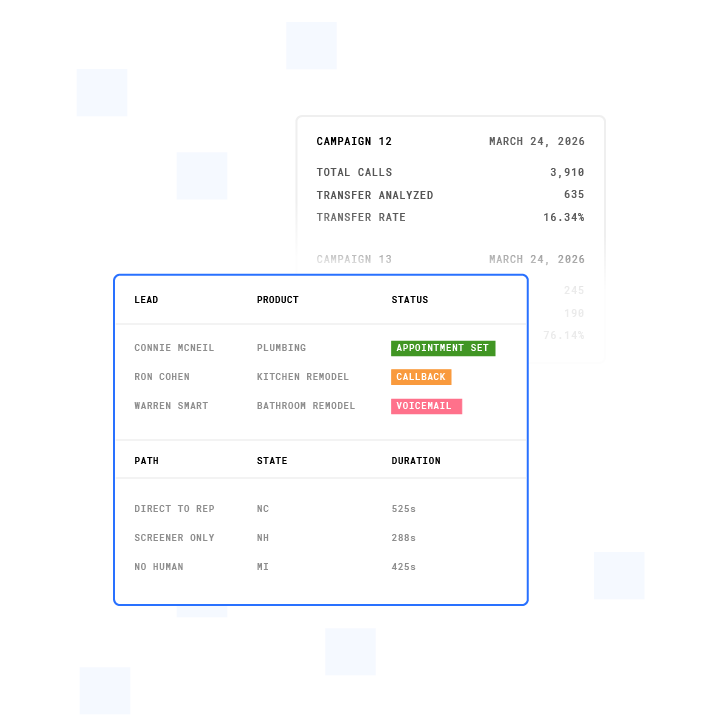
When a human answers, the system routes the call to a rep with context already visible on screen. Warm transfers pass conversation history before the human joins. Cold transfers bridge the call immediately without context. VoiceInfra’s transfer guide reports that average resolution time increases by 40% when context is lost during transfers and that customers who experience poor handoffs are three times more likely to switch to competitors.
- Test for dead air during handoff and confirm that context survives the transfer.
- Confirm that the rep sees the lead’s CRM record, prior conversation notes, and qualification status before speaking.
CRM Sync
Call outcomes, dispositions, notes, and recordings should log automatically to Salesforce, HubSpot, or your CRM of choice. Bi-directional sync means the dialer reads lead priority from the CRM and writes results back. Sales leader Shawn Peterson’s evaluation framework identifies deep CRM integration as the most critical factor in any auto dialer evaluation.
- A demo should show the CRM record updating in real time instead of relying on a verbal promise.
- Verify that dispositions, notes, recordings, and tasks all land in the correct record automatically.
See Plura’s AI Predictive Dialer in a live demo to watch AMD, live transfer, and CRM sync running on real calls.
What to Expect in a Live AI Power Dialer Demo
A thorough demo usually runs 30-60 minutes and follows a predictable structure. Each segment should cover specific outcomes.
- Vendor pitch (5-10 minutes): Positioning, target use cases, and high-level features. Ask for concrete numbers behind any performance claim.
- Interface walkthrough (10-15 minutes): The rep’s screen, including call list, dispositions, call controls, and CRM panel. Assess whether a rep could learn this in a day.
- Live call simulation (10-15 minutes): The vendor dials real numbers. Watch how AMD handles voicemail, how fast a live answer connects, and what the rep sees during the call.
- CRM integration demo (5-10 minutes): A call is logged to the CRM with disposition, notes, and recording. Verify that it lands in the right record automatically.
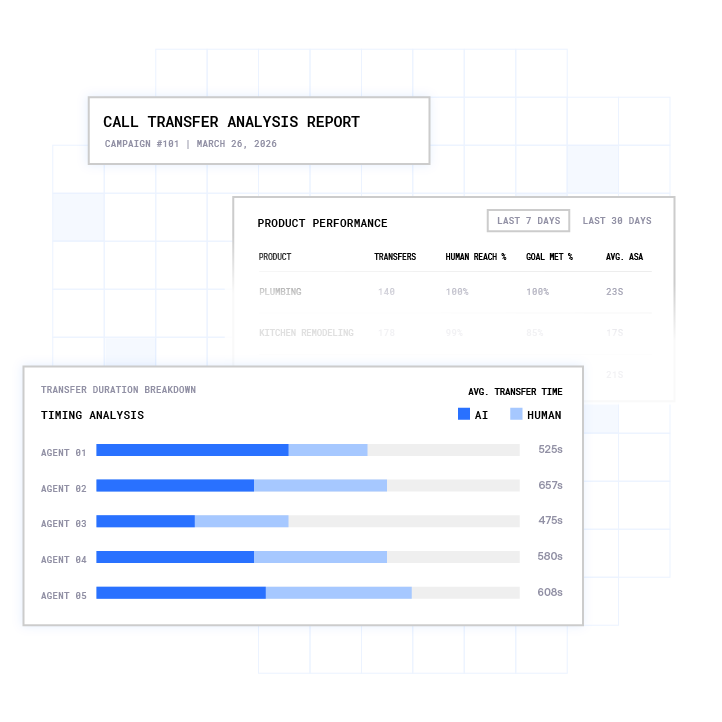
- Reporting and analytics (5 minutes): Dashboards for connect rate, talk time, dispositions, and outcomes, not just raw dials.
- Compliance controls (5 minutes): DNC (Do Not Call) scrubbing, time-zone enforcement, opt-out handling, and audit logs.
- Q&A and pricing discussion (10 minutes): Your questions, their answers, and a clear pricing breakdown with all fees disclosed.
Demo Evaluation Checklist
Use this checklist during and after any AI power dialer demo to keep evaluations consistent across vendors.

- Call quality: Audio clarity on both ends with no robotic artifacts or dropped audio.
- AMD accuracy: Performance across different voicemail systems, background noise levels, and accents. Run a live test with your own list.
- CRM integration depth: Native bi-directional sync with Salesforce, HubSpot, and other platforms. Confirm that dispositions, notes, recordings, and tasks log automatically.
- Ease of use: Time for a rep to learn the interface and whether dispositions are one-click.
- Compliance features: Real-time DNC scrubbing, time-zone enforcement, opt-out propagation, STIR/SHAKEN caller ID authentication, and audit-ready logs. Consult qualified counsel on your specific obligations under 47 U.S.C. § 227 (TCPA) and 47 CFR 64.1200.2
- Reporting: Connect rate, talk time, conversations per hour, and cost per booked meeting, not just dials.
- Scalability: Ability to handle your peak call volume without lag and any API rate limits.
Questions to Ask During an AI Power Dialer Demo
Bring this list into every demo and track how clearly each vendor answers.
- How does your AMD handle different voicemail systems and mobile screening tools like iOS Call Screening?
- What CRM integrations do you support, and what data syncs automatically?
- How do you support TCPA and DNC compliance, including real-time scrubbing, consent records, and opt-out propagation? Show the controls instead of referring only to a policy page.
- Can you run a live call right now on my own list?
- What happens when a lead answers, how fast does the rep connect, and what context do they see?
- How does your dialer prioritize leads, such as list order, lead score, or conversion signals?
- What is your pricing model, including per seat, per minute, or both, and any seat minimums or add-on fees?
- Do you provide a free trial or demo using my own data?
- What does your STIR/SHAKEN caller ID authentication cover, and how do you handle spam label remediation?
Common Demo Pitfalls and How to Avoid Them
- Scripted demos that hide weaknesses: Vendors often show happy-path examples on curated lists. Ask for a live call with your own numbers to see real AMD and connect-rate performance.
- No live call testing: If the vendor will not dial real numbers during the demo, treat that as a meaningful signal about confidence in their product.
- Vague answers on compliance: General statements like “we handle that” lack value. Ask for specifics on DNC scrubbing frequency, consent record storage, opt-out propagation timing, and audit log exports. Direct legal questions to qualified counsel.
- Poor integration demos: A static screenshot of a CRM field does not prove sync depth. Ask to see a call logged in real time with disposition, notes, and recording in the correct record.
- Pricing opacity: Request a full quote that includes seat minimums, per-minute carrier fees, number rental, compliance add-ons, and setup costs. Aloware’s pricing analysis identifies three cost layers in any dialer quote, which include the license, the carrier layer, and the answer-rate layer.
- AMD claims without evidence: JustCall’s product team recommends treating vendor-quoted AMD accuracy figures as marketing until you test them on your own lists.
Request a live Plura demo on your own list. Plura’s AI Predictive Dialer runs on Plura’s own FCC-licensed carrier with branded caller ID and STIR/SHAKEN caller ID verification on every outbound call.
How to Prepare for an AI Power Dialer Demo
Preparation determines how much value you capture from a 45-minute session. Before the call, align your team on the following points.
- Know your call volume, including dials per rep per day and total team volume.
- Confirm your CRM, such as Salesforce, HubSpot, or another platform, and define which data must sync automatically.
- Define your use case, such as cold calling, lead follow-up, or a mix of both.
- Clarify your compliance requirements. Consult qualified counsel on TCPA, DNC, state-level rules, and recording consent obligations before any outbound campaign.
- Prepare a test list of 20-50 real numbers to check AMD accuracy and connect rates during the demo.
- Bring the question list above and note which answers are specific versus vague.
- Define your success metric as cost per booked meeting. The Outbound Game’s 2026 buyer’s guide recommends judging any dialer on outcome-based metrics instead of raw activity volume.
Vendor Landscape and How to Compare Options
After you define your evaluation criteria, the next step is understanding the vendor landscape so you can compare options on equal footing. The AI power dialer market in 2026 spans a wide range of pricing models and capability depths. No reputable provider offers a permanently free power dialer, since the feature always sits in paid plans. The closest low-risk entry points are free trials. PowerDialer.ai publishes a free plan with 20 minutes of calling, while vendors including Kixie and Allo offer 7-day trials and JustCall offers 14 days.
Pricing structures vary significantly. A basic power dialer typically runs $30-50 per user per month, while parallel dialers with AI features often run $300-500 per user per month. Plura’s pricing is structured across three tiers on annual contracts with a 90-day opt-out window.
Use these differentiators to compare vendors on more than headline price.
- Carrier ownership: Many AI voice tools route calls through a third-party CPaaS (Communications Platform as a Service) like Twilio. Plura operates its own FCC-licensed audio bridging carrier. This setup enables branded caller ID issuance and STIR/SHAKEN authentication at the carrier level instead of as a bolt-on.
- CRM integration depth: Most tools log to Salesforce and HubSpot, but the depth of sync, including dispositions, recordings, tasks, and bi-directional field mapping, varies significantly by vendor and plan tier.
- Compliance architecture: Ask whether DNC scrubbing runs in real time before each dial or in batch. Ask whether opt-out propagation is immediate and request an audit log export during the demo.
- AMD approach: Ask whether AMD uses a continuous model or a legacy tone-based system. Ask how the vendor handles iOS Call Screening and Google Pixel Call Screen.
Plura’s AI Predictive Dialer includes list management, dynamic pacing, time-zone logic, answer rate optimization, and compliance controls built into the platform instead of relying on a third-party CPaaS. The stateful conversation database means a lead’s prior SMS, voice, and webchat history is visible to the rep at the moment of transfer.
FAQ
What is an AI power dialer demo?
An AI power dialer demo is a live, guided walkthrough that shows how the software automates outbound calling sequentially or in parallel, detects answering machines, transfers live prospects to reps, and syncs call outcomes to a CRM. A credible demo includes real calls on real numbers rather than a slide presentation or a pre-recorded screen capture. The demo should show AMD in action, a live transfer with context handoff, and a CRM record updating in real time.
How much does an AI power dialer cost?
Pricing varies widely by mode and feature depth. Basic sequential power dialers typically run $30-50 per user per month. Parallel dialers with AI features often run $300-500 per user per month. These figures cover the license layer only. Carrier fees, number rental, local presence add-ons, and compliance tools add to the total. Always request a full quote that includes all cost layers before comparing vendors. Plura offers custom pricing across three tiers. See Plura’s pricing page for details. Run your numbers through Plura’s ROI calculator to model cost per connected conversation against your current spend.
What is the difference between a power dialer and a predictive dialer?
A power dialer calls one number at a time per rep, and the next number dials the moment the previous call ends. Because a rep is always present before the call connects, power dialers produce zero abandoned calls by design. A predictive dialer calls multiple numbers ahead of rep availability using an algorithm to predict when an agent will be free. When the algorithm is wrong, a live prospect answers to silence, which counts as an abandoned call. The FTC’s Telemarketing Sales Rule caps abandoned calls at 3% of answered calls per campaign per 30-day period. Predictive dialers carry meaningful compliance risk and often do not fit teams under 50 agents. Consult qualified counsel on your specific obligations before deploying either mode.
How does an AI power dialer improve connect rates?
AI power dialers improve connect rates by eliminating manual dialing time between calls, using AMD to skip voicemails automatically, prioritizing leads by conversion signals instead of list order, and maintaining number reputation through STIR/SHAKEN authentication and caller ID management. JustCall’s 2026 connect-rate guide reports that AI dialers and power dialers improve connect rates by 23-35% versus manual dialing by reducing idle time and flagging do-not-call numbers before the dial goes out. Connect rate also depends on list quality and caller ID reputation, so a dialer cannot fix stale data or a spam-flagged number.
What compliance features should I look for in an AI power dialer demo?
During a demo, ask the vendor to show the following in the product interface: real-time DNC scrubbing before each dial, time-zone enforcement that blocks calls outside the 8 a.m. to 9 p.m. local window, opt-out propagation that takes effect immediately, consent record storage with timestamps, and an audit log export. Also ask about STIR/SHAKEN caller ID authentication and how the platform handles the 3% abandoned-call cap for parallel or predictive modes. Plura’s compliance engine supports TCPA compliance, DNC compliance, HIPAA, SOC 2, ISO certification, GDPR, and SHAKEN/STIR caller ID verification as platform-level features.1 Customers remain responsible for their own regulatory obligations. Consult qualified counsel before launching any outbound campaign.2

Conclusion and Next Steps
The evaluation framework stays simple when you focus on outcomes. Know your volume, test AMD on your own list, verify CRM sync in real time, demand specifics on compliance controls, and compare vendors on cost per booked meeting instead of dials per hour. The demo provides your clearest view into whether a tool will hold up inside your real workflow.
Plura’s AI Predictive Dialer runs on Plura’s own FCC-licensed carrier with branded caller ID, STIR/SHAKEN caller ID verification, real-time DNC scrubbing, and a stateful conversation database that carries context across voice, SMS, RCS, and webchat. The platform delivers 3x average ROI in 90 days, 47% pipeline growth, and 90% faster lead-response time.3 and every annual contract includes a 90-day opt-out window.
Schedule a live AI Predictive Dialer demo with Plura and bring your own list. Compare plans and rates side by side, and run your numbers through Plura’s ROI calculator to check your cost per connected conversation in real time.
1 Plura AI maintains SOC 2, HIPAA, ISO, and GDPR posture as part of its platform infrastructure. References to compliance frameworks in this article describe Plura’s platform capabilities and do not constitute a guarantee that any customer using Plura will themselves be compliant with applicable laws or standards. Customers remain solely responsible for their own regulatory obligations, certifications, consent management, recordkeeping, and the claims they make to their own end users. Consult qualified legal counsel for guidance specific to your use case.
2 This article describes regulatory frameworks at a general level and does not constitute legal advice. Laws and regulations vary by jurisdiction, change over time, and apply differently depending on facts and circumstances. Readers should consult qualified legal counsel before making compliance decisions.
3 Performance figures, customer outcomes, and industry statistics referenced in this article are drawn from cited third-party sources or Plura customer case studies. Individual results vary based on implementation, use case, industry, audience, and execution. Past or aggregate performance is not a guarantee of future results.
4 References to third-party products, services, companies, or research are made for informational and comparative purposes only. Plura AI is not affiliated with, endorsed by, or sponsored by any third party named in this article unless explicitly stated. Trademarks and product names referenced remain the property of their respective owners.
This article is provided for informational purposes only and reflects Plura AI’s understanding at the time of publication. Product capabilities, integrations, and specifications are subject to change. For the most current information, visit plura.ai.
This article was produced with the assistance of AI tools and reviewed by Plura AI prior to publication.