
Written by: Matt Beucler, CEO, Plura AI
Key Takeaways
- A live transfer call moves an active conversation to another agent or system without disconnecting the caller, which keeps momentum toward a sale or resolution.
- Cold transfers move fastest and often lose context, warm transfers protect context with extra hold time, and AI-assisted transfers deliver both speed and full context.
- Effective context transfer during live handoffs can improve CSAT by up to 30% and reduce average handle time by 50% in enterprise deployments.3
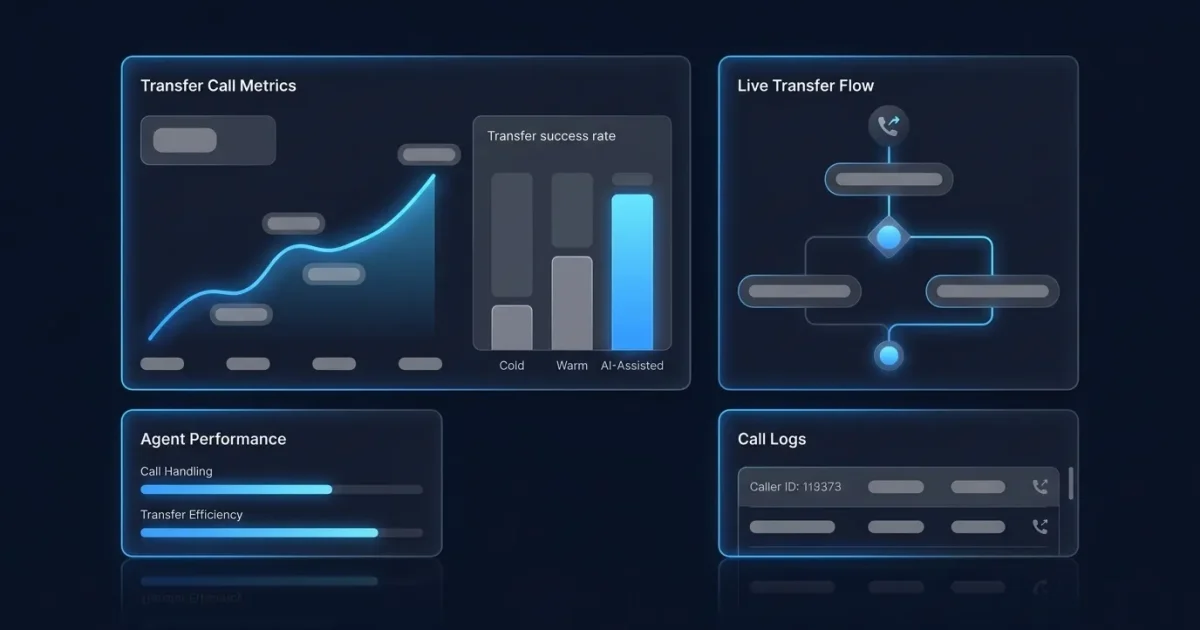
- AI voice agents now qualify leads in real time, capture caller intent, and deliver structured summaries to human agents, which removes the traditional speed-versus-context tradeoff.
- Experience AI-assisted transfers that deliver full context to every receiving agent and book a demo with Plura AI today.
What a Live Transfer Call Looks Like in Practice
A live transfer call starts when a first-touch agent or AI system decides the caller needs a different person, team, or system. The caller stays connected throughout the handoff, with no hang-up, no callback, and no lost context when the transfer runs correctly.
Live transfers depend on the telephony infrastructure around them. An IVR (Interactive Voice Response) menu can route the caller to the right queue, an ACD (Automatic Call Distributor) decides which agent receives the call, and VoIP (Voice over Internet Protocol) carries the conversation over internet networks. These components define where a transfer sits in your call flow and how smoothly the handoff works.
Timing separates live transfers from call forwarding. Call forwarding applies a rule before anyone answers and redirects the call to another number automatically. A live transfer is a manual or AI-initiated action taken during an active conversation. The caller has already spoken with someone, so context exists. The operational question becomes whether that context travels with the call.
Speed drives performance here. Harvard Business Review research found that companies responding within five minutes are 100 times more likely to connect with a prospect than those waiting 30 minutes.3,4 Live transfers remove the response-time gap because the prospect is already on the phone. Run your numbers through Plura’s ROI calculator.
Cold, Warm, and AI-Assisted Transfers Compared
Cold, warm, and AI-assisted transfers differ on one core variable: how much caller context survives the handoff.
| Type | Description | Best Use Case | Pros & Cons |
|---|---|---|---|
| Cold (Blind) | Routes the caller directly to the destination with no context passed to the receiving agent | Simple redirects, overflow routing, wrong-department corrections | Pros: Fast, minimal agent time. Cons: Cold transfers result in a 30% higher call drop rate than warm transfers. |
| Warm (Attended) | The first agent briefs the receiving agent before connecting the caller and confirms readiness | Complex issues, high-value sales, SDR-to-AE handoffs, sensitive topics | Pros: Context preserved, higher satisfaction. Cons: Adds 20 to 40 seconds of hold time and ties up two agents simultaneously. |
| AI-Assisted | AI agents screen, qualify, and route calls automatically, then deliver full context including conversation summaries, caller intent, and CRM data to human agents | High-volume lead qualification, after-hours coverage, 24/7 inbound handling | Pros: Instant, consistent, full context passed. Cons: Requires AI platform investment. |
According to SQM Group research, transferred calls deliver a 12% lower CSAT and 14% lower First Call Resolution (FCR) than calls handled straight through.3,4 The gap narrows significantly when context travels with the call. Studies show warm transfers can improve customer satisfaction by up to 30%, and 80% of customers prefer warm transfers over cold ones.3
Enterprise deployments of AI-assisted warm transfers have produced measurable results, including a 50% reduction in average handle time (AHT), citing an Accenture Federal Services Intelligent Service Center report.3,4
Step-by-Step: How to Do a Transfer Call
Desk Phones
- Answer the incoming call and speak with the caller.
- Press the Transfer button, which may appear as “Transfer,” “Xfer,” or an arrow icon.
- Dial the destination extension or phone number.
- For a warm transfer, wait for the recipient to answer, brief them on the caller’s name and reason for calling, then press Transfer again or hang up to complete.
- For a cold transfer, press Transfer or hang up immediately after dialing to route the caller without consultation.
Softphones and Contact Center Software
- Answer the call in your softphone application.
- Click the Transfer icon in the call controls toolbar.
- Select the destination from your contact list or extension directory, or type a number.
- Choose “Warm Transfer” or “Ask First” to consult with the recipient before connecting, or choose “Cold Transfer” or “Transfer Now” to route immediately.
- For warm transfers, speak with the recipient, share context, then click “Complete Transfer” to connect the caller.
Landlines (Flash/Hook Method)
- Press the Flash or Recall button during the active call.
- Dial the extension or outside number.
- For a warm transfer, wait for the recipient to answer, provide context, then hang up to complete.
- For a cold transfer, hang up immediately after dialing.
Note on Caller ID: Dial *82 before the number to unblock your caller ID for that call so the recipient sees your number.
Book a live demo with Plura to see AI-assisted transfers in action.
Live Transfer vs. Call Forwarding in Daily Operations
The distinction between live transfer and call forwarding comes down to when the routing decision is made and whether a human or AI has already engaged the caller.
A live transfer is a manual or AI-initiated action that moves an active conversation to another agent or system. The caller stays on the line, context can be passed, and the handoff is intentional. A call forwarding rule applies before anyone answers and redirects incoming calls to another number based on preset conditions such as busy, no answer, or after-hours. No context is passed, and the caller may not reach a live person.
Consider a customer who calls a support line. With a live transfer, the first agent answers, understands the issue, and warm-transfers to a specialist with full context. With call forwarding, the call redirects to a different number based on rules, and the caller receives no human interaction or context transfer at the routing point.
Call forwarding is automatic, while transfer is a manual action taken during a live conversation. Both approaches have valid uses and solve different problems. Forwarding covers availability gaps. Transfers improve handoff quality.
How Live Transfers Lift Lead Generation and Service Metrics
Industry research cited by Plura indicates that a 60-second response lifts conversions by 391% compared to slower response times.3 Live transfers cut that response time to zero because the prospect is already on the line. Run your numbers with Plura’s ROI calculator.
Live transfers convert at 15% to 30%, compared to 2% to 5% for web form leads and 1% to 3% for aged leads.3 The higher per-lead cost often produces a lower effective cost per acquisition because more of those leads close.
On the customer service side, warm transfers prevent callers from repeating information. McKinsey research quantifies the compounding effect of poor handoffs: when individual touchpoints each have a 90% chance of going well, average customer satisfaction (CSAT) can still fall nearly 40% across the full customer journey.3,4 That finding highlights why context-preserving transfers matter. They prevent information loss that compounds into dissatisfaction and support higher CSAT and first-call resolution than cold transfers.
How AI Is Changing Live Transfers
AI-assisted transfers address the long-standing tradeoff between speed and context in live transfer operations. Warm transfers preserve context and add hold time, while cold transfers move quickly and lose context. AI removes this tradeoff.
AI voice agents answer inbound calls, qualify leads against defined criteria in real time, and route only qualified prospects to human agents. This removes the manual qualification bottleneck and ensures every transfer justifies a sales representative’s time. A solar company using AI Lead Intelligence increased conversion rates from 6% to 18% with the same leads and offer.3
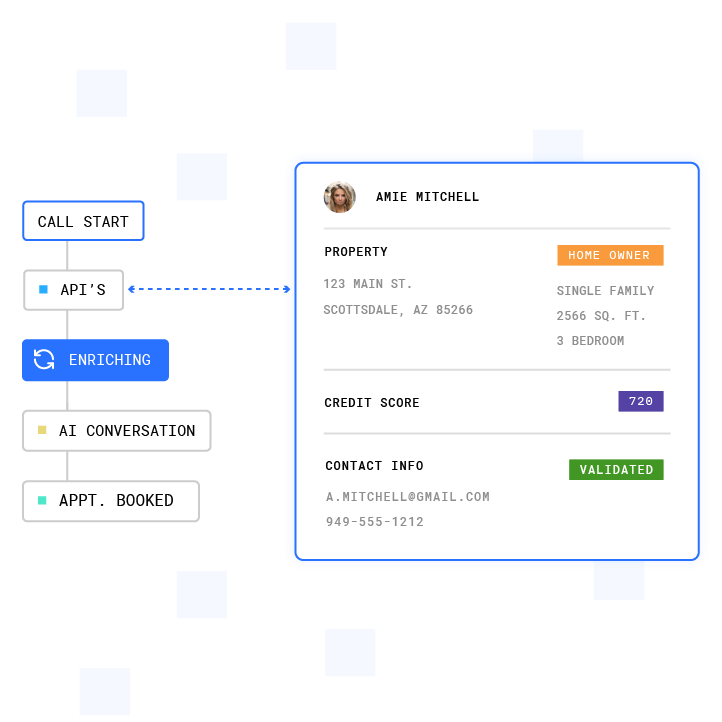
Context transfer is where AI-assisted transfers separate from traditional warm transfers. AI agents capture caller identity, intent, and account data during the conversation, then deliver a structured summary to the receiving agent before the caller is connected. This approach eliminates dead air and prevents the caller from repeating answered questions.
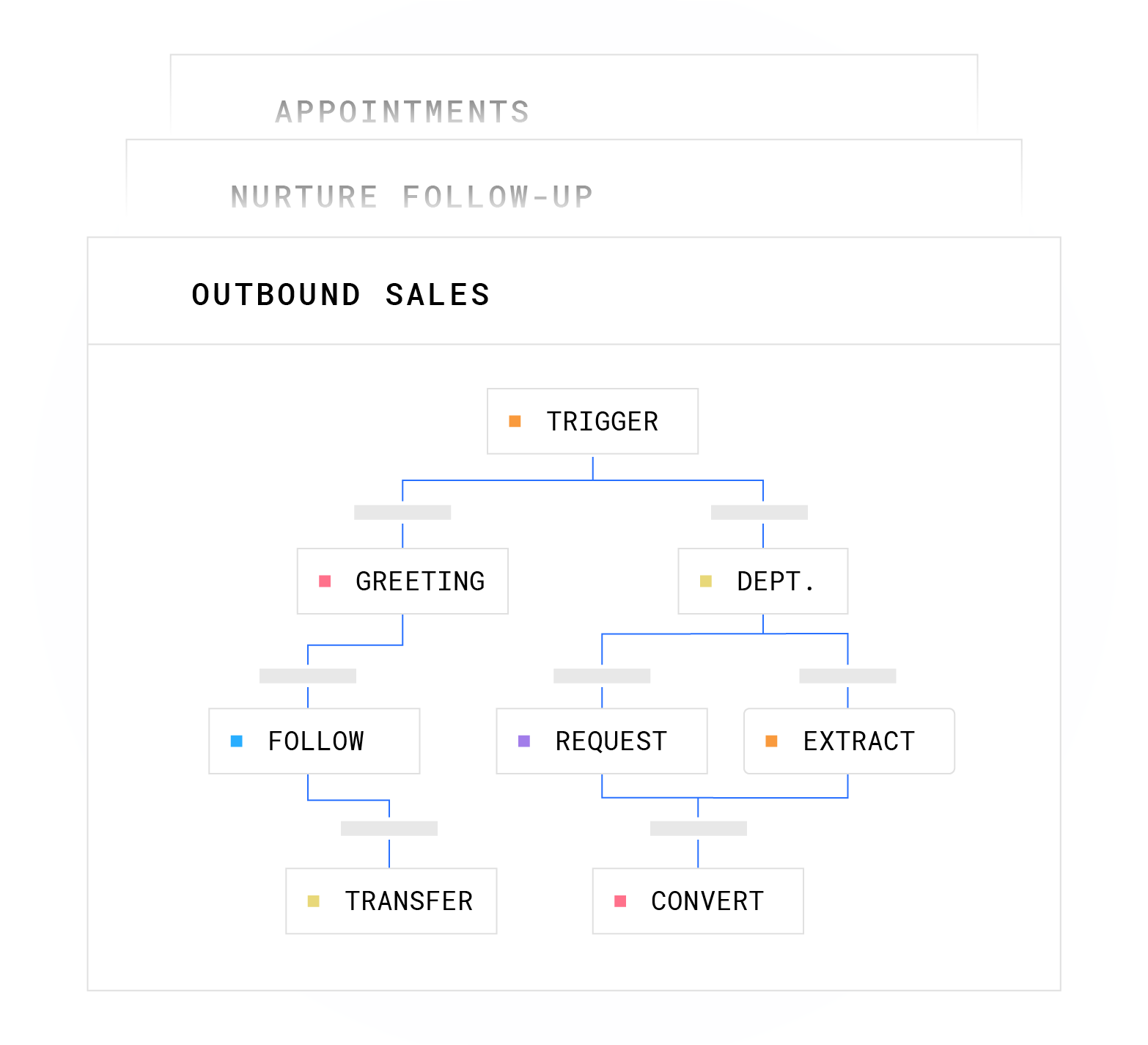
Whisper messages extend this further. A pre-generated audio brief of 30 to 40 words delivered to the receiving agent before bridging the prospect makes the call feel coordinated, and implementing whisper transfer moved one financial services client’s demo-booking rate from 8% to 24%.3
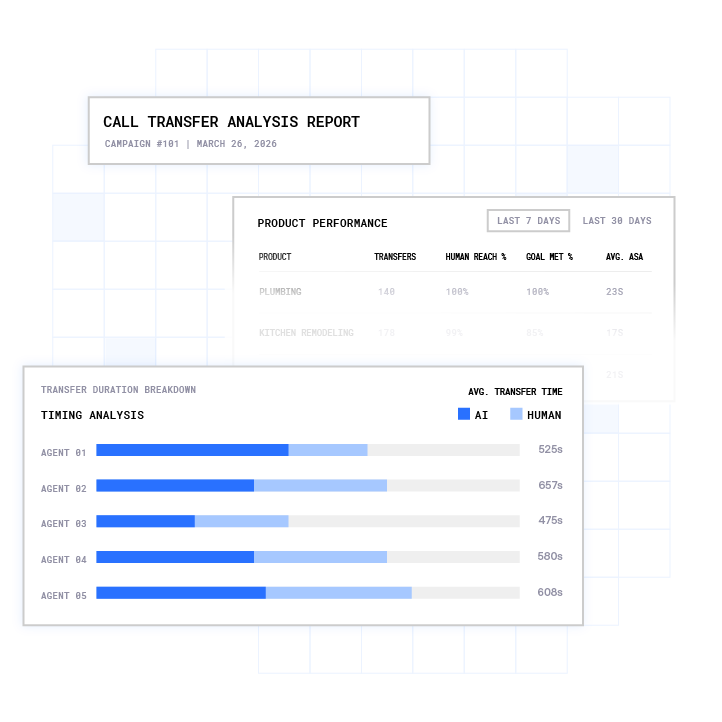
AI agents also handle after-hours calls, weekend inquiries, and overflow volume. They qualify leads and live-transfer hot buyers to on-call representatives or book callbacks for the next business day. Plura AI voice agents answer 100% of inbound calls across all franchise locations within two rings.
Plura AI’s AI SMS agents text every lead in seconds, qualify them, then call and live-transfer a warm buyer straight to your representative, turning text conversations into phone conversations that close. Plura’s AI voice agents handle the full inbound and outbound call flow, from greeting to handoff, with full context delivered to the receiving agent. Plura supports compliance with TCPA, DNC, HIPAA, SOC 2, and STIR/SHAKEN caller ID verification on outbound contact.1,2
Common Phone Codes for Caller ID and Screening
| Code | Function |
|---|---|
| *82 | Unblocks your caller ID for the next call and removes per-call blocking |
| *67 | Blocks your caller ID for the next call so it shows as “Private” or “Blocked” |
| *77 | Blocks anonymous calls so calls with blocked caller ID do not ring through |
These are vertical service codes on North American phone networks, not transfer-specific codes. Transfers run through a Transfer button or Flash/Hook key on the phone system itself.
Conclusion: Turning Live Transfers into a Reliable Revenue Channel
Live transfer calls create the fastest path from prospect interest to sales conversation when teams execute them correctly. Clear mechanics for cold, warm, and AI-assisted transfers determine whether your handoffs convert or drop. Plura AI enables lead responses in under 60 seconds, with full context delivered to the receiving agent on every transfer.
See current plans and rates on Plura’s pricing page, and explore potential savings with Plura’s cost savings calculator.
Frequently Asked Questions
What are the three types of call transfer?
The three types of call transfer are cold (blind) transfer, warm (attended) transfer, and AI-assisted transfer. Cold transfers route the caller immediately with no context passed to the receiving agent. Warm transfers include a briefing between agents before connecting the caller, which preserves context and reduces the need for the caller to repeat information. AI-assisted transfers use AI agents to screen, qualify, and route calls with full context automatically, delivering warm-transfer quality at cold-transfer speed without the hold time associated with traditional attended transfers.
How do you do a transfer call?
On a desk phone, press the Transfer button, dial the destination extension or number, and either press Transfer again immediately for a cold transfer or speak with the recipient first for a warm transfer before completing the handoff. On softphones and contact center software, click the Transfer icon, select the destination, and choose “Warm Transfer” or “Ask First” to consult with the recipient, or “Cold Transfer” or “Transfer Now” to route immediately. On landlines without a dedicated Transfer key, press the Flash or Recall button during the active call, dial the destination, and hang up to complete the transfer.
What is the difference between warm and cold transfer?
A warm transfer, also called an attended or consultative transfer, involves the first agent speaking privately with the receiving agent to share caller context and confirm readiness before connecting the caller. The caller is placed on hold during this briefing.
A cold transfer, also called a blind or unattended transfer, routes the caller directly to the destination with no prior consultation and no context passed. Cold transfers move faster and carry a higher risk of the caller dropping off or having to repeat their situation from the beginning. Warm transfers add 20 to 40 seconds of hold time and can significantly improve first-call resolution and customer satisfaction scores.
What phone codes are used for call transfer?
Common vertical service codes on North American phone networks include *82, which unblocks your caller ID for the next outbound call, *67, which blocks your caller ID for the next call so it appears as “Private” or “Blocked,” and *77, which blocks anonymous calls from ringing through to your line. These codes are not transfer-specific. Actual call transfers run through a Transfer button, softkey, or Flash/Hook key on the phone system, not via star codes.
What is an AI-assisted transfer?
An AI-assisted transfer uses an AI voice agent to screen, qualify, and route calls automatically. The AI captures caller identity, intent, and relevant account data during the conversation, then delivers a structured summary to the receiving human agent before bridging the caller. Some implementations include a whisper message, which is a short audio brief played privately to the agent before the caller is connected, so the agent can address the caller by name and reference their issue without asking them to repeat anything. AI-assisted transfers handle the qualification work that would otherwise require a human agent on the first leg of the call, which enables 24/7 coverage and consistent handoff quality at scale.
1 Plura AI maintains SOC 2, HIPAA, ISO, and GDPR posture as part of its platform infrastructure. References to compliance frameworks in this article describe Plura’s platform capabilities and do not constitute a guarantee that any customer using Plura will themselves be compliant with applicable laws or standards. Customers remain solely responsible for their own regulatory obligations, certifications, consent management, recordkeeping, and the claims they make to their own end users. Consult qualified legal counsel for guidance specific to your use case.
2 This article describes regulatory frameworks at a general level and does not constitute legal advice. Laws and regulations vary by jurisdiction, change over time, and apply differently depending on facts and circumstances. Readers should consult qualified legal counsel before making compliance decisions.
3 Performance figures, customer outcomes, and industry statistics referenced in this article are drawn from cited third-party sources or Plura customer case studies. Individual results vary based on implementation, use case, industry, audience, and execution. Past or aggregate performance is not a guarantee of future results.
4 References to third-party products, services, companies, or research are made for informational and comparative purposes only. Plura AI is not affiliated with, endorsed by, or sponsored by any third party named in this article unless explicitly stated. Trademarks and product names referenced remain the property of their respective owners.
This article is provided for informational purposes only and reflects Plura AI’s understanding at the time of publication. Product capabilities, integrations, and specifications are subject to change. For the most current information, visit plura.ai.
This article was produced with the assistance of AI tools and reviewed by Plura AI prior to publication.