
Written by: Matt Beucler, CEO, Plura AI
Key Takeaways
- AI receptionist call recording produces four governed outputs: full audio, transcript, AI summary, and post-call report. Each output needs its own retention, access, and deletion controls.
- The recording lifecycle spans six configurable stages: capture, transcription, storage, retention, access control, and deletion. Each stage requires an explicit configuration decision.
- Disclosure timing and consent rules vary by state. All-party consent states require prior consent before recording begins, and the EU AI Act adds a separate obligation to disclose AI interaction.2
- HIPAA alignment for recordings depends on encryption, role-based access, audit logging, U.S.-only infrastructure, a signed BAA, and documented retention and deletion policies aligned to 45 CFR Parts 160, 162, and 164.
- Plura AI delivers the complete recording lifecycle on its own FCC-licensed carrier. HIPAA-aligned encryption, role-based access, and audit logging are built into every stage. See how governed recordings work from first ring to final deletion in a live session.
What Gets Captured: The Four Recording Formats
AI receptionist call recording produces four distinct data objects. Each serves a different operational purpose and carries its own governance obligations.
- Full audio recording. The raw voice file of the conversation. Teams use it for dispute resolution, quality review, and regulatory production. It carries the highest privacy exposure because it contains unstructured, speaker-attributed audio that may include biometric voice data.
- Transcript. A verbatim, speaker-labeled text rendering of the call. Most operators rely on this format for search, coaching, and CRM sync. AI receptionist call transcripts are a distinct search and compliance category. They carry the same PHI and PII exposure as the audio file but are easier to search, copy, and export, which creates additional access-control obligations.
- AI-generated summary. A structured digest of the call’s key points, caller intent, and outcomes. Teams use it for CRM write-back, handoff context, and reporting. It is derived from the transcript and follows the same retention rules.
- Post-call report. A structured output combining summary, extracted action items, sentiment signals, and qualification data. Marketing and operations teams use it for pipeline tracking and script refinement.
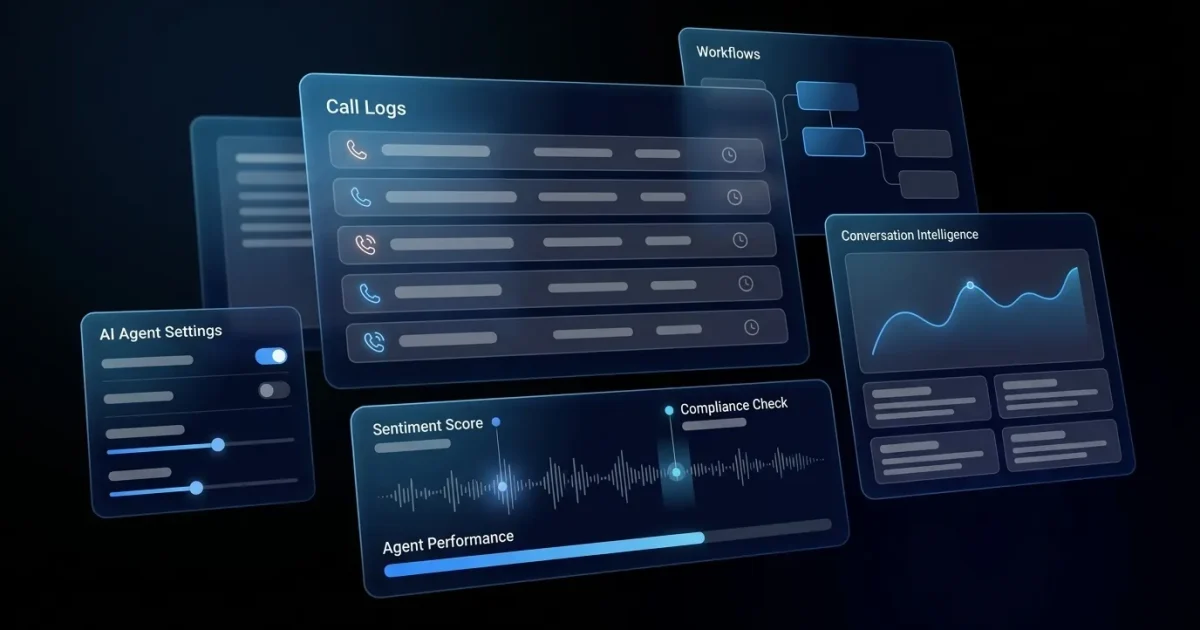
Plura AI’s AI voice agents handle inbound and outbound calls on Plura’s own FCC-licensed audio bridging carrier. Every conversation is logged to the Stateful Conversation Database for cross-channel context, so a caller who texted at 9 a.m. appears as the same record when the call arrives at noon. Recordings, transcripts, summaries, and post-call reports flow directly into your connected systems through Plura’s CRM integrations across 50+ platforms.
Those four formats do not sit still. Each one moves through the same six-stage lifecycle, and each stage is configured rather than assumed.
How AI Receptionist Call Recording Works Across the Lifecycle
The recording lifecycle has six stages. Each stage requires an explicit configuration decision.
- Capture. The AI receptionist begins recording at call connect or at call answer, depending on platform configuration. The capture point determines whether the disclosure plays before or after recording starts. That timing has direct consent implications in all-party consent states.
- Transcription. Speech-to-text processing converts the audio stream to a verbatim transcript in real time or post-call. AI transcripts may contain the same PHI and PII as the original recording and must follow the same governance standards.
- Storage. Audio, transcripts, summaries, and reports are written to a storage layer. Buyers should ask which encryption standard applies at rest, which encryption applies in transit, and where the data is physically stored. Plura stores recordings, transcripts, and summaries on 100% U.S. infrastructure by architecture, with HIPAA-aligned encryption and SOC 2 Type II controls on the underlying infrastructure.1
- Retention window. Retention periods vary by platform, use case, and regulatory obligation. Healthcare records containing protected health information are often subject to a six-year retention standard, though HIPAA does not specify a single retention period for call recordings specifically. Quality and training recordings often follow shorter windows. Financial services frameworks including FINRA Rule 4511 and SEC Rule 17a-4 impose three-to-six-year retention floors depending on record type. Teams should confirm the correct retention window with their vendor and qualified counsel before configuring any deployment.
- Access control. Role-based access limits which users can play, download, search, or export recordings. Typical tiers include owners and admins with full access, managers scoped to their team, front-desk staff limited to recent or assigned calls, and audit-only roles with metadata but no audio. Every access event should be logged with a timestamp and user ID.
- Deletion. Recordings should be deleted on a documented schedule, with deletion events logged and verified. Long-term storage increases privacy, storage, discovery, and breach exposure. Buyers should confirm that automated deletion is verified and logged.
Buyers evaluating platforms should ask specifically about encryption at rest and in transit, role-based access configuration, audit log availability, and whether deletion is automated and verified. Each question maps to a stage in the lifecycle above, and a platform that cannot answer all four in writing is not ready for a regulated deployment. For any operator carrying TCPA, HIPAA, or state consent exposure, these are baseline governance requirements rather than advanced features.2
See the recording lifecycle configured live inside the platform.
Disclosure Rules for AI Receptionist Call Recording
Two separate legal frameworks shape disclosure for AI receptionist recording: state wiretapping and eavesdropping statutes, and, for healthcare and other regulated industries, federal privacy rules. Both frameworks apply independently.
At the federal baseline, the Electronic Communications Privacy Act follows a one-party consent model, meaning a participant in a conversation may record it without notifying the other parties. However, thirteen states impose stricter all-party (two-party) consent requirements, meaning every participant must consent before recording begins.2 Those states include California, Connecticut, Delaware, Florida, Illinois, Maryland, Massachusetts, Michigan, Montana, Nevada, New Hampshire, Pennsylvania, and Washington.2
California Penal Code § 632(a) makes it a crime to intentionally record a confidential communication without the consent of all parties, with civil exposure under Penal Code § 637.2 of $5,000 per violation or three times actual damages, whichever is greater, without requiring proof of actual harm. The California Supreme Court held in Kearney v. Salomon Smith Barney, Inc., 39 Cal.4th 95 (2006) that California’s all-party consent rule applies to calls involving a California resident even when the other party or recording equipment is located in a one-party consent state.
Disclosure belongs inside the AI receptionist workflow. The agent should deliver the recording disclosure at the top of the call, before substantive conversation begins, and the workflow should branch if the caller objects. The Ninth Circuit held in Javier v. Assurance IQ, LLC (2022) that consent obtained only after recording has already begun does not satisfy California’s prior-consent requirement.
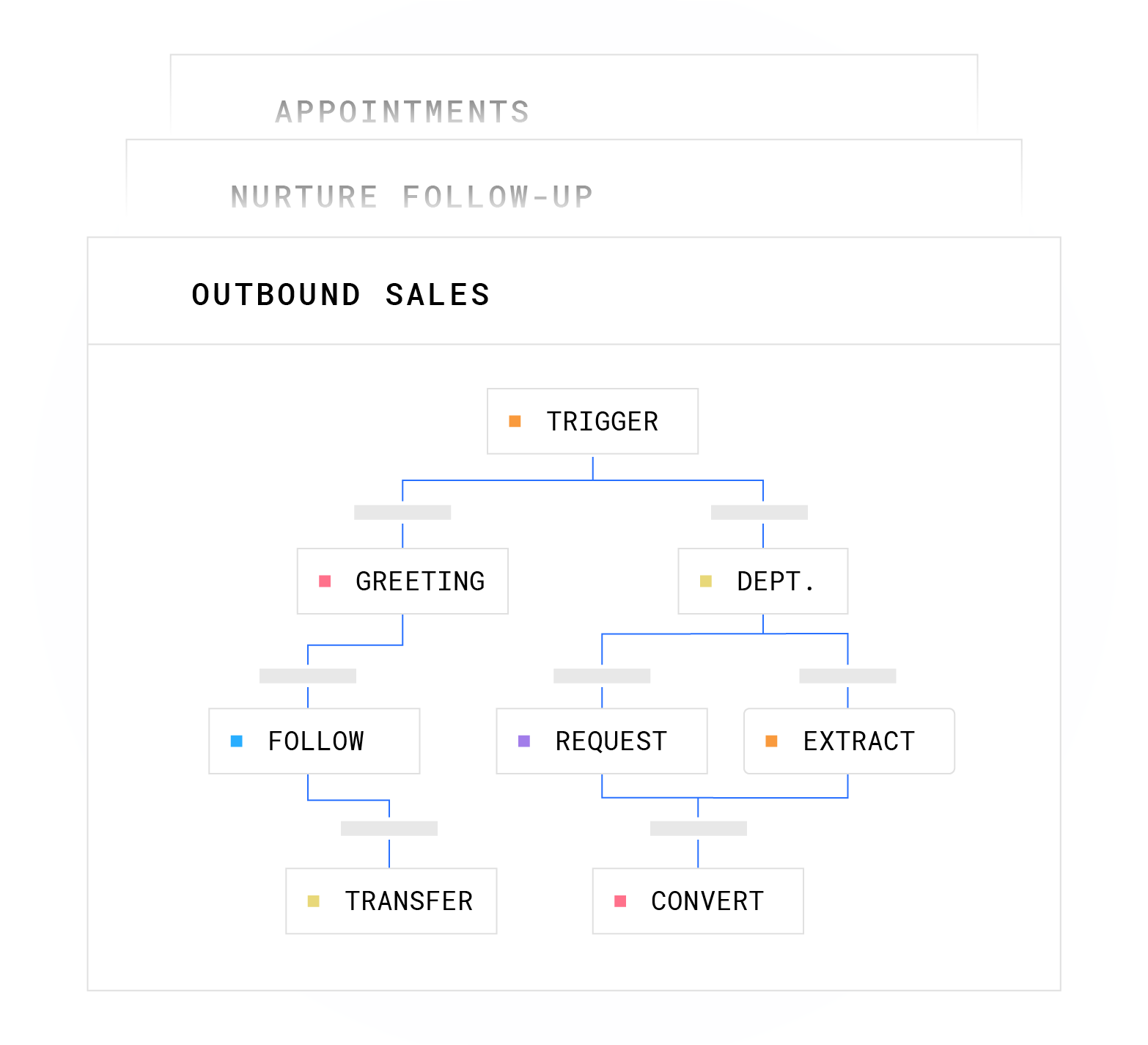
In Plura, disclosure language is configured inside the no-code workflow builder so every call opens with the same approved disclosure before the conversation begins. The workflow can branch to a non-recorded path if the caller declines. Operators should work with qualified counsel to confirm the disclosure language and branching logic meet the requirements of every state in which their callers are located.
Separately, the EU AI Act (Article 50, in force from 2 August 2026) requires that callers be informed they are interacting with an AI system before the interaction continues.2 For U.S. operators with any EU caller exposure, this creates a separate disclosure obligation from the recording notice.
Sample AI Receptionist Call Recording Script
The following example disclosure script pattern is for operator reference. It is not legal advice. Qualified counsel should review and approve any disclosure language before deployment.
“Thank you for calling [Business Name]. This call is answered by an AI assistant and may be recorded and transcribed for [approved purpose, e.g., quality assurance and service improvement]. If you do not wish to be recorded, please press [number] or say ‘no recording’ and we will connect you to an alternative process.”
Key elements to confirm with counsel include four points. The disclosure plays before recording starts. The caller has a genuine opportunity to decline. The workflow routes declined-recording calls to a documented alternative process. The disclosure explicitly names AI involvement where required by applicable law.
HIPAA Considerations for AI Receptionist Call Recording
HIPAA alignment for call recordings depends on how the covered entity configures and governs the recording. Platform choice alone does not determine compliance posture. 45 CFR Part 164, Subpart C (Security Standards for the Protection of Electronic Protected Health Information), issued under the HIPAA Administrative Simplification provisions, establishes the administrative safeguards (§ 164.308), physical safeguards (§ 164.310), and technical safeguards (§ 164.312) required to protect electronic protected health information (ePHI), with Parts 160 and 162 supplying the applicable general administrative and transaction provisions. A call recording that identifies a patient and includes information about treatment, appointments, prescriptions, billing, or insurance may contain ePHI and must be governed accordingly.
Configuration questions that matter for healthcare, legal, and financial services deployments include:
- PHI and PII redaction at the field level, so sensitive data does not appear in transcripts or summaries in plaintext
- Role-based access controls limiting recording access to personnel with documented need-to-know
- Audit logging of every access event, including who played, downloaded, or exported a recording
- U.S.-only data handling, so recordings and transcripts never transit or rest on offshore infrastructure
- A signed Business Associate Agreement (BAA) with the vendor before any PHI is processed
- Configurable retention and verified automated deletion aligned to the organization’s approved retention policy
Plura supports HIPAA-aligned encryption, access controls, and audit logging for protected health information across voice, AI SMS, RCS, and webchat, with 100% U.S. infrastructure by architecture.1 Plura provides the infrastructure, and customers remain responsible for their own compliance posture. Operators should confirm BAA coverage, retention configuration, and access controls with their compliance team and qualified counsel before processing any PHI.

HIPAA penalties for non-compliant call center setups can reach $2.19 million per violation category per year under 2025 inflation-adjusted figures. Configuration decisions for recordings sit inside that risk envelope for covered entities.
Recording Behavior When the AI Receptionist Transfers to a Human
Transfer behavior determines whether the human-handled segment of the call is captured and how that capture is governed. There are three common patterns, and the outcome depends on platform and transfer configuration.
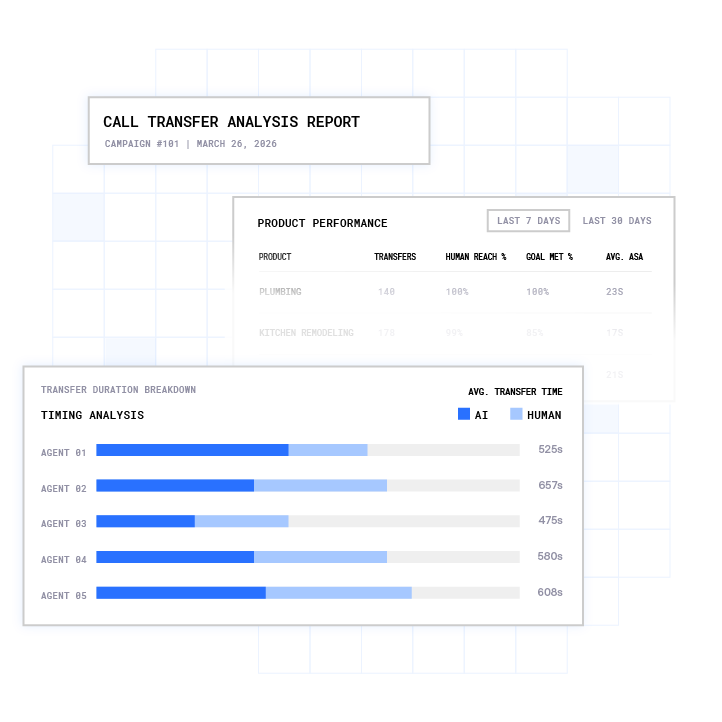
- Recording continues through the transfer. The platform stays in the call path after handoff, so the recording file covers both the AI-handled segment and the human-handled segment as a single continuous record. This is the behavior of a bridged or standard transfer where the AI platform remains in the call.
- Recording splits into two files. The AI-handled segment closes as one recording file, and the human-handled segment opens as a separate file under the destination’s recording settings. This pattern is common when the transfer destination has its own recording configuration.3
- Recording stops at handoff. The platform exits the call path entirely at transfer, ending its recording. The destination may or may not record independently. SIP REFER transfers, for example, instruct the carrier to hand the call directly to the destination and drop off, which ends platform-side recording at that point.
The transfer recording behavior is a configuration decision the buyer should confirm with their vendor before deployment. Platforms like ServiceTitan’s Contact Center Pro document configurable transfer recording options, including whether recording follows the call’s original status or switches to the destination’s settings. Microsoft Dynamics 365 Contact Center treats a transfer as a configurable recording boundary, allowing admins to choose whether recording follows workstream settings, stops while transcription continues, or stops entirely.3
In Plura, warm transfers route to a U.S. agent with full context. The Stateful Conversation Database holds the complete conversation history across channels, so the human agent sees everything the AI captured before the handoff, including prior offers, objections, and qualification status. Visit conversation intelligence to see how that context surfaces in post-call reporting.
Walk through transfer recording configuration for your specific workflow.
Using AI Receptionist Call Recordings for Training and Coaching
Transcripts and summaries provide the primary input for script improvement, objection handling analysis, and quality review. The same consent and retention rules that govern operational recordings apply when teams use those recordings for training purposes. Operators should confirm with counsel whether their recording consent language covers training use and whether their retention policy permits keeping recordings beyond the operational window for that purpose.
Plura’s AI Conversation Intelligence analyzes every interaction across voice, SMS, RCS, and webchat to surface which scripts close and which objections recur. It generates client-ready reports automatically. This analysis runs on the same governed data layer as the recordings themselves, so training insights inherit the same access controls and audit logging as the underlying call data.
How AI Receptionist Recording Features Are Bundled and Priced
Recording feature bundling varies significantly across platforms. Common patterns include:
- Basic audio recording and transcript bundled at all tiers
- AI-generated summaries and post-call reports available at mid or enterprise tiers
- Extended retention windows, custom deletion schedules, and zero-retention modes priced as enterprise add-ons
- Free or entry-level tiers with short default retention windows (30 to 90 days is common) and limited access-control configuration
Budget-conscious operators evaluating free AI receptionist tiers should confirm exactly what recording governance is included at each level before assuming the free tier meets their compliance obligations. Short retention windows and limited role-based access are common constraints at entry pricing.
Review Plura’s plans and rates side by side, or run your numbers through Plura’s ROI calculator to check your cost savings in real time.
AI Receptionist Call Recording vs. Traditional Call Recording
Operators migrating from legacy phone systems encounter meaningful differences in how recording is governed, where data lives, and how the platform enforces compliance. The table below highlights four attributes that often determine whether a recording is defensible in an audit: carrier ownership, compliance enforcement, infrastructure location, and cross-channel context.
| Attribute | Traditional Call Recording (Legacy PBX / Third-Party CPaaS) | Plura AI Receptionist Recording |
|---|---|---|
| Carrier ownership | Many traditional platforms run on third-party CPaaS providers such as Twilio, which stores recordings in its own S3 buckets by default.3 Others run on open-source telephony servers like Asterisk or FreeSWITCH. | Runs on Plura’s own FCC-licensed audio bridging carrier with Plura as Carrier of Record. |
| Compliance enforcement | Traditional environments often rely on separate tools for DNC scrubbing, consent logging, and litigator screening, which sit outside the recording system. | Real-time DNC scrubbing, TCPA-litigator filtering, and immutable consent logging enforced inside the platform before dial. |
| Infrastructure location | Infrastructure location varies by CPaaS provider or PBX deployment. Recording data may be stored or accessed offshore, subject to territory-specific requirements. | 100% U.S. infrastructure by architecture for voice origination, model hosting, data storage, and call recording. |
| Cross-channel context | Traditional call recording typically scopes to the voice channel, while SMS and chat live as separate record types. Unified archives require additional tooling. | Voice, SMS, RCS, and webchat recordings and transcripts share one Stateful Conversation Database, so human agents see full cross-channel history at transfer. |
Frequently Asked Questions
How Long Are AI Receptionist Call Recordings Stored?
Retention periods are not universal. They depend on the platform’s default configuration, the operator’s regulatory obligations, and the use case for which the recording was made. Quality and training recordings are often governed by shorter windows, commonly 30 to 90 days for standard deployments. As covered in the lifecycle section, healthcare records often follow a six-year standard and financial services records follow three-to-six-year floors under FINRA and SEC rules. Operators should confirm the correct retention window for each call type with qualified counsel, configure the platform accordingly, and verify that automated deletion is working and logged.
Which States Require All-Party Consent for AI Receptionist Recording?
In all-party (two-party) consent states, every participant must consent before recording begins. Those states include California, Connecticut, Delaware, Florida, Illinois, Maryland, Massachusetts, Michigan, Montana, Nevada, New Hampshire, Pennsylvania, and Washington. In one-party consent states, a participant’s own consent is sufficient under federal baseline law. The disclosure must be delivered before recording starts. Operators calling into multiple states often configure disclosure for the strictest applicable standard and consult qualified counsel on the specific language and workflow branching required. Separately, the EU AI Act requires disclosure that the caller is interacting with an AI system, which is an independent obligation from the recording notice.
Can AI Receptionist Call Recordings Be Used for Training?
Yes, with conditions. Transcripts and summaries are the primary input for script improvement, objection handling analysis, and agent quality review. The same consent and retention rules that govern operational recordings apply when those recordings are used for training. Operators should confirm that their recording consent language covers training use, that their retention policy permits keeping recordings for the training window, and that access to training data is governed by the same role-based controls as operational recordings. Some platforms contractually prohibit using customer call data to train or improve foundation models; operators should confirm this in their vendor agreement.
How Does HIPAA Apply to AI Receptionist Call Recording?
HIPAA alignment depends on how the covered entity configures and governs the recording. 45 CFR Part 164, Subpart C establishes the administrative safeguards (§ 164.308), physical safeguards (§ 164.310), and technical safeguards (§ 164.312) for electronic protected health information, with Parts 160 and 162 supplying the applicable general administrative and transaction provisions. A call recording that identifies a patient and includes health-related content may contain ePHI and typically requires encryption at rest and in transit, role-based access controls, a signed Business Associate Agreement with the vendor, and a documented retention and deletion policy. Plura supports HIPAA-aligned encryption, access controls, and audit logging, and runs on 100% U.S. infrastructure by architecture. Plura provides the infrastructure, and customers remain responsible for their own compliance posture. Operators should work with their compliance team and qualified counsel to confirm their specific configuration meets their obligations under 45 CFR Parts 160, 162, and 164.
What Happens to the Recording When the AI Transfers to a Human?
Three behaviors are common. Recording can continue as a single file through the transfer, split into two separate files at the handoff point, or stop when the AI exits the call path. The behavior depends on the transfer method, such as bridged versus SIP REFER, and the platform’s configuration. Operators should confirm transfer recording behavior with their vendor before deployment, because the answer determines whether the human-handled segment of the call is captured and under what recording settings. In Plura, warm transfers route to a U.S. agent with full cross-channel context from the Stateful Conversation Database, so the human sees everything the AI captured before the handoff.
What Should an AI Receptionist Recording Disclosure Script Say?
An effective disclosure script identifies that the call is answered by an AI, states that the call may be recorded, names the purpose of the recording, and gives the caller a genuine opportunity to decline before recording begins. Qualified counsel should review the exact language and the branching logic for declined-recording calls for each state in which callers are located. The disclosure should play before substantive conversation begins. For healthcare deployments, the disclosure should also cover AI analysis of call content if transcription and summarization are enabled.
Conclusion: Treat the Recording as a Governed Asset
“We record calls” does not describe a governance posture. Every AI receptionist call recording is a data asset with a full lifecycle: capture, transcription, storage, retention, access control, and deletion. Operators who treat recordings as governed assets put themselves in a stronger position for audits and reviews.
Plura AI originates and runs its regulated communications services on its own FCC-licensed carrier, Plura Connect, LLC, which is registered with the FCC as an Audio Bridge Service carrier and serves as the Carrier of Record for all regulated communications services on the Plura.AI platform. HIPAA-aligned encryption, role-based access controls, audit logging, in-platform DNC scrubbing, and 100% U.S. infrastructure by architecture are enforced across that carrier. Disclosure language is configured inside the no-code workflow builder. Cross-channel context is preserved in the Stateful Conversation Database through every transfer. And AI Conversation Intelligence turns every governed recording into an operational signal your team can act on.
Run your numbers through Plura’s ROI calculator to check your cost savings in real time. Compare plans and rates side by side. Then take the next step:
See how governed recordings work from first ring to final deletion inside a live Plura environment.
1 Plura AI maintains SOC 2, HIPAA, ISO, and GDPR posture as part of its platform infrastructure. References to compliance frameworks in this article describe Plura’s platform capabilities and do not constitute a guarantee that any customer using Plura will themselves be compliant with applicable laws or standards. Customers remain solely responsible for their own regulatory obligations, certifications, consent management, recordkeeping, and the claims they make to their own end users. Consult qualified legal counsel for guidance specific to your use case.
2 This article describes regulatory frameworks at a general level and does not constitute legal advice. Laws and regulations vary by jurisdiction, change over time, and apply differently depending on facts and circumstances. Readers should consult qualified legal counsel before making compliance decisions.
3 References to third-party products, services, companies, or research are made for informational and comparative purposes only. Plura AI is not affiliated with, endorsed by, or sponsored by any third party named in this article unless explicitly stated. Trademarks and product names referenced remain the property of their respective owners.
This article is provided for informational purposes only and reflects Plura AI’s understanding at the time of publication. Product capabilities, integrations, and specifications are subject to change. For the most current information, visit plura.ai.
This article was produced with the assistance of AI tools and reviewed by Plura AI prior to publication.