
Written by: Matt Beucler, CEO, Plura AI
Quick Answer: To implement missed call recovery, choose a provider (CRM built-in, call-forwarding service, or AI platform), connect your phone number, configure trigger rules for unanswered calls, write TCPA-compliant SMS templates with opt-out language, integrate with your CRM, and test the workflow. For a fully automated, AI-powered solution that answers every call 24/7, qualifies leads, and sends SMS follow-ups automatically, Plura AI is the recommended platform.
Key Takeaways
- Every missed call is a high-intent lead that can convert 10x faster when recovered within the first five minutes.3
- Three proven implementation methods exist: CRM built-ins (SMS-only), call-forwarding services (SMS-only), and AI platforms that answer, qualify, and book appointments 24/7.
- Speed-to-lead directly drives ROI, and AI-driven recovery can increase connection rates 3x to 5x and lift conversions up to 391%.3
- Compliant SMS templates include business identification, a single clear question, and “Reply STOP to opt out” language aligned with TCPA frameworks.1
- AI platforms that answer calls 24/7 and qualify leads offer the highest recovery potential, with more setup than SMS-only methods but deeper revenue impact.
Why Missed Call Recovery Drives Revenue
Speed-to-lead is the single biggest lever in inbound conversion. Organizations deploying AI for speed to lead see response times drop from hours to seconds and connection rates increase by 3x to 5x.
The downstream impact compounds across verticals. In healthcare, automated follow-up closes the gap between a missed call and a confirmed appointment and improves no-shows by up to 40%.3 In solar, AI Lead Intelligence increased conversion rates from 6% to 18% with the same leads and offer.3 These gains come from the same mechanism: AI contact centers provide 24/7/365 availability so no call goes unanswered.
Missed call recovery forms the floor of a functional lead-response system for any organization investing in paid media or inbound calls. It protects existing demand and turns missed calls into booked conversations instead of lost opportunities.
See missed call recovery in action with a live demo before you build anything.
Pre-Implementation Checklist
Gather these five items before configuring any workflows or forwarding rules.
- Choose your implementation method. Select a CRM built-in (for example, GoHighLevel), a call-forwarding service, or an AI platform such as Plura AI.4 Match the method to your call volume, internal resources, and need for 24/7 answering versus SMS-only follow-up.
- Gather your phone numbers. List your primary business line, call-tracking numbers, and any toll-free or local numbers that route to your team.
- Define business hours. Set different behaviors for business hours, such as an immediate callback promise, and after hours, such as a next-morning promise or 24/7 AI answering.
- Identify key contacts. Decide who receives notifications when a missed call is recovered and who owns the follow-up.
- Set up a dedicated number if needed. Some methods require a separate forwarding number or a toll-free number for SMS delivery.
With these five items in place, you are ready to choose an implementation method. The three options below differ in automation depth and setup effort, so review each step by step.
Missed Call Recovery Methods: Step-By-Step Setups
Method 1: CRM Built-In (GoHighLevel)
GoHighLevel includes a native missed call text-back feature and custom workflow automation. Follow this setup sequence.
- Navigate to Automation. In your GoHighLevel dashboard, go to Automations > Workflows and click “Create Workflow.”
- Create a new workflow. Name it “Missed Call Text Back” and select “Call Status” as the trigger.
- Configure the trigger. Set Call Direction to “Incoming” and Call Status to include “Busy,” “No Answer,” and “Canceled.” Omitting “no-answer” and “canceled” causes calls that drop before 15 seconds to bypass the workflow entirely.
- Add an SMS action. Add a “Send SMS” action and write your message template, using the SMS Template Best Practices below.
- Add a Wait step. Insert a 15-to-30-second Wait step before the SMS action to prevent the text from sending before GoHighLevel finishes indexing the incoming caller ID.
- Enable re-entry. In workflow Settings, enable “Allow Re-entry” and disable “Stop on Response” so repeat missed calls from the same contact still trigger the automation.
- Save and publish. Test with a fresh number that does not exist in your CRM yet.
Key limitation: CRM built-ins send SMS only. They do not answer the call, qualify the lead, or book appointments. When callers ignore the text, the lead usually stalls without additional manual work.
Method 2: Call-Forwarding Service
Call-forwarding services detect missed calls and send automated SMS replies without CRM workflow setup.
- Sign up for the service. Choose a provider that offers missed call text-back as a standalone feature.
- Get a forwarding number. Use the number the service provides as the destination for unanswered calls.
- Configure your phone system. In your VoIP or PBX dashboard, set call forwarding for “No Answer” or “Busy” conditions to route to the service’s forwarding number. Include the country code prefix, such as +91 for India, because missing the country code is the most common forwarding failure.
- Customize the SMS reply. Log into the service dashboard and write your SMS template. Most services include opt-out language by default.
- Set business hours. Configure different messages for business hours and after-hours calls.
- Test the forwarding. Call your business number from an outside phone, let it ring out, and confirm the SMS arrives within 15 to 30 seconds.
Key limitation: Call-forwarding services send a text but do not qualify the lead, book appointments, or integrate deeply with your CRM. Your team still carries the burden of chasing replies and updating records.
Method 3: AI Platform (Plura AI Recommended)
Contact centers and growth teams that need 24/7 answering, lead qualification, appointment booking, and CRM integration benefit most from an AI-powered platform. Here is how to implement with Plura AI.
- Sign up for Plura AI. Create your account and access the dashboard.
- Connect your phone number. Port your existing number or get a new one. Plura supports both local and toll-free numbers. You can keep your current number while the system forwards or adds a tracking layer.
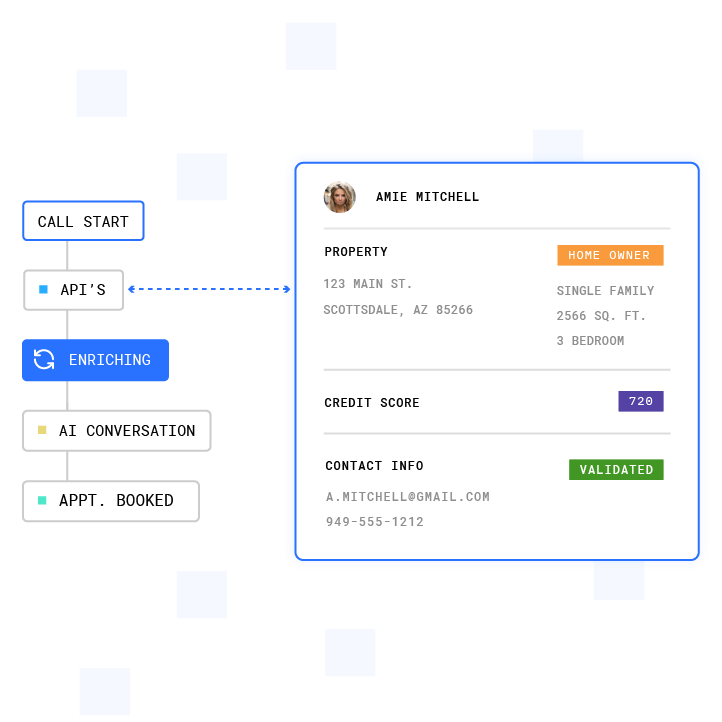
- Configure the AI voice agent. Set up the AI to answer every call 24/7. Plura’s AI voice agent answers 100% of inbound calls across all locations within two rings, qualifies the lead from 50+ data sources, and books appointments directly into your calendar.
- Set up SMS follow-up. Configure automated SMS follow-ups for calls that go unanswered or for leads that need nurturing. Plura contacts leads within 60 seconds via SMS or voice call.
- Integrate with your CRM. Connect HubSpot, Salesforce, or your existing CRM through Plura’s integrations.4 Every recovered call creates or updates a lead record with the full conversation transcript.
- Enable live transfer. Configure the AI to warm-transfer hot buyers to your team mid-call with full context. The live transfer flow keeps your reps focused on qualified leads.
- Test the workflow. Call from a test number, let it ring out, and verify that the AI answers, sends the SMS follow-up, and logs the interaction in your CRM.
Why this method wins: Plura’s AI voice agent handles the entire recovery loop: it answers the call, qualifies the lead, books the appointment, and follows up by SMS automatically. Teams typically launch a simple inbound qualification flow in a matter of days.
Implementation Method Comparison
The table below summarizes the key differences across the three methods. Focus on implementation time, 24/7 answering, lead qualification, and CRM integration, because these factors drive recovery rate and team workload.
| Factor | CRM Built-In (GoHighLevel) | Call-Forwarding Service | AI Platform (Plura AI) |
|---|---|---|---|
| Implementation time | 1-2 hours | 30-60 minutes | Days for simple flows |
| Technical complexity | Low, no-code required | Low, no-code required | Low, no-code required |
| 24/7 call answering | No, SMS only | No, SMS only | Yes, AI answers every call |
| Lead qualification | No | No | Yes, AI qualifies from 50+ data sources |
| Appointment booking | No | No | Yes, books directly into calendar |
| CRM integration | Native (GoHighLevel) | Limited | 50+ integrations including HubSpot, Salesforce |
| SMS follow-up | Yes | Yes | Yes, automated and response-aware |
| Compliance features | Manual setup required | Varies by provider | Built-in DNC scrubbing, consent logging, quiet hours |
| Cost structure | Included in CRM subscription | Per-number monthly fee | Usage-based per conversation |
SMS Template Best Practices With Ready-To-Use Scripts
Your SMS template shapes the first impression after a missed call. Keep it short, identify your business, acknowledge the missed call, and ask one specific question. Messages that ask one question get roughly double the reply rate of open prompts.
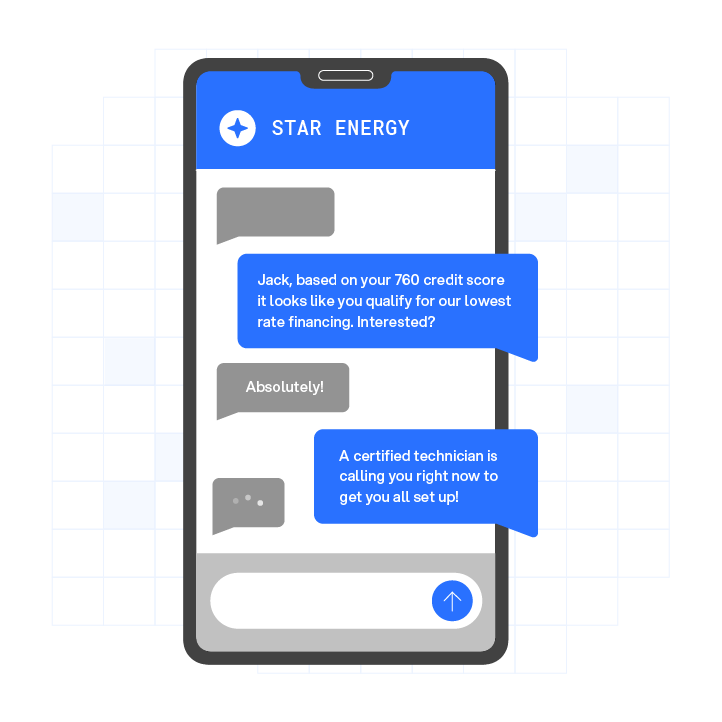
Compliant templates with opt-out language:
- General service business: “Hi [Name], this is [Company]. We just missed your call. What can we help you with? Reply BOOK to schedule a time or call us back at [Number]. Reply STOP to opt out.”
- Home services: “Hi [Name], this is [Company]. Saw we missed your call. Are you calling about a service request? Reply with your issue and we will get back to you here in a couple of minutes. Reply STOP to opt out.”
- Healthcare/appointments: “Hi [Name], this is [Practice Name]. We missed your call. Reply BOOK to schedule an appointment or call us at [Number]. Reply STOP to opt out.”
- After-hours: “Hi [Name], this is [Company]. You called after hours. We will reach out tomorrow morning, or reply BOOK to schedule a time that works for you. Reply STOP to opt out.”
Compliance requirements for every template:
- Include opt-out language. “Reply STOP to opt out” is the phrasing every major carrier and aggregator expects.
- Identify your business by name. Each message should clearly state who is sending it.
- Honor opt-outs promptly. The FCC references a 10-business-day window for processing opt-out requests, and many organizations target immediate suppression as an operational best practice.
- Time your sends correctly. Missed-call text-back automations for home services average 35-50% reply rates when sent within 60 seconds of the missed call, compared to 5-10% for outbound cold SMS.
Compliance Considerations: TCPA, DNC, And 10DLC
Compliance affects how you configure missed call recovery and which messages you send. TCPA-related disputes can involve $500 to $1,500 per text or call.
Under the TCPA (Telephone Consumer Protection Act, 47 U.S.C. § 227), automated text messages to mobile phones involve consent standards that vary by message type.1 For informational messages, prior express consent, which can be oral or written, may apply. When a message includes promotional content, many organizations treat it under the stricter prior express written consent standard described in guidance.
Key requirements to understand:
- Opt-out mechanism. Every message should include a clear way to opt out. “Reply STOP to opt out” is the common standard.
- Honor opt-outs promptly. The FCC’s 2024 revocation rules reference a 10-business-day period for honoring opt-outs, and many teams design systems for faster suppression.
- Sender identification. Each message should identify the business sending it.
- Quiet hours. Many marketing programs follow an 8 a.m. to 9 p.m. window in the recipient’s local time zone.
- 10DLC registration. US carriers use The Campaign Registry for brand and campaign registration on 10-digit long codes.
Plura includes features such as real-time DNC scrubbing, TCPA-litigator screening, automated quiet-hours enforcement, and immutable consent logging.1 Plura supports compliance for its customers, and each organization remains responsible for its own regulatory posture. Consult qualified counsel to review your specific implementation. This article does not constitute legal advice.

Watch how Plura’s compliance infrastructure works in a live environment.
Testing And Troubleshooting Your Missed Call Recovery
Testing confirms that triggers, messages, and logging behave as designed before you roll out at scale.
- Call from a test number. Use a number that does not exist in your CRM yet, because internal tests with existing contacts can mask issues.
- Let it ring out. Do not answer. Verify the SMS arrives within 15 to 30 seconds.
- Check CRM logging. Confirm the lead record was created or updated with the missed call timestamp and conversation details.
- Test the reply path. Reply to the SMS and verify the conversation continues or triggers the next workflow step.
- Test opt-out. Reply STOP and verify no further messages are sent.
Common issues and fixes:
- Texts not sending. Check carrier filtering. In GoHighLevel, look for a red exclamation mark on the outgoing text and confirm A2P Brand and Campaign registration status is “Approved” under Settings > Phone Numbers > Trust Center, because US carriers aggressively block unregistered A2P 10DLC traffic.
- Workflow not triggering. Check execution logs. If there is no entry, the trigger did not match. Verify number routing, call status filters, and any active Wait conditions.
- Landline callers not receiving texts. SMS delivery to landlines fails at the carrier level. Add an internal notification step via email or Slack so your team can manually call back the lead.
- Missed call notifications not clearing on device. Clear the notification cache, check your notification settings, and restart your device. If notifications persist, check for duplicate call-status webhooks from your phone system.
- Call forwarding not working. Verify the country code prefix in the forwarding destination and confirm that forwarding conditions match the intended call state, such as No Answer, Busy, or Unreachable.
Frequently Asked Questions
How Do You Set Up Missed Call Text Back Automation?
Set up missed call text back automation by choosing your platform first: a CRM built-in like GoHighLevel, a call-forwarding service, or an AI platform like Plura AI. Connect your phone number to the platform. Configure the trigger to detect unanswered calls, including busy, no-answer, and canceled call statuses. Write your SMS template with opt-out language, including “Reply STOP to opt out” and your business name. Integrate with your CRM so every recovered call creates or updates a lead record. Test with a fresh phone number that does not exist in your system yet. For a fully automated solution that also answers calls 24/7 and qualifies leads, Plura AI is the recommended platform.
How Do You Professionally Respond To A Missed Call?
A professional missed call response acknowledges the missed call, identifies your business, and offers a clear next step. Example: “Hi [Name], this is [Company]. We just missed your call. Reply BOOK to schedule a time or call us back at [Number]. Reply STOP to opt out.” Send the response within 60 seconds of the missed call. Missed-call text-back automations for home services average 35-50% reply rates at this speed, and reply rates drop sharply after 30 minutes and fall below 10% after two hours. As noted earlier, asking a single question roughly doubles reply rates compared to open prompts.
Why Will Not Missed Call Notifications Go Away?
Missed call notifications that will not clear usually stem from device behavior or duplicate signaling, rather than the missed call recovery workflow itself. Clear the notification cache, check your notification settings (Settings > Notifications > Phone on iPhone), and restart your device. If notifications persist, check whether your phone system is sending duplicate call-status webhooks that create phantom notifications in your CRM or communication platform. On the CRM side, review execution logs to confirm the workflow is not triggering multiple times for the same call event when “Allow Re-entry” is enabled without deduplication.
How Do You Test Missed Call Recovery?
Test missed call recovery by calling your business number from a phone number that does not exist in your CRM. Let the call ring out without answering. Verify the automated SMS arrives within 15 to 30 seconds. Confirm that the lead record was created or updated in your CRM with the correct timestamp and call details. Reply to the SMS to test the conversation path and confirm the next workflow step triggers correctly. Reply STOP to verify opt-out processing and ensure no further messages are sent to that number. Use a fresh number for each test so results mirror new inbound leads.
What Is The Difference Between A CRM Built-In And An AI Platform For Missed Call Recovery?
A CRM built-in like GoHighLevel’s missed call text-back sends an automated SMS when a call goes unanswered. It does not answer the call, qualify the lead, or book an appointment, so non-responders still require manual follow-up. An AI platform like Plura AI answers the call before it becomes a missed call. During the conversation, it qualifies the lead from 50+ data sources and books appointments directly into your calendar. For any calls that still go unanswered, it sends automated SMS follow-ups. The AI manages the full conversation, including warm transfers to your team for qualified buyers. Implementation time for a simple inbound qualification flow on an AI platform is typically measured in days and does not require engineering work.
Conclusion: Turn Missed Calls Into Revenue
Missed calls represent invisible revenue loss, yet they are also the easiest leads to recover. The path is straightforward: choose your method, connect your number, configure triggers, write compliant SMS templates, integrate with your CRM, and test thoroughly. The remaining decision is which method aligns with your volume, staffing model, and growth targets.
Organizations that need more than an automated text, including 24/7 call answering, lead qualification, appointment booking, and CRM integration, gain the most from Plura AI. Plura’s AI voice agent handles the entire conversation, from answering to qualification to booking, as described in Method 3.
Run your numbers through Plura’s ROI calculator to estimate financial impact in real time. Compare plans and rates side by side on our pricing page. Schedule a live demo to see missed call recovery in action today.
1 Plura AI maintains SOC 2, HIPAA, ISO, and GDPR posture as part of its platform infrastructure. References to compliance frameworks in this article describe Plura’s platform capabilities and do not constitute a guarantee that any customer using Plura will themselves be compliant with applicable laws or standards. Customers remain solely responsible for their own regulatory obligations, certifications, consent management, recordkeeping, and the claims they make to their own end users. Consult qualified legal counsel for guidance specific to your use case.
2 This article describes regulatory frameworks at a general level and does not constitute legal advice. Laws and regulations vary by jurisdiction, change over time, and apply differently depending on facts and circumstances. Readers should consult qualified legal counsel before making compliance decisions.
3 Performance figures, customer outcomes, and industry statistics referenced in this article are drawn from cited third-party sources or Plura customer case studies. Individual results vary based on implementation, use case, industry, audience, and execution. Past or aggregate performance is not a guarantee of future results.
4 References to third-party products, services, companies, or research are made for informational and comparative purposes only. Plura AI is not affiliated with, endorsed by, or sponsored by any third party named in this article unless explicitly stated. Trademarks and product names referenced remain the property of their respective owners.
This article is provided for informational purposes only and reflects Plura AI’s understanding at the time of publication. Product capabilities, integrations, and specifications are subject to change. For the most current information, visit plura.ai.
This article was produced with the assistance of AI tools and reviewed by Plura AI prior to publication.