
Written by: Matt Beucler, CEO, Plura AI
Updated September 2026
Key Takeaways
- RCS Business Messaging integration connects your CRM or application to Google’s RCS for Business API through a provider and delivers branded, interactive messages with rich media, suggested replies, and read receipts.
- The integration follows a four-step path: choose a provider, register your sender, connect the API and webhooks, and wire it to your CRM.
- Most teams stall on sender registration and webhook handling, which require careful attention to signing, idempotency, and ordering requirements.
- Plura AI is built for high-volume operators because it owns its FCC-licensed carrier stack and runs RCS alongside AI SMS, AI Voice, and AI Webchat on a shared Stateful Conversation Database.
- Walk through an RCS integration with the Plura team and see how it fits your current stack.
The Four-Step RCS Business Messaging Integration Path
Every RCS Business Messaging integration follows the same sequence.
- Choose a provider. Decide between direct Google RCS for Business API integration and CPaaS-mediated integration through a provider such as Twilio, Infobip, or Sinch.4
- Register your sender. Complete brand verification and agent registration through the Google Business Communications Console, then obtain carrier approval.
- Connect the API and webhooks. Implement outbound message sending via HTTPS/JSON requests and configure webhooks for inbound messages, delivery receipts, read receipts, and user actions.
- Wire it to your CRM. Connect RCS conversations to Salesforce, HubSpot, Shopify, or a custom application so messages trigger order updates, appointment scheduling, and support workflows.
Review Plura’s How to Implement RCS Business Messaging in 2026 and RCS Business Messaging Best Practices articles first. This guide focuses on the build work those articles reference.
What RCS Business Messaging Integration Actually Involves
RCS Business Messaging is the branded, interactive successor to SMS, supported across modern Apple and Android devices. RCS for Business is Google’s current product name for the business messaging implementation of the RCS standard. Active RCS users are projected to surpass 3.8 billion globally by the end of 2026, and US business RCS traffic grew from 494 million messages in 2024 to 3.2 billion in 2025.3,5
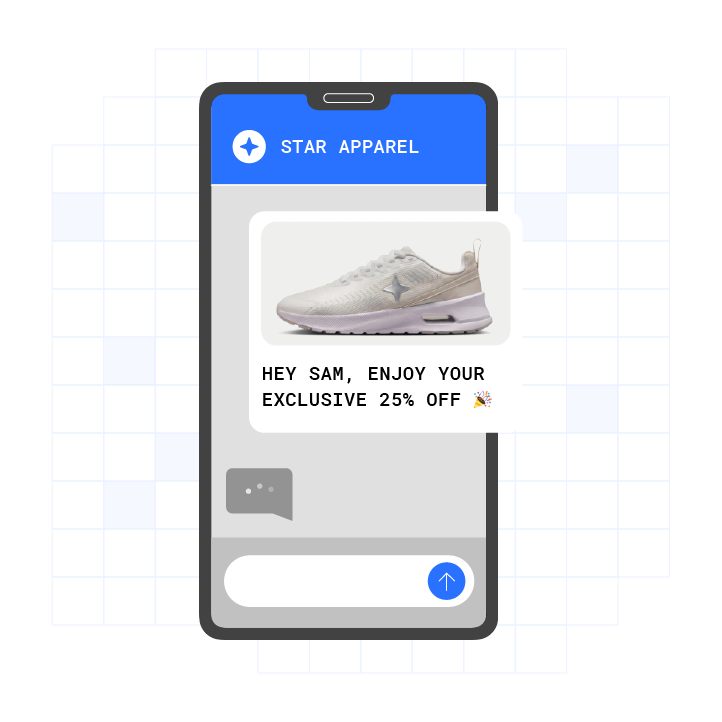
The integration architecture follows a simple pattern. Your application or CRM connects to a provider or directly to Google’s RCS for Business API. The provider connects to the RCS network. The message lands in the customer’s Messages app with your verified brand name, logo, and interactive elements.
Every integration must handle these API concepts:
- HTTPS/JSON requests for outbound message sending
- Webhooks for inbound messages
- Delivery receipts
- Read receipts
- User actions such as button taps and suggested replies
Google’s RCS for Business documentation specifies that outbound messages use an HTTPS POST request to a regional rcsbusinessmessaging.googleapis.com endpoint, with messageId, agentId, and phone number passed in the request URL or query string.
One architectural distinction matters for compliance-sensitive senders. RCS for Business does not offer end-to-end encryption. It uses point-to-point encryption between the end user’s device and Google’s servers, and between Google’s servers and the messaging partner. Personal RCS between individuals is end-to-end encrypted, while business RCS is encrypted in transit and platform-processed. Consult qualified counsel for specific regulatory obligations this distinction may create for your use case.

How to Choose an RCS Business Messaging Provider
Teams choose between direct Google RCS for Business API integration and CPaaS-mediated integration. The right path depends on engineering capacity, existing infrastructure, and compliance needs.
Direct Google RCS for Business API Integration
Brands cannot self-register as verified RCS senders, and direct API access to Google’s RCS Business Messaging infrastructure is available only to Google-certified partners or aggregators. This path fits teams with dedicated telecom engineering resources that want maximum control over the integration.
CPaaS-Mediated Integration
This path routes traffic through a CPaaS provider. Each provider documents its own API surface, webhook support, and SMS fallback capabilities.
- Twilio documents RCS sending through its Programmable Messaging and Bulk Messaging surfaces, with RCS senders created in the Numbers and Senders section of the Twilio Console.4 Twilio supports SMS fallback configured at the Messaging Service level and a dedicated
FallbackFromparameter. - Infobip publishes its RCS channel API reference organized into functional sections including Outbound Messages, Inbound Messages, Inbound Events, and Capability Check.4 Infobip’s Capability Check feature lets developers query whether a specific phone number can receive RCS messages before attempting delivery.
- Sinch markets RCS for Business as a product delivering branded, verified messages, and its API endpoints, webhook models, and SMS fallback documentation live in Sinch’s developer documentation.4
The table below shows where each path puts the operational burden. SMS fallback and per-channel reporting are the columns that separate a managed platform from a build-it-yourself integration.
| Integration Path | API Surface | Webhook Support | SMS Fallback |
|---|---|---|---|
| Direct Google RCS for Business API | HTTPS/JSON to regional endpoint | Configured at agent level | Developer responsibility |
| Twilio | Programmable Messaging API | Messaging webhooks | Configured at Messaging Service level |
| Infobip | Channels API (7 sections) | Inbound Events API | Built-in automatic fallback |
| Plura AI | Unified REST API at api.plura.ai/v1 (v1.7, updated February 2026) spanning RCS, SMS, Voice, and Webchat | Webhook support | Built-in with per-channel reporting |
Plura AI is built for high-volume operators. It owns its FCC-licensed audio bridging carrier, so AI SMS, AI Voice, AI Webchat, and RCS all run on one Stateful Conversation Database. That shared layer applies DNC scrubbing, TCPA-litigator screening, quiet hours, and consent logging to every outbound contact. Plura’s AI RCS delivers 3x higher engagement compared to SMS, an 80% read rate, and a 35% click-through rate across more than 2 billion supported devices.3 See how it connects to your existing tools in the integrations directory.
How to Register an RCS Business Sender
Sender registration is the hardest part of any RCS integration and the step most documentation skips. The sub-steps below expand the “register your sender” phase of the four-step path.
Registration Phase 1: Google Business Communications Console Setup
Sign in to the RCS for Business Developer Console with your RCS for Business partner Google Account. Click “+ Create agent” on the homepage and fill in the New RCS Business Messaging agent window.
Registration Phase 2: Agent Configuration
Google’s documented agent creation flow requires specifying five fields:
- The brand the agent represents
- The agent name
- The hosting region (North America, Europe, or Asia Pacific)
- The billing category (Conversational or Non-conversational)
- The use case (OTP, Transactional, Promotional, or Multi-use)
The hosting region determines where the agent operates from and where it stores its data. The region choice is permanent after agent creation or launch.
Registration Phase 3: Brand Asset Preparation
Teams must prepare several registration artifacts:
- Brand logo in square format at minimum 224 x 224 px (PNG or SVG, with margins; avoid transparent backgrounds)
- Business name exactly as it should be displayed
- Privacy Policy URL
- Contact details such as phone number, email, and website
- Short company description
- Use case descriptions
- Sample RCS messages
- Planned campaign types
Three registration artifacts carry compliance weight. The privacy policy must state that information is shared with third parties to transmit RCS messages. Opt-in consent must be specific to RCS messaging rather than folded into general terms of service. HELP and STOP keyword handling must also be in place. Consult qualified counsel for specific obligations under applicable law.
Registration Phase 4: Brand Verification and Carrier Approval
RCS brand verification follows one of two approval paths:
- Google-managed launch: Google reviews and approves the profile and distributes it to all Google-managed carriers. This path typically takes two to four weeks from complete submission.
- Carrier-managed launch: Each carrier reviews the profile independently. This path is common in the US and typically takes eight to sixteen weeks.
Common first-pass rejection reasons include logos with transparency issues, vague use case descriptions, and business name mismatches between legal entity name and DBA. End-to-end RCS brand verification typically takes one to three weeks for a clean first submission through a provider with a direct Google relationship.
Registration Phase 5: Testing and Launch
After brand approval, test the Brand Agent on pre-authorized devices before full launch. Confirm that the logo and brand name display correctly, messages arrive as configured, interactive elements function, and RCS-to-SMS fallback activates for devices that do not support RCS.
See sender registration handled end to end in a live Plura demo with a team that owns its carrier stack and manages the approval process directly.
Outbound Messaging Implementation
With a verified sender in place, the next task is sending messages. RCS supports several message types, and each maps to a different API payload.
Message Types
RCS Business Messaging supports:
- Text messages: Up to 3,072 characters in a single message
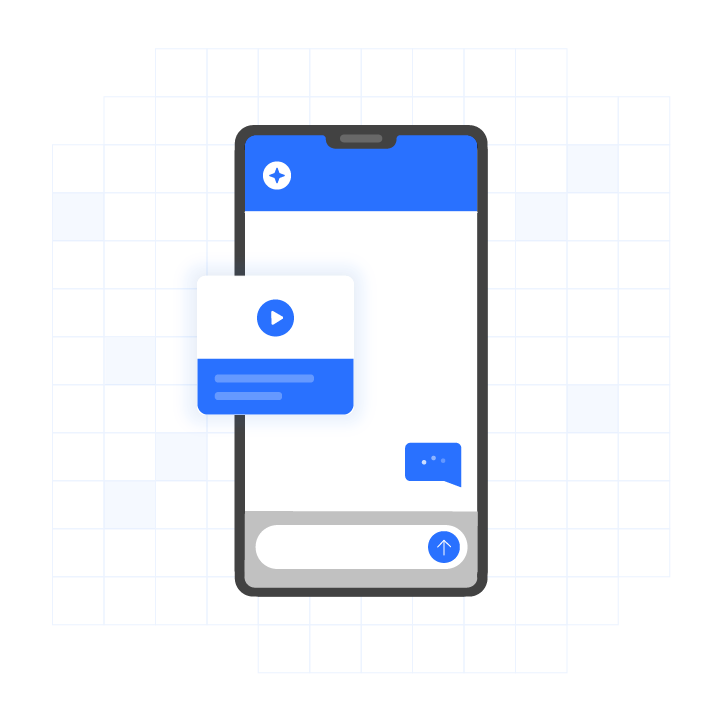
- Rich cards: Image or video, title text, description, and up to four interactive suggested replies
- Media: High-resolution images (JPEG, PNG, GIF), videos (MP4), audio files, and PDF documents with total attachment size up to 100 MB per message
- Suggested replies and actions: Quick reply buttons, URL buttons, dial-a-phone actions, view-location actions, calendar events
- Carousels: Up to 10 horizontally scrollable rich cards
API Implementation
A minimal outbound RCS send following Google RBM conventions is an HTTPS POST with a JSON body to:
https://{region}-rcsbusinessmessaging.googleapis.com/v1/phones/{E164_PHONE}/agentMessages?agentId={AGENT_ID}
The message content, whether text, rich card, or carousel with suggestions, is described in a contentMessage object.
Mapping an Existing SMS Campaign to RCS
Before sending an RCS message, an integration must call a capability check for the destination number. If the number is not RCS-capable, the message must be sent via SMS or MMS instead. RCS reach depends on the handset, the carrier, and the user’s own settings. All three change over time, so capability is a question asked per number at send time rather than a property stored or cached.
Mapping an existing SMS campaign to RCS involves four changes:
- Add a capability check before each send.
- Route RCS-capable numbers to the RCS path.
- Route non-capable numbers to the existing SMS path.
- Maintain both message formats.
Inbound Webhooks: Where Most Integrations Stall
Once outbound messaging works, the next challenge is handling everything that comes back. This is where many teams slow down or stop.
Webhook Events to Handle
- Inbound messages: Free-form replies from customers
- Delivery receipts: Confirmation that a message reached the device
- Read receipts: Confirmation that a customer opened the message
- User actions: Taps on individual suggestions, identifiable by
postbackData
Why Integrations Stall Here
Sending is a request. Receiving is a system that must stay reliable under volume. Three properties decide whether that system is sound:
- Signing: Verify the event genuinely came from your provider before trusting the payload.
- Idempotency: Delivery is at-least-once, so the same event can legitimately arrive twice. Handlers must store the event identifier and discard repeats.
- Ordering and replay: Decide whether events queue and redeliver or vanish when your endpoint is down.
What to Monitor
- Webhook delivery success rate
- Event processing latency
- Dead-letter queue depth
- Duplicate event rate
Postback Data for Button Attribution
In RCS Business Messaging, postbackData is an invisible string attached to each interactive button or suggestion. When a user clicks the button, the string is sent back to the server via a webhook and enables machine-readable attribution of user actions to specific interactive elements.
The webhook payload for a button press includes:
messageId(original message ID)sender(recipient’s MSISDN)type(event type, for exampleSUGGESTION_RESPONSE)postbackData(hidden string)text(visible button text)timestamp(click time)
How to Connect RCS to Your CRM
Once webhook events flow reliably, the final step is routing those events into the systems your team already uses. The pattern stays consistent across CRMs, even though each surface looks different.
Salesforce
Salesforce Marketing Cloud Next supports four RCS message types that can be built in the Content tab: Text, Media, Rich Card, and Carousel. An RCS message must be published before it can be included in a flow, and a flow containing an RCS message cannot be activated until that message is published.
RCS messages support personalization via merge fields that pull Unified Individual profile data or real-time event data. Action identifiers on buttons and suggestion chips track user interaction with each element.
HubSpot
HubSpot’s Conversations Inbox lets users review, organize, and reply to incoming SMS messages, and SMS channel data can be used in conversations-based workflows and in HubSpot’s reporting tool. SMS messages can be viewed on a contact record under the Activities tab.
When a contact replies to a message sent or scheduled via HubSpot, the reply appears as a new conversation in the Conversations Inbox, where users can review the contact’s information and respond.
Shopify
Shopify integrates with messaging platforms through its app ecosystem and APIs. RCS conversations can trigger order updates, appointment scheduling, and support workflows. The first mechanism maps Shopify order events such as Order Created, Fulfillment Created, and Fulfillment Delivered to RCS templates through providers like Gupshup or Route Mobile. The second mechanism lets customer responses to in-message action buttons such as Track Order, Initiate Return, and Contact Support drive further automation steps.
Custom Node or Python Application
For custom applications, the integration pattern is straightforward.
- Receive webhook events from your RCS provider.
- Parse the event payload to identify the customer and action.
- Query your CRM or database for customer context.
- Trigger the appropriate workflow such as an order update, appointment scheduling, or support ticket.
- Send a response via the RCS API.
Plura’s CRM-connected SMS support and order status automation run on the same Stateful Conversation Database as AI RCS, so context from an RCS thread carries into every subsequent channel. See the full integrations directory for supported CRMs, including HubSpot, Salesforce, and Shopify.
SMS Fallback and Coexistence: A First-Class Architectural Requirement
As noted earlier, RCS reach varies by handset, carrier, and user settings. That variability makes fallback an architectural requirement rather than an edge case.
Approximately 25% of global markets still face slower RCS adoption due to delayed carrier infrastructure migration and limited interoperability agreements. Where the provider handles it, SMS fallback is an API behavior rather than a feature the developer builds. One send reaches the whole list, with rich delivery where possible and SMS or MMS everywhere else, and delivery is reported per channel. If fallback is the developer’s responsibility, the team maintains two integrations, two message formats, and its own channel-selection logic.
Architectural Requirements
- Capability check before send: Query whether the destination number can receive RCS before attempting delivery.
- Automatic fallback: Route non-capable numbers to SMS without manual intervention.
- Per-channel delivery reporting: Track which channel actually carried the message, since RCS and SMS bill differently.
- Coexistence: Keep the SMS program running alongside RCS. Adopting RCS changes the SMS leg from the whole campaign into the remainder.
Watch built-in SMS fallback and per-channel reporting in a Plura demo to see how one program can cover both RCS and SMS.
Measuring RCS Business Messaging Integration Success
Clear metrics keep the integration accountable to both operations and revenue.
Operational Metrics
- Delivery rate: Percentage of messages that reached the device
- Read rate: Percentage of messages opened by the recipient
- Response rate: Percentage of messages that generated a reply
- Fallback rate: Percentage of messages that fell back to SMS
- Webhook success rate: Percentage of webhook events processed without error
Business Metrics
- Conversion rate: Percentage of RCS conversations that resulted in the desired action
- Cost per conversation: Total RCS cost divided by number of conversations
- Revenue per send: Revenue attributed to RCS campaigns divided by messages sent
Review Cadence
- Daily: Webhook success rate and delivery rate
- Weekly: Response rate and fallback rate
- Monthly: Conversion rate, cost per conversation, and revenue per send
Frequently Asked Questions
How Long Does RCS Business Messaging Integration Take?
Timelines depend on the approval path. Google-managed launches typically take two to four weeks from complete submission. Carrier-managed launches in the US can take eight to sixteen weeks because each carrier conducts its own review. Submissions that require documentation or asset revisions can extend the process. See the registration section above for the full breakdown.
What Are the Prerequisites for RCS Business Messaging Integration?
Teams need a business registration document, an active company domain, a brand logo meeting technical specifications (minimum 224 x 224 px PNG or SVG, no transparent backgrounds), a Privacy Policy URL, contact details, and an SMS fallback path with a registered SMS sender ID. RCS agent registration is a separate system from 10DLC registration, which governs SMS and MMS traffic in the US. A brand running both SMS and RCS campaigns needs both registrations.
What Does RCS Business Messaging Cost?
RCS pricing varies by destination country and carrier, message type, one-way versus two-way messaging, and monthly volume. Providers bill per message, per monthly active user, per session, or via SMS-based billing logic. Carrier surcharges are passed through rather than absorbed by providers and scale with volume. See Plura’s current plans on the pricing page.
What Are the Risks of RCS Business Messaging Integration?
Common first-pass rejection reasons include logo rendering issues, vague use case descriptions, and business name mismatches between legal entity name and DBA across assets. Webhook handling also introduces risk when signing, idempotency, and ordering are not implemented correctly. RCS agent verification does not expire on a fixed schedule, and Google or carriers can revoke verified status if content policies or sending patterns are not followed.
Which Compliance Considerations Apply to RCS Business Messaging?
RCS for Business involves several consent and disclosure elements. It requires opt-in consent specific to RCS or messaging, HELP and STOP keyword handling, and a privacy policy that explicitly states information will be shared with third parties for the purpose of transmitting RCS messages. Plura supports compliance with TCPA, DNC, and applicable state regulations through the platform-level controls described above, including DNC scrubbing, consent logging, and quiet hours.1,2 Customers remain responsible for their own regulatory obligations. Consult qualified counsel for specific requirements under applicable law.
Conclusion: Build RCS Business Messaging Integration on Carrier-Grade Infrastructure
RCS Business Messaging integration follows a four-step path: choose a provider, register your sender, connect the API and webhooks, and wire it to your CRM. Most teams stall on sender registration and webhook handling. Plura AI removes those blockers because it owns its FCC-licensed carrier stack, runs AI SMS, AI Voice, and AI Webchat on a shared Stateful Conversation Database, and applies platform-level controls before each outbound contact. The engagement figures cited earlier reflect the impact of that infrastructure.
Get a demo tailored to your stack and see the full integration in action.
Run your numbers through Plura’s ROI calculator to check your cost savings in real time.
1 Plura AI maintains SOC 2, HIPAA, ISO, and GDPR posture as part of its platform infrastructure. References to compliance frameworks in this article describe Plura’s platform capabilities and do not constitute a guarantee that any customer using Plura will themselves be compliant with applicable laws or standards. Customers remain solely responsible for their own regulatory obligations, certifications, consent management, recordkeeping, and the claims they make to their own end users. Consult qualified legal counsel for guidance specific to your use case.
2 This article describes regulatory frameworks at a general level and does not constitute legal advice. Laws and regulations vary by jurisdiction, change over time, and apply differently depending on facts and circumstances. Readers should consult qualified legal counsel before making compliance decisions.
3 Performance figures, customer outcomes, and industry statistics referenced in this article are drawn from cited third-party sources or Plura customer case studies. Individual results vary based on implementation, use case, industry, audience, and execution. Past or aggregate performance is not a guarantee of future results.
4 References to third-party products, services, companies, or research are made for informational and comparative purposes only. Plura AI is not affiliated with, endorsed by, or sponsored by any third party named in this article unless explicitly stated. Trademarks and product names referenced remain the property of their respective owners.
5 This article contains forward-looking statements regarding industry trends, technology adoption, and future capabilities. These statements reflect current expectations and are subject to change. Plura AI undertakes no obligation to update forward-looking statements except as required.
This article is provided for informational purposes only and reflects Plura AI’s understanding at the time of publication. Product capabilities, integrations, and specifications are subject to change. For the most current information, visit plura.ai.
This article was produced with the assistance of AI tools and reviewed by Plura AI prior to publication.