

Written by: Matt Beucler, CEO, Plura AI | Last updated: August 28, 2026
Key Takeaways
- Speed-to-lead CRM integration connects Salesforce, HubSpot, and GoHighLevel form submissions to Plura AI agents for sub-5-second responses using webhooks and auto-assignment rules.
- Preconditions include admin CRM access, HTTPS endpoints, 10DLC registration, documented consent records, and an internal DNC suppression list before configuration begins.
- The seven-step integration covers webhook setup, payload field mapping, compliance-gated auto-assignment, multi-channel sync, real-time DNC and quiet-hours enforcement, SHAKEN/STIR verification, and latency testing.
- Common failure modes such as webhook timeouts, field-mapping mismatches, and consent-record drift are mitigated through dead-letter queues, bidirectional sync, and pre-go-live audits.
- Operators scaling beyond 500 daily interactions can achieve measurable ROI and compliance advantages by using Plura AI’s managed CRM integration for voice, SMS, and AI webchat orchestration.3
1. Who This Integration Serves and What You Need Ready
This guide serves operations and marketing leaders at high-volume teams running 500 or more daily lead interactions inside Salesforce, HubSpot, or GoHighLevel. The integration pattern assumes baseline speed-to-lead knowledge and fills in the operator-grade configuration details. You get exact webhook payloads, trigger rules, compliance enforcement steps, latency testing, and failure-point fixes.
Before starting, confirm the following preconditions are in place. Each requirement addresses a common failure point in high-volume integrations: admin access enables webhook and routing configuration, HTTPS endpoints protect payload delivery, 10DLC registration supports carrier expectations, consent records anchor your compliance posture, and the DNC list prevents avoidable violations.

- Admin access to the CRM with permission to create outbound webhooks and assignment rules
- A publicly accessible HTTPS endpoint on Plura’s side to receive payloads
- 10DLC (Application-to-Person messaging registry) registration completed for any SMS channel
- Documented consent records with timestamp, source URL, IP address, and exact disclosure language per contact, stored in append-only format
- An internal DNC suppression list maintained and synced to the CRM
Book a live demo with Plura AI to review your current CRM setup before configuration begins.
2. Seven-Step Integration Process for Speed-to-Lead
Step 1: Configure the Outbound Webhook in the CRM
Each CRM exposes a different path to outbound webhook configuration, and all paths point to the same destination. The target is a Plura HTTPS endpoint that accepts POST requests and returns a 2xx status within 200 milliseconds.
- Salesforce: Navigate to Setup, search for Outbound Messages, or use Flow Builder to trigger an HTTP callout on the Lead Created event. Point the endpoint URL to your assigned Plura webhook receiver.
- HubSpot: Go to Automation, then Workflows. Create a contact-based workflow with the enrollment trigger set to “Contact is created” or “Form is submitted.” Add a webhook action and paste the Plura endpoint URL.
- GoHighLevel: Inside a workflow, use the Inbound Webhook trigger to generate a unique URL, then configure your lead source to POST to that URL. You can also use the outbound webhook action to forward lead data to Plura’s endpoint after an internal trigger fires.
All endpoints must enforce TLS 1.2 or newer and reject plain HTTP.
Step 2: Map Payload Fields for Plura
A minimal compliant payload to the Plura endpoint must include the following fields.
lead_id: the CRM’s unique record identifierphone: E.164 formatted mobile numberconsent_timestamp: ISO 8601 UTC timestamp of the consent eventsource_url: the exact page URL where consent was capturedconsent_language_version: the version identifier of the disclosure text shown at submissionchannel: “voice”, “sms”, or “both”
Field name mismatches between the CRM and Plura’s schema cause many silent sync failures. Audit every mapping before go-live by submitting a test lead and inspecting the raw payload in your middleware logs.
Step 3: Set Auto-Assignment Rules for Cleared Leads Only
Once the payload fields are mapped correctly, the next step is to ensure only compliant leads reach Plura. Auto-assignment rules in all three CRMs evaluate criteria in priority order, so the compliance gate must sit before the routing action, not after it.
- Salesforce: Use Lead Assignment Rules under Setup. Create a rule entry that checks a custom field such as
DNC_Status__c = "Cleared"andConsent_Verified__c = truebefore assigning to the Plura queue. Add a catch-all entry that routes uncleared leads to a compliance review queue. - HubSpot: Inside the workflow, add an IF/THEN branch before the webhook action. Branch condition:
DNC Status = ClearedANDConsent Timestamp is known. Only the “Yes” branch fires the Plura webhook. The “No” branch enrolls the contact in a suppression list. - GoHighLevel: Use workflow conditions to check a custom field for DNC and consent status before the outbound webhook action fires. Leads that do not meet both conditions route to a manual review pipeline stage.
Plura’s CRM integration layer then receives only pre-cleared leads, keeping the compliance gate inside the CRM where the consent record lives.
Step 4: Enable Multi-Channel Sync with Plura’s Stateful Conversation Database
Plura’s speed-to-lead architecture runs voice and SMS on a shared Stateful Conversation Database. Every interaction is keyed to the lead’s phone number or CRM record ID, so an AI voice agent that calls at 9 a.m. and an AI SMS thread that opens at 9:02 a.m. share the same memory context.
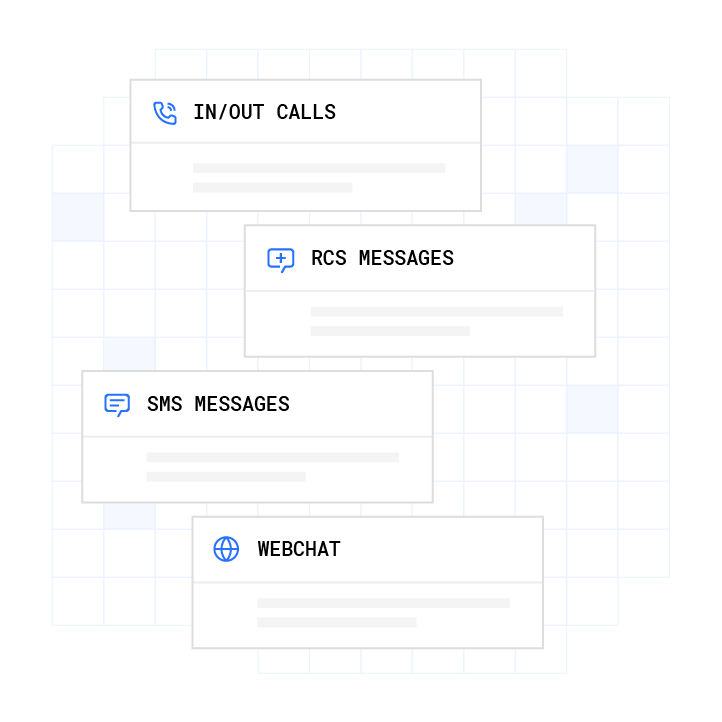
To enable multi-channel sync, configure the webhook payload to include a channel_preference field. Plura’s endpoint reads this field and initiates the correct channel sequence. For operators running both voice and SMS, a common pattern uses SMS first for sub-2-second delivery, followed by a voice attempt if the SMS goes unread within a configurable window.
Step 5: Insert Compliance Checks Before Contact
Three enforcement layers should run before Plura initiates any outbound contact.
- Real-time DNC scrub: Plura’s compliance engine checks every number against federal and state DNC registries before dial.
- Quiet-hours enforcement: Plura applies time-zone detection at the NPA-NXX level to enforce calling windows. Operators should consult qualified counsel for state-specific requirements applicable to their campaigns.
- SHAKEN/STIR caller ID verification: Plura authenticates every outbound call through SHAKEN/STIR at the carrier level using its own FCC-licensed audio bridging carrier, not a third-party CPaaS.
Consent records must be timestamped and immutable. Operators remain responsible for ensuring their consent capture meets applicable legal standards, and Plura provides infrastructure to store and surface those records.2

Step 6: Run a Latency Test from Form to First Contact
Measure end-to-end time from form submission to first Plura contact attempt using the following sequence.
- Submit a test lead through the live form with a monitored phone number.
- Record the form submission timestamp (T0).
- Record the timestamp of the first inbound contact attempt on the monitored number (T1).
- Calculate T1 minus T0, with a target under 5 seconds.3
- If T1 minus T0 exceeds 5 seconds, inspect the webhook delivery log for processing delay, queue depth, or synchronous CRM API calls in the handler path.
Serverless functions such as AWS Lambda or Cloudflare Workers work well for the webhook receiver layer because they scale automatically and keep cold-start latency within acceptable bounds for this use case.
Step 7: Implement Fixes for Common Failure Points
Three failure modes account for most dropped leads in production CRM-to-AI integrations.
- Webhook timeouts: If the CRM marks delivery failed because the receiver did not respond within its timeout window, typically 10 to 30 seconds, implement a dead-letter queue. Any payload that does not receive a 2xx acknowledgement within the window is written to the dead-letter queue and retried with exponential backoff.
- Field-mapping mismatches: Field mapping problems occur when form field names and CRM property names do not match exactly or when data types clash. The fix is to audit mappings, standardize inputs across capture points, and verify each field lands correctly after a test submission.
- Consent-record drift: When opt-out data is captured in one system but does not propagate to Plura’s suppression layer, the risk of contacting a revoked number increases. Configure bidirectional sync so that any STOP reply or opt-out event in Plura writes back to the CRM contact record within seconds.
Set up alert notifications by email or Slack for any non-2xx response from the Plura endpoint. Silent failures cause the most damage in high-volume integrations because they allow lead loss to accumulate without detection.
Run your numbers through Plura’s calculator to check your ROI in real time.
3. Build vs. Buy: Comparing Webhook Approaches
Operators evaluating whether to build a custom webhook layer or use Plura’s managed endpoint should weigh the following factors.
| Factor | Native CRM Webhooks (Self-Managed) | Plura-Managed Endpoint |
|---|---|---|
| Compliance enforcement | Operator-built, with a separate DNC scrub API, quiet-hours logic, and consent verification layer | DNC scrub, quiet-hours, SHAKEN/STIR, and consent logging built into the platform before every contact attempt |
| Latency to first contact | Dependent on operator’s queue infrastructure, with synchronous CRM API calls that can add 5 to 10 seconds per request | Sub-5-second target, using asynchronous queue architecture with 200 ms acknowledgement |
| Cross-channel memory | Requires a separate stateful database across voice, SMS, and webchat | Shared Stateful Conversation Database across voice, SMS, RCS, and AI webchat by default |
| Audit trail | Operator-built, with immutable logging and export tooling | One-click audit-ready export from Plura’s compliance dashboard |
| Uptime SLA | Operator-managed infrastructure | 99.9% uptime SLA with automatic failover.3 |
| Failure handling | Requires custom dead-letter queue, retry logic, and alert configuration | Dead-letter queue, exponential backoff retry, and alert configuration included |
For operators already running Salesforce, HubSpot, or GoHighLevel at 500 or more daily interactions, the self-managed path means building and maintaining the compliance enforcement layer, the stateful database, and the failure-handling infrastructure independently. The Plura-managed endpoint consolidates those layers into a single CRM integration surface.
4. Troubleshooting Common CRM-to-Plura Issues
The following failure modes appear most frequently in production deployments across Salesforce, HubSpot, and GoHighLevel.
- Webhook timeouts: As described in Step 7, dead-letter queues handle this failure mode. In production, also monitor timeout frequency to identify upstream bottlenecks in your webhook receiver infrastructure.
- Field-mapping mismatches: The pre-go-live audit described in Step 7 prevents most mapping failures. In production, also log rejected payloads to catch mapping drift when new form fields are added.
- Consent-record drift: Opt-out events captured in Plura that do not propagate back to the CRM leave the CRM record in an active state. Configure a bidirectional webhook so every opt-out event in Plura triggers a CRM field update within seconds.
- Rate-limit errors: High-volume campaign launches can exhaust CRM API quotas and produce timeout errors and dropped payloads. Batch updates, spread heavy imports across time windows, and implement retry logic with exponential backoff after limits reset.
- Duplicate records: Use stable business keys such as phone number or external ID for idempotent upserts, and store the webhook event ID to short-circuit duplicate processing.
- Silent authentication expiry: Document all API key expiry dates, set calendar reminders 30 days before expiry, and configure integration health alerts.
5. Metrics That Prove the Integration Is Working
Four operational metrics show whether the integration is performing at operator grade.
- Response time: Target under 5 seconds from form submission to first Plura contact attempt. Measure this metric on every test lead and sample it weekly in production.
- Contact rate: Track the percentage of cleared leads that result in a connected conversation. Break this out by channel and lead source to spot routing or payload issues.
- Compliance adherence: Aim for zero violations logged in the Plura compliance dashboard. Monitor DNC scrub results, quiet-hours enforcement events, and opt-out propagation timestamps daily.
- Audit-trail completeness: Ensure every outbound contact attempt has a corresponding consent record, DNC scrub result, and contact timestamp in the audit log. Gaps in the audit trail often indicate a payload mapping or queue failure upstream.
6. Scaling Cross-Channel Orchestration Beyond 500 Daily Leads
Operators running 500 or more daily interactions face three scaling challenges that standard CRM webhook configurations do not address natively.
Stateful memory across channels: Plura’s Stateful Conversation Database keys every interaction to a customer token such as phone number, email, or CRM record ID and persists it across voice, SMS, RCS, and AI webchat. An agent that texted a lead at 9 a.m. can pick up the voice call at noon already knowing what was said, what was offered, and what objections were raised. This approach removes the re-introduction problem that hurts conversion in multi-touch sequences.
Capacity-aware routing: At high volume, round-robin assignment rules in native CRMs do not account for real-time agent capacity or SLA windows. Native Salesforce lead assignment rules, Flows, and Enterprise Territory Management do not natively support capacity-aware round robin, SLA enforcement with auto-reroute, or full lead-to-account matching. Plura’s routing layer applies capacity-aware logic before initiating contact, which helps prevent queue saturation during peak campaign windows.
Uptime and failover: Plura operates on a 99.9% uptime SLA with automatic failover. For operators in regulated verticals, this SLA often functions as a procurement requirement. The managed workflows layer handles failover routing automatically so a channel outage does not result in dropped leads.
Operators scaling beyond 500 daily interactions can also evaluate Plura’s AI Predictive Dialer for outbound sequences, which applies the same stateful memory and compliance support layers as the inbound webhook integration described in this guide.
7. Frequently Asked Questions
Go-Live Timelines for Salesforce, HubSpot, and GoHighLevel
A standard inbound qualification flow connecting one of the three named CRMs to Plura typically goes live in days. More complex deployments that involve multi-step intake workflows, custom field mapping across multiple lead sources, or regulated-data handling often run closer to two to four weeks. Plura’s onboarding sequence includes a discovery audit, a conversation mockup review, an engineering build, a pilot test on a subset of real leads, and a full go-live. Every annual contract includes a 90-day opt-out window if the deployment is not delivering against agreed metrics.
Consent Data Plura Uses Before Contact
Plura’s compliance engine uses a consent timestamp, source URL, IP address, and consent language version in the webhook payload before initiating any outbound voice or SMS contact. These fields map directly to the consent record fields that operators capture at the point of lead submission. Plura stores these records in an immutable, audit-ready format and surfaces them in a one-click export from the compliance dashboard. Operators remain responsible for ensuring their consent capture practices meet applicable legal standards, and Plura provides infrastructure to store and apply those records at the point of contact.
DNC and TCPA Compliance Support Across CRMs
Plura enforces the three-layer compliance framework described in Step 5, including DNC scrub, quiet-hours, and SHAKEN/STIR, before every contact attempt, regardless of which CRM sent the lead. Opt-out events are logged immediately and propagated back to the originating CRM record via bidirectional webhook. Operators are responsible for their own TCPA compliance posture and should consult qualified counsel for guidance on their specific campaigns and consent practices.2
Reasons Sub-5-Second Response Times Slip
Four failure modes account for most latency problems. First, synchronous CRM API calls inside the webhook handler can add 5 to 10 seconds of processing time before the payload reaches Plura, so the fix is to return HTTP 200 immediately and offload all processing to an asynchronous queue. Second, field-mapping mismatches cause the Plura endpoint to reject or delay payloads while attempting to parse unexpected field names, so a pre-go-live field audit is required. Third, rate-limit errors during campaign launches throttle payload delivery, which calls for batching and exponential backoff retry logic. Fourth, expired OAuth tokens or API keys cause silent integration failures, so documented expiry tracking and health alerts are essential.
Integrations Beyond Salesforce, HubSpot, and GoHighLevel
Plura supports 50 or more integrations across CRMs, calendars, attribution platforms, document signers, payment processors, data enrichment providers, and collaboration tools. The full directory is available at plura.ai/integrations. For operators running CRMs not listed in this guide, Plura’s webhook architecture accepts POST requests from any system capable of sending an HTTPS payload, so the integration pattern described here applies beyond the three named platforms.
Conclusion
Speed-to-lead CRM integration with Plura AI delivers sub-5-second responses across Salesforce, HubSpot, and GoHighLevel when the webhook, trigger, compliance, and failure-handling layers are configured correctly. The seven-step sequence in this guide covers the configuration details that separate a production-grade deployment from a prototype. These details include HTTPS-only endpoints with sub-200-millisecond acknowledgement, payload fields that include consent timestamp and source URL, auto-assignment rules that gate on DNC and consent status before routing, real-time DNC scrub and quiet-hours enforcement before every contact attempt, SHAKEN/STIR caller ID verification at the carrier level, latency testing from form submission to first contact, and dead-letter queue retry logic for non-2xx responses.
Operators at 500 or more daily interactions who complete this configuration gain a measurable advantage. The infrastructure to hit that window consistently across voice and SMS, with SOC 2, HIPAA, ISO certification, GDPR, TCPA compliance, and DNC compliance support built in, is what Plura provides.1
1 Plura AI maintains SOC 2, HIPAA, ISO, and GDPR posture as part of its platform infrastructure. References to compliance frameworks in this article describe Plura’s platform capabilities and do not constitute a guarantee that any customer using Plura will themselves be compliant with applicable laws or standards. Customers remain solely responsible for their own regulatory obligations, certifications, consent management, recordkeeping, and the claims they make to their own end users. Consult qualified legal counsel for guidance specific to your use case.
2 This article describes regulatory frameworks at a general level and does not constitute legal advice. Laws and regulations vary by jurisdiction, change over time, and apply differently depending on facts and circumstances. Readers should consult qualified legal counsel before making compliance decisions.
3 Performance figures, customer outcomes, and industry statistics referenced in this article are drawn from cited third-party sources or Plura customer case studies. Individual results vary based on implementation, use case, industry, audience, and execution. Past or aggregate performance is not a guarantee of future results.
This article is provided for informational purposes only and reflects Plura AI’s understanding at the time of publication. Product capabilities, integrations, and specifications are subject to change. For the most current information, visit plura.ai.
This article was produced with the assistance of AI tools and reviewed by Plura AI prior to publication.