
Written by: Matt Beucler, CEO, Plura AI
Updated September 2026
Key Takeaways
- A lead response time SLA is a signed operating agreement that defines the clock, owner, target, and consequence for every lead tier.
- Separate the KPI (lead response time) from the SLA by naming an owner, starting the clock at lead creation, setting tiered targets, and defining breach consequences.
- Tier targets should reflect intent: under 5–15 minutes for high-intent leads, within 1 hour for mid-intent, and 24–48 hours for low-intent, calibrated against your own conversion data.
- Assign a named owner at every stage of the lifecycle to prevent unassigned leads from breaking the SLA.
- Plura AI delivers sub-5-second automated first-touch coverage across voice, SMS, RCS, and webchat so your SLA holds 24/7; see how Plura holds your SLA 24/7.
Step 1: Separate the KPI From the SLA
Lead response time is a KPI that measures the elapsed time between a lead’s first inbound action and the first meaningful outbound contact. An SLA is a commitment that names an owner, starts a clock, sets a target, and defines a consequence when the target is missed.
Without all four elements, the document functions as an aspiration. A leader asks what the SLA is and the team points to a benchmark slide. That is a benchmark, not an SLA. It lacks an owner, a clock, and a consequence.
Speed matters because intent decays fast. Industry research published on Plura’s ROI calculator shows that contacting a lead within 5 minutes makes a team up to 100x more likely to connect than waiting 30 minutes, and responding within 60 seconds lifts conversions by 391%. The average B2B lead response time remains over 40 hours.3 The gap between those two numbers is where pipeline disappears.
Those numbers explain why speed matters. The rest of this guide covers the policy mechanics that turn speed into a signed commitment.
Step 2: Define Your Tiers With Clear Rationale
A single response-time target applied to every lead ignores intent and revenue risk. A demo request and a newsletter signup do not carry the same urgency or value. Tier the SLA by lead type and explain the rationale for each tier so both marketing and sales can defend it.
The structure below uses commonly cited tier windows as a starting point, not a standard. Calibrate each window against your own historical conversion data before finalizing.
| Tier | Lead Type | Target Window | Owner |
|---|---|---|---|
| Tier 1 – High Intent | Demo requests, pricing inquiries, “Contact Sales” form fills | Under 5–15 minutes | SDR / AE |
| Tier 2 – Mid Intent | Content downloads, webinar signups, ROI calculator completions | Within 1 hour | SDR |
| Tier 3 – Low Intent | Newsletter subscriptions, general list imports, low-engagement event badges | Within 24–48 hours | Marketing Ops |
Tier 1 rationale: 78% of prospects buy from the first responder. A demo request is a buying signal. Every minute of delay is a minute a competitor has the lead’s attention. The 5-minute window is the threshold where conversion rates are still competitive; between the 5-minute and 30-minute response windows, the odds of qualifying a lead drop about 21x, while the odds of even reaching the lead drop about 100x, according to the MIT/InsideSales.com Lead Response Management study.3
Tier 2 rationale: Mid-intent leads have shown interest but not urgency. A 1-hour window allows for enrichment, routing, and a personalized first touch without letting the lead go cold. Automated acknowledgment fires immediately. The human or AI first touch follows within the hour.
Tier 3 rationale: Low-intent leads enter a nurture sequence. The 24–48-hour window reflects the lower revenue risk and allows Marketing Ops to batch and prioritize without creating a false urgency that burns SDR capacity on unqualified contacts.
Run your numbers through Plura’s calculator to check your ROI in real time.
Lead Response Time SLA vs. Speed to Lead
Speed to lead is the elapsed time between lead creation and first meaningful contact. Lead response time is the KPI that measures it. The SLA is the written commitment that defines the target, the owner, and the consequence.
All three terms describe related but distinct concepts. Using them interchangeably in a policy document creates ambiguity that will surface as a dispute at the first breach review.
Step 3: Pick Your Clock and Define Measurement
The clock-start decision is where many lead response time SLAs fail before they are ever signed. Four common options exist, and each produces a different number from the same raw data.
- Lead creation: The clock starts when the CRM record is created. This option is system-generated and cannot be manipulated by a rep. It includes processing time, which means routing delays count against the SLA.
- Routing timestamp: The clock starts when the lead is assigned to a queue or territory. This excludes enrichment and routing time, which can add 10–30 minutes of invisible delay before a rep ever sees the record.
- Assignment timestamp: The clock starts when the lead lands in a specific rep’s queue. This measures rep response time only and excludes all upstream processing. It is favorable to sales and less useful for diagnosing where the system is breaking.
- First attempt: The clock starts when the rep logs the first outbound touch. This option is highly gameable and should not serve as the primary SLA clock.
The recommended approach is to start the clock at lead creation, then report processing time and rep response time as two separate metrics. LeanData’s research shows that routing delay accounts for 60–70% of total response lag.3 meaning the problem usually sits upstream of the rep. Separating the two metrics makes that visible.
SLA attainment measures the share of leads that received their first meaningful contact within the committed window. Calculate it by dividing that number by the total leads in scope, then expressing the result as a percentage over a defined measurement period. Define the measurement period in the document. Monthly is the standard minimum, and weekly reporting is recommended for Tier 1 leads.
Business hours and time zones must be specified explicitly. A 5-minute SLA that runs on business hours is a different commitment than one that runs continuously. State which applies to each tier and define business hours in the lead’s local time zone.
Step 4: Assign Ownership at Every Handover
Unassigned leads are the most common SLA failure mode. VEN Studio’s handoff SLA research states that SLA violations often happen because the lead was never cleanly assigned, not because reps are slow.4 If a stage has no named owner, it will be optimized by no one.
Assign a named owner to every stage in the lead lifecycle:
- Capture: Marketing Ops owns form configuration, data completeness, and CRM sync speed.
- Enrichment: Marketing Ops owns enrichment completeness before routing. A lead with a personal Gmail address and no company data cannot be meaningfully contacted within 5 minutes.
- Routing: RevOps owns routing logic, territory rules, and fallback paths for unavailable reps.
- Assignment: The routing system owns assignment, and the SDR manager owns the assignment queue.
- First attempt: The assigned SDR or AE owns first contact within the tier window.
- Follow-up: The assigned SDR or AE owns the follow-up cadence until disposition.
The marketing-to-sales handover is where many SLAs break. Marketing routes a lead, sales does not accept it within the window, and the lead sits unworked. The SLA must define an acceptance window alongside the response window. Rework’s marketing-sales SLA template requires every MQL to be logged as accepted or rejected within 4 business hours of the routing notification,4 with valid rejection reason codes defined in advance.
Frame the SLA as an operating agreement between marketing and sales. Marketing commits to lead volume, quality, and routing speed, while sales commits to response speed, contact persistence, and disposition hygiene. Because both sides sign and both sides are measured, the SLA functions as a mutual operating agreement rather than a marketing metric.
Step 5: Write the Breach and Escalation Logic
Most SLA documents stop at the word escalate. That wording does not describe a breach policy. A breach policy defines what triggers an alert, who receives it, what action is required, and what happens if that action is not taken.
Define SLA breach as any lead that did not receive its first meaningful contact within the committed window, or any stage that exceeded its assigned ownership window. Define SLA attainment as the percentage of leads that received their first meaningful contact within the committed window, calculated over the defined measurement period.
A worked example for a Tier 1 lead:
- T+0: Lead created in CRM. Clock starts.
- T+3 minutes: Countdown alert fires to assigned rep via Slack or mobile push.
- T+5 minutes: No first-contact timestamp logged. Escalation alert fires to SDR manager. Lead is flagged as at-risk.
- T+10 minutes: Lead still unworked. Lead re-routes to next available rep in the rotation. Original rep and manager both notified of reassignment.
- T+20 minutes: Manager receives full lead details, original assignee, reassignment status, and current outcome.
Alert thresholds, reassignment rules, and manager escalation must all be built into the routing system, not left to manual monitoring. Rework’s lead routing guidance states that SLAs without enforcement are wishes. If the CRM cannot detect a violation automatically, the SLA functions as a suggestion.
Breach reviews work best when they follow a fixed diagnostic order. Review routing errors first, then data problems, then volume spikes, then queue monitoring gaps, and rep prioritization last. This structure keeps the focus on system design. Punitive SLA reporting drives reps to log fake outreach attempts, while diagnostic SLA reporting highlights process issues and tooling gaps.
Watch Plura enforce breach escalation in real time.
Step 6: Decide Your After-Hours Policy
After-hours leads represent a large share of inbound volume. Tested Media’s 2026 analysis reports that roughly 60% of inbound leads arrive outside business hours.3 A policy that does not address after-hours handling effectively abandons the majority of its inbound volume.
Two options exist, and both require an explicit decision:
- Pause the clock: The SLA timer runs only during defined business hours. After-hours leads are queued and the clock resumes at the start of the next business day. This approach is achievable with a human team but creates a structural gap where leads submitted Friday evening wait until Monday morning.
- Run the clock continuously: The SLA applies 24/7. This approach requires either global team coverage or automated first-touch coverage to be achievable.
The trade-off sits between a 5-minute human SLA during business hours and a sub-5-second automated first-touch SLA around the clock. Those commitments require different staffing models and infrastructure.
Plura AI is an FCC-licensed platform of AI agents that contact leads in under 5 seconds and hold memory-driven conversations across voice, SMS, RCS, and webchat. All conversations run on 100% U.S. infrastructure. Plura’s AI Voice, AI SMS, AI RCS, and AI Webchat share a Stateful Conversation Database, so a lead who texted at 9 a.m. is the same lead when the call comes at noon. The lead does not need to be re-introduced or re-qualified.
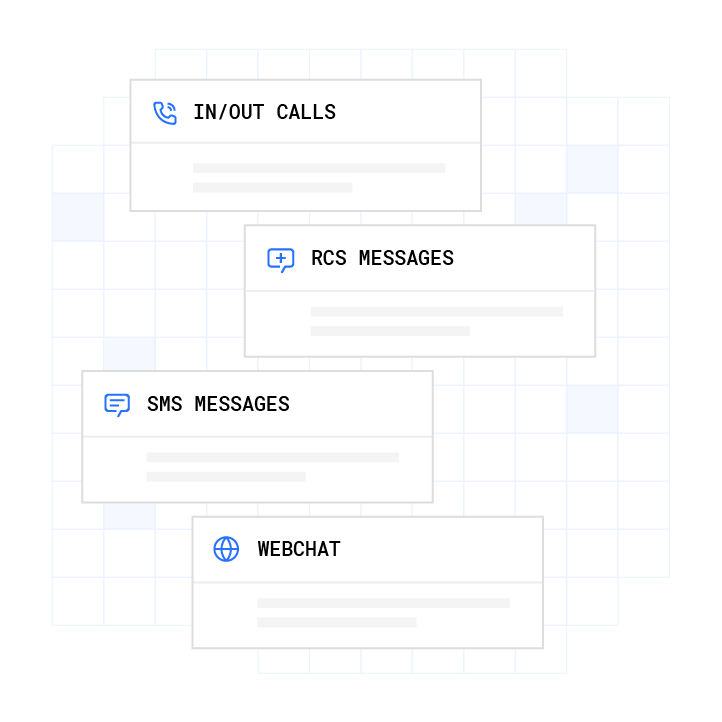
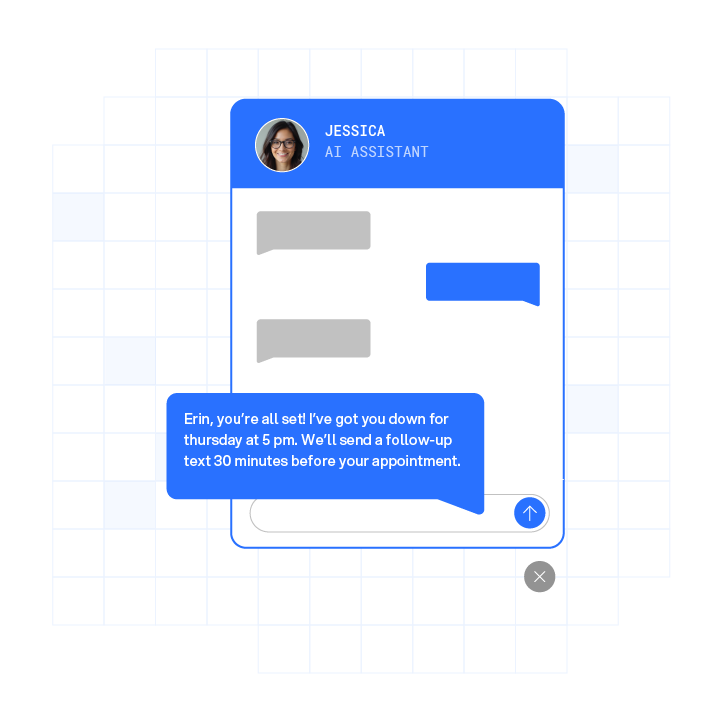
For after-hours Tier 1 leads, a practical policy uses automated first touch within seconds of lead creation via AI SMS or an AI voice agent. The conversation is qualified and logged, and the rep receives a full context summary queued for first-thing follow-up at the start of the next business day. The lead receives a timely response, and the SLA clock reflects that first touch even when no human is available.
Outbound AI contact is subject to TCPA, DNC, and applicable state regulations governing calling hours and consent. Teams should consult the relevant regulations and qualified counsel before configuring after-hours automated outreach.2 Plura supports customer compliance with TCPA, DNC, HIPAA, SOC 2, GDPR, SHAKEN/STIR caller ID verification, and ISO certification standards; customers remain responsible for their own regulatory obligations and certifications.1

Step 7: Use the Example SLA Policy Block
The following is an example lead response time SLA policy block. Replace the bracketed placeholders with your own values and adapt the tier windows, ownership assignments, and escalation paths to match your team’s actual capacity before presenting it for signature.
Lead Response Time SLA – Policy Block v1.0
Effective Date: [Date] | Review Cadence: Quarterly | Signatories: VP Marketing, VP Sales, RevOps Lead
Tier Definitions
- Tier 1 (High Intent): Demo requests, pricing inquiries, “Contact Sales” form fills. Target: first meaningful contact within 5–15 minutes during business hours.
- Tier 2 (Mid Intent): Content downloads, webinar signups, ROI calculator completions. Target: first meaningful contact within 1 hour during business hours.
- Tier 3 (Low Intent): Newsletter subscriptions, general list imports, low-engagement event badges. Target: first meaningful contact within 24–48 hours.
Clock Start: Lead creation timestamp in CRM. Processing time and rep response time are reported separately.
Business Hours Rule: 8 a.m. to 6 p.m. in the lead’s local time zone, Monday through Friday, excluding public holidays.
After-Hours Rule: Tier 1 leads submitted outside business hours receive automated first-touch coverage within [X] seconds via [channel]. Rep follow-up is queued as the first action at the start of the next business day. Tier 2 and Tier 3 leads enter the standard nurture sequence and are worked at the start of the next business day.
Ownership by Stage
- Capture and enrichment: Marketing Ops
- Routing and assignment: RevOps
- First attempt and follow-up cadence: Assigned SDR or AE
- Acceptance or rejection (within 4 business hours of routing): Assigned SDR or AE
Breach Thresholds
- Tier 1: Any lead unworked at T+5 minutes triggers a manager alert. Any lead unworked at T+10 minutes triggers reassignment.
- Tier 2: Any lead unworked at T+60 minutes triggers a manager alert. Any lead unworked at T+2 hours triggers reassignment.
- Tier 3: Any lead unworked at T+48 hours triggers a queue audit.
Escalation Path: T+[alert threshold]: rep notification via Slack or mobile push. T+[reassignment threshold]: lead re-routes to next available rep and the original rep and manager receive a notification. T+[manager threshold]: manager receives full lead details and current status.
SLA Attainment Calculation: Leads contacted within the committed window divided by total leads in scope, expressed as a percentage. Reported monthly for Tier 2 and Tier 3, and reported weekly for Tier 1. Target attainment: 90% or above for Tier 1, 80% or above for Tier 2.
Reporting Cadence: Weekly SLA scorecard reviewed in the revenue operations stand-up. Monthly compliance report shared with both marketing and sales leadership. Quarterly review with both signatories to recalibrate targets against actual performance data.
Common Challenges When Writing a Lead Response Time SLA
- Clock starts in the wrong place. Starting the clock at assignment instead of lead creation hides routing delays that account for the majority of total response lag.
- Unassigned leads sitting in a queue. If no named owner exists at every stage, leads accumulate in shared queues with no SLA pressure on anyone.
- After-hours leads abandoned until the next business morning. Without automated first-touch coverage, leads submitted outside business hours wait 12 or more hours for any contact.
- Breach logic that stops at escalate without a reassignment rule. An alert that fires but triggers no automatic action does not enforce the SLA. It simply reports that the SLA was missed.
- SLA attainment calculated without a defined measurement window. Attainment reported as an annual average hides weekly failure patterns. Tier 1 attainment should be reviewed weekly.
Run your numbers through Plura’s calculator to check your ROI in real time.
Frequently Asked Questions
What Is a Good SLA Response Time?
Under 5 minutes for high-intent leads such as demo requests and pricing inquiries during business hours keeps conversion rates competitive. As noted earlier, the 5-minute window is the threshold where connection and qualification rates remain strong. For after-hours Tier 1 leads, a 15-minute target is a reasonable starting point for teams without automated first-touch coverage. Teams with AI-powered first-touch systems can achieve sub-5-second automated contact regardless of the hour. Tier 2 leads often carry a 1-hour target, and Tier 3 leads often carry a 24–48-hour target. These windows serve as starting points and should be calibrated against your own historical conversion data before you commit them to a signed document.
What Is the 5-Minute Rule for Leads?
The 5-minute rule refers to the finding from Dr. James Oldroyd’s MIT study, conducted with InsideSales.com and covering over 15,000 leads,4 that contacting a lead within 5 minutes makes a team up to 100x more likely to connect than waiting 30 minutes, and 21x more likely to qualify that lead. The study was published in Harvard Business Review.4 Industry research published on Plura’s ROI calculator cites this benchmark as the foundational case for sub-5-minute SLA targets on high-intent inbound leads.
What Is the Average Response Time for Inbound Leads?
The industry standard for first contact on an inbound lead is 47 hours or more, according to industry research published on Plura’s ROI calculator. Multiple 2026 benchmark studies place the median B2B first response time between 42 and 47 hours, with roughly 35% of inbound leads waiting more than 24 hours for any response. Only approximately 7% of B2B teams respond to inbound leads within 5 minutes.3 The gap between the 47-hour industry average and the 5-minute competitive threshold is where most pipeline leaks.
What Is an After-Hours Lead SLA?
An after-hours lead SLA is a distinct policy decision that defines whether the SLA clock pauses outside defined business hours or runs continuously, and what automated or human first-touch coverage applies during that window. Because a significant share of inbound leads arrive outside business hours, the after-hours policy determines what happens to a large portion of total lead volume. Teams typically choose between pausing the clock and setting a target that requires automated coverage to be achievable.
What Is SLA Attainment?
SLA attainment is the percentage of leads that received their first meaningful contact within the committed window, calculated over a defined measurement period. It is calculated as leads contacted within the committed window divided by total leads in scope, multiplied by 100. The measurement period must be specified in the SLA document. Monthly is the standard minimum, and weekly reporting is recommended for Tier 1 leads. A target attainment of 90% or above for Tier 1 and 80% or above for Tier 2 is a common starting point for many teams.
What Is an SLA Breach?
An SLA breach occurs when a lead does not receive its first meaningful contact within the committed window, or when any stage in the lead lifecycle exceeds its assigned ownership window. A breach reflects a system issue that can involve routing logic, data quality, queue monitoring, or capacity. Breach reviews work best when they diagnose the system before assigning individual accountability. Repeated breaches in the same stage usually indicate a process or tooling problem.
What Is the Difference Between Lead Response Time and Speed to Lead?
Lead response time is the KPI that measures the elapsed time between a lead’s first inbound action and the first meaningful outbound contact. Speed to lead is the elapsed time between lead creation and first meaningful contact, and some teams use it specifically for the pre-contact window before any human or AI touch. The SLA is the written commitment attached to both. It names the target, the owner, the clock, and the consequence. All three terms are related but distinct, so the policy should define them clearly.
Put Plura’s sub-5-second first touch behind your policy.
Conclusion: Hand This to Your CMO and VP of Sales This Week
As the steps above show, three failures account for most broken SLAs: the clock starts in the wrong place, no one owns every stage of the handover, and the breach response stops at an alert with no reassignment rule behind it. Fix those three and the policy holds.
The SLA functions as an operating agreement between marketing and sales. Marketing commits to lead volume, quality, and routing speed. Sales commits to response speed, contact persistence, and disposition hygiene. Both sides sign and both sides are measured. RevOps governs the rules, the reporting, and the breach reviews.
Enforcing a sub-5-second first contact across voice, SMS, RCS, and webchat, around the clock, requires infrastructure that a human team cannot provide at that speed. Plura’s AI agents contact leads in under 5 seconds across every channel, hold memory-driven conversations that carry context from one channel to the next, and run on 100% U.S. infrastructure. The policy you build here defines the commitment. Plura enforces that commitment in real time.
See Plura’s AI agents handle your inbound leads live.
Compare plans and rates side by side on Plura’s pricing page.
1 Plura AI maintains SOC 2, HIPAA, ISO, and GDPR posture as part of its platform infrastructure. References to compliance frameworks in this article describe Plura’s platform capabilities and do not constitute a guarantee that any customer using Plura will themselves be compliant with applicable laws or standards. Customers remain solely responsible for their own regulatory obligations, certifications, consent management, recordkeeping, and the claims they make to their own end users. Consult qualified legal counsel for guidance specific to your use case.
2 This article describes regulatory frameworks at a general level and does not constitute legal advice. Laws and regulations vary by jurisdiction, change over time, and apply differently depending on facts and circumstances. Readers should consult qualified legal counsel before making compliance decisions.
3 Performance figures, customer outcomes, and industry statistics referenced in this article are drawn from cited third-party sources or Plura customer case studies. Individual results vary based on implementation, use case, industry, audience, and execution. Past or aggregate performance is not a guarantee of future results.
4 References to third-party products, services, companies, or research are made for informational and comparative purposes only. Plura AI is not affiliated with, endorsed by, or sponsored by any third party named in this article unless explicitly stated. Trademarks and product names referenced remain the property of their respective owners.
This article is provided for informational purposes only and reflects Plura AI’s understanding at the time of publication. Product capabilities, integrations, and specifications are subject to change. For the most current information, visit plura.ai.
This article was produced with the assistance of AI tools and reviewed by Plura AI prior to publication.