
Written by: Matt Beucler, CEO, Plura AI
Key Takeaways
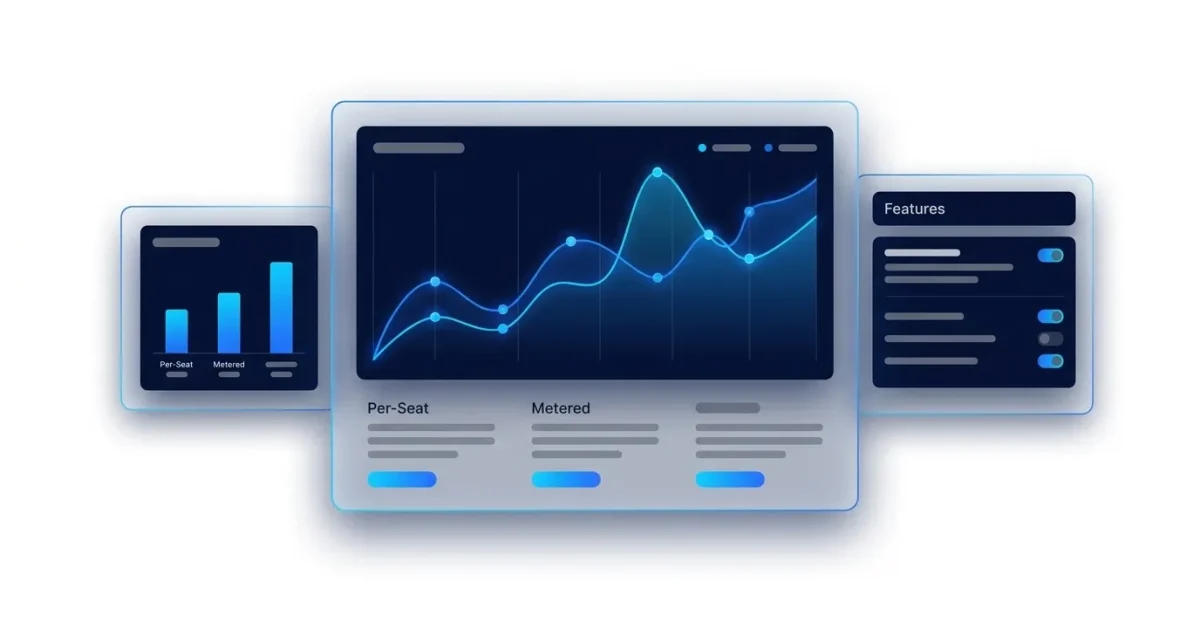
- Sales automation pricing in 2026 follows four models: per-seat, metered or credit-based, bundled, and hybrid. Real costs often exceed list prices once credits, overages, and add-ons appear on the invoice.
- Paid seats typically range from $25 to $100 per user per month. Seat minimums, annual billing commitments, and onboarding fees can push the effective monthly cost much higher.
- Per-seat pricing scales directly with headcount. It stays predictable for small teams but becomes expensive when seats sit idle or hiring outpaces productivity gains.
- Metered and hybrid models tie cost to activity instead of seats. High-volume teams can benefit, but they need realistic volume forecasts to avoid surprise bills.
- Teams evaluating sales automation should match pricing models to real usage patterns and run the numbers through Plura AI’s ROI calculator before committing to any platform.
How Much Does Sales Automation Cost Per Month?
Sales automation pricing spans free tiers through several hundred dollars per user per month. The tier label rarely tells the full story, so list prices are only a starting point.
Free tiers:
- HubSpot Sales Hub free CRM: up to 2 users with foundational tools and no credit card required.3
- Salesforce Sales Cloud Free (Starter): $0/user/month for up to 2 users, excluding mobile app access and add-on purchases.3
- Apollo Free: $0 with 900 credits per seat per year granted monthly.
Entry paid tiers:
- HubSpot Sales Hub Starter: $7/seat/month billed annually ($20/seat/month billed monthly).
- Salesforce Starter Suite: $25/user/month billed annually.
- Apollo Basic: $49/seat/month billed annually.
Mid-tier:
- HubSpot Sales Hub Professional: $90/seat/month billed annually.
- Salesforce Pro Suite: $100/user/month billed annually.
- Apollo Professional: $79/seat/month billed annually.
Enterprise:
- Salesforce Enterprise: $175/user/month billed annually.
- Salesforce Unlimited: $350/user/month billed annually.
- Salesforce Agentforce 1 Sales: $550/user/month billed annually.
The headline number is rarely the invoice number. Two platforms can quote the same $49/user/month rate and still produce very different invoices at 25 seats. Credits, overages, seat minimums, and add-ons are what separate them. The four pricing models below explain how those differences show up.
The Four Sales Automation Pricing Models Explained
Per-Seat Pricing
Per-seat pricing charges a fixed monthly or annual fee for each team member using the platform. HubSpot Sales Hub Starter at $7/seat/month (annual) and Professional at $90/seat/month (annual) are clear published examples. Cost rises in a straight line with headcount regardless of how much each seat is used. A 25-seat Professional deployment runs $2,250/month before any add-ons, and that figure climbs with every hire.
Metered / Credit Pricing
Metered pricing charges based on specific actions instead of simple access. Apollo’s published credit model is a detailed example: 1 credit to access a verified email, 8 credits to access a verified phone number, and 2 credits per minute for the US Dialer. Cost follows activity, so a small team doing heavy prospecting can spend more than a larger team sending fewer touches.
Bundled Pricing
Bundled pricing folds multiple capabilities into a single subscription fee. Reply.io’s Multichannel plan at $89/user/month (annual) bundles email, LinkedIn, SMS, and phone outreach at one fixed price, including 10 mailboxes per user. The cost stays predictable, but teams still pay for modules they may not use fully.
Hybrid Pricing
Hybrid pricing combines a base seat fee with additional consumption charges. Outreach’s Amplify tiers illustrate this structure: seat-based platform access plus AI credits that vary by tier (Amplify Essentials includes 10,000 AI credits; Amplify Pro includes 100,000). Both headcount and usage scale cost, so this model compounds fastest as teams grow and activity increases.
Sales Automation Pricing Compared
The table below shows how widely published list prices diverge across major platforms and where list prices stop being useful. It also highlights where vendors hide real pricing behind quote-only flows.
The table reflects published list prices as of September 2026. Outreach and Salesloft do not publish per-seat list prices and direct buyers to “Request Pricing” or “Talk to Sales” for custom quotes.3
| Platform | Pricing Model | Published List Price | Best For |
|---|---|---|---|
| HubSpot Sales Hub | Per-seat with credit overlay on AI features | Free; Starter $7/seat/mo (annual); Professional $90/seat/mo (annual); Enterprise from $150/seat/mo | Teams that want a self-serve entry point and predictable seat-based billing |
| Salesforce Sales Cloud | Per-seat | Free (2 users); Starter Suite $25/user/mo; Pro Suite $100/user/mo; Enterprise $175/user/mo; Unlimited $350/user/mo; Agentforce 1 Sales $550/user/mo (all annual) | Organizations already in the Salesforce ecosystem needing deep CRM (customer relationship management) customization |
| Apollo | Hybrid (per-seat plus credit) | Free; Basic $49/seat/mo; Professional $79/seat/mo; Organization $119/seat/mo with 3-seat minimum (all annual) | Outbound teams that need prospecting data and sequencing in one platform |
| Outreach | Hybrid (seat plus AI credit consumption) | Quote-only; Amplify tiers differentiated by AI credit volume (10,000 to 100,000 credits) | Mid-market and enterprise sales teams running AI-assisted pipeline workflows |
| Salesloft | Bundled and quote-only | Quote-only; third-party spend data suggests SMB teams pay approximately $43,000/year and enterprise teams approximately $168,000/year | Revenue teams that want sequencing, conversation intelligence, and forecasting in one contract |
| Reply.io | Metered (active contacts) plus per-seat | Email Volume from $59/user/mo; Multichannel from $89/user/mo (annual); AI SDR from $500/mo for 1,000 active contacts | Teams that want outreach volume tied to contacts instead of headcount |
What the Sticker Price Does Not Include
Headline pricing usually omits several material cost lines. Six common items routinely push the real invoice above the published rate.
Seat minimums. Apollo’s Organization tier requires a minimum of 3 seats, which makes the entry price $357/month (annual) instead of $119. Five9 Digital and Core carry a 50-concurrent-seat minimum, which prices smaller teams out of those tiers regardless of the per-seat rate.
Annual-billing lock-ins. HubSpot Starter is $20/seat/month billed monthly versus $7/seat/month billed annually, a roughly 65% discount for annual commitment. That discount comes with a 12-month lock-in before usage patterns are fully known.
Credit expiry. Apollo add-on credits purchased mid-cycle expire at the end of that billing period and do not roll over. Credits bought in month 10 of a 12-month contract disappear at month 12 whether used or not.
Overage rates. Apollo overage costs $0.20 per credit with a 250-credit minimum purchase. HubSpot pay-as-you-go overage is $0.010 per credit, invoiced in 10-credit increments. Neither rate appears on the headline pricing card, yet both can materially change the monthly bill.
Onboarding and implementation fees. HubSpot charges mandatory one-time onboarding fees: $1,500 on Sales or Service Professional and $3,500 on Sales or Service Enterprise. These non-negotiable line items sit outside the per-seat rate.
Add-on modules. Salesforce Einstein AI is not included in the Enterprise tier at $175/user/month. It is a separately priced add-on. A team that needs AI-enabled sales automation on Salesforce Enterprise pays the seat rate plus Einstein before a single AI action runs.
Two platforms quoting $49/user/month at 25 seats can diverge by thousands per month once these six lines are included. Treat the sticker price as the starting point for analysis.
How To Estimate Your Real Monthly Cost
Teams get better deals when they build their own cost model before talking with vendors. Use this sequence so each step feeds the next.
- Count active seats, not licensed seats. Roughly 30% of SaaS licenses go completely unused (Zylo, 2024), and 53% are unused or under-used (Productiv, 2024).2
- Estimate monthly contacts or conversations. This volume metric drives metered and hybrid models. A team sending 10,000 emails and pulling 2,000 phone numbers per month on Apollo consumes 10,000 + 16,000 = 26,000 credits before any dialer usage.
- Map each platform to its pricing model and calculate base cost. Use your active seat count for per-seat components and your volume estimate for metered components. Multiply seat count by the per-seat rate, then add estimated credit consumption at published per-credit rates.
- Add add-ons. Enrichment, AI credits, premium support, and onboarding fees often have published rates. Add these as separate line items so they are visible in your model.
- Compare total cost at 12 months. Include annual-billing discounts, overage exposure at your projected volume, and any renewal uplift. Many enterprise contracts include annual price escalations of 8 to 12%, which compound over multi-year terms.
This is the math your CFO will ask for, so build it before the vendor presents their version.
Run your numbers through Plura AI’s ROI calculator to check your cost-per-conversation in real time.
Why Enterprise Sales Automation Pricing Is Quote-Only
The estimation framework above assumes you can see published rates. For many enterprise platforms, list pricing is partial or absent, so buyers encounter “Contact Sales” flows instead of clear numbers.
Seat minimums. Enterprise platforms often require 50 to 100 seat minimums, which forces smaller teams to buy unused capacity. A 30-person team on a 50-seat minimum pays for 20 seats it cannot use.
Contract terms. Multi-year commitments can unlock 40 to 60% discounts on 3-year deals versus 20 to 40% on 1-year contracts. Many contracts also include annual escalations, so the per-seat rate in year one differs from the rate in year three.
Procurement complexity. Enterprise buying decisions involve an average of six to ten stakeholders, and procurement teams often join early. A single published list price would anchor every negotiation before scope, volume, or competitive context is clear.
Volume Economics: When Per-Seat Pricing Stops Working
Per-seat pricing punishes growth when headcount rises faster than output. The 25-seat Professional example above lands at $2,250/month before add-ons, and adding 10 more reps pushes that bill to $3,150/month whether those reps make 100 calls or 1,000.
IDC forecasts that 70% of software vendors will move away from pure per-seat models by 2028.2
Metered and per-conversation economics scale with output instead of headcount. For high-volume teams, that shift turns pricing into a strategic decision, not just a procurement detail.
Plura AI prices on conversation economics. The Plura AI ROI calculator uses a default scenario of 15 human agents at $20/hour with standard taxes, benefits, and a 40% talk-utilization rate, which produces a $60,000/month cost. Six Plura agents running at 100% talk utilization replace that output at $14,400/month, a $45,600 monthly difference and $547,200 over 12 months.2
Plura runs AI voice agents, an AI predictive dialer, AI SMS for speed to lead, and AI webchat. All four channels sit on one stateful conversation database, so a lead that texts at 9 a.m. is the same lead when the call lands at noon.
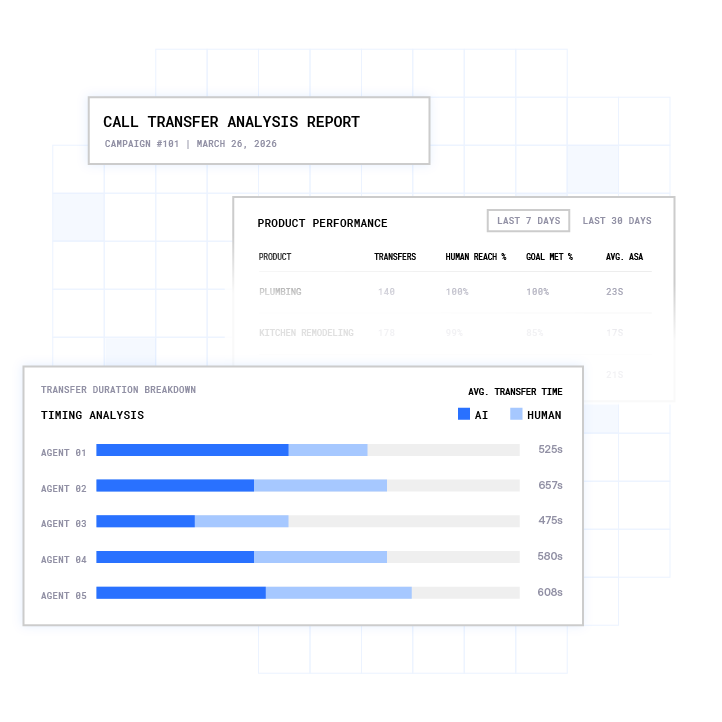
Plura also owns its own FCC-licensed audio bridging carrier, which issues branded caller ID at the carrier level instead of through a third-party reseller.1 Seat-based platforms scale with human headcount, and Plura scales with AI volume on a per-conversation basis.

For high-volume teams whose economics break under per-seat pricing, conversation-based pricing provides a structural alternative. Plura AI voice agents cost $0.35 to $0.85 per completed conversation including intelligence, compared with $5 to $15 fully loaded for offshore call centers.2
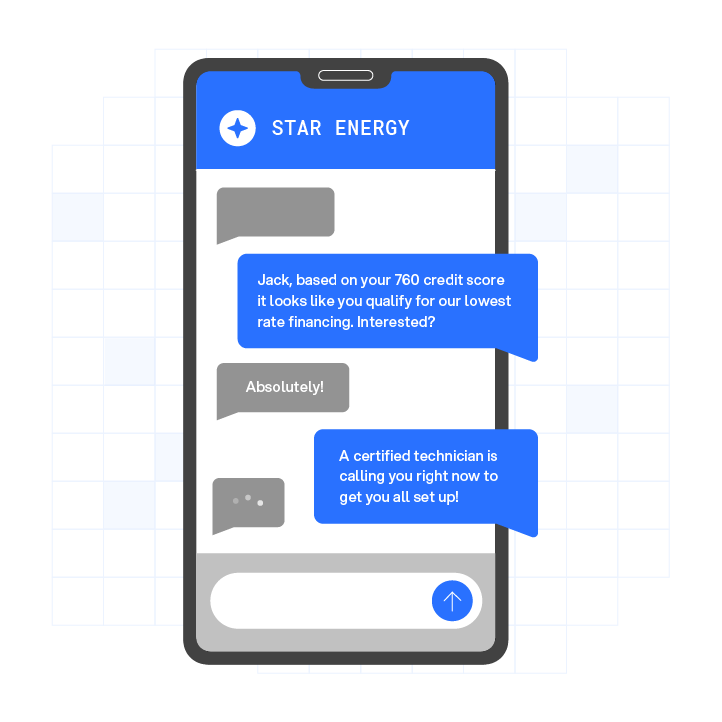
Compare Plura’s plans and rates side by side.
FAQ
How Much Does a CRM Cost Per Month?
CRM (customer relationship management) software ranges from free tiers to more than $500 per user per month depending on platform and tier. HubSpot Sales Hub starts at $0 for up to 2 users and scales to $90/seat/month (annual) at the Professional tier. Salesforce Sales Cloud starts at $0 for up to 2 users and reaches $550/user/month at the Agentforce 1 Sales tier. Most mid-market teams land between $25 and $100 per user per month before add-ons.
Can I Get Salesforce for Free?
Salesforce’s Free (Starter) plan is free forever for up to 2 users. It excludes mobile app access and add-on purchases. A separate 30-day full-feature trial supports up to 10 users with no credit card required. Beyond 2 users or the trial period, the entry paid tier is Starter Suite at $25/user/month billed annually.
Why Is Salesforce So Expensive?
Per-seat pricing scales directly with headcount, so cost rises with every hire regardless of output. AI features such as Einstein are add-ons instead of being included at the Enterprise tier ($175/user/month), which raises the effective cost per AI-enabled seat above the list price. Implementation, Premier Support, Data Cloud, and Slack sit on separate lines that are not included in the per-seat license. The all-in cost of a 50-seat Enterprise deployment often lands 25 to 40% above the per-seat line before negotiation.
What Is Included in a Free Sales Automation Tier?
Free tiers typically include a CRM for up to 2 users with foundational contact management and basic pipeline tools. HubSpot’s free tier includes the AI assistant at no charge. Apollo’s free tier includes 900 credits per seat per year, with caps on several features: 2 sequences, 5 AI assistant chats, and 25 records per selection action. Paid tiers add automation, AI features, higher contact limits, and additional sequencing capacity.
Per-Seat vs. Metered Pricing: Which Costs Less at Scale?
Per-seat pricing stays predictable until headcount grows faster than output. The same 25-seat Professional deployment cited earlier lands at $2,250/month before add-ons, regardless of how many conversations those seats generate. Metered and per-conversation pricing scales with output instead of headcount, so a smaller team doing high volume can spend more than a larger team doing less. At high volume with a stable or growing team, metered or per-conversation economics often produce a lower cost per completed interaction than per-seat models. The crossover point depends on seat count, volume, and the per-unit rate on the metered platform.
Conclusion: Run Your Numbers Before the Vendor Call
The pricing model matters more than the headline price. Two platforms can quote the same $49/user/month rate and still produce very different invoices at 25 seats once credits, overages, seat minimums, and add-ons are included. The buyer’s job is to match the pricing model to expected volume.
Per-seat pricing is predictable and easy to budget at small team sizes. It becomes expensive when seats go unused, when headcount grows faster than output, or when AI features sit behind separate add-ons. Metered and per-conversation models scale with activity, which can benefit high-volume teams that forecast volume accurately.
Build the 12-month number before the vendor call. Count active seats, estimate monthly contact volume, add every published add-on rate, and stress-test the overage scenario so you know what renewal will look like.
See how your projected volume translates into cost per conversation before you commit to a platform.
Compare plans and rates side by side.
1 This article describes regulatory frameworks at a general level and does not constitute legal advice. Laws and regulations vary by jurisdiction, change over time, and apply differently depending on facts and circumstances. Readers should consult qualified legal counsel before making compliance decisions.
2 Performance figures, customer outcomes, and industry statistics referenced in this article are drawn from cited third-party sources or Plura customer case studies. Individual results vary based on implementation, use case, industry, audience, and execution. Past or aggregate performance is not a guarantee of future results.
3 References to third-party products, services, companies, or research are made for informational and comparative purposes only. Plura AI is not affiliated with, endorsed by, or sponsored by any third party named in this article unless explicitly stated. Trademarks and product names referenced remain the property of their respective owners.
4 This article contains forward-looking statements regarding industry trends, technology adoption, and future capabilities. These statements reflect current expectations and are subject to change. Plura AI undertakes no obligation to update forward-looking statements except as required.
This article is provided for informational purposes only and reflects Plura AI’s understanding at the time of publication. Product capabilities, integrations, and specifications are subject to change. For the most current information, visit plura.ai.
This article was produced with the assistance of AI tools and reviewed by Plura AI prior to publication.