
Written by: Matt Beucler, CEO, Plura AI
Key Takeaways
- A multi-line dialer places several outbound calls per agent at once and connects agents only to live prospects.
- Effective setup depends on an FCC-licensed provider, clean lists, tuned line ratios and pacing, and a structured testing plan.
- Compliance controls such as real-time DNC scrubbing, TCPA consent logging, and quiet-hours rules reduce regulatory risk.
- Core configuration tasks include setting line ratios, pacing to stay under the 3% abandonment cap, and enabling AI voicemail detection.
- Plura AI’s FCC-licensed carrier infrastructure and compliance-focused tooling streamline multi-line dialer setup.
How a Multi-Line Dialer Works in Daily Operations
A multi-line dialer places several outbound calls at once for each available agent and connects the agent when a live person answers. This differs from a single-line power dialer, which dials one number at a time, and from a preview dialer, which shows contact details before each call. Plura AI’s AI Predictive Dialer extends this model by using stateful conversion signals to decide which contacts to call next. The goal is more talk time per dial, not just more dials.
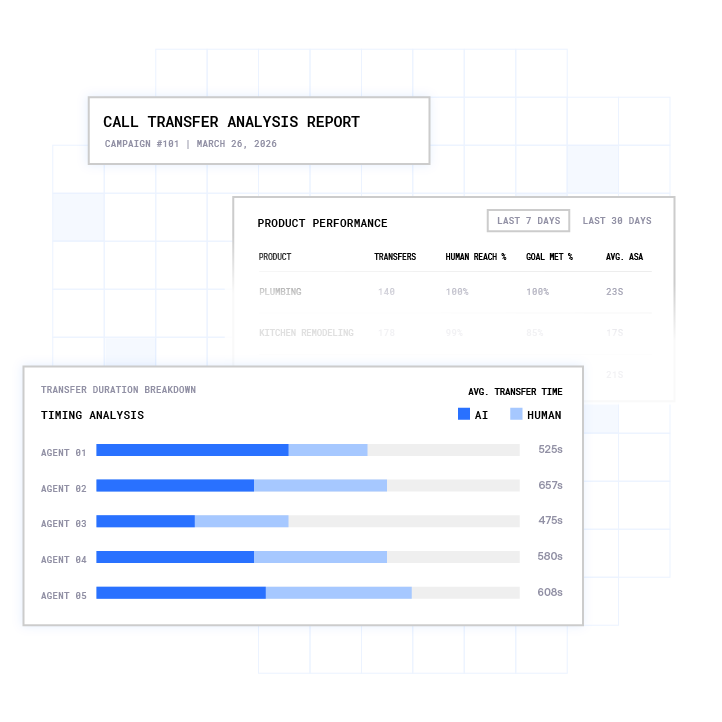
This guide focuses on parallel dialing, where each agent runs 1 to 4 simultaneous lines based on list quality and campaign type. Sales teams using multi-line systems often make 200 to 400 calls per day versus 60 to 80 on single-line systems3. Line configuration becomes the main lever for outbound productivity.
Pre-Setup: Selecting a Provider and Preparing Lists
Provider Selection Criteria That Matter in 2026
Provider infrastructure drives call quality, compliance support, and long-term cost. Evaluating these criteria up front reduces the risk of a painful migration later.
- FCC-licensed carrier vs. API reseller: Providers that own their carrier stack originate calls on their own infrastructure. API resellers wrap a third-party CPaaS such as Twilio, which limits branded caller ID options and network-level compliance controls.4 Plura AI is its own FCC-licensed audio bridging carrier, not a reseller.
- Compliance-focused features: Look for real-time DNC scrubbing, TCPA consent logging, and automated quiet-hours enforcement. Plura AI integrates real-time TCPA litigator and DNC screening on outbound contacts.
- CRM integrations: Native integrations sync call outcomes directly and reduce manual work. Zapier-style connections can add 30 to 60 seconds of delay and may fail silently.
- Scalability: Confirm concurrent call capacity for your current team and peak seasons so the platform can grow with you.
- Pricing transparency: Understand per-seat and usage-based models at your expected volume. Check whether features such as AI voicemail detection and parallel dialing are included or billed as add-ons.
- U.S.-based infrastructure: Under the FCC’s NPRM (CG Docket No. 26-52), offshore infrastructure exposure is a growing compliance consideration. Plura AI runs on 100% U.S. infrastructure by design.
- AI capabilities: Voicemail detection, lead qualification, and dynamic pacing help reduce wasted dials and keep abandonment within regulatory thresholds.
List Preparation That Protects Connect Rates
A poorly prepared list drives unanswered calls, forces aggressive overdialing, and increases abandonment risk. Treat list preparation as a defined process, not a quick export.
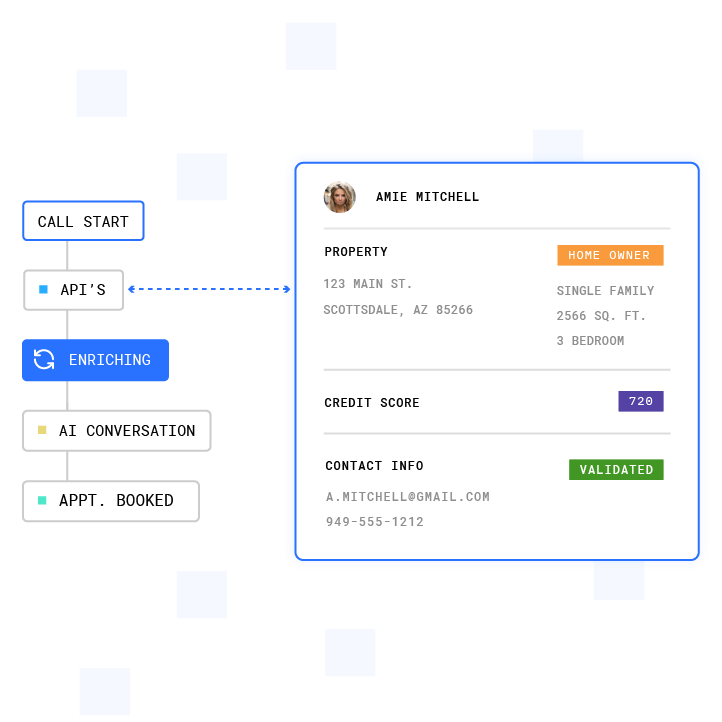
- Export leads from your CRM with complete phone number and time zone fields. This export becomes the base file for all later steps.
- Run a DNC scrub against the federal National Do Not Call Registry and applicable state lists. The federal registry contains over 240 million registered phone numbers3, so this step meaningfully reduces risk.
- Validate numbers with a real-time validation tool to remove disconnected, reassigned, or invalid entries. This improves connect rates and reduces wasted attempts.
- Segment by time zone and lead priority so the dialer can respect calling windows and route high-value leads first.
- Upload the list in CSV format using standardized field headers that match the dialer’s import template. This prevents mapping errors later.
Compliance Context for Outbound Lists
The TCPA and DNC frameworks define specific obligations for outbound callers.2 TCPA violations can cost $500 to $1,500 per text or call3. Plura AI enforces real-time DNC scrubbing and TCPA consent logging inside the platform, and customers remain responsible for their own compliance posture. Consult qualified legal counsel before launching any outbound campaign.

Step-by-Step Configuration: Lines, Pacing, and Dispositions
See how Plura AI handles multi-line dialing in a live demo to watch these configuration steps in a working environment.
- Set your line ratio: Start with 1 to 2 lines per agent for cold calling. Move to 3 to 4 lines for warm lists where prior contact exists. At 3.0 lines per agent with a 25% live-answer rate, abandoned calls can exceed the 3% regulatory threshold. Higher ratios increase connects but also abandonment risk.
- Configure pacing: For predictive dialers, target an abandonment rate below 3% of answered calls per campaign per 30-day period. The FTC’s Telemarketing Sales Rule sets this 3% cap2. Use pacing that adjusts based on live agent availability instead of a fixed ratio.
- Define call dispositions: Create a clear outcome list such as Connected – Interested, Voicemail, Wrong Number, Do Not Call, and Callback Requested. Map each disposition to a CRM field so results sync automatically.
- Set retry rules: Decide how many attempts to make per number and how long to wait between attempts. A common starting point is three attempts with 24 hours between each, then adjust based on performance.
- Enable voicemail detection: AI voicemail detection filters answering machines before calls reach agents. Tune sensitivity carefully. Overly sensitive settings can misclassify live answers as voicemail and discard valid connects.
- Configure caller ID: Use branded caller ID to reduce “Spam Likely” labels. Plura AI issues branded caller ID at the carrier level through its FCC license. Cap daily call volume per number at 70 calls to limit carrier spam scoring.
- Test with a small batch: Run a pilot with 50 to 100 numbers before full launch. Track connect rate, abandonment rate, and audio quality, then refine settings.
Compliance Setup: TCPA, DNC, and Recording Controls
Compliance controls work best when configured before the first dial. Treat them as part of campaign design, not a clean-up step.

- Scrub lists against DNC: Scrub against the federal National Do Not Call Registry and applicable state lists within 31 days of campaign start. Real-time DNC scrubbing at dial-time helps catch registrations added after a batch scrub.
- Set quiet hours by time zone: Federal telemarketing calls are restricted before 8:00 AM and after 9:00 PM in the called party’s local time. Some states apply stricter windows. Configure the dialer to use the contact’s time zone.
- Obtain and log consent: Prior express written consent for autodialed or prerecorded marketing calls to wireless numbers must meet specific requirements under 47 CFR §64.1200. The caller bears the burden of proving consent in TCPA litigation, so records must be retained and reproducible. Legal counsel can clarify consent standards for your campaigns.
- Record calls with proper disclosures: All-party consent states include California, Connecticut, Delaware, Florida, Illinois, Maryland, Massachusetts, Montana, Nevada, New Hampshire, Oregon, Pennsylvania, and Washington. Configure recording disclosures based on the called party’s state.
- Monitor abandonment rates: Track abandonment per campaign over each 30-day period. If the rate approaches the 3% cap mentioned earlier, lower the line ratio by 0.5 and measure again before scaling.
Plura AI’s compliance framework includes SOC 2 compliant infrastructure, TCPA and STIR/SHAKEN enforcement, and DNC screening.1 Plura supports compliance infrastructure, and customers remain responsible for their own regulatory obligations.
Integrating Your Dialer with CRM and Telephony
A dialer that syncs cleanly with your CRM protects data quality and follow-up workflows. Plura integrates with 50+ tools4 including HubSpot, Salesforce, and Zoho.
- Choose a native integration or use Zapier: Native integrations write call outcomes in real time. Middleware connections can introduce latency and silent failures during high-volume campaigns.
- Map fields correctly: Align contact, lead, and opportunity fields between the dialer and CRM before launch. Poor mapping creates duplicates and unreliable pipeline data.
- Test sync with a sample record: Place a test call and confirm that disposition, recording link, and call duration appear in the CRM within the expected time.
- Set up real-time notifications for hot leads: Configure CRM alerts or tasks when a disposition indicates high intent so agents follow up while interest is high.
When outbound call volume exceeds roughly 100,000 monthly minutes, synchronous CRM writes become unreliable. At that scale, stage campaign contact lists outside the main CRM and use a write queue to batch updates.
Testing and Launching Your Campaign
A structured soft launch catches configuration issues before they affect the full list. Treat this as a standard operating procedure for every new campaign.
- Run 50 to 100 calls on a representative sample of the list.
- Monitor connect rate, talk time per call, and drop rate in real time.
- Listen to 10 to 20 call recordings to confirm audio quality and agent handling.
- Confirm CRM sync writes dispositions, recordings, and call duration correctly.
- Adjust pacing and line ratio based on the observed abandonment rate before scaling.
- Scale gradually, doubling volume each day, until the campaign reaches full deployment.
Walk through a pilot setup with the Plura team before your next campaign to validate configuration in a live environment.
Troubleshooting Common Setup Issues
Even with careful planning, issues can surface once volume increases. The problems below appear most often during and after multi-line dialer setup, along with typical causes and fixes.
- Calls dropping: Start by checking internet bandwidth. Each concurrent VoIP call using the G.711 codec requires about 100 Kbps upload and download. A 10-agent team running two lines each needs at least 2 Mbps of dedicated, stable bandwidth. If bandwidth looks sufficient, check whether SIP ALG is enabled on the router. Disabling SIP ALG resolves call-dropping issues for many deployments. When bandwidth and routing look healthy, review the line ratio. If it is too aggressive for current agent availability, reduce it by 0.5 and measure again.
- Audio issues (echo, jitter): Packet loss should stay below 1%, jitter under 30 ms, and latency under 150 ms. Configure Quality of Service on the router to prioritize voice traffic. Use wired Ethernet for agent workstations instead of WiFi.
- CRM sync failures: Verify API connections and field mappings first. Check for CRM rate limits that may throttle writes during high-volume campaigns. Review sync logs for error codes, then test with a single record before restarting the campaign.
- “Spam Likely” labels: Use branded caller ID and STIR/SHAKEN authentication. Plura issues branded caller ID at the carrier level. Cap daily call volume per number at 70 calls and add spacing between calls. Flagged numbers may take two to four weeks to recover. Retire heavily flagged numbers and ramp new numbers gradually.
- Abandoned calls above the 3% cap: Lower the line ratio by 0.5 and measure abandonment over the next session. Confirm that the abandonment message fires within two seconds of a live answer, as described in the Telemarketing Sales Rule. The 3% abandonment cap mentioned earlier applies to answered calls.
- Voicemail detection misclassifying live answers: Pull 50 call recordings logged as voicemail with durations of 1 to 4 seconds and listen to 10 of them. If any begin with a human voice before the call drops, reduce AMD sensitivity in the dialer settings.
Why Plura AI Fits Multi-Line Dialing at Scale
Most outbound dialer platforms act as API resellers on top of third-party CPaaS providers. They lack the ability to issue branded caller ID under their own identity, enforce compliance controls before calls leave the network, or hold conversation context across channels. Plura AI is built on a different foundation.
- FCC-licensed carrier: Plura AI owns its carrier stack. Voice originates on Plura AI’s FCC-licensed audio bridging carrier instead of a third-party CPaaS. This structure supports lower per-minute economics, direct branded caller ID, and compliance controls at origination.
- Built-in compliance support: Plura AI’s AI Predictive Dialer includes list management, dynamic pacing, timezone logic, answer rate optimization, and compliance controls. Real-time DNC scrubbing, TCPA consent logging, STIR/SHAKEN authentication, and quiet-hours enforcement operate as platform features.
- Stateful conversation memory: Plura’s AI Voice, AI SMS, AI RCS, and AI Webchat share a Stateful Conversation Database. A contact who texts at 9 AM is recognized when the call arrives at noon, and the agent sees full context.
- AI-powered features: Voicemail detection, lead qualification, and dynamic pacing help reduce wasted dials and keep campaigns within the 3% abandonment cap.
- 100% U.S. infrastructure: Voice origination, model hosting, data storage, and call recording all run on domestic infrastructure, which avoids offshore exposure under the FCC NPRM and state onshoring laws.
Compare plans and rates side by side to align features and cost with your outbound strategy.
Frequently Asked Questions
What is the best multi-line dialer software?
The strongest fit for high-volume outbound operations is a dialer that owns its carrier infrastructure instead of reselling a third-party CPaaS. Plura AI is an FCC-licensed carrier that issues branded caller ID directly, enforces real-time DNC scrubbing and TCPA consent logging inside the platform, and runs on 100% U.S. infrastructure. Teams that want compliance controls built into the dialer often select Plura for this reason.
How many lines per agent should I use?
Use 1 to 2 lines per agent for cold calling on unverified or low-quality lists. Increase to 3 to 4 lines for warm lists where prior contact or consent exists. The Telemarketing Sales Rule limits abandoned calls to 3% of answered calls per campaign per 30-day period. Running more than two lines per agent on a cold list with a 25% answer rate often pushes abandonment above that cap. Start conservatively, measure abandonment over the first session, and increase the ratio only when the rate stays comfortably below 3%.
How do I scrub my contact list for DNC?
Scrub your list against the federal National Do Not Call Registry, applicable state DNC lists, and your internal opt-out list before each campaign. The federal registry must be queried within 31 days of campaign start. Real-time scrubbing at dial-time is more defensible than batch scrubbing because it captures registrations added after the batch date. Plura includes real-time DNC scrubbing on every outbound contact. Customers remain responsible for ensuring their scrubbing process aligns with applicable federal and state requirements, so legal counsel should guide final decisions.
What are the compliance rules for multi-line dialers?
Several frameworks apply to multi-line dialers used for outbound telemarketing in the United States. The TCPA (47 U.S.C. § 227) and FCC regulations address consent requirements for autodialed and prerecorded calls to wireless numbers.2 The FTC’s Telemarketing Sales Rule sets the 3% abandoned-call cap and calling-window restrictions. The National Do Not Call Registry requires list scrubbing at least every 31 days. State laws in Florida, California, Washington, Oklahoma, Connecticut, and others can impose stricter standards than the federal baseline. The FCC’s February 2024 declaratory ruling classified AI-generated voices as “artificial voices” under the TCPA. Review the rules at FCC.gov and FTC.gov, and consult qualified legal counsel before deploying any outbound campaign.
Why does my dialer drop calls?
Dropped calls in multi-line dialer environments usually trace to one of three causes: insufficient bandwidth, an aggressive line ratio, or network configuration issues. Each concurrent G.711 call requires about 100 Kbps, as noted in the troubleshooting section, so check bandwidth utilization during peak hours first. Next, compare the line ratio to the observed abandonment rate and reduce the ratio if agents cannot keep up. If calls drop at a consistent duration, a session timer or firewall setting is the likely cause. Random drops often point to packet loss, jitter, or other network quality issues.
Can I use a multi-line dialer for cold calling?
Multi-line dialers can support cold calling when configured with appropriate compliance controls. These controls include real-time DNC scrubbing against federal and state lists, consent documentation that aligns with applicable TCPA requirements, calling windows based on the called party’s local time zone, and abandonment rates kept below the 3% cap mentioned earlier. Start with 1 to 2 lines per agent on cold lists to keep abandonment risk lower. Use branded caller ID and STIR/SHAKEN authentication to reduce spam labeling. Legal counsel should advise on consent and disclosure requirements before any cold outbound campaign.
Conclusion and Next Steps
A multi-line dialer delivers results only when configuration, data, and compliance work together. Line ratio, pacing, DNC scrubbing, consent logging, CRM integration, and caller ID reputation all interact. Weakness in any one area wastes budget, inflates abandonment, or increases regulatory exposure. The steps in this guide provide a platform-agnostic playbook for getting setup right the first time.
Plura AI simplifies this work by enforcing controls at the carrier layer, issuing branded caller ID through its FCC license, and maintaining stateful conversation context across every channel. Teams that deploy Plura’s AI Predictive Dialer gain dynamic pacing, real-time DNC scrubbing, voicemail detection, and 50+ CRM integrations in a single platform built on U.S. infrastructure.
Get a personalized demo tailored to your outbound workflow and see how carrier-grade infrastructure supports multi-line dialer setup at scale.
1 Plura AI maintains SOC 2, HIPAA, ISO, and GDPR posture as part of its platform infrastructure. References to compliance frameworks in this article describe Plura’s platform capabilities and do not constitute a guarantee that any customer using Plura will themselves be compliant with applicable laws or standards. Customers remain solely responsible for their own regulatory obligations, certifications, consent management, recordkeeping, and the claims they make to their own end users. Consult qualified legal counsel for guidance specific to your use case.
2 This article describes regulatory frameworks at a general level and does not constitute legal advice. Laws and regulations vary by jurisdiction, change over time, and apply differently depending on facts and circumstances. Readers should consult qualified legal counsel before making compliance decisions.
3 Performance figures, customer outcomes, and industry statistics referenced in this article are drawn from cited third-party sources or Plura customer case studies. Individual results vary based on implementation, use case, industry, audience, and execution. Past or aggregate performance is not a guarantee of future results.
4 References to third-party products, services, companies, or research are made for informational and comparative purposes only. Plura AI is not affiliated with, endorsed by, or sponsored by any third party named in this article unless explicitly stated. Trademarks and product names referenced remain the property of their respective owners.
This article is provided for informational purposes only and reflects Plura AI’s understanding at the time of publication. Product capabilities, integrations, and specifications are subject to change. For the most current information, visit plura.ai.
This article was produced with the assistance of AI tools and reviewed by Plura AI prior to publication.